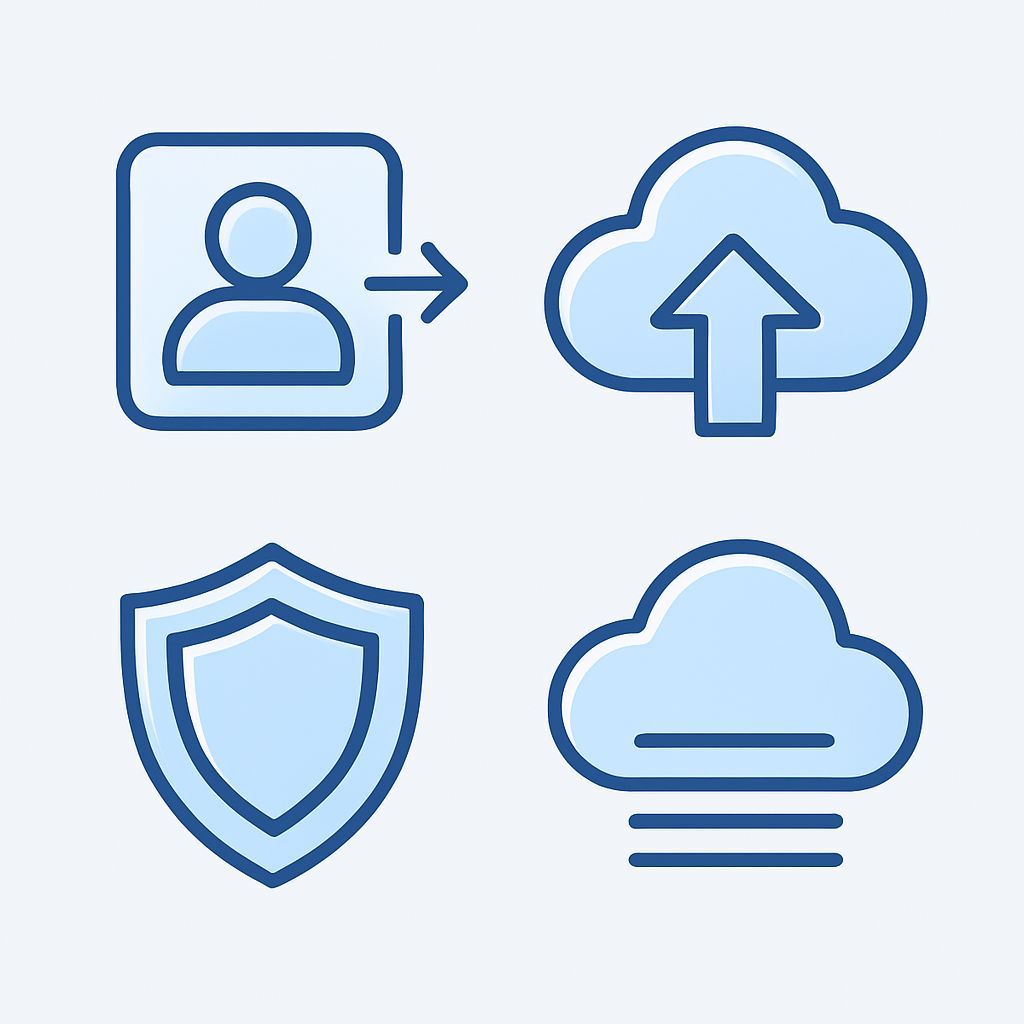
In the digital age, our smartphones have become real extensions of our memory, keeping not only precious memories in the form of photos and videos, but also the connective tissue of our relationships: contacts. Until a few years ago, the SIM card was the main lever for saving phone numbers, a simple method but with obvious limits in terms of capacity and wealth of information. Today, with the advancement of technologies and the increasing integration between cloud devices and services, the management of contacts has become a much more complex and articulated process, requiring an in-depth understanding of the different strategies available to ensure that our column is always accessible, updated and, above all, safe. If you are faced with the need to switch from phone to phone, perform a robust backup, or simply optimize your contacts management, you are in the right place. This article will guide you through a complete path, exploring the evolution of rescue methods, the peculiarities of different operating systems such as Android and iOS, the best practices for cloud synchronization, and advanced solutions to ensure that no number is ever lost. Forget the anxiety of losing your valuable contacts during a smartphone change or failure; with the information they will follow, you will have all the tools to master your digital column, ensuring maximum efficiency and safety through every technological transition. Prepare to discover the secrets of impeccable contact management, from ABC to the most sophisticated strategies, for an ever-changing and worry-free experience of use.
The Evolution of Contact Management: From SIM to Cloud
The history of telephone contacts management is a fascinating journey that reflects the evolution of mobile phones. Initially, with the first mobile phones, the SIM Card was the only keeper of our precious numbers. This small card was not only the key to access the network of our operator, but also a rudimentary, although effective, storage system. Its simplicity was dictated by the needs of a time when phones were primarily vocal instruments, and the information to be saved was limited to names and phone numbers, often truncated or with special characters not supported. SIM storage capacity was extremely limited, generally among 150 and 250 contacts, and did not allow to save additional details such as email addresses, physical addresses, contact photos, more numbers for the same person (house, office, mobile phone) or personal notes. This system, while ensuring a basic portability of the number when changing the phone (as long as the new device supports the same size as SIM), was soon insufficient for the emerging needs of users. Loss or corruption of the SIM meant the loss of the entire directory, and the lack of an automatic backup mechanism made users vulnerable to such eventualities. The arrival of smartphones marked a radical turning point. With the ability to save contacts directly in internal memory of the phone, SIM limitations have been exceeded. Smartphones could store thousands of contacts, each enriched by a myriad of details: custom ringtones, birth date fields for automatic reminders, work roles, social media links, and much more. This innovation has opened the way to a more rich and personalized management of the column. However, internal storage still had a criticality: backup. If the phone failed, lost, or was stolen, contacts could be irrecoverable without a prior backup. It's here cloud computing has come into play, definitively revolutionizing the paradigm. Services Google Contacts for Android and iCloud Contacts for iOS have introduced automatic and continuous synchronization of contacts with a remote server. This means that whenever you add, change or delete a contact on your phone, the change is immediately replicated in the cloud. The advantages are multiple and transformers: contacts are accessible from any device connected to the Internet (smartphone, tablet, PC), the backup is automatic and transparent, and the passage to a new phone becomes an almost instant operation, since you just have to log in with your account to find the entire column. The robustness and resilience of the cloud have in fact relegated the SIM to a secondary role in managing contacts, mainly as a last leap for portability of the telephone number itself and, for some users, as an emergency backup method for a limited number of essential contacts, especially useful in scenarios of incompatibility or for old generation phones. Understanding this evolution is essential to appreciate modern management strategies and to choose the most suitable approach to your needs, balancing comfort, functionality and safety.
Common strategies for the Transfer and Synchronization of Contacts
The transition from SIM to cloud has greatly expanded the options for managing and transferring contacts, making available a wide range of strategies suitable for every need and level of technological expertise. The choice of the most appropriate method often depends on the operating system of the device, the quantity and type of contacts to be transferred, and the degree of automation desired. The primary and most efficient strategy in the current technological landscape is undoubtedly the synchronization via cloud services. For Android users, Google Contacts represents the top solution. Once a Google account is configured on your device, contacts are automatically synced with Google's cloud. This means that they are accessible from any other Android device connected to the same account, and also via a web browser at the address contacts. google. community. This integration offers centralized management and robust backup, allowing you to edit, add or delete contacts from any access point and see the changes reflected anywhere. The process is generally transparent to the user, which should not worry about manual backups. Similarly, for the Apple ecosystem, iCloud Contacts performs the same function. By enabling contacts synchronization through iCloud settings on an iPhone, all contacts are uploaded and kept up to date on Apple's cloud, and are accessible from other Apple devices (iPad, Mac) or through the site icloud.com. Even in this case, automation and integration are the strengths, ensuring continuity and security of unequal data within the ecosystem. There are also other cloud services, such as those offered by Microsoft Outlook or Exchange, particularly popular in the professional field, offering similar synchronization and centralized management capabilities, often integrated with productivity suites. Despite the rise of the cloud SIM Card it still holds its own, though limited, role. As mentioned in the original article, some Android smartphones still offer the function of export contacts on the SIM. This operation, although useful for a minimal backup or for older phones, is limited by the reduced capacity of the SIM and the loss of additional information on contacts. The path to do this varies slightly between manufacturers: on a Samsung, you could go up Phone > Contacts > three steps > Manage contacts > Import or export contacts > Export > SIMS; on a HUAWEI, Phone > Contacts > three steps > Settings > Import/export > Export to SIM. In general, on Android, the path is often within the app Contact or Telephone, looking for voices like Import/Export or Manage contacts. It is crucial to remember that iPhone does not support direct copy of contacts on the SIM. This is an intrinsic limitation of the iOS operating system, designed to facilitate internal storage and backup on iCloud. For iPhone users who want a local backup or transfer to an Android phone without using the cloud, you need to use alternative methods, such as export to format vCard (.vcf). This leads us to the third common strategy: theexport and import manual through specific files. The format vCard (VCF) is a universal standard for the exchange of contact information. Both Android and iOS (often via third-party apps for the latter) allow you to export the entire column to a single .vcf file. This file can then be transferred via email, Bluetooth, or USB cable and subsequently imported into another device or cloud service. For iPhone, apps like My Contact Backup (quoted in the original article) can generate a .vcf file to be sent via email. On Android, the option Import/Export in the Contact app often includes the possibility to export on internal memory in .vcf format. Another format, although less common for complex contacts, is CSV (Comma Separated Values), useful for databases or spreadsheets, but less suitable for keeping all details of a modern contact. These strategies, from cloud to SIM, to manual files, offer considerable flexibility, but require a clear understanding of their strengths and limitations to be used effectively.
Manage Contacts Between Different Ecosystems: Android and iOS in Comparison
The real test bench for any contact management strategy is manifested when a transition between different ecosystems, especially between the world Android and that iOS. These two mobile phone giants, while offering similar features, adopt different philosophical approaches in managing personal data, and contacts are no exception. Understanding these differences is crucial for smooth passage. For those wishing to migrate from Android to iOS, the process can be surprisingly fluid if you are already used to using Google's cloud services. The key to this scenario is precisely Google Contacts. If your Android contacts are already synced with your Google account (which happens by default on most Android devices), the transfer is trivial: just configure your Google account on the new iPhone. During the initial configuration of iOS or later in the settings Mail, Contact, Calendars, you can add your Google account and activate contact sync. The iPhone will automatically access your Google directory and integrate it with its contacts, making them immediately available. An alternative offered by Apple for a more complete migration is the application Switch to iOS (Move to iOS), available on the Google Play Store. This app facilitates wireless transfer of various types of data, including contacts, from Android device to iOS. It is particularly useful for those who do not want to rely solely on Google for synchronization or want a one-off transfer of a wide range of information. For users who prefer a more manual approach or do not have contacts synchronized with Google, export in format vCard (.vcf) from Android phone is a universal solution. The .vcf file can be sent via email to the new iPhone or transferred via computer. Once on the iPhone, opening the .vcf file you will have the opportunity to import all contacts in the column. The reverse path, or the passage from iOS to Android, presents slightly different challenges because of Apple's policy not to allow direct copy of contacts on the SIM and strong integration with iCloud. The most effective strategy for this migration, which does not require third-party apps on your phone, is using the iCloud web portal. Accessing icloud.com from a computer with your Apple ID credentials, you can browse the section Contact. Here, by selecting all the contacts (or the desired ones) and using the gear icon on the bottom left, you will find the option Export vCard. The downloaded .vcf file can then be transferred to the new Android phone (via email, USB cable or cloud storage services like Google Drive) and imported into the Android Contact app, which natively supports this format. Alternatively, if you have also set up a Google account for contact synchronization (which is possible through iOS settings), then the switch is as simple as from Android to iOS: contacts will already be on the Google cloud and you just have to access the new Android phone with the same account. For users who do not use iCloud or Google Contacts, or who prefer on-device solutions, as mentioned in the original article, third-party apps for iPhone as My Contact Backup allow you to create a .vcf file directly from your phone, then send it via email or other means to the new Android device. It is essential, in both ways of migration, always check that all contacts have been transferred correctly and that all information (photos, notes, multiple email addresses) has been preserved. These strategies aim to bridge the gap between the two ecosystems, ensuring that your network of contacts remains intact, regardless of the device you choose to use.
Advanced Solutions and Third Party Tools for Contact Management
In addition to native methods and standard cloud solutions, the digital landscape offers a wide range of advanced solutions and third-party tools that can elevate contact management to a higher level. These tools are especially useful for dealing with complex scenarios, such as cleaning of disordered rubrics, managing large volumes of contacts, or the need for functionality not included in the basic operating systems. In the past, desktop software like iTunes (for iPhones) or specific programs for managing Android phones allowed granular control over contacts, often including backup and restore functions directly from the computer. Although dependence on these software has been reduced with the advent of the cloud, there are still full suites like dr.fone by Wondershare or Mobile offering cross-platform functionality for data transfer, including contacts, between different devices, selective backup and restore. These programs are particularly appreciated in contexts where cloud connectivity is limited or for users who want offline control over their data. The third-party applications for smartphones are another powerful category. For iOS, the app My Contact Backup mentioned in the original article is an excellent example of how a single app can solve iPhone limitation in exporting contacts, creating a .vcf file to be sent via email. There are also apps specialized in solving common problems such as duplicate management. Applications such as Contact Cleaner (for iOS and Android) or Duplicate Contacts Fixer (for Android) scan the column and identify multiple contacts for the same person, offering options to join them, delete redundant voices or standardize formats. This is essential to maintain a clean and functional column, avoiding confusion and facilitating research. The sharing of individual contacts is another area where advanced solutions shine. In addition to sending a contact like vCard via email or messaging app, there are faster and more intuitive methods. For example, AirDrop on iOS lets you share a contact (or any other file) instantly between nearby Apple devices. On Android, the Bluetooth is a consolidated method to exchange contacts between devices. Some apps, or even native sharing functions, allow you to generate a QR code for a single contact, which can be scanned by another smartphone to quickly add information. These options are ideal to exchange numbers in social or professional situations without having to type manually. The management and organization of contacts do not stop at the simple transfer. Many cloud apps and services offer advanced features such as creating contact groups (family, work, friends), which facilitate sending messages or emails to multiple people at the same time. The possibility of connect contacts from different sources (for example, a contact from the telephone address with its LinkedIn profile or a corporate email account) enriches the profile of each person, providing a more complete and integrated view. Finally, a often neglected aspect is the data recovery, or recovery of contacts in case of accidental loss. Although cloud services offer a robust recovery mechanism (for example, Google Contacts allows you to restore your address to a previous date), there are also data recovery software that can attempt to recover contacts from damaged or accidentally deleted devices, stressing the importance of always having an up-to-date backup and possibly on multiple platforms for unparalleled security. The exploration of these advanced solutions allows users to customize and optimize their book management, transforming it from a simple list of numbers into a dynamic and intelligent database.
Security and Privacy in Personal Data Management
In the current digital panorama, where personal data is considered the new oil, the security and privacy in the management of contacts are no longer only optional, but basic requirements. Our contacts represent a database of sensitive information not only about us, but also about all the people we interact with. Improper management or poor protection of this data may have serious repercussions, from the violation of individual privacy to wider security risks. The first line of defense for contacts stored in the cloud lies in the robustness of google or Apple account security. It is imperative to use strong and unique passwords for these accounts and, above all, enabletwo-factor authentication (2FA). The 2FA adds a further layer of protection, requiring a second verification (often via a code sent to the phone or generated by an authenticator app) in addition to the password, making it extremely difficult for an attacker to access your contacts even if he finds out your password. Both Google and Apple massively invest in data encryption in transit and rest on their servers, but end security largely depends on user practices. When using third-party applications for managing or backing up contacts, it is crucial to carefully examine the permissions required by the app. Many apps ask for full access to the directory, which is understandable for their function. However, if a seemingly harmless app requires excessive permissions (for example, access to your GPS location or messages, while being just a contact app), it is an alarm signal. It is always advisable to download apps only from official stores (Google Play Store, App Store) and read user reviews and developer privacy policies. Not all third-party apps are created with the same security and privacy standards, and some may be vehicles for non-ethic data collection. The sharing contacts is another area that requires caution. Whether you share a single contact via message or give an app access to the entire directory, you must be aware of who will receive this information and how it will be used. For example, many social media or messaging apps require access to contacts to suggest friendships or show who among your contacts already uses the service. While this may be convenient, it also means that your column data is uploaded to third-party servers. It is important to carefully read the privacy statements of these apps and, if possible, revoke access to contacts once the desired functionality has been completed. The theme of data ownership in the cloud is complex. Although you maintain the legal property of your contacts, once uploaded to a cloud service, they are subject to the terms of service of the provider, which may include clauses on data usage to improve services or customized advertising (although anonymous). It is useful to review these terms to understand how your data is processed. Finally, when releasing an old phone, physical data security is equally important. A simple reset of factory settings may not be enough to completely erase data, making it potentially recoverable with forensic software. It is advisable to perform a restoration to factory data and, if possible, overwrite memory with random data or use functionality of secure cancellation offered by some producers. These practices, combining strong digital hygiene with an awareness of privacy policies, are essential to protect our precious network of relationships in the age of perennial connectivity.
The Future of the Book: Artificial Intelligence and Integration
The book concept, once a simple static list of names and numbers, is intended to radically transform itself with the advance ofartificial intelligence (AI) and increasing integration between platforms and devices. The future of contact management promises to be smarter, proactive and intuitive, anticipating our needs and simplifying daily interactions. AI will play a crucial role in customization and automatic contact enrichment. Imagine a column that not only stores the data you enter, but that integrates them with information from public sources or from previous interactions. For example, an AI system could automatically suggest adding a birthday based on past events, or updating the job role of a contact by analyzing recent email signatures or professional social profiles. The functions of smart suggestion may also extend to compiling new contacts, suggesting names, emails or phone numbers based on specific contexts, such as an ongoing conversation or a calendar event. AI will also be key to improving cleaning and organization of the column. The current systems are already able to identify and suggest the fusion of duplicate contacts, but the future will see more sophisticated algorithms capable of recognizing variants of names, email addresses or telephone numbers, offering suggestions of union with greater precision and less false positive. They could even propose the creation of contact groups based on communication patterns or personal relationships, making the management of complex lists extremely simpler. Another area of development will beadvanced integration with voice assistants as Siri, Google Assistant and Alexa. Already today we can ask our assistants to call or send messages to specific contacts. In the future, these interactions will become more natural and contextual. We may ask the assistant to find a contact based on partial information (e.g. “who is that person who helped me with the X project?”) or to interact with contacts in more complex ways, such as “organize a dinner with my colleagues” allowing AI to manage preferences and invitations. Integration between personal contacts and professional tools is another important frontier. For many professionals, contacts are not only phone numbers, but real assets. Future taps could integrate more deeply with CRM systems (Customer Relationship Management), corporate collaboration platforms and networking tools, offering a unified vision of both personal and professional relationships. This could mean automatic contact updates based on work interactions, or the ability to access conversation notes and historians directly from the contact card. Finally, user experience will become even more fluid and cross-device. Real-time synchronization and universal access will be the norm, with contacts that will follow the user seamlessly between smartphones, tablets, smartwatch, PCs and even connected vehicles. Future challenges will focus mainly on privacy and security, since AI will need access to a large amount of data to operate effectively. To find a balance between the comfort offered by AI and the protection of privacy will be a continuous debate, but the direction is clear: the column will become a smart and dynamic nerve center, at the heart of our interaction with the digital world and not only.
Solve Common Problems and Maintain an Optimal Address Book
Even with the most advanced technologies, contact management is not immune to problems. Knowing how to identify and solve the most common difficulties, and adopt proactive practices to maintain a “sana” column, it is essential for a stress-free user experience. One of the most frustrating problems is synchronization of contacts that does not work. This may occur with the absence of new contacts on the cloud, or with changes that do not reflect on all devices. For Android users, the first thing to check is the Google account sync settings: go to Settings > Account > Google (or your specific Google account) and make sure that the “Sync Contacts” option is active. Sometimes, a simple reboot of the phone or a manual synchronization force (often available in the account settings) can solve the problem. It is also useful to check the available storage space on the cloud, although for contacts it is rarely a problem. For iPhone users, check iCloud settings in Settings > Your Name > iCloud and make sure that “Contacts” is active. If synchronization is already active and does not work, try to turn it off and reactivate it after a few minutes, choosing to keep contacts on the phone if you are asked. Sometimes, a network or server problem can prevent synchronization, so wait and try again can be a solution. Another frequent headache is duplicate contacts. This often happens when importing contacts from multiple sources (e.g. from SIM and cloud, or from different email accounts) or when using third-party apps for transfer. Both Google Contacts and iCloud Contacts offer native features to join duplicates. On Google Contacts (via web or app), search for the option “Union and correction” or “Find duplicates”. iCloud, via icloud.com, may suggest contacts to join. If native solutions are not enough, third-party apps mentioned above, as Contact Cleaner or Duplicate Contacts Fixer, they can offer more advanced algorithms to identify and merge complex duplicates. When you lose contacts, panic is the first reaction, but not always the situation is irrecoverable. If contacts were synced with Google or iCloud, you can use the restore features. Google Contacts allows you to restore the column to a previous state (up to 30 days before) through the web interface (contacts. Google. com > Settings > Cancel changes). iCloud offers a similar service (icloud.com > Account Settings > Restore contacts). These functions are life-saving and emphasize the importance of constant cloud synchronization. To prevent these problems, it is crucial to adopt a proactive approach. First of all, choose a single cloud accounts as a primary source for your contacts (Google for Android, iCloud for iOS, or an Exchange/Outlook account if you prefer). Try to avoid saving contacts directly on your SIM or phone memory if it is not strictly necessary to prevent data fragmentation. Execute periodic backups in VCF format, even if you use the cloud. This provides a local “offline” copy that can be useful in emergency scenarios, such as cloud account access issues. Make sure the contact fields are compiled in a consistent and complete manner. Add details such as emails, addresses, date of birth; this information enriches your column and can be useful in the future. It regularly deletes outdated or no longer necessary contacts to keep the column slender and organized. A clean and well maintained contact is not only easier to use, but also reduces the probability of synchronization errors and problems. Keeping the operating system and apps up to date is another good practice, as updates often include bug fixes and contacts management improvements. Finally, familiarize yourself with the contacts management settings of your device and your cloud service. Knowing the available options will give you complete control over your data and will allow you to quickly resolve any hits.
In conclusion, the management of telephone contacts has evolved from a simple need to a true art, requiring awareness and strategy to be mastered in the digital age. We have seen how the path from limited SIM card to powerful cloud flexibility has revolutionized how we save, access and protect our most valuable data. Understanding the nuances of each operating system, whether Android or iOS, and being able to make the most of cloud synchronization services such as Google Contacts and iCloud, is now indispensable to ensure that our directory is always at hand, up-to-date and secure, regardless of the device we use. The importance of multi-level backup strategies, the intelligent use of third-party tools to optimize and clean the column, and strict attention to the security and privacy of our personal data cannot be stressed enough. The future, with the ever deeper integration of artificial intelligence, promises even more intelligent and proactive rubrics, but at the same time it will require greater vigilance and understanding by users. By adopting the practices and knowledge outlined in this guide, you will not only be able to overcome the transfer challenges between different devices and ecosystems, but you will also have the tools to maintain your network of impeccable, organized and protected contacts. Whether you're doing a simple backup, migrating to a new smartphone or simply trying to optimize your daily book, the information provided here will equip you to deal with every scenario with confidence and competence, transforming the management of your contacts from a potential scratch to a fluid and worry-free process.


