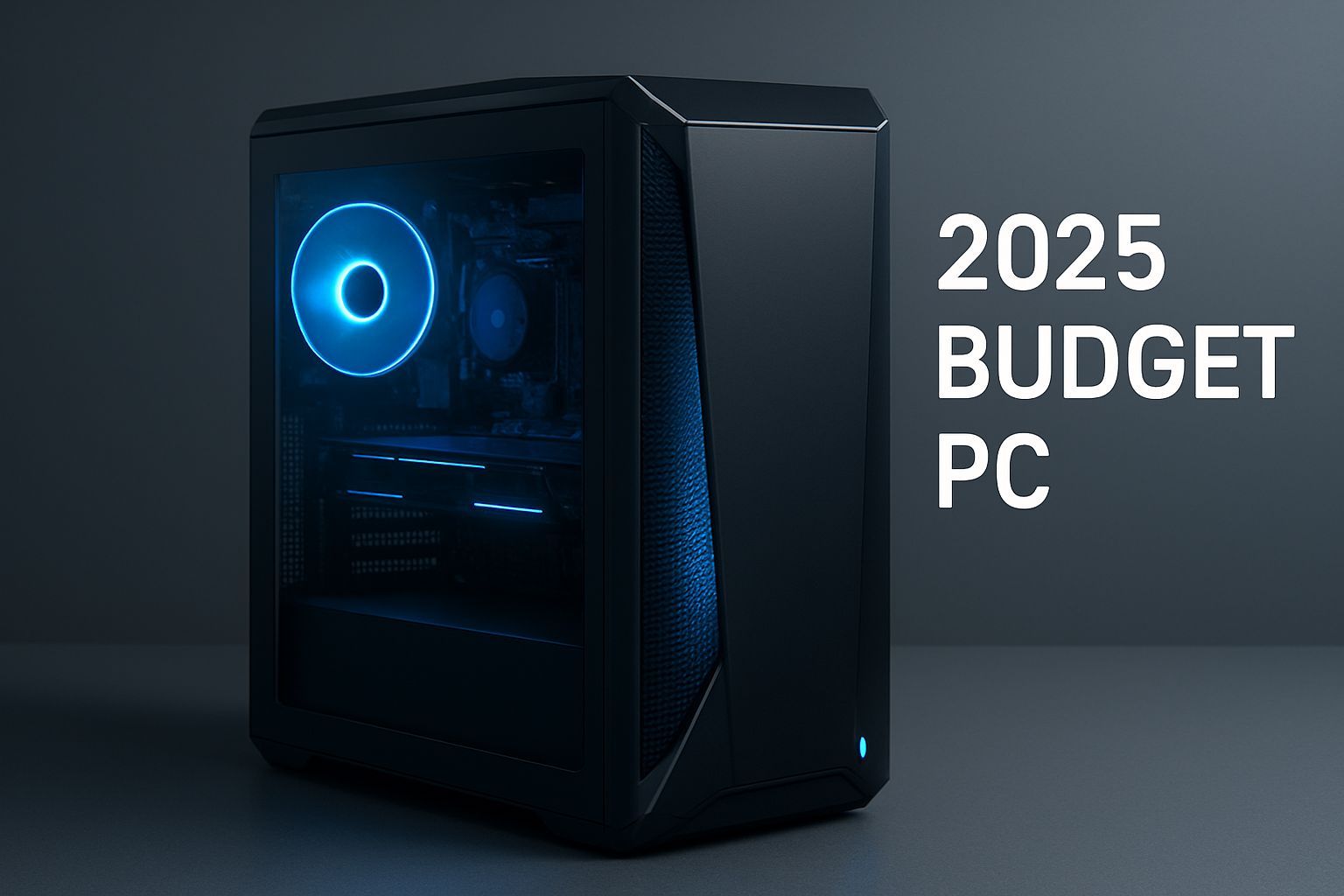
In the digital age in which we live, the computer has become an indispensable tool, both for productivity and entertainment. From the student who has to write his thesis to the professional who manages an activity, passing through the domestic user who surfes the web or looks at a movie, a reliable PC is fundamental. However, the idea that a good computer must necessarily entail an exorbitant expense is a myth that must be discarded. The technological market, in fact, today offers a wide range of “economic” solutions that do not sacrifice the essential performance. But what exactly does “economic” mean in the context of PCs? And how can you navigate through the endless options available to make the right choice, maximizing your investment without sacrificing quality? The challenge is not simple, because a low price should never result in a frustrating use experience or an obsolete product in a few months. This ultimate guide has been designed to accompany you step by step in the complex world of low-cost PCs, providing you with the tools and knowledge you need to identify the most suitable device for your needs, whether it be a robust fixed or a versatile laptop. We will thoroughly analyze each component, reveal the secrets of the refurbished market and help you define a smart and conscious purchasing path, ensuring that your next computer is not only economical, but also performing and durable. Get ready to find out how to get maximum value for each single euro spent, making technology accessible to everyone without compromise on quality.
Navigate the Market: Understanding the Price Phases and Budget Optimization
Defining a budget is the first, crucial step in purchasing an economic PC, but it’s not just about fixing a maximum amount. It is essential to understand what can be realistically achieved within different price ranges and how to optimize each euro spent. When we talk about cheap PC, we generally move in a range that goes from 300 to 700 euro, with some exceptions below or above, especially in the refurbishment market. Below 300 euros, there are often devices with significant compromises in terms of performance (enter-level processes, little RAM, slow eMMC storage) or PC refurbished with specifications a few years ago, still valid for basic uses. The 300-500 euro band represents the sweet spot for many users looking for a balance between price and performance for everyday activities such as browsing, email, Office suite and streaming. Here you can find PCs with Intel Core i3/i5 or AMD Ryzen 3, 8GB RAM and 256GB SSD processors, often refurbished or new basic models. Going up to 500-700 euros, you can access more efficient machines, with more recent processors, 16GB of RAM and SSD more capacious (512GB), sometimes with more powerful integrated graphics cards or even low-end dedicated solutions. This range is ideal for those who need a little more power for intensive multitasking, light photo editing or occasional gaming. Budget optimization is not limited to the initial purchase price; it also includes the assessment of the budget total cost of ownership. Consider whether the PC is easily up-to-date (addition of RAM or replacement of SSD) to extend its useful life, reducing the need for a new short-term purchase. Evaluate the presence of preinstalled software (such as Office) that could save you on buying separate licenses. Moreover, do not underestimate the importance of the market refurbished: Business PCs released and remitted by professionals can offer medium/high-end specifications a few years ago at entry-level prices, with similar guarantees to the new. These models, often workstations or business laptops, are built to last and offer greater robustness than many new cheap PCs. Learning to identify your primary needs and balance them with the specific offers in your budget is the key to a smart purchase, avoiding paying for unnecessary functionality or, on the contrary, finding yourself with an undersized device for your own purposes.
The Heart of the Machine: Processor, RAM and Archiving – The Pillars of Performance
The trio consisting of processor (CPU), RAM memory and storage unit is the core of each PC and largely determines its general performance. Understanding their features is essential for a conscious purchase, especially when it is aimed at an economic model. The processor is the brain of the computer, responsible for performing all instructions. For cheap PCs, the main contenders are Intel (Core i3, Core i5, Celeron, Pentium, N-series) and AMD (Ryzen 3, Ryzen 5, Athlon). Generally, an Intel Core i3 or a AMD Ryzen 3 of a recent generation (e.g., Eleven Generation Intel or Fifth Generation AMD) provides adequate performance for most daily activities. A Core i5 or Ryzen 5, also of some previous generation (such as i5-6700 or i5-3470 mentioned in the article of origin for refurbished), represents a remarkable leap forward for multitasking and more demanding applications. The Celeron, Pentium and Intel N series, although cheaper, are suitable only for extremely basic uses, such as web browsing and light videowriting, and could be slow for a modern user experience. Consider the number of cores (dual-core, quad-core) and the clock frequency, but above all the generation of the chip, since the latest architectures offer higher efficiency and performance even at equal frequency. The RAM (Random Access Memory) is the working memory of the PC. For an economic computer in 2025, 8GB RAM DDR4 are to be considered the minimum necessary for a smooth experience with Windows and the most common applications. 4GB are now insufficient and cause significant slowdowns, while 16GB, while being ideal for multitasking pushed or for some professional applications, could make the budget go off unless it is a high-end refurbishment. If the budget allows, opt for 16GB or make sure your PC has a free RAM slot for a future upgrade is a smart move. The difference between DDR3 and DDR4, although not abyssal for the average user, results in increased energy efficiency and speed for DDR4. Finally, thestorage unit. Here, the choice is clear: an SSD (Solid State Drive) is indispensable, also in a cheap PC. A SSD radically transforms the reactivity of the system, with start-up times and loading of applications drastically reduced compared to traditional hard drives (HDD). For a cheap PC, a 240GB or 256GB SATA SSD is a good starting point, but 500GB or 512GB offer a more comfortable space for operating system, programs and personal files. NVMe SSDs (faster than SATA) are a luxury that is rarely found in this price range, but if available, it is a remarkable plus. HDDs alone are only acceptable as secondary storage for large amounts of data that do not require rapid access; an operating system on HDD will make your PC frustratingly slow. The combination of a small SSD for the operating system and a larger HDD for data can be an intermediate solution for some cheap fixed PCs, but the ideal is a single SSD of adequate capacity. The balance between these three components is what will define the fluidity and ability of your PC to manage the activities that you rely on daily, so this is where you focus the maximum attention during the evaluation phase.
User Experience: Graphics, Display and Connectivity – Beyond Core Hardware
In addition to the internal components that guarantee computing power, other elements are fundamental to define a satisfactory user experience, especially for economic PCs. The graphics card, or GPU, is an aspect that requires careful evaluation. In most cheap PCs, you will find a integrated graphics card directly in the processor (Intel UHD Graphics, Intel Iris Xe, AMD Radeon Graphics). These solutions are more than enough for web browsing, high definition video streaming (also 4K on YouTube), use of Office suites and even for some light or dated games. The Intel Iris Xe and the Radeon Graphics of the latest Ryzens offer surprisingly good graphics performance to be integrated, far exceeding the old HD Graphics. One dedicated graphics card (such as the NVIDIA GeForce K420 mentioned for the HP Workstation Z240) is rare in this price range and, when present, it is often an entry-level or professional model of a few years ago, not suitable for modern gaming, but useful for applications that benefit from hardware acceleration (light CAD, amateur video editing). It is crucial not to expect high-level gaming performance from an economical PC. For laptops display is a key component. A 14 or 15.6 inch panel is the standard. The resolution Full HD (1920×1080) it is highly recommended; screens with lower resolutions (e.g. 1366×768) can make the text less sharp and limit the working space, compromising the visual experience, although they are often present in the most economical models. Search panels with technology IPS if possible, which offer superior viewing angles and colors more faithful than the most common TN panels, although the latter are more frequent in the economic belt. Brightness and anti-reflective coating are other factors to consider, especially if you plan to use the laptop in outdoor or very illuminated environments. For the connectivity, it is important to ensure that the PC has the necessary ports. The presence of USB 3.0 (or 3.1/3.2) is crucial for fast data transfers with pen drives and external hard drives, while USB 2.0 are still useful for keyboard, mouse and printer. An adequate number of doors is always a plus. The doors HDMI and/or Display are essential for connecting external monitors or projectors. For the network, the Wi-Fi is now standard, but look for models that support at least the standard Wi-Fi 5 (802.11ac) for fast and stable connections; the latest Wi-Fi 6 (802.11ax) is a welcome bonus. The presence of a door Ethernet (LAN) is an advantage for more stable and faster wired connections. The Bluetooth is useful for connecting wireless peripherals such as headphones or mouse. Some cheap PCs may also include an SD card reader, useful for photographers or those who often use memory cards. A good set of connectivity options ensures that your PC can interact seamlessly with all other devices in your digital ecosystem, greatly improving the versatility and daily utility of your purchase.
Operating System and Software: Choose the Right Ecosystem for Your Esigenze
The choice of the operating system (OS) and preinstalled software is another critical factor, which affects both the cost and the experience of using an economic PC. Most PCs sold include Windows 10 or Windows 11. Both are robust and widely compatible systems, with Windows 11 offering a more modern user interface and advanced security features, but it requires minimum stringent hardware requirements (such as TPM 2.0). For a cheap PC, a model with Windows 10 Pro or Home is perfectly functional and often more accessible. The ‘Pro’ version offers additional useful features in the company (such as BitLocker for Disk Encryption and Remote Desktop) that may not be indispensable to the home user, but are an added value if included. It is important to check that the Windows license is original and regularly activated, especially in case of refurbishments, to ensure access to security updates and support. In addition to Windows, there are valid alternatives that can make a cheaper PC or give new life to less performing hardware. The Linux, with its many distributions (as ♪, Linux Mint or Elementary OS), is an operating system open source completely free. It is lightweight, safe and customizable, ideal for those with dated hardware or looking for an alternative to Windows for browsing, productivity and software development. Many essential software (web browsers, Office suites such as LibreOffice, email clients, multimedia players) are also available for Linux free. If the idea of Windows does not excite you or if the budget is extremely limited, a PC with preinstalled Linux or the subsequent installation of a distribution can be excellent solutions. Another option is ChromeOS, the Google operating system, based on the Chrome browser. It is mainly located on Chromebooks, cheap laptops designed for web productivity and use of Android apps. They are extremely light, fast and safe, ideal for students or those who work almost exclusively online, although their versatility is limited outside the Google ecosystem. By switching to application software, many cheap PCs are provided with preinstalled software. This may include office suites (Library is a valid free alternative to Microsoft Office, often included in refurbishments, while Office 2019 or 365 are a great plus), web browser (Chrome, Firefox), media players (VLC) and antivirus. The inclusion of a full Office suite is a significant advantage that can save tens or hundreds of euros. Be careful bloatware, unnecessary preinstalled software that slows down your system; it is often recommended to uninstall it or perform a clean install of Windows if you have the license. Choosing the right ecosystem means balancing your needs with available resources, considering that an efficient operating system and essential software already present can make a big difference in the overall value of your economic purchase.
Form and Design Factors: Functionality and Aesthetics for Each Space
The shape factor and design of the PC, although often underestimated, play a crucial role in integrating the device into your work environment or home, also affecting its expansion capabilities and heat management. For Cheap fixed PCs, the main options are formats Tower (desktop standard), Small Form Factor (SFF) and Mini-PC. PC Towers, like the VOKOT mentioned, are traditionally larger and offer maximum space for expansion, allowing you to add more powerful dedicated graphics cards, more hard drives or more RAM. They are ideal if you predict future upgrades or if you need many doors and internal connectivity. However, they occupy more space on the desk or below it. SFFs, such as HP ProDesk 600 G1 or Dell 7010, are much more compact, designed to occupy a minimum space and integrate discreetly into any office or home environment. They are often refurbished business PCs and are excellent for their robustness and reliability. The counterpart is that their expansion options are more limited, with fewer PCIe slots or bays for additional disks, and tend to have less powerful power supplies, which can limit the addition of demanding graphics cards. Mini-PCs (not directly mentioned in the original article, but very relevant in the economic context) are even smaller, often the size of a router or book. These are perfect for extremely small spaces, such as behind a monitor or as a media center, but offer almost zero possibilities for internal upgrades and often use low-consumer laptop components. For Cheap portable PCs, design mainly results in portability, construction materials and ergonomics. The 14 or 15.6 inch models are the most common, offering a good balance between screen size and portability. A cheap laptop will almost always have a plastic chassis, which is light but less durable than aluminum or magnesium alloy than the most expensive models. It is important to evaluate construction quality general: the solidity of the hinge, the flexibility of the keyboard and the resistance of the frame. A weight around 1.5-2 kg is standard for a cheap 15.6 inch; a lower weight is a plus for mobility. Theergonomics keyboard and touchpad is crucial to productivity. Keyboards must have a good key stroke and satisfactory tactile feedback. The Italian layout is a must. Touchpads should be responsive and support multi-touch gestures. Although the webcams and drivers integrated into the cheap PCs are not of the highest quality, make sure they are present and working for videocalls and basic entertainment. A clean and sober design, often in dark tones, is typical of many cheap PCs, both fixed and portable, making them suitable for professional and domestic contexts without attracting attention. In summary, the shape factor and design are not only aesthetic issues, but they directly influence the functionality, versatility and adaptability of your PC to your lifestyle and your specific needs.
Specific Use Cases: Adapt the Economic PC to Your Daily Needs
The key to choosing the best cheap PC is to align hardware specifications to your real needs. Not everyone needs the same power or functionality, and define their user profile allows to avoid unnecessary expenses or, on the contrary, frustrations due to undersized hardware. We analyze some common usage cases to understand which features should be priority in an economic PC. For student or for those who need a PC for the distance learning, priorities are portability (for laptops), good battery life, reliable Wi-Fi connectivity and the ability to manage Office suites, browsers with many open tabs and video conferencing platforms (e.g. Zoom, Teams). An Intel Core i3 or AMD Ryzen 3 processor (also of a previous generation), 8GB RAM and a 256GB SSD are more than enough. A Full HD display is a great advantage for reading and productivity. A PC such as HP 250 G9 or the Lenovo Notebook 14′′ fits these needs, offering a balance between cost and essential features. For thehome office or for a light working use (email management, documents, spreadsheets, basic CRMs), performance is slightly more important. An Intel Core i5 or AMD Ryzen 5 (also a few generations ago, especially in refurbished) with at least 8GB RAM (better than 16GB for more intense multitasking) and a 512GB SSD are ideal. System stability and connectivity (also Ethernet for fixed) become crucial. Refurbished models such as HP ProDesk 600 G1 or Dell 7010 SFF are excellent fixed solutions, while a Lenovo IdeaPad Slim 3 or a refurbished HP Elitebook are great for those who prefer a robust and reliable laptop. For themultimedia user that consumes content (high definition video streaming, music, web browsing with many media) and manages photos, a good quality display (Full HD, possibly IPS), a capacious SSD (at least 512GB) and a sufficient amount of RAM (8GB are the minimum, 16GB ideal) are important. The processor can be a latest generation i3 or Ryzen 3 or a more dated i5/Ryzen 5. A recent integrated graphics card (Iris Xe, Radeon Graphics) is a plus. Fluidity in video playback and decent audio are aspects not to be underestimated. For a lightweight or occasional gaming (e-sport titles, indie games, dated games), a cheap PC will have at least one Intel Core i5 or AMD Ryzen 5 (better if with integrated graphics Iris Xe or Radeon Graphics) and 16GB RAM. A 512GB SSD is recommended for hosting games. Entry-level dedicated options are rare and often do not justify investment. In this case, the refurbished market can offer workstations with powerful CPUs and professional GPUs a few years ago, which while not being thought for gaming, can surprise with discreet performance. Finally, for basic programming or web development, a quad-core processor (i5/Ryzen 5), 16GB RAM and a fast and capacious SSD (512GB) are highly recommended to manage IDE, local servers and containers. The quality of the keyboard (for laptops) and the ability to connect multiple monitors (for fixes) are important aspects. In all cases, it is always advisable to read specific reviews of the model you are considering, to have a clear picture of its real performance in the desired contexts of use.
The “Recondition” Market: A Golden Opportunity for Economy and Sustainability
The refurbished PC market, often mentioned in the guidance of Salvatore Aranzulla, is an invaluable resource for those seeking an economic computer but does not want to sacrifice their performance. A refurbished PC is not simply a used; it is a device that has been professionally tested, clean, repaired if necessary, and reported to a functional state equal to the new, with the installation of a legal operating system and the inclusion of a guarantee. This sector offers a unique opportunity to access business-end hardware or workstations that, from new ones, would cost much more. Companies like HP and Dell, in fact, produce PC lines for the professional sector, characterized by a robustness, durability and a higher quality of construction than the equivalent consumer models. These PCs, once released by companies, are subjected to a meticulous reconditioning process. The advantages of buying a refurbished PC are many. The most obvious is the economic saving: You can get machines with Intel Core i5 or i7, 8GB or 16GB of RAM and SSD fast at incredibly advantageous prices, often lower than a new PC with lower specifications. This allows access to a level of performance that would be unreachable in the new market with a limited budget. The construction quality is another great advantage. Business PCs are designed to work continuously and withstand intensive use, which results in greater reliability and longevity for the end user. In addition, many refurbishments are easy to update: you can often add RAM or replace the SSD with ease, further extending the useful life of the device. From the point of view of environmental sustainability, the purchase of a refurbished PC contributes to reduce electronic waste and the environmental impact linked to the production of new devices, promoting a more circular consumption model. However, it is essential to purchase from reliable and certified retailers. Search stores that offer a clear guarantee policy (typically 12 or 24 months, as for new products), after-sales support and specify the aesthetic degree of the product (A, B, C) to know what to expect in terms of small signs of wear. A serious retailer will always include an original operating system license (Windows 10 Pro or Windows 11 Pro), often already installed and ready to use, and sometimes additional software such as LibreOffice or an antivirus package. Always check seller reviews and warranty conditions before purchase. Considering the refurbished market is not only an economic choice, but a smart and sustainable strategy to get a powerful and reliable PC that perfectly meets your needs without emptying your portfolio, transforming a potential disadvantage into an opportunity.
Maintenance and Longevity: Maximize the Duration of Your Economic Investment
An economic PC should not be a short-term investment. With the right maintenance and some shortcomings, you can significantly extend the useful life of your device, maximizing the return on the initial investment. The regular cleaning is essential, especially for fixed PCs. The powder is the number one enemy of the electronics, accumulating in the fans and heaters and causing overheating that can reduce performance and accelerate the wear of the components. Every six months or once a year, it is advisable to open the houses (if it is a fixed and you feel comfortable) and clean with compressed air the CPU, GPU and power fans. For laptops, use on hard and flat surfaces that do not obstruct air vents is crucial. Thesoftware update it's just as important. Keep the operating system (Windows, Linux, ChromeOS) and all updated drivers to benefit from the latest security patches, performance improvements and bug fixes. Ignoring updates exposes the PC to vulnerability and can lead to system instability. Installation of a antivirus reliable and attention while browsing the web and opening attachments are essential practices to protect your PC from malware and viruses, which can dramatically slow your system or compromise your data. With regard to the storage management, try to keep at least 15-20% free of the main SSD space. Too full SSD slows down writing operations and can reduce its life. Use disk cleaning tools integrated into the operating system to delete temporary and useless files. If you have a secondary HDD, use it to store large or less accessed files. Evaluate the use of services cloud storage (such as Google Drive, OneDrive, Dropbox) to lighten the load on the local drive and have a backup of your data. The small hardware improvements they can make a big difference. Many cheap PCs, especially refurbished ones, offer the possibility to add RAM or replace the SSD with a larger or faster one. The upgrade of 8GB to 16GB RAM, for example, can completely transform a PC for multitasking, while replacing an old HDD with an SSD, or upgrading a small SSD to a larger one, is often the most profitable expense to improve overall performance. Also replacing the battery of a dated laptop can restore new life to a device otherwise still valid. Protect your PC with a continuity group (UPS) for fixes, to avoid damage from voltage surges or data loss in case of power failure. For laptops, use the original power supply or quality compatible. Finally, a conscious use of the device, avoiding overloading it with too many open applications at the same time if the hardware is limited and paying attention to the signs of malfunction (unusual noises, high temperatures), will help you prevent greater problems and enjoy your cheap PC for many years to come. The longevity of your investment depends not only on the initial quality, but also on how you treat it and manage it over time.
Conclusions: Your Path Towards the Intelligent and Conscious Purchase
Buying a cheap PC, as we have seen, should not be a compromise on quality or performance. On the contrary, it can turn into an opportunity to obtain an exceptional value, as long as proceeding with information and awareness. This guide has explored the different facets of the market, from the essential technical specifications – processor, RAM, storage – to the subtlest aspects such as the operating system, connectivity and design, placing a particular emphasis on refurbished market as an ideal solution for those seeking the perfect balance between cost and efficiency. Remember that the definition of “economic” is related to your specific needs. There is no universal solution, but there is the best solution for you. Before every purchase, clearly define your budget and your user priorities. Will it be a PC to study, work from home, navigate or anything? Will it be fixed or portable? These initial questions will guide you in the selection of key components. Do not be afraid to consider PCs reconditioned by reliable vendors, as they often offer higher-class hardware at unbeatable prices, with the bonus to contribute to environmental sustainability. The longevity of your PC, then, will depend not only on its initial specifications, but also on the care and maintenance that you will dedicate over time. Software updates, hardware cleaning and, when possible, small expansions such as a RAM or SSD upgrade will ensure that your investment remains performing and responsive for many years. In a constantly evolving market, being informed is the greatest power. Armed with this guide, you are now ready to navigate the offers of 2025 and make a smart and well-thought choice, ensuring a PC that not only respects your portfolio, but fully meets your expectations and accompany you in all your digital activities.


