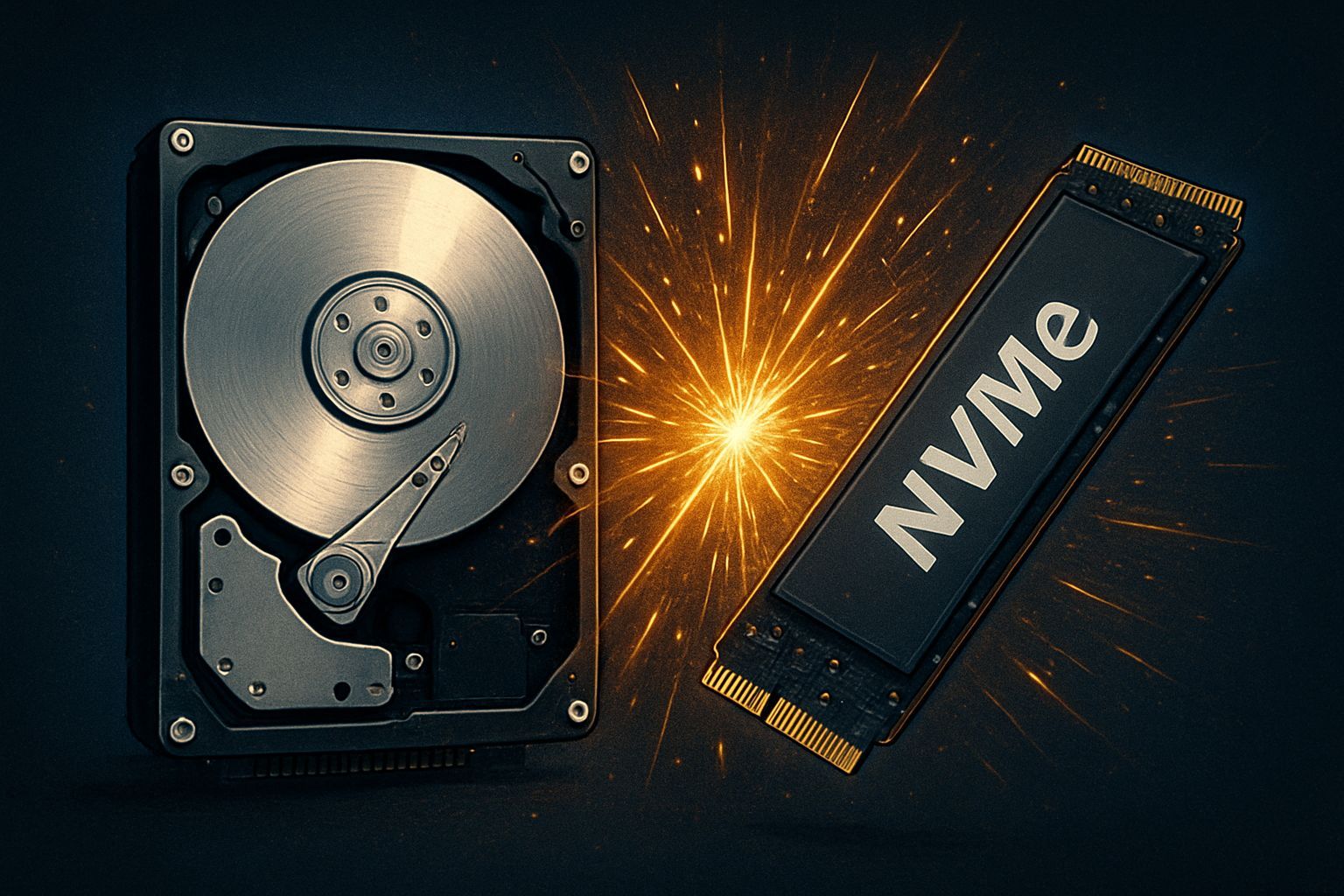
In 2009, the landscape of storage technology was dominated by hard drive (HDD). An article of time, such as Tom’s Hardware, compared four 500 GB models, including the Hitachi Deskstar 7K1000.B, the Samsung SpinPoint F, the Seagate Barracuda 7200.11 and the Western Digital Caviar Blue WD5000AAKS. These discs were the cutting edge of the time in terms of capacity and performance for the mainstream consumer market, with rotation speed of 7200 RPM, SATA/300 interfaces and 16 MB cache. The analysis focused on crucial metrics such as throughput, access time, I/O performance, energy efficiency and temperature, highlighting the nuances of the various contenders. The Western Digital Caviar Blue, for example, while offering excellent I/O access time and performance, suffered from a lower sequential throughput and consumption in relatively high idles, while distinguishing itself for its energy efficiency in workstation workloads. These discussions, at the time fundamental to PC enthusiasts and builders, today sound almost like a distant memory of a technological era that, although not missing, has been deeply transformed. From that confrontation between 500 GB giants, the storage world has gone through a silent but disruptive revolution. Storage capacity has grown exponentially, but the real breakthrough has been the introduction and massive adoption of technology Solid State Drive (SSD) Those who used to be expensive and niche peripherals, reserved for high-end servers or those looking for extreme performance, have become in a few years the de facto standard for the most demanding operating systems and applications. The evolution did not stop at the simple passage from HDD to SSD; it saw the emergence of new interfaces such as NVMe (Non-Volatile Memory Express) and compact formats like M.2, which further pushed speed and responsiveness. This article aims to explore in depth this epochal transformation, analyzing the evolution of storage technologies, comparing the performance, costs, reliability and usage scenarios of traditional HDDs with modern SSDs, up to look at future prospects that promise to further redefine the concept of digital storage. A journey that starts from 500 GB of 2009 to reach the terabytes and petabytes of current systems, in an analysis that will reveal how our expectations on speed and the ability to access data have changed radically.
From the Era of Mechanical Disks to the Ascese of SSDs: A Silent Revolution
The digital storage landscape, as we knew in 2009 with its 500 GB HDD, was deeply rooted in the mechanics and physics of rotating discs. Those 7200 RPM “warmers”, such as the Samsung SpinPoint F or the Western Digital Caviar Blue, represented the culmination of decades of engineering to compress more and more data on rotating magnetic plates and read/write this data through cartridges that “fluttuated” a few nanometers from the surface. Key metrics discussed at the time – sequential throughput (in the order of 90-100 MB/s), access time (typically between 12 and 16 ms) and I/O performance (Input/Output Operations Per Second) – were inherently limited by the physical nature of these devices. Each operation required mechanical movements: the rotation of the plate to place the desired sector under the head (rotational latency) and the movement of the head itself (seeking delay). These movements, however fast, created a significant bottleneck, especially for random reading and writing operations, which are fundamental for the loading of the operating system, starting applications and managing complex databases. We recall, in fact, that the Western Digital Caviar Blue, while exceling in access time, had a lower sequential throughput, which negatively influenced performance in large file writing scenarios. This compromise between several metrics was a constant in HDD. Energy consumption was another important variable, with the HDD WD recording a 6.1 W water consumption, a value not negligible for mobile systems or for the maintenance of costs in data centers. The emergence of SSD, o Solid State Drive, marked a dramatic turning point. Free from moving mechanical parts, SSDs base their storage on NAND flash memory (Non-And) – essentially semiconductors – that retain data even in the absence of power. This fundamental difference eliminated mechanical latitudes, opening the way to an acceleration of the performance that HDDs could never match. Initially, SSDs were expensive and only available in limited capacity, often less than 100 GB. Their adoption was therefore restricted to enthusiasts, professionals with specific needs or as additional HDD startup disks with greater capacity. However, technological progress in NAND memory production, cost reduction for gigabytes and controller optimization allowed SSDs to quickly penetrate the mass market. Within a few years since 2009, SSDs with SATA 6 Gbps (SATA III) interfaces could already be found which largely exceeded the throughput of any HDD, reaching sequential speeds of 500-550 MB/s, about five times higher than those of the best HDDs of the time. But the real revolution took place in time of access and casual I/O performance, where SSDs reduced milliseconds to microseconds, and increased IOPS by tens or hundreds of thousands of times than HDD. This transition was not only an incremental improvement; it was a real disruption that has redefined the expectations of users and the capabilities of computer systems.
Anatomy and Operation: HDD vs. SSD Explained
To fully understand the scope of the storage revolution, it is essential to enter anatomy and intrinsic operation both of HDD and SSD. HDD, a masterpiece of mechanical engineering, operates on physical principles. Inside, we find one or more magnetic plates, usually made of aluminium or glass and covered with ferromagnetic material, which rotate at very high speeds (typically 5400, 7200, 10000 or 15000 RPM). Above and below each plate, extremely precise mechanical arms, equipped with reading/writing heads miniaturized, float on a thin layer of air, never touch the surface of the dishes. These heads are responsible for magnetization (write) and detection (reading) of tiny areas on the plates, representing data bits. A spindle motor ensures constant rotation of the dishes, while a actuator moves the arms of the heads to the desired track. One logical card external manages communication with the host system via an interface (historically IDE, then SATA) and includes a cache memory (such as 16 MB of the 2009 Caviar Blue) to speed up access to the most frequently used data. Every request for data implies a complex mechanical ballet: the plate must rotate until the desired sector is found under the head (rotational latency) and the cartridge must move radially on the correct track (latency of seek). This process, though optimized, is the fundamental cause of HDD speed restrictions, especially for random operations requiring frequent shifts of heads. Conversely, SSDs are devices solid state, devoid of mobile parts. Their heart consists of flash memory NAND, a type of non-volatile memory that keeps data even in the absence of power. NAND cells are arranged in blocks and pages, and data is written and read electronically. There are different types of NAND, different from the amount of bits that can store by cell: SLC (Single-Level Cell, 1 bit/cell), MLC (Multi-Level Cell, 2 bit/cell), TLC (Triple-Level Cell, 3 bit/cell) and QLC (Quad-Level Cell, 4 bit/cell). Each additional bit per cell increases storage density and reduces cost per gigabyte, but can reduce writing speed, resistance (TBW – Total Bytes Written) and sometimes long-term reliability. The brain of a SSD is the controller, a specialized processor that manages all read and write operations wear leveling (a technique to equally distribute scripts on all flash cells, prolonging the life of the drive), the garbage collection and support for the TRIM command (which helps maintain performance over time). Many SSDs also include a small amount of DRAM memory as cache (similar to HDD cache, but much faster) to map the location of data within NAND cells. The initial interface for SSDs was SATA, but its bandwidth limitation (600 MB/s for SATA III) soon became a bottleneck for potential flash memory performance. This led to the introduction of NVMe (Non-Volatile Memory Express), a communication protocol designed specifically to exploit the high parallelization and low latency of flash memory, which interfaces directly with the PCIe bus (Peripheral Component Interconnect Express) of the system. This direct connection to the PCIe bus bypasses many of the limitations of the SATA protocol, allowing NVMe SSDs to reach significantly higher sequential speeds and IOPS, making them the preferred choice for demanding applications and modern operating systems.
Crucial parameters at Comparison: Performance, Reliability and Energy Consumption
The comparative analysis between HDD and SSD through the fundamental parameters of performance, reliability and energy consumption reveals how storage technology has progressed exponentially since 2009. Looking at performance, the HDDs of the time, such as the 500 GB analyzed, offered a sequential throughput of about 95-100 MB/s. Access time was in the order of 12-16 milliseconds (ms), and casual I/O performance (IOPS) were usually less than 200. These numbers, although at the forefront of the era, were literally pulverized by SSDs. SATA III SSDs (6 Gbps), which were the first step in the SSD era, reach sequential read/write speeds of about 500-550 MB/s, already five times higher. But the real quality jump was with NVMe SSDs. A modern NVMe PCIe 3.0 SSD can achieve sequential speeds of 3.5 GB/s (3500 MB/s), while PCIe 4.0 drives exceed 7 GB/s (7000 MB/s), and the first PCIe 5.0 SSDs are already venting 12-14 GB/s. This results in an improvement of over 100 times compared to the most performing HDDs of 2009 regarding throughput. Even more impressive is the gap in access time and casual I/O performance. SSDs have microsecond access times (μs), from 0.05 to 0.1 ms, hundreds of times faster than HDD. Random IOPS performance, crucial for booting the operating system and applications, can exceed 500,000 IOPS for the best NVMe SSDs, making any operation that involves small files scattered on almost instant disk compared to the same operation on a HDD. The transition turned out to be a real game changer for user experience. Reliability and durability are another significant comparison front. The HDDs, with their mechanical parts in motion, are susceptible to mechanical failures due to shocks, falls or simple wear of the components (cuscinets, motors, heads). The risk of breaking is greater than a device without moving parts. SSDs, on the other hand, are not immune to problems, but their nature solid state makes them extremely resistant to physical shocks. The main concern for SSD life isflash memory cell wear: each cell has a limited number of write/cancellation cycles before losing the ability to store data reliably. This metric is expressed in TBW (Total Bytes Written) or DWPD (Drive Writes For Day). However, thanks to advanced algorithms of wear leveling implemented in SSD controllers, the duration of a modern SSD for consumer use is well beyond the typical life cycle of the system in which it is installed. For an average user, it is much more likely that SPD becomes obsolete in terms of capacity or speed before it reaches its writing limit. Energy consumption and temperature are another area where SSDs have a clear advantage. HDDs, with their motors for plates and actuators for heads, have a greater energy consumption. The 2009 HDD Caviar Blue consumed 6.1 W in idle; the modern 3.5-inch HDD typically consumes between 5 and 8 W in idle and up to 10-15 W in activity. SSDs, not having mobile parts, consume significantly less. A 2.5-inch SATA SSD typically consumes 0.5-1.5 W in idle and 2-4 W in business. NVMe SSDs, while being faster, maintain relatively low consumption, with 1-3 W in idle and 5-10 W in operation, depending on the model and workload, with higher temporary peaks. This lower energy demand results in lower heat production, which is an advantage for thermal efficiency in PC homes, battery autonomy in laptops and cooling costs in data centers. Energy efficiency has become a key factor not only for end-users, but also for companies that manage large-scale infrastructure, where each spared watt translates into a significant reduction in operating costs and carbon footprint.
The Impact on User Experience and Optimal Use Sceneries
The introduction and affirmation of SSDs have had a revolutionary impact on user experience, radically transforming the way we interact with our computers, well beyond the capabilities of the best 500 GB HDDs in 2009. The most evident and universally appreciated difference is the boot speed of the operating system. While a PC with an HDD could take minutes to load Windows XP (as tested in 2009), a modern system with a SSD can start Windows 10 or 11 in seconds. This is not a simple incremental improvement; it is a change that alters the very perception of computer responsiveness. Similarly, application startup, file browsing, document saving, and any other operation requiring hard drive access greatly benefit from higher SSD speeds. Programs charge almost instantly, large file transfers take place in a fraction of the time and even more complex operations, such as archive decompression or antivirus scanning, complete much faster. In the sector gaming, the impact was equally significant. Upload times of games, which in the past could last tens of seconds, or even minutes for titles with open worlds and complex textures, have drastically reduced with SSDs. This not only improves the player's experience, eliminating long expectations, but in some cases it can also influence the gameplay, allowing faster resource loading and greater fluidity in the texture during the games. Last generation consoles such as PlayStation 5 and Xbox Series X/S have integrated ultra-rapid NVMe SSD as key components of their architecture, demonstrating how fast storage is now considered essential for videoludic innovation. For professionals, especially in areas such as 4K/8K video editing, 3D modeling, music production, software development and big data analysis, SSDs have become an indispensable tool. The ability to read and write large amounts of data at extreme speed allows you to work with heavy media files without interruptions, fill code in record times and manage voluminous datasets with agility. The bottlenecks caused by mechanical HDDs were eliminated, allowing much more efficient and creative workflows. In data center and cloud storage, SSD adoption revolutionized efficiency and scalability. While HDDs remain a cost-effective solution for mass storage of ‘fredd’ data (refrequently seen), SSDs are now the standard for ‘hot’ data (frequently accessed) and for applications requiring low latency and high IOPS, such as databases, caching systems and virtualized infrastructure. Hybrid storage strategy has developed, where SSD speed is combined with the ability and lower cost for HDD gigabytes, optimizing resources and performance. For theconsumer user, the choice today is often to use a SSD as the main drive for the operating system and the most used applications, alongside it, if necessary, to a higher capacity HDD for archiving less critical files or large multimedia libraries. This hybrid configuration offers the best of both worlds: the lightning speed for system reactivity and a wide economic storage space. Even for users who do not need extreme capacity, a single 500 GB or 1 TB SSD now represents the most balanced and performing choice, marking a net detachment from the era in which 500 GB on HDD were the benchmark for performance.
The Future of Storage: NVMe, QLC, and Beyond the Horizon
The evolution of digital storage is a continuous process, and the future promises further advances that will push speed, capacity and density far beyond what is today the standard. The current engine of this progression is the interface NVMe, which, as we have seen, has already brought the performance of SSDs to unimaginable levels in the SATA HDD era. The NVMe protocol, designed to fully exploit the parallel nature and low latency of flash memory, operates on bus PCI (Peripheral Component Interconnect Express). The adoption of PCIe 4.0 has already doubled the theoretical speeds compared to PCIe 3.0, and the imminent spread of CPI 5.0 (with sequential speeds up to 14 GB/s and more) is already showing the potential for the next generation of ultra-rapid SSDs. These speeds are fundamental not only for demanding consumers and gamers, but especially for enterprise applications, artificial intelligence, machine learning and big data analysis, where the transfer of huge volumes of information in a very short time is crucial to productivity and efficiency. Parallel to the evolution of interfaces, the memory NAND Flash continues to evolve to increase storage density and reduce costs. After SLC, MLC and TLC, technology Q (Quad-Level Cell), which stores 4 bits per cell, has become prevalent in medium-range and high capacity SSDs, offering an excellent compromise between capacity, cost and performance for the consumer market. Next step is memory PLC (Penta-Level Cell), which will store 5 bits per cell, further increasing density but potentially introducing compromises in terms of long-term resistance and writing speed. However, innovation in SSD controllers and dynamic SLC caches help mitigate these disadvantages, ensuring that performance remains adequate for most usage scenarios. Verticalization of NAND cells, with the introduction of 3D NAND, allowed to exceed the density limits imposed by flatness, opening the road to SSD with terabyte capacity and beyond in compact formats such as M.2. In addition to NAND flash memory, the search is pushing towards new storage technologies that could one day replace or flank the current flash memory. Among these, the Storage-Class Memory (SCM), like Intel Optane technology (although unused by Intel, the concept remains valid and other actors are exploring similar solutions), promises to bridge the gap between RAM and storage memory, offering the persistence of flash data but with latitudes and speed much closer to RAM. Other borders include dNA-based storage, which exploits the extraordinary informational ability of DNA to store astronomical amounts of data in tiny spaces for thousands of years, a solution still being researched but with unlimited potential for long-term storage. Even so quantum storage and phase change memories (PCM) are active research areas, each with its own unique set of advantages and technological challenges. In the field of data centers, the concept of Software-Defined Storage (SDS) he's gaining ground. This approach dissociates storage management software from the underlying hardware, enabling greater flexibility, scalability and automation. Storage integration with cloud-native computing, containers (such as Docker) and microservices are redefining storage architectures for new generation applications. In summary, the future of storage is not only a matter of “faster and bigger”, but of a fundamental transformation in how data is stored, accessed and managed, with deep implications for the entire global digital infrastructure.
Final considerations and Choice Guide in the Current Ecosystem
The incredible journey into the evolution of digital storage, starting from the comparisons between HDD from 500 GB in 2009 and arriving at current ultra-fast NVMe SSDs, shows us a profound technological transformation that has redefined our expectations and capabilities of computer systems. The dichotomy between HDD and SSD is no longer just a question of price and capacity; it is a choice that directly affects the reactivity of the system, energy efficiency, reliability and the entire user experience. For the modern user, the question is no longer “if” switch to a SSD, but “any” SSD choose and “how” integrate it into your system. The most widespread and recommended solution, both for desktop PC and for many laptops that allow it, is a hybrid configuration. This involves installing an SSD, preferably NVMe, as the main unit for the operating system, the most used applications and games that benefit more than fast loading times. This ensures lightning start, exceptional reactivity and unparalleled fluidity in everyday use. HDD, with its cost for gigabytes still unbeatable, finds its space as a secondary storage unit for large amounts of less critical data, such as multimedia libraries (photos, videos, music), backups or archives of documents. I key factors to consider in the choice today include: budget available, which will determine the type of SSD (SATA or NVMe) and its capacity; I'll give it to you capacity requirements, for which HDDs continue to offer terabyte solutions at low costs; and performance required, where for more intensive workloads (gaming, video editing, 3D modeling) a latest generation NVMe PCIe SSD is almost an obligation. Even the form factor it is important: 2.5-inch SSDs with SATA interface are compatible with most of the most dated PCs, while M.2 SSDs (available both SATA and NVMe) are ideal for modern systems that support this compact format. Despite the rise of SSDs, the HDD still maintain their relevance in specific niches. They are the preferred choice for mass storage in data centers, NAS servers (Network Attached Storage) and for large-volume backups, where the cost for terabyte and long-term reliability for ‘cold’ data exceeds the need for extreme speed. Companies that manage data petabytes find in HDD the most economical and practical solution for archiving data less sensitive to latency. In conclusion, from the comparison between the 500 GB of HDD of 2009, storage technology has made giant steps, driven by innovation and the increasing demand for access to data ever faster. SSDs, especially NVMe, have revolutionized computer experience, transforming our devices into more responsive, efficient and powerful machines. This silent revolution has not only improved the performance of individual computers, but also laid the foundations for the era of cloud computing, artificial intelligence and big data, demonstrating that, in the world of technology, progress is the only constant, and the limit is still far from being achieved. Choosing storage today means understanding these evolutions and adapting their decisions to their real needs, to get the most out of each byte of data.


