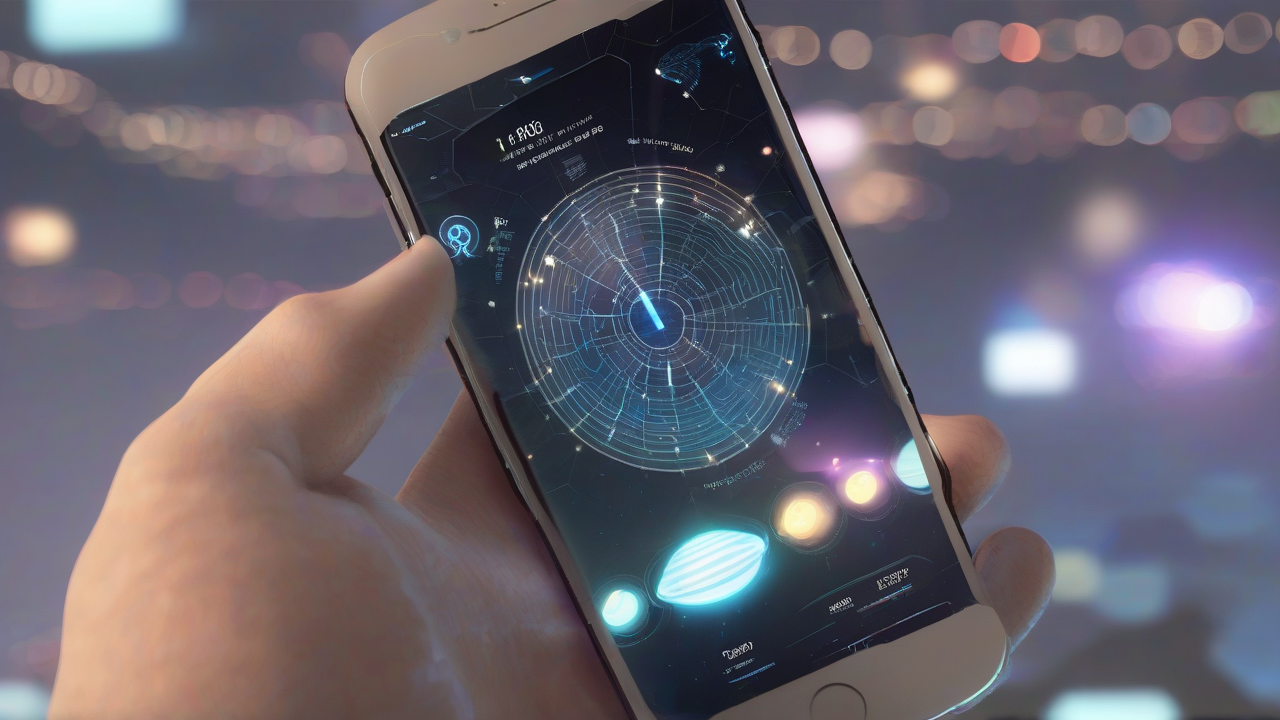
The increased reality (AR) is one of the most fascinating and rapidly evolving technological frontiers of our times. No longer confined to research laboratories or science fiction films, the AR is now a tangible reality, integrated into a growing number of applications we use daily on our smartphones and tablets. This revolutionary technology allows you to overlay virtual elements, such as images, videos or 3D models, to the physical world perceived through the camera of the device, enriching and transforming our experience into various contexts.
The impact of augmented reality is vast, ranging from education to entertainment, shopping to productivity, and even tourism. Thanks to the AR, what was previously imaginable only in the mind, can now be displayed and interacted directly in the surrounding environment. Whether to display a furniture in your living room before purchasing it, to explore an ancient artifact virtually projected in class, or to navigate a city with opposite directions to the real streets, the possibilities are endless and constantly expanding. This article will explore some of the most significant and innovative augmented reality applications available today, divided by category, to show you how this technology can enrich your daily and professional life.
Increased Reality for Application and Education
The educational sector is one of the fields where augmented reality is demonstrating an extraordinary potential. The AR transforms learning from a passive experience to a dynamic and engaging interaction, offering students new perspectives and ways to assimilate complex concepts. Whether you are an eager teacher to stimulate the curiosity of your students or an eternal student looking for new knowledge methodologies, AR applications dedicated to education are a valuable resource.
Google Arts & Culture
One of the most representative applications in this area is Google Arts & Culture. This platform, developed by Google, aims to democratize access to global cultural heritage, and its integration of augmented reality elevates this mission to a higher level. The application allows users to explore virtually world-famous art works and historical artifacts directly in their environment.
The operation is intuitive: after starting the app and selecting a work of art, such as a famous painting or sculpture, the user can activate the function “Augmented View” (often called “Art Projector”). By granting access to the camera, the device guides the user to calibrate the surrounding space, after which the chosen artwork is projected virtually in the real environment. You can admire a famous picture on the wall of the house, as if it were hanging in a museum, move around it to observe the details from different angles and even take photos or record videos of this fascinating interaction. This functionality makes art and history more accessible and engaging than ever.
Other Educational Applications with AR
- ARLOOPA 3D: This resource is ideal for those looking for an AR application to study geography, history, biology and other subjects. It offers numerous interactive cards (predominantly in English) on a wide range of educational topics, which can be projected into the surrounding environment through the mobile device camera, transforming its space into a didactic laboratory.
- Twinkl LeARnd and Explore: A free and fun application, designed for children up to 11 years old. It offers interactive 3D models related to different disciplines such as science, geography or history, with content optimized for various age groups. This is also completely in English, but offers a ludic approach to learning.
- Assemble EDU: Useful to create 3D presentations and actually increased highly engaging. It allows you to integrate photos, videos and texts, or use predefined didactic models provided for free, facilitating the creation of interactive and dynamic lessons.
AR in Furniture and Shopping
The experience of purchasing and planning of the interior has undergone a profound transformation thanks to the increased reality. For those who have to choose furniture or furniture accessories, the AR eliminates uncertainty, allowing you to view how an object will integrate into the real space before purchasing it. This significantly reduces returns and improves customer satisfaction.
IKEA Place
The Swedish furniture giant, IKEA, has fully exploited the potential of the AR with its application (or integrated functionality in the main app, depending on the versions). This resource is designed to help customers design and furnish their home with brand products, directly from their smartphone or tablet.
After downloading the app and exploring the vast product catalog, you can select an article of interest. In the product card, there is often the option “See in space” or “See in 3D” that activates the device’s camera. The application guides the user to move the device slightly to calibrate the size of the environment. In a few moments, the selected furniture or furnishing accessory virtually appears in the room, with realistic dimensions and proportions. Users can then move it, rotate it and place it as they wish, obtaining a clear idea of how it would fit the existing space and furniture. It is an extremely practical way to make informed purchasing decisions.
Other Applications for Furnishing with AR
- Westwing: This popular e-commerce platform for interior decor and decoration offers an app with an increased reality function. On a selection of products, you can press the “Virtual View” button to project the article in your environment and verify its visual impact.
- Houzz Pro: This version of the Houzz app allows you to create immersive virtual tours. Architects and designers can show customers a realistic projection of renovation or furniture projects, facilitating communication and visualization of the final result.
- Amazon Shopping: The e-commerce giant app also includes an AR function for a selection of products. Named “See in the room”, it allows buyers to project articles in the surrounding environment through the camera, offering a preview of the product at home.
AR for Tourism and Exploration
The increased reality is also revolutionizing the way we travel and interact with the places we visit. From city navigation to the discovery of historical monuments, the AR enriches the tourist experience by providing contextual and interactive information in real time.
Google Maps Live View
One of the most innovative and useful AR features is the “Live View” Google Maps. This feature, available for walking paths, transforms your smartphone into an interactive visual guide, overlapping road signs and contextual information to the real environment resumed by the camera.
To use it, after setting a destination on Google Maps and selecting the mode of transport on foot, just activate Live View. The application will require you to point the camera towards the surrounding environment (road signs, buildings) to be oriented. Once you have acquired the orientation, directional arrows, street names and other virtual indicators will appear superimposed to the real view on the display. This makes pedestrian navigation incredibly intuitive, especially in unknown places, allowing you to better understand the direction to take without having to constantly consult a traditional map. Live View is also available for pedestrian routes within mixed routes including public transport.
Other Tourist Applications with AR
- Virt: This application offers information about accommodation and historical, cultural and artistic points of interest nearby. Starting the AR function and calibrating the camera, you can resume the surrounding environment to view virtual labels with details about the sights.
- tables: Another useful resource that provides tourist information of various kinds on the visited locations. Its AR function overlaps the images captured by the camera news related to monuments, museums, restaurants, accommodation facilities and outdoor trails present in the environment.
- PeakFinder: For mountain lovers, this resource (available on Android) is a must. Displays the names and altitudes of the mountain peaks that frame with the camera, transforming each view into an orography lesson.
AR in Fun and Gaming
The world of video games was one of the first to explore the potential of augmented reality, offering immersive gaming experiences that merge digital with the physical. AR gaming applications bring fun beyond the screen, turning the real world into an interactive playground.
Pokémon GO
The most iconic example of game actually increased is undoubtedly Pokémon GO. This application has conquered millions of users worldwide, allowing them to capture the famous imaginary creatures in the real world, train them and challenge other trainers in virtual gyms associated with physical places.
The gameplay of Pokémon GO is simple but engaging: after recording and activating localization and camera permissions, users must move to the outside environment looking for “pocket monsters” that appear on the phone display, superimposed to the surrounding reality. Once a Pokémon is detected, the user can try to capture it by launching a virtual Poké Ball. The game encourages exploration and physical activity, transforming everyday walks and shifts into adventures in search of new creatures and challenges.
Other Game Applications with AR
- Ingress Prime: Developed by Niantic (the same manufacturer as Pokémon GO), Ingress Prime is an AR game for Android that transforms the real world into a futuristic and mysterious landscape, where players participate in a complex and intriguing plot that takes place in the physical places surrounding them.
- Jurassic World Alive: For those who dream of meeting dinosaurs, this AR app allows you to hunt and collect mastodontic creatures of the Jurassic World universe in your real environment. It is an exciting experience for fans of the movie saga.
- The Birdcage: A fun AR puzzle game for iPhone and iPad. The goal is to solve puzzles to unlock locks and free birds trapped in virtual cages projected in the real world. It offers a free base with in-app purchases.
- Angry Birds AR: Isle of Pigs: Based on the famous Angry Birds characters, this AR game for iPad and iPhone offers moments of pure fun, allowing players to destroy structures built by green pigs in a virtualized physical environment.
AR for Daily Productivity
Augmented reality is not only fun and exploration; it is also an incredibly useful tool for productivity, both professionally and for everyday activities. From precise measurements to sketching, AR apps can simplify and improve multiple aspects of our routine.
AR Ruler
One of the most practical AR productivity applications is AR Ruler. This resource, available for Android devices, allows precise measurements of objects and spaces directly through the phone camera, eliminating the need for physical measuring instruments.
After launching the app and providing the necessary permits, the user calibrates the application with simple circular movements of the device. Next, you can select the desired measuring function, such as lines, height, angles or distances. Touching the screen to define start and finish points, the app instantly provides measurements. It is an extremely convenient tool to evaluate the size of a furniture before a purchase, measure a wall to hang a picture or calculate the space in a room without needing a tape meter. The basic version is free, but includes advertisements, with a premium option to remove them and access advanced features.
Other Productivity Applications with AR
- Sketchar: This application for Android allows you to design in AR mode, projecting a virtual sketch on a floor taken from the camera. It is a great tool for aspiring artists or for those who want to practice drawing with an interactive digital guide. It offers a free base version and a subscription for additional functions.
- PLNAR: A valuable and versatile free tool for iOS/iPadOS, able to measure in real time the interior spaces of an environment. Using the camera of an iPhone or iPad, you can quickly get a detailed layout of a room, useful for renovations, furnishings or simply to have a clear understanding of the size.
- Halo AR: This versatile application, available for Android and iOS/iPadOS, allows you to realize 3D models in reality increased from any two-dimensional object. These models can be used for engaging presentations, to integrate online sales platforms with realistic product views, or for creative and professional purposes.
The Interactive Future of Increased Reality
As we have seen, augmented reality is much more than just a technological curiosity. It is a powerful and versatile tool that is already transforming the way we interact with the world into key sectors such as education, shopping, tourism, gaming and productivity. The applications mentioned in this article are only a small part of the infinite possibilities that the AR offers and will continue to offer.
With the progress of technology and the spread of increasingly performing devices, augmented reality will become increasingly integrated and invisible in our daily life. We expect to see even more fluid, realistic and intuitive experiences that will further enrich our perception of reality, making digital interaction a natural extension of our physical world. The AR is not only a trend, but a fundamental component of the digital future that awaits us.


