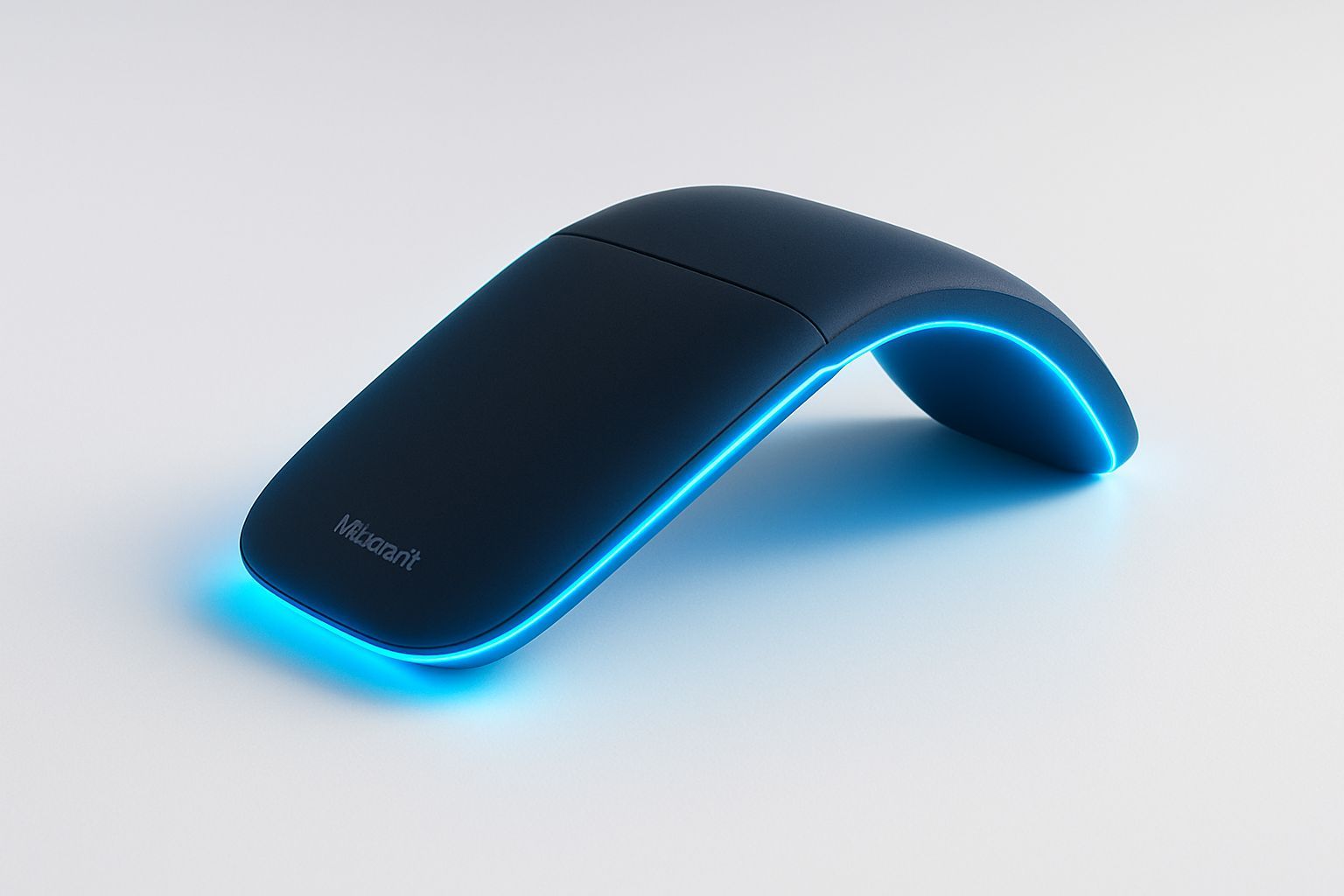
In the constantly evolving panorama of consumer technology, some products emerge not only for their functionality, but for their courage to redefine what is possible. The Microsoft Arc Touch Mouse, officially presented in September 2010, is undoubtedly one of these. At the time of its release, in a biblical world between the omnipresence of traditional optical mouse and the rise of new tactile interfaces, the Arc Touch was not a simple mouse; it was a declaration of intent by Microsoft, a company that for decades has shaped human interaction with the computer through its peripherals. This device, with its bold design that sticks to portability and curved for comfort, represented a crossroads of technological innovation and ergonomic intuition. It was not only a functional accessory, but an object that fused aesthetics and practicality in a way up until then unpublished for a mouse, anticipating many of the trends that would dominate the next decade in the field of input devices. Its uniqueness resided in the ability to transform itself literally, offering an elegant solution to the dilemma of portability without sacrificing ergonomics. But the Arc Touch was much more than just an eye-catching aesthetic; it included cutting-edge technologies, such as the revolutionary capacitive scrolling strip with aptic feedback and the versatile BlueTrack technology, which allowed it to work on a variety of unthinkable surfaces for many of its contemporaries. This article aims to explore deeply the genesis, distinctive features and lasting legacy of Microsoft Arc Touch Mouse, analyzing its impact on the market, the technologies that made it possible and its place in the wider evolution of input devices, to consider how its design philosophy and functionality influenced the later development of modern peripherals and what we can expect from the future of digital interaction. It will be a journey through history and the future of human-machine interaction, with Arc Touch as a starting point for a broader reflection on innovation and design in the field of consumer electronics.
The Age of Innovation Form-Factor: Microsoft Arc Touch and the Search for Extreme portability
The launch of the Microsoft Arc Touch Mouse in 2010 took place in a period of ferment for the laptop industry, where netbooks and nascent ultrabooks were gaining ground. These devices, increasingly thinner and lighter, required accessories that could match their portability without compromising usability. The Arc Touch design responded to this need with a solution radically innovative: its ability to flatten completely for transport and to curve in an ergonomic arc shape for use. This transformation was not only an aesthetic finding; it was inherently linked to its functionality, since the flattening automatically turned off the device, preserving the battery life and making it incredibly thin, less than 15mm in its widest point. On the contrary, the simple “pop-up” to curve it turned on, ready to use. This intuitive mechanics has solved a common problem for travelers and professionals who moved, eliminating the need for physical switches or the concern of forgetting the mouse on the bag. The minimalist and clean aesthetics of the Arc Touch, often characterized by a matt black finish and a rubberized base, matched perfectly with the elegant design of the new laptops, making it not only a functional accessory but also a stylistic extension of its technological setup. In a time when many portable mouse were simply miniaturized versions of their desktop cousins, the Arc Touch showed that portability could be achieved through a re complete imagination of the form. This approach has led other manufacturers to reconsider their mouse design, introducing more compact or folding solutions, but few have succeeded in replicating the elegance and integration between the shape and function of the Arc Touch. Its design philosophy influenced the next generation of peripherals, including other models of the Arc line and competing brand devices, which tried to balance ergonomics and minimal footprint. The success of the Arc Touch has shown that users were ready to embrace new forms of interaction, provided they offered tangible advantages in terms of practicality and style, consolidating the idea that the form factor could be a distinctive element as the internal technical specifications. Its resistance over time, with later versions and a legacy that still persists today, bears witness to the validity of this bold design vision, transforming a simple mouse into a recognized design object.
The Revolution of the Surface: Capacitive Scroll, Haptic Feedback and Tactile Interaction
One of the most distinctive and technologically advanced features of Microsoft Arc Touch Mouse, and perhaps the most anticipated trends in user interaction, was its capacitive scrolling strip, flanked by a haptic feedback system. Unlike the traditional mouse that relied on mechanical wheels for sliding, the Arc Touch introduced a touch-sensitive area that responded to finger movements similar to a modern trackpad or a smartphone screen. This strip not only allowed a controlled and precise scroll, but also a very fast finger “flick” for fast scrolling through documents or web pages, which could be stopped instantly with a simple touch. The basic technology was capacitive sensitivity, the same in the touch screens, able to detect the position and speed of the finger on the surface. The look really revolutionary, however, was the integration of aptic feedback. When scrolling with the touch strip, the mouse emitted small vibrations that simulated the “clicks” or “bumps” of a mechanical scroll wheel, providing the user with a familiar and reassuring tactile feeling that compensated for the absence of mobile parts. This sensory feedback was crucial to user acceptance, as it provided a physical confirmation of the scrolling action, improving accuracy and overall experience. This implementation of the touch and aptica was well ahead of time, prefigured the wide use of precision trackpads and touch-sensitive surfaces that would dominate the laptop and mobile market in the coming years. Arc Touch has shown that a non-mechanical interface could offer not only equal, but in some cases higher, functional and feedback levels than traditional solutions. In addition to scrolling, the strip also included three virtual “pulsants” that can be activated by touch: one for the page up, one for the page down and a central area reprogramming for the central click through Microsoft’s IntelliPoint software. This customization further increased the versatility of the device, allowing users to adapt the interaction to their specific needs. The adoption of a tactile slide interface was not exempt from criticism, with some users complaining about less precision than traditional wheels or a learning curve. However, its design has undoubtedly opened its way to exploring new ways of interaction, consolidating the role of haptic feedback as a bridge between the physical and the digital world, a now ubiquitous concept in our everyday devices.
BlueTrack and the Versatility of the Surfaces: An Innovative Tracking Approach
In addition to its innovative design and touch scrolling strip, another technological pillar that distinguished the Microsoft Arc Touch Mouse at the time of its launch was the inclusion of technology Blue. Developed by Microsoft, BlueTrack represented a significant step forward in the field of mouse tracking sensors, promising a versatility of use on surfaces that traditional optical and laser technologies were struggling to manage. While standard optical mouse uses a red LED light and laser mouse use an invisible laser diode to illuminate the surface and capture images, BlueTrack uses a bright blue radius, much wider and more diffused than the laser dot radius. This blue radius, combined with a wide-angle camera and advanced optical geometry, allows the sensor to capture a more detailed image with greater contrast of surface irregularities. This ability to capture more surface information results in greater accuracy and reliability of tracking on a variety of materials that usually represent a challenge, such as glossy surfaces, glass, marble, rough wood or even fabrics. In practice, this meant that the Arc Touch could be used with the same efficiency on an office glass desk, on a wooden table at the bar, or even on the armrest of a sofa, without the need for a specific mouse mat. This is it universal tracking was a considerable advantage for a mouse designed specifically for portability, freeing users from dependence on ideal surfaces and allowing them to work or navigate in different contexts with extreme flexibility. The introduction of BlueTrack not only improved the user experience of the Arc Touch, but also raised the standard for mouse performance in general, pushing other manufacturers to invest in more advanced and versatile sensors. Although sensor technology has progressed further over the years, with the introduction of higher DPIs and specific optimizations for gaming or professional use, BlueTrack has laid the foundations for modern expectation that a mouse should function reliably anywhere. Its inclusion in the Arc Touch has underlined Microsoft’s commitment not only in design innovation, but also in the continuous improvement of key technologies that make peripherals more functional and adaptable to the different needs of users. In an age of increasing mobility, the ability of a device to adapt to the surrounding environment was, and is still, an invaluable feature of value.
Connectivity Wireless and Energy Autonomy: 2.4GHz reliability and long battery life
The reliability and convenience of wireless connectivity were crucial components for the success of Microsoft Arc Touch Mouse, as well as its impressive energy autonomy. The device connected via a 2.4GHz wireless Nano transceiver, a standard that at the time was already widely established and appreciated for its stability and its minimal latency compared to other wireless technologies. The design of the Nano transceiver was in itself a small jewel of engineering for portability: extremely compact, it could be left inserted in the laptop USB port without risk of damage or being in the way. The most ingenious feature, however, was its ability to magnetically attach to the bottom of the mouse when not in use, ensuring that it was never lost during travel. This smart solution solved a common problem for portable wireless mouse users, who often lost their little dongles. The 2.4GHz frequency choice guaranteed a robust connection over reasonable distances, essential for flexibility of use both in professional and domestic contexts, without significant interference from other wireless devices. But the real surprise of Arc Touch in terms of performance was his battery autonomy. Microsoft declared a duration of over six months with two AAA batteries, an extraordinary figure for the time and still today competitive. This longevity was the result of careful energy optimization, also favored by the automatic ignition/off mechanism linked to the physical transformation of the mouse. The presence of two-color battery life indicators provided users a clear warning when the batteries were going to run out, avoiding unpleasant interruptions. The long battery life not only reduced the frequency of replacement, but also decreased the environmental impact linked to the disposal of batteries and the discomfort of having to change them frequently. Over the years, the evolution of wireless technologies has seen the emergence of Bluetooth Low Energy (BLE), which offers even lower consumption and the possibility of connecting to multiple devices without dongles. However, the 2.4GHz solution of the Arc Touch, with its magnetic transceiver, remains an example functional design emblem that has been able to solve the needs of connectivity and power for a mobility device, fixing a high standard for the balance between performance, practicality and battery life in the portable mouse segment.
Microsoft Ecosystem: IntelliPoint, Compatibility and Holistic User Experience
The Microsoft Arc Touch Mouse was not only a piece of hardware beautifully designed, but it was also an integrated component in Microsoft’s software ecosystem, improved and made more versatile thanks to IntelliPoint software. IntelliPoint was (and it is still, although in updated forms) Microsoft's peripheral management program, which allowed users to customize and configure their mouse and keyboard behavior in detail. For the Arc Touch, this meant that the central area of the touch scrolling strip, in addition to the sliding features, could be reprogrammed to run a central click feature, offering a customization level that went beyond the simple default feature. This ability to adapt mouse functions to your preferences and workflow was a significant added value, especially for professional users who benefited from optimized shortcuts and controls. Integration with IntelliPoint underlined Microsoft’s philosophy of offering a holistic user experience, where hardware and software work in harmony to maximize productivity and comfort. From the point of view of compatibility, the Arc Touch was designed to work smoothly with the most popular Windows versions at the time: Windows XP, Windows Vista and Windows 7. This wide compatibility ensured that most PC users could adopt the new mouse without worry, benefiting from a plug-and-play installation that required only a free USB port. The absence of stringent requirements or dependencies from more recent operating systems has contributed to its rapid adoption and popularity. Microsoft has always had a strong tradition in the field of peripherals, since the times of the legendary IntelliMouse, which have defined many of the standards that we still give for discount, like the scroll wheel. The Arc Touch fits perfectly into this legacy, demonstrating that the company was still cutting edge in user interface innovation. Microsoft’s approach, which combines research and development in ergonomic design and new input technologies with a focus on software integration and broad compatibility, has allowed Arc Touch to stand out not only as a design object, but as a practical and reliable solution for a wide range of users. The user experience was not limited at the time of purchase, but extended to a continuous and customizable interaction, which is still a distinctive sign of the best peripherals on the market, able to evolve with the user’s needs through software updates and flexible configurations.
Beyond the Mouse: The legacy of Arc Touch and the Future of Input Devices
The legacy of the Microsoft Arc Touch Mouse goes far beyond its remarkable innovation of design and technology. This device represented a catalyst for reflection on user interaction and influenced the direction of peripheral development in subtle but significant ways. Its success has shown that there was a market for input devices that dared to break with conventions, enhancing portability, aesthetics and new forms of tactile interaction. The Arc Touch has opened the way to a series of mouses that explored the concept of folding or flexible form, including its direct successors as the Arc Mouse, which further refined design and functionality, adapting to the premium aesthetics of the Surface line. He helped normalize the idea of scroll touch, which although he did not completely replace mechanical wheels, found wide application in precision trackpads of laptops and other devices. Looking at the future of input devices, it is clear that innovation will not stop. The sector is moving towards solutions increasingly multimodal and simultaneously aware. We are witnessing an acceleration in the development of voice interfaces (such as AI assistants), gesture control systems (present in AR/VR and in some smart devices), and eye-based interfaces that allow you to simply navigate with your gaze. Augmented reality (AR) and virtual reality (VR) are introducing new challenges and opportunities for input, with controllers that replicate hand movements or sensors that track the entire user body. In the long term, brain-computer interfaces (BCI) promise to radically revolutionize interaction, allowing you to control devices directly with thought, although this technology is still in its early stages of research and development. The balance between form and function, the need for highly customizable devices and the importance of an intuitive user experience will remain central. The Arc Touch taught us that a mouse should not only be a tool to point and click; it can be an elegant and intelligent extension of our way of interacting with technology, a bridge between digital and physical that adapts to our moving lives. Its legacy is a reminder that bold innovation, combined with meticulous attention to user experience and emerging technologies, is the key to defining the next generation of tools that shape our digital world. The journey from the traditional ball mouse to the input devices of the future is filled with experiments such as the Arc Touch, which, with their pioneering spirit, continue to inspire and push the boundaries of what is possible in the human-machine interaction, making us increasingly connected and in control of our technological environment.


