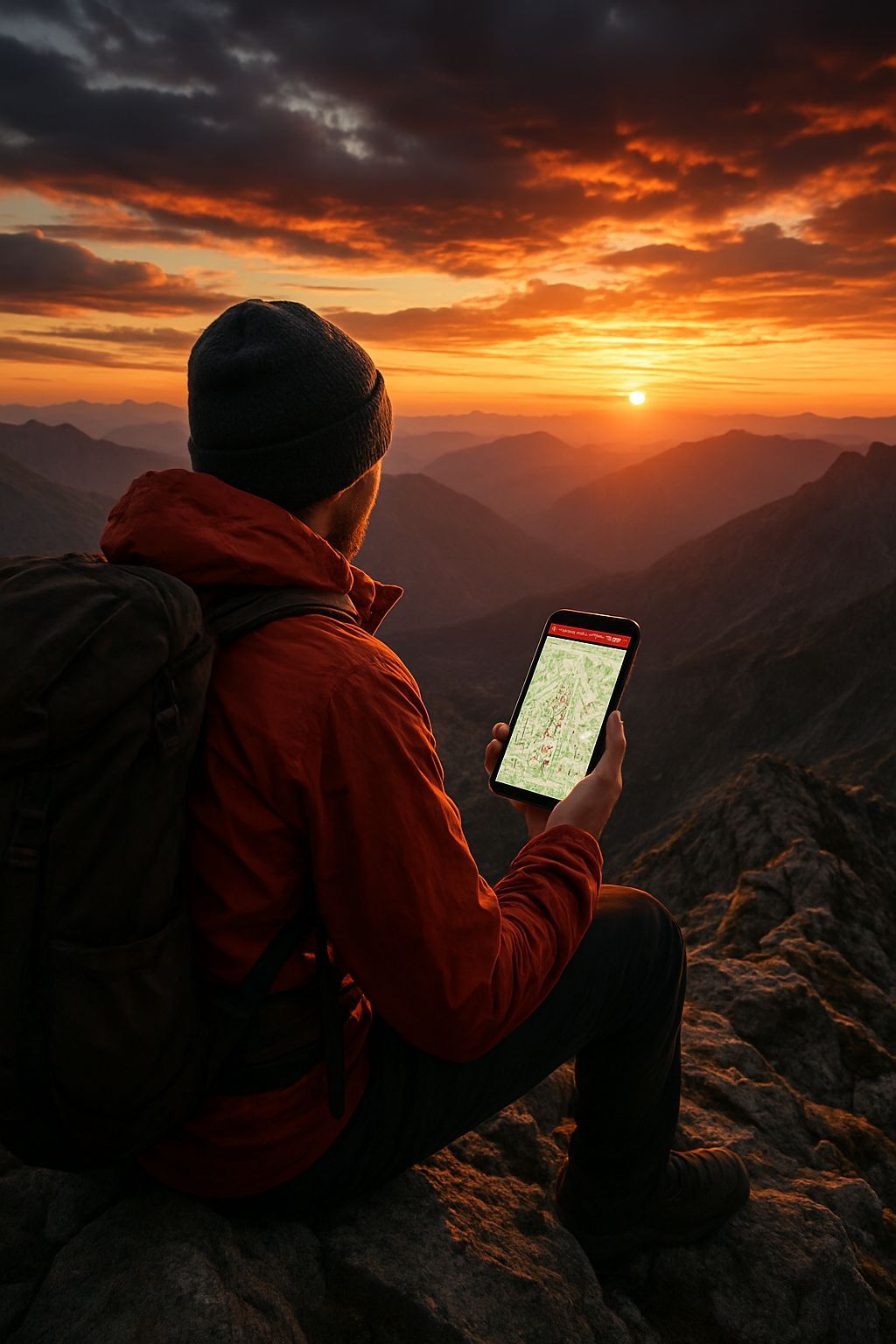
In the digital age, where technology permeates every aspect of our everyday life, exploration of the natural world also found a valuable ally in smartphones and dedicated applications. Among these, OruxMaps has established itself as a reference tool for hikers, cyclists, bikers and all lovers of outdoor activities. Born from the passion for navigation and cartography, this app has revolutionized the way we face paths and paths, offering a functional interface that goes far beyond the simple display of a map. Its ability to operate in the absence of Internet connection, thanks to the use of offline maps, makes it indispensable for those who venture in remote areas or with poor network coverage, where a traditional GPS or a map would be the only alternative. However, as often happens in the panorama of the most performing apps, OruxMaps has also embarked on an evolutionary path that has led to distinguish between free versions, with limited or dated features, and paid versions, which guarantee complete access and continuous updates. This transition has generated many questions among users, which are faced with the choice between immediate savings and security and completeness offered by the latest version. This article aims to clarify all these aspects, providing a comprehensive and thorough guide on how to navigate the world of OruxMaps, from understanding the different versions available to install, from purchase to advanced management of offline maps. We will explore not only the technical procedures, but also the implications in terms of safety, the best practices for use and a comparison with the wide ecosystem of outdoor navigation apps, to help each adventurer choose the solution that best suits their needs and fully enjoy the potential of this extraordinary tool. Prepare to find out how to turn your smartphone into your most reliable personal browser, whether you are going on a mountain path, a hidden forest or a remote cycle path, with the awareness of always having control of your route, even when the rest of the world seems to disconnect.
OruxMaps: The Indispensable Companion for Every Outdoor Adventure in the Digital Era
The advent of smartphones marked a turning point for hiking and outdoor activities, transforming a simple communication device into a powerful navigation and tracking tool. OruxMaps perfectly embodies this revolution, emerging as one of the most appreciated and versatile applications for anyone wishing to explore nature with reliable technological support. His appeal main lies in the ability to provide access to an infinite number of maps, both online and offline, making it an ideal solution for environments where the data connection is absent or intermittent, a situation far too common on the mountain paths or in the remote woods. Unlike generic road navigation apps, such as Google Maps, which while being excellent for driving, show their limits in hiking contexts for lack of topographic details and poor attention to trails, OruxMaps has been designed specifically for this purpose. It offers the possibility to load extremely detailed maps, including topographic, satellite and bike or hiking specifications, often based on OpenStreetMap data, a collaborative project that guarantees a comprehensive coverage and constant updates. The key features of OruxMaps extend well beyond the simple display: the app allows you to record tracks (the path made), mark waypoints (specific points of interest), navigate along predefined paths (imported as GPX/KML file), and analyze real-time data such as altitude, speed, distance traveled and slope. This completeness raises it above many free or more basic alternatives, competing with more structured platforms such as AllTrails or Komoot, but with a level of customization and control that few others manage to match. Expert users particularly appreciate the possibility to minuously configure every aspect of the interface, sensors (such as cardiofrequency sensors or ANT+ cadence sensors), and cartographic sources, making OruxMaps an almost “professional” tool for everyone. It is, in essence, much more than just an app; it is a real outdoor adventure management system, designed to ensure safety, efficiency and a deep understanding of the surrounding environment, allowing users to focus on the beauty of the landscape instead of worrying about losing their orientation. Its flexible architecture and constant evolution make it a valuable resource for anyone who takes exploration seriously, consolidating its position as an indispensable companion for every adventurer in the era of digital navigation.
The Duplice Soul of OruxMaps: Understand Free and Payment Versions
The OruxMaps evolutionary path has led to the distinction between a free historical version and the current paid version, a common dynamic in the world of independent software development, motivated mainly by the need to support development, maintenance and updating costs. Originally, OruxMaps was freely downloadable from its official website as an APK file, with the possibility for users to support the developer through a purchase on the Play Store which, in fact, offered the same identical features of the free version, with the only advantage of automatic updates. This policy, although generous, has proved unsustainable in the long term, leading the application to become entirely paid. Currently, the free downloadable version from the official website (the 7.4.22, dating back to April 2019) is an OruxMaps snapshot several years ago. This version, although still functional for many of its basic capabilities, has significant restrictions on the paid counterparty. First, it is devoid of all new features, improvements to the user interface, performance optimizations and bug fixes that were introduced in the following years. This includes, for example, more sophisticated routing algorithms, integration with new types of sensors, improvements in battery management or compatibility with the latest versions of the Android operating system, which may have introduced radical changes in authorization management or hardware resources. In addition, a dated software version raises important security issues. The vulnerabilities discovered after 2019 were not patched, potentially exposing the device to risks if the application had privileged access to the system or interacted with non-safe external components. For an app that manages sensitive localization data and requires ample permissions, this aspect is not negligible. The paid version, on the other hand, available on the Play Store or HUAWEI AppGallery, is constantly updated, ensuring not only access to the most recent and performing features, but also maximum compatibility with the latest Android devices and operating systems, as well as a proactive security level against emerging threats. Opting for the free version can be a good solution for an initial test, to test the interface and basic features in a controlled environment, but for a serious and prolonged use in outdoor contexts, where reliability and safety are paramount, the investment in the paid version becomes not only advisable, but almost indispensable. This approach also ensures continuous support to the developer, which can thus continue to improve and innovate an application that has become a reference point for the outdoor community. The choice, therefore, is not only about cost, but a compromise between functionality, safety, support and sustainability of the project.
Detailed Guide to OruxMaps Free Version Installation: A Pass-Pass path for Knowing Users
Installing applications outside the Google Play Store, although it offers flexibility, requires a thorough understanding of risks and procedures, especially when it comes to software dated as the free version of OruxMaps. The process begins with the disabling of Android security protections, a fundamental measure that the operating system adopts to safeguard users from potential malware or unchecked software. Android, by default, prevents the installation of applications from “unknown sources” – or all those not downloaded from the Play Store. This security mechanism is essential to maintain device integrity and data privacy. To proceed with the installation of the APK of OruxMaps 7.4.22, you must go to Settings of your smartphone, usually accessible via the gear wheel icon. From there, you will have to browse through the entries `Security and privacy` (or similar names like `Security` or `App and notifications`, depending on the version of Android and the user interface of the manufacturer), then `Other settings` and finally `Install app from external sources`. Here, it is crucial to select the browser (for example, Chrome, Firefox, or Samsung Internet) that you intend to use to download the APK file and enable the `Consent the installation of the app` by moving the lever from OFF to ON. It is a step that must be faced with awareness: opening this security door temporarily exposes the device. Once the source is enabled, you can download the APK by connecting to the official site of OruxMaps, specifically to the download section (oruxmaps.com/cs/en/more/downloads). There, identifying the voice relative to the previous version (often labeled as “Previous version” or indicating version 7.4.22), the download will start. After completion of the download, which will be notified by the system, you can open the APK file directly from the notification or from the `Download` folder of the browser or file manager. By touching the file, confirmation will be required for the installation: pressing `Install` the system will proceed. Once the installation is completed and the `App installed' message appears, you can choose to open the application immediately or press `Fine`. A passage of vital importance, often neglected by users, is that of restore security settings immediately. Return to Settings > Security and privacy > Other settings > Install apps from external sources and turn off the option for the browser used again, reporting the lever from ON to OFF. This minimizes the period when the device is vulnerable to unwanted installations of malicious software. The first opening of OruxMaps will require acceptance of the terms of use and the granting of permits, in particular access to the storage, indispensable for loading the maps. Following these indications, you can install the free version relatively securely, but with full awareness that it is an application no longer supported and, for this reason, recommended only for an initial test or for non-primary devices where security risks are less critical.
Buy OruxMaps: Support Development and Enjoy All Compromiseless Features
The purchase of the payment version of OruxMaps is the most forward-looking and safe choice for users who want to fully exploit the potential of this application, ensuring access to all the latest features, continuous updates and developer support. This is not just an act of purchase, but a investment in your outdoor experience and in the support of a project that continues to evolve. The purchasing process is extremely simple and perfectly integrated with mobile app distribution systems. For most Android users, the main channel is the Google Play Store. Simply open the Play Store (the colored triangle icon), use the top search bar by typing “OruxMaps”, and once you locate the official application, tap on its icon. On the page dedicated to the app, you will find a button with the price indicated (currently €4.89 at the time of last verification). By pressing this button, you will start the payment procedure managed by Google Pay, which allows you to use a variety of methods: pre-registered credit/debit cards, PayPal, Google Play credit, or charge on the phone account, depending on the options available and configured by the user. Once the transaction is completed, the app will be automatically downloaded and installed on the device. A significant advantage of this method is that, once purchased, the app is connected to the user’s Google account and can be installed on all compatible Android devices associated with that account, without additional costs, and will automatically receive future updates. For those who have already installed the free or trial version and want to switch to the full one, OruxMaps also offers a direct link: inside the app, touching the icon of the three dots (menu) on the top right and selecting `Google Play`, you will be redirected directly to the purchase page on the Play Store. For users with HUAWEI devices without Google Play Store, the alternative is HUAWEI AppGallery. The process is similar: the AppGallery opens, you search for “OruxMaps” and you proceed to purchase through the price button. HUAWEI AppGallery supports different payment methods, including PayPal, credit/debit cards and also telephone or paysafecard credit, offering considerable flexibility. Regardless of the platform, the purchase of OruxMaps not only unlocks all the latest and most advanced features – like better GPS performance, new map rendering options, compatibility with advanced sensors and cloud integrations – but also ensures that the user is using a constantly monitored software version for security, free from known vulnerabilities and fully compatible with the latest developments in the operating system. This aspect is essential for an application that is often used in contexts where reliability and precision are crucial, providing tranquility and superior experience.
The Art of Offline Maps: Use OpenAndroMaps and Other Resources for an Independent Navigation
The ability to navigate without an Internet connection is the corner stone of the reliability of OruxMaps in any outdoor adventure, turning it from a simple app to a real independent travel companion. Offline maps not only eliminate the concern of staying without signal in remote areas, but also help preserve the battery of the smartphone, a critical factor during long excursions. Among the most recommended sources to get free and high quality offline maps to be integrated in OruxMaps stands out OpenAndroMaps. This portal is a real treasure for enthusiasts, offering optimized vector maps based on OpenStreetMap (OSM) data. It is important to understand the value of OpenStreetMap: it is a world map created and maintained by a global community of millions of volunteer contributors, similar to Wikipedia but for cartography. This ensures a level of detail and update often higher than that of commercial maps, especially regarding trails, cycle paths, points of natural interest and other outdoor infrastructure. OpenAndroMaps takes this raw data and processes it in a `.map` format specific to OruxMaps (and other apps like Locus Map), adding customizable rendering themes that highlight different types of trails, level curves, shelters, fountains and much more. To download a map from OpenAndroMaps, visit their official website (www.openandromaps.org), navigate the ‘Map Downloads’ section and select the geographical area of interest – which can vary from entire nations (such as Italy), to macro-regions (such as the Western or Eastern Alps), to individual administrative regions (Sardinia, Sicily, etc.) or even European cycle routes (‘European cycle routers’). Once you locate the desired map, you choose the `ORUX Map+Pois` option to download the full package that includes both the map and the associated Interest Points (POI). These files are often of considerable size, so it is advisable to download them via a stable Wi-Fi connection. After downloading, OruxMaps is able to detect and integrate these maps. To use them, within the app you tap the map icon in the top menu, select `Change Map`, then `Offline` and navigate the folder where the maps have been saved (often `OruxMaps/mapfiles`). If they do not appear immediately, the screen update option (often an icon with two arrows) can fix. In addition to OpenAndroMaps, there are other resources for offline maps, such as those provided by government agencies or national parks, often available in compatible formats such as `.img` (Garmin) or GeoPDF, which can be converted or used directly with OruxMaps. Effective management of these maps – by organizing them in logical folders, deleting those no longer necessary and ensuring that they are saved on a sufficiently capacious memory, preferably an external SD card not to intax the internal memory of the phone – is essential for smooth and smooth navigation. The art of offline maps is to prepare your adventure in advance, downloading only the areas strictly necessary, but with a level of detail that guarantees a complete and reliable coverage, transforming each route into an independent and safe exploration experience.
Optimization and Advanced Use of OruxMaps: Maximizing Outdoor Experience
Once familiar with the bases of OruxMaps, the true power of the application is revealed through its deep customization and advanced features, that allow to optimize the outdoor experience and adapt it to every specific need. Going beyond basic use means immersing yourself in settings and discovering a universe of options that can make the difference between good navigation and exceptional navigation. One of the crucial aspects is thegPS accuracy and battery management. OruxMaps offers different GPS settings: you can choose the refresh rate, activate the option to keep the GPS active even on the screen off, and even connect an external GPS receiver via Bluetooth or ANT+ for even greater accuracy, fundamental in complex environments such as narrow or thick valleys. For the battery, in addition to using offline maps, it is advisable to reduce the brightness of the screen, disable non-essential notifications and, if not necessary, disable Wi-Fi connections and mobile data by activating the partial air mode (where possible to keep only GPS). The customization of the dashboard is another strength: OruxMaps allows you to choose which data display on screen (speed, altitude, distance, time, slope, heart rate, etc.) and how to expose them, creating a tailored interface that provides the most relevant information at a glance. Users can also create different profiles for different activities (excursionism, cycling, running), each with their own custom settings and views. Management of waypoints and routes it's just as sophisticated. You can create waypoints directly on the map, assign their names, icons and descriptions, and use them to mark points of interest, water sources or shelters. OruxMaps supports importing tracks and routes into standard formats such as GPX and KML, allowing users to follow predefined routes from sites like Wikiloc or friends. Once the activity is completed, the recorded tracks can be exported to various formats for later analysis on PC or for sharing with other platforms. Integration with external sensors, although it requires the paid version, it further expands the capabilities of the app, turning it into a real training computer: cardiofrequency meters, cadence sensors for bikes and even temperature sensors can be connected via ANT+ or Bluetooth, providing valuable additional data for performance analysis. Finally, for security, OruxMaps offers features such as setting an emergency contact or automatic location registration. All these options, if well configured, transform OruxMaps from a simple map app into a sophisticated multifunction tool that not only guides you, but helps you to monitor, analyze and make your outdoor exploration safer, raising the experience well beyond the mere navigation.
Security and Privacy in the Era of Digital Outdoor Navigation: Critical Reflections
In the enthusiasm of exploring new features and territories, it is essential not to neglect the crucial aspects of digital security and privacy, especially when using applications that require such deep access to our device and our location data. The use of software versions dated, such as the free APK of OruxMaps 7.4.22, introduces significant risks that go far beyond the simple lack of new features. Obsolete software does not receive security updates, which means that any vulnerabilities discovered after the release date (April 2019, in the specific case) remain unresolved. These vulnerabilities can be exploited by malicious users to access the device, install malware, steal personal data – including the location data that is at the center of the app – or compromise the integrity of the system. For an application requiring access to phone memory and GPS location, the implications of a violation may be serious, risking not only privacy, but also your physical security if tracking data were compromised. Therefore, the recommendation to use the paid and updated version is not only a matter of functionality, but a necessity to ensure a safe operating environment. Beyond software vulnerabilities, another critical reflection area is privacy of data. Navigation applications collect a vast amount of information about our location, our travels, our exploration habits. It is essential to understand what data is collected, how they are used, with whom they are shared and how long they are stored. The paid version of OruxMaps, being a commercial app, has a business model based on software sale, not on the sale of user data. This usually involves more privacy than many “free” apps whose business model is based on data monetization. It is always good practice to read the privacy policy of the application and the map service you may use. To minimize risks, it is advisable to grant OruxMaps (or any similar app) only the strictly necessary permits. For OruxMaps, access to location and storage memory is of course essential, but it is appropriate to periodically check permissions granted to all installed apps. In addition, using additional security tools, such as a good antivirus for Android, can offer additional protection layer, especially for those who choose to install APK from external sources. The awareness of these risks and the adoption of prudent security practices are fundamental to fully enjoy the opportunities offered by digital navigation, without compromising its security and privacy in an increasingly interconnected world but also increasingly exposed to digital threats.
Beyond OruxMaps: Comparison with the Outdoor Navigation App Ecosystem
Although OruxMaps stands out for his power and versatility, the landscape of outdoor navigation applications is vast and constantly evolving, offering solutions that meet different needs and philosophies of use. Understanding how OruxMaps ranks compared to other apps can help users make an even more informed choice or integrate multiple tools into their digital arsenal. App as Komoot and AllTrailsFor example, they are excellent for their strong social component and for the emphasis on discovering paths curated by the community or by experts. Komoot shines in planning optimized routes for different activities (cycling, hiking) and turn-by-turn vocal navigation, also offering offline maps through paid regional packages. AllTrails, on the other hand, is a huge database of trails reviewed by users, ideal for finding inspiration and practical information on thousands of routes, with premium features for downloading offline maps and GPS navigation. Their interface is often more immediate and “friendly” for the neophyte than the wealth of OruxMaps options, but they sacrifice in part extreme customization and freedom in the choice of cartographic sources. Then there are applications like Locus Map, another Android-only gem that shares many similarities with OruxMaps in terms of power and flexibility. Locus Map offers almost unlimited customization, support for numerous map formats, integration with advanced sensors and tools for planning and analysis. The choice between OruxMaps and Locus Map is often reduced to personal preferences on the user interface or on specific minor features, as both represent the top of the range for Android experienced users. Another noteworthy app is GPS Gaia, a very popular cross-platform (iOS and Android) solution in the United States, appreciated for its topographic maps of high quality (often paid by subscription) and its robust planning and navigation features, particularly suitable for backcountry and hiking in wild areas. Finally, applications like ViewRanger (now part of Outdooractive) have a strong focus on the official and premium cartography of specific countries (e.g. Ordnance Survey in the UK or Kompass in Austria/Germany), offering a more structured but potentially less flexible experience. The “best” app, ultimately, does not exist in an absolute sense. The choice depends on the user: on his level of experience (principle or expert), on his favorite activities (excursionism, cycling, trail running), on the type of preferred maps (OSM, officers, satellite), his inclination to personalization and, of course, on the budget. OruxMaps stands as one of the most powerful and flexible options for Android, ideal for those looking for granular control and does not fear an initial learning curve, maintaining a great value for money compared to many subscription-based alternatives.
The Future of Outdoor Navigation: Technological Trends and Innovations
The outdoor navigation industry is constantly changing, driven by rapid technological advances and increasing demand more immersive, safe and connected experiences. Looking at the future, we can see different trends and innovations that will shape the way we interact with the natural environment through our devices. One of the most promising directions isintegration of Artificial Intelligence (AI) and Machine Learning (ML). These technologies could allow navigation apps to offer advanced predictive features: not only hyper-localized and real-time weather forecasts, but also suggestions of optimized routes according to current soil conditions, crowding, our physical condition and our historical preferences. AI could also improve security by detecting unusual motion schemes or significant deviations from the planned route and sending automatic alerts to emergency contacts. Another frontier is theAugmented Reality (AR). Imagine pointing your smartphone or a pair of smart glasses to a landscape and seeing overlaps on reality names of peaks, paths, points of interest, or even directions of navigation directly in your field of view. This technology could revolutionize orientation, making it more intuitive and less dependent on constant screen consultation. Theintegration with wearable devices (wearables) will become even deeper. Advanced smartwatch with built-in GPS, barometers and heart rate sensors can provide continuous and accurate feedback, with the ability to control the navigation app directly from the wrist, without having to extract the phone. They could also become a hub for the collection of biometric and environmental data, enriching the monitoring experience. Development more robust and capillary communication networks, including direct satellite connectivity for smartphones (such as those offered by emerging services), promises to drastically reduce “no signal” areas, improving security and the ability to share real-time experiences even from remote areas. This could also lead to an evolution of maps, with ultra-frequent updates and real-time data on path conditions (for example, closures, obstacles, presence of wildlife reported by the community). The creation of dynamic and interactive 3D maps, allowing a more realistic view of the terrain and a more accurate route planning, is another area of strong development. These maps could integrate elevation data, realistic textures and even vegetation patterns to provide an unparalleled pre-view experience. The future of outdoor navigation is not only a matter of finding the way, but of enriching the entire experience of exploration, making it more secure, informative, personalized and engaging, with the technology that acts as a discreet but powerful facilitator of our adventures in nature, bringing a level of sophistication that paper maps could never offer, although never replacing the pleasure of human discovery.
In summary, OruxMaps confirms itself as an exceptional tool for outdoor navigation, but the choice between free and paid version is not purely economic, but strategic, directly affecting access to advanced features, device safety and project sustainability. We have deepened the differences between the two versions, emphasizing that the gratuitousness of the APK 7.4.22 involves compromises in terms of updates and protection from vulnerabilities, making it more suitable for initial exploration rather than for continuous and reliable use. The installation of the free version requires careful management of Android security settings, with the imperative need to restore them immediately after the operation to safeguard the privacy and integrity of your device. For those looking for the full power and tranquility of an updated and supported software, the purchase of the paid version through Google Play Store or HUAWEI AppGallery proves to be the ideal solution, guaranteeing not only a superior user experience, but also direct support to the developer. Offline map management, especially through resources such as OpenAndroMaps, has been identified as a key pillar for navigation in remote areas, offering independence from internet connection and battery optimization. We have also explored the multiple optimization and advanced use options that OruxMaps provides, from interface customization to integration with external sensors and waypoint management and routes, turning the smartphone into a real adventure control center. Finally, a critical reflection on security and privacy highlighted the importance of being aware of the risks associated with dated software and the need to protect its localization data. Comparing OruxMaps with the ecosystem of outdoor navigation apps, it emerged as one of the most robust choices for Android users who want control and customization, although there are valid alternatives with different philosophies of use. The future promises further innovations, with AI, AR and an increasingly extended connectivity that will further revolutionize the way of exploring nature. The key to every digital adventurer will be the information: make conscious choices about your navigation tools, fully understanding the potential and limits, to face every path with maximum safety and enjoyment, maintaining a balance between the wonders of technology and the timeless charm of personal discovery.


