In the panorama of modern domestic entertainment, the remote is much more than just an accessory: it is the essential source between the user and a universe of digital content, the key that unlocks movies, tv series, sports events and much more. in particular, for those who rely on sky services, the remote control of sky q decoder or sky glass is the core of the interactive experience, an object that runs daily and tends to underestimate the importance until it stops working. the sudden inefficiency of this small but powerful device can turn a moment of relaxation into a frustrating search for solutions, leaving the user isolated from his favorite entertainment. the pressure of the keys that does not create any effect, the absence of the bright led that confirms the transmission of the command, or the impossibility of navigating between the menus, are all unequivocal signals of a problem that needs attention. often, the first reaction is panic, followed by fear of having to deal with complicated replacement procedures or, worse, unexpected costs. however, as often happens in the world of technology, many remote issues can be solved with a series of simple but effective diagnostic steps before considering more drastic options. this article is born with the intention of being your final and complete guide** in this scenario. we will go far beyond the mere change of batteries, exploring the technologies that animate sky remote controls, the most common and less common problems resolution strategies, the detailed process to request an official replacement, and even the available alternatives on the market, such as universal remote controls or smartphone apps. but we won’t stop here. the goal is also to look at the future of tv control, analyzing how artificial intelligence, advanced voice commands and intuitive interfaces are shaping user experience, offering a look at the innovations that await us. prepare to discover all the secrets of your sky remote control, transforming frustration into mastery and ensuring an uninterrupted viewing experience. understanding the operation and potential of your control device will not only allow you to quickly resolve any failures, but also optimize your interaction with the sky world, taking advantage of every single function, from navigation to voice commands, to integrated management of external devices.
No
The heart of control: technologies and operation of sky remote controls #
No
To fully understand how to solve the problems of the sky remote control, it is essential first of all to take a step back and analyze the basic technologies that allow the operation. modern remote controls, including sky q and sky glass, are much more complex than their infrared (ir) predecessors decades ago, although ir technology is still present in many applications and in some sky models. the main distinction, and often the source of confusion for users, lies in the coexistence of two main communication protocols: infrared (ir) and bluetooth*. ir remote controls work by sending an invisible light signal to the human eye, which must have a direct “view line” with the receiving device (decoder, tv). this means that physical obstacles, such as furniture or even a person, can block the signal and prevent the command from being received. the scope is limited, and the operating angle is crucial. the most basic sky q remote controls and some sky glass models can still rely on ir for initial or basic functions. however, true innovation and comfort comes with bluetooth technology. the latest sky q remote controls and all sky glass remote controls mainly use the bluetooth low energy (ble) to communicate with the decoder or television. bluetooth offers many advantages: it does not require a direct view line, allowing you to control the device even from another room or without pointing the remote, and has a greater reach (up to 10 meters or more). in addition, bluetooth allows advanced features such as the ** voice control**. sky remote controls equipped with integrated microphone, such as sky q with voice control at the centre, record your voice and send the audio command via bluetooth to the decoder or sky glass, which processes it through an integrated voice assistant based on artificial intelligence. this allows you to change channel, search for content or open apps with the simple voice, revolutionizing interaction. the initial configuration of a bluetooth remote control sky q or sky glass provides a “pairing” process, similar to the association of wireless headphones to a smartphone. this process establishes a secure and dedicated connection between the remote control and the device, ensuring that the commands are sent correctly. knowledge of these technologies is crucial because, as we will see, a remote control that does not respond could have problems related not only to the discharge batteries, but also to bluetooth signal interruptions, pairing problems or even environmental interference. the ability of a sky q remote control to control the tv (volume, ignition/supply, source change) is usually done through a database of ir codes integrated into the remote control itself, which is programmed during the configuration to “learn” the codes of your tv model. sky glass, being an integrated tv with the sky system, has a more unified source management and control less dependent on programming external codes, exploiting its nature as smart tv. this thorough understanding will allow us to address problems with greater awareness of cause and appreciate the sophistication of these small but essential tools.
No
Preliminary diagnosis: when the problem is not the remote control (or batteries) #
No
Before embarking on complex replacement procedures or in in-depth technical investigations, it is essential to exclude the most common and banal causes of sky remote control malfunction. often, the solution is at hand and requires only a few minutes of attention. the starting point, as well highlighted in the original guide, is always the control of the batteries. however, it is not just about changing them: it is important to make sure that the new batteries are of good quality* (often the cheap or long-term batteries preserved for years can have an insufficient charge), which are inserted with the correct polarity (the positive and negative pole must correspond to the symbols within the battery compartment) and that the metal contacts within the compartment are not oxidized or switched. a delicate cleaning of contacts with a cotton ball and a little isopropyl alcohol can sometimes make a difference. after the “test of batteries”, it is crucial to consider that the problem may not reside at all in the remote, but in the device that should receive the commands: the sky q decoder or the sky glass tv. a simple reset hardware** of the decoder or sky glass can solve many temporary software anomalies that prevent the correct reception or processing of commands. for the sky q decoder, this results in disconnecting the power cord from the power outlet, wait about 30 seconds (to allow the complete discharge of the internal capacitors), and reconnect it. for sky glass, the process is analogous: put it on stand-by via the physical button on the right side, then disconnect and reconnect the plug. after rebooting, which may take a few minutes to fully load the operating system, it is advisable to try again the remote. another aspect is the presence of environmental interference*. if the sky q remote control is configured to mainly use infrared transmission (ir) to control certain functions or television itself, physical obstacles between the remote control and the ir sensor of the device can block the signal. make sure that there are no objects (planes, decorations, other electronic equipment) that obstruct the “look line”. for bluetooth remote controls, although they do not require view line, strong wi-fi interference sources or other nearby bluetooth devices can theoretically cause connectivity problems, although it is rare. also, check that the firmware of your sky q decoder or sky glass is updated to the latest available version. sky regularly releases updates that improve stability and compatibility of devices, including remote control. although not directly related to remote control malfunction, hardware or decoder/tv software may occur as an unresponsive remote control. if the remote control led lights up when pressing a button, but the decoder does not respond, it is almost certain that the problem is in the decoder itself or in its ability to process the controls, and not in the remote control. this preliminary diagnosis phase is crucial to avoid time loss and to properly address the problem solution, allowing you to distinguish between an effective remote control failure and a wider system problem.
No
Advanced troubleshooting: from synchronization to functionality test #
No
Once the simplest problems associated with batteries and basic reboots of the decoder or television are excluded, it is time to enter a more specific and advanced diagnostic for your sky remote control. if the device continues not to respond, despite the new batteries and the main devices have been restarted, the cause may reside in a misguided synchronization between the remote and the receiver. this is especially true for remote controls using bluetooth technology, such as most sky q and sky glass remote controls. the initial “pairing” process, which associates the remote control to the decoder or tv, can occasionally lose its configuration due to reset, interference or software bugs. to ressync a sky q* remote, you typically need to press and hold the “1” and “3” keys simultaneously for a few seconds until the remote control led starts flashing. next, you can follow the decoder screen instructions to complete the new match. this procedure is vital to restoring the bluetooth connection. for sky glass, which closely integrates the remote control into its ecosystem, resyncing can be managed through the settings menu, or in extreme cases, making a factory reset of the remote control itself (if available through specific key combination) and then reassociating it to the tv. another useful diagnostic method is the “camera test”. if you have a smartphone or digital camera, you can point the remote control ir emitter (usually a small transparent led on the top) to the camera lens and press any key. if the remote control works properly with ir, you will see a small bright flash on the camera screen. this test is only valid for ir functions of the remote control; it will not detect bluetooth signals. however, it can be useful for sky q remote controls using ir for certain functions or for tv control, or to check whether the problem is the ir part of the remote control. it is also important to consider that a remote control may have selective problems*: some keys work, others do not. this can indicate a physical failure inside the single key, or a contact problem with the internal membrane. although it is not advisable to disassemble the remote by yourself (the warranty is invalid and you risk damage it further), the awareness of this type of failure can lead the decision to request a replacement. also, check that there are no physical or dirty blocks embedded under the keys that prevent the full pressure. sometimes, a simple problem of dirt accumulated under the key membrane, especially if you use remote controls with greased or wet hands, can cause malfunctions. if you have configured your sky q remote control to control your tv (volume, ignition/off), and these functions do not respond while sky q commands work, the problem may be related to specific tv programming. in this case, you may need to ** reprogram the remote control for the tv**, following the instructions provided by sky or by consulting the guide on how to configure the sky q remote control. this advanced troubleshooting phase aims to accurately isolate the cause of malfunction, distinguishing between connectivity issues, physical failures or configuration errors, directing the user to the most appropriate solution.
No
Source management and multidevice integration: the sky remote as a hub #
No
One of the most appreciated aspects and, at the same time, less inclusive of modern sky remote controls is their ability to go beyond the simple control of the decoder, turning into a real hub management for the entire experience of domestic entertainment. this feature becomes particularly relevant when it comes to changing video source on tv or controlling external devices such as soundbar, home theater amplifiers or video consoles. the difference in the approach between sky q and sky glass in this area is significant and deserves a thorough analysis. for the ** sky q***, the ability to control the tv and other devices is based on an initial configuration process. this remote control is equipped with a database of preloaded infrared codes, which allow it to “learn” to send the specific commands of your tv model or your soundbar. through a wizard, which usually involves the insertion of specific codes or an automatic search, the sky q remote control can be programmed to adjust the volume, turn on/off the tv and, crucially, change the hdmi** source of the tv. the dedicated button for selecting the source (often identified by an icon with an arrow in a square) thus becomes a direct access point to pass between the sky q decoder, the game console, the blu-ray player or any other device connected to the tv. this eliminates the need to use multiple remote controls, greatly simplifying user experience and consolidating the sky q remote control as the primary controller. the challenge here is to ensure that the configuration has been performed correctly and that the remote control is updated with the latest codes for your devices.
No
On the other hand, sky glass adopts a radically different approach, being an integrated smart television that centrally manages all sources. because sky glass is the hardware itself, its remote control does not require a traditional “source” button because the interaction is designed to be based on the tv user interface. to access external devices connected via hdmi, the user must navigate in the “app, devices and digital terrestrial” section within the sky glass home screen. from here, you can select the desired hdmi input, visualizing intuitively what ports are occupied. this design philosophy aims to make the experience more fluid and integrated, treating external sources as “applications” within the sky glass ecosystem. an additional level of integration, common to both systems but particularly highlighted on sky glass, is the ** voice control*. pronouncing commands like “hello sky, go to hdmi 1” allows you to switch between the sources without touching a button, taking advantage of the integrated artificial intelligence. this functionality not only improves accessibility, but also anticipates the future of tv control, where natural interaction through voice becomes increasingly predominant. multidevice integration and source management transform the sky remote from a simple controller to a domestic entertainment orchestrator, combining the practicality of a single device with the power of smart connectivity and voice commands for an unprecedented user experience. understanding and mastering these features allows you to take full advantage of the potential of your sky system, eliminating the frustration of having to manage an arsenal of different remote controls and embracing a more harmonised approach to domestic entertainment. this is the real evolution of control, which passes from the physical pressure of the keys to a more intuitive and intelligent interaction with its multimedia platform.
No
The replacement process: get a new sky remote without stress #
No
When all diagnosis and troubleshooting procedures, from battery change to re-sync and device reset, failed, and came to the unequivocal conclusion that the sky remote is actually dead, the last resort is to require replacement. fortunately, sky has prepared specific channels and procedures to facilitate this process, trying to make it as much as possible without stress for the user. it is crucial to distinguish between the procedures for the sky q remote control and sky glass, since the two ecosystems, although convergent in many respects, maintain slightly different modes of assistance. for those who have a telecomando del decoder sky q* (which is sky q black, sky q platinum, sky q without parable or sky q via the internet), the main route starts from sky’s official website. by accessing the section dedicated to “telecomandi sky q” and specifying its model, you are guided through a series of diagnostic questions. once confirmed that the remote control does not work either with the tv or with the decoder, you get to the section for the request for replacement. here, you will need to access your sky id* (username or email and password). sending the request starts a verification procedure that culminates with an important indication: the user has a period of 21 days to go to an authorized sky store. it is essential to carry the faulty remote control and your sky customer code. at the store, a technician will carry out further verification of the device; if the fault will be confirmed and will return in the warranty terms (for example, manufacturing defects and not damage from wear or misuse), a new remote will be provided immediately and free of charge. this “door to door” mode ensures fast replacement and the ability to get direct support.
No
As for sky glass*********, the procedure is equally clear, but is carried out with a greater emphasis on remote support before physical intervention. you can access the “technical assistance on the sky glass remote control” page on the sky website. here, the user must select the nature of the problem (for example, “i was delivered that already didn’t work” or “it doesn’t work anymore”). also in this case, the system proposes a series of diagnostic steps online. if, despite these suggestions, the remote control continues to work, the possibility of accessing with your sky id is offered. once logged in, the user will have access to the “contact us for assistance”, where he can choose the preferred contact card* (phone, chat, etc.) to talk to a sky operator. the operator, after collecting the information and attempting a resolution remotely, will arrange the shipment of a new remote control or provide indications for a replacement in the store, depending on the latest policy and the nature of the failure. it is important to note that, in both cases, free replacement is generally provided for manufacturing defects and within the warranty period. damage caused by falls, liquids or tampering may not be covered, and in such situations, sky may propose the purchase of a new remote control. getting ready with your sky id and customer code, and carefully follow the instructions provided by sky, are essential steps to ensure a smooth and efficient replacement process, returning you full control of your viewing experience quickly. sky’s customer support is there to guide you, but a proper preparation for you will make the whole iter much easier and faster.
No
Beyond the official: alternatives to the original sky remote control #
No
Despite the efficiency of sky’s official channels for replacement and undoubted quality of original remote controls, there are scenarios where users might want or need to explore alternatives to the original sky remote. whether it’s an emergency where you can’t wait for official replacement, looking for a cheaper solution in case of damage out of warranty, or simply the desire for more unified control for the entire home entertainment ecosystem, the market offers different options. the most well-known category is that of the telecomandi universal. these devices are designed to control a multitude of electronic devices from different brands, including tv, soundbar, dvd/blu-ray players and, of course, sky decoder. they work through a vast database of ir codes and, in the most advanced models, also via bluetooth or wi-fi connectivity. brands such as logitech (with its harmony line, although in the phase of release, still very present and functional for those who own one) or brands less known but still valid as one for all, offer universal remote controls that can be programmed to replicate the functions of the sky remote control. the benefits include the ability to consolidate control of all devices in a single remote control, reducing footprint and confusion. some more sophisticated models also offer macros (set of preset commands) which, with the pressure of a single key, can turn on tv, sky decoder and soundbar, and select the correct inputs. the limitations, however, may include less compatibility with the most advanced features of sky (such as voice control, which is an exclusive of original sky remote controls with microphone) and a learning curve for programming. constructive quality and reliability can vary considerably between different manufacturers.
No
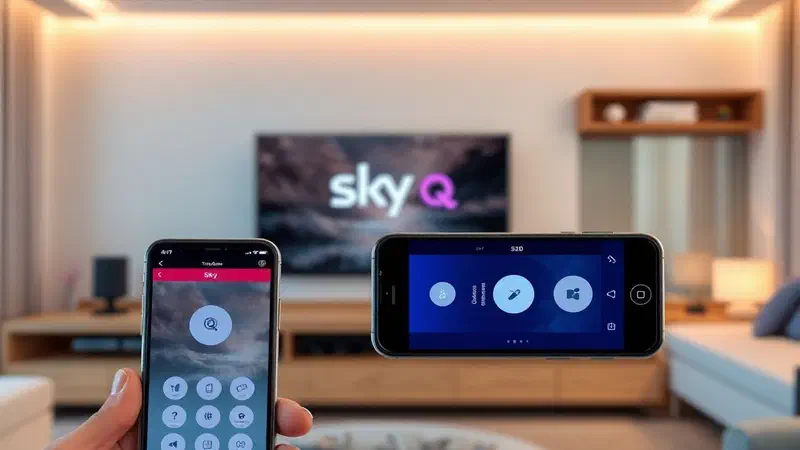
Another increasingly popular alternative is the applies for smartphones that replicate the functionality of a remote control. both sky itself with its “my sky” app (which offers limited remote control features for sky q decoders) and third-party apps (often universal) can turn your smartphone or tablet into a controller. these apps typically work via wi-fi, sending commands to the decoder or smart tv through the home network. the advantages are obvious: you always have your “telecomando”, you don’t have to worry about batteries (if not those of the smartphone), and often the interface is more intuitive and customizable, especially for text typing. the limitations include the battery consumption of the smartphone, the need for the phone to be on the same wi-fi network of the device to be controlled, and the absence of tactile feedback (physical keys offer a different feeling). even in this case, advanced voice control or hardware specific functions may not be fully supported. finally, they exist on the market telecomandi compatible or replica, often at low cost, which promise to function as the original. these can be an economical solution to replace a broken remote control out of warranty. however, building quality, durability and fidelity of functionality (for example, key reactivity or ir/bluetooth sensor accuracy) can be lower than the original. it is essential to read reviews and check the specific compatibility with your sky q or sky glass decoder model before purchase. in summary, although the original sky remote is always the recommended choice for an optimal and uncompromising experience, the knowledge of these alternatives offers users flexibility and solutions in different circumstances, allowing to maintain control of their entertainment even in the face of unexpected or specific needs.
No
The future of tv control: artificial intelligence, voice and intuitive interfaces #
No
The evolution of the remote control does not stop at bluetooth connectivity or voice control that we today give for discount with sky q and sky glass systems. we are at the threshold of an era in which control of television and domestic entertainment will be increasingly intuitive, predictive and deeply integrated with artificial intelligence (ai). the future of tv control will gradually depart from the mere pressure of physical keys, embracing more natural and personalized interaction modes. ** voice control**, already a pillar in sky remote controls, will continue to evolve. it will no longer be just to impart direct and specific commands (“change channel on rai 1” or “open netflix”), but to converse with your entertainment system in a more fluid and contextual way. integrated voice assistants will become more intelligent, able to understand natural language, to interpret user intentions even when expressed ambiguously and to anticipate needs. imagine you can ask: “*what’s interesting tonight based on my tastes and what my friends looked at? *“, and receive personalized suggestions through a visual and sound interface. in this context, ai will play a crucial role, analyzing vision habits, personal preferences, daytime and even external weather to offer increasingly relevant and almost “preditive” recommendations.
No
In addition to the voice, the user interfaces are intended to become more intuitive. it is expected to introduce and disseminate technologies such as the gestural control, where specific movements of the hand or body can be detected by cameras integrated into the tv or decoder to navigate between the menus or adjust the volume. some niche prototypes and applications already exist, but the challenge is to make them sufficiently accurate and uneasy for everyday use. another fascinating frontier is the eye-tracking control (ocular tracing), which would allow you to select items on the screen simply by looking at them. although this technology is still in embryonic phase for large-scale consumer use, it offers a huge potential for uncontacted accessibility and interaction. convergence with the smart home is another unstoppable trend. the remote controls of the future, or the tv control interfaces, will be increasingly integrated with the domestic ecosystem. turning on tv could automatically activate ambient lighting, adjust shutters or even start the coffee machine, creating scenarios of “entry automation” seamlessly. the remote control could turn into a universal control panel for the whole smart home, or it could disappear completely, with control managed entirely through voice commands aimed at a central assistant, or interfaces projected on surfaces. sustainability and design will also be key factors for future control devices. we expect more ecological materials, minimalist design and greater emphasis on durability and ease of recycling. the concept of “telecommand” could evolve into a multimodal interaction platform, where voice, gestures and even thoughts (through brain-computer interfaces, although much longer term) merge to offer unprecedented control, making the vision experience not only personal but also incredibly immersive and effortless. the remote control journey, from a simple button to a smart tool, is all but finished, promising innovations that will continue to surprise us and redefine the way we interact with our digital world.
No
Conclusion #
No
We embarked on a detailed and thorough journey into the world of sky remote controls, starting from the frustration of a malfunctioning device to explore the technologies that animate them and future visions of tv control. what clearly emerges is that the remote, far from being a simple piece of plastic and circuits, is a crucial component of the domestic entertainment experience, and its proper management can make the difference between a total immersion and a number of annoying interruptions. we have disassembled the most common causes of malfunction, underlining the importance of a preliminary careful diagnosis* which goes beyond the simple change of batteries, taking into account the health of sky q decoder or sky glass television and the presence of possible environmental interference. the ability to distinguish between a remote control problem and a receiving device problem is the first step towards effective resolution. we then deepened the advanced resolution procedures, exploring the delicate art of bluetooth synchronization, ir function tests and key selective problem solutions, providing you with the tools to address even the most stubborn challenges. the analysis of source management and multidevice integration revealed how sky remote controls, especially sky q’s with their ability to control tv and other devices, and sky glass with its unified interface, are evolving towards a centralized hub** role for the entire multimedia experience. this integration not only simplifies use but anticipates a future in which fragmentation of controls will be a distant memory. finally, we have outlined the detailed process to request an official replacement, whether you have a sky q or sky glass remote control, highlighting the importance of having your sky id and customer code at hand, and we have explored the alternatives available on the market, from universal remote controls to smartphone applications, offering options for every need and budget. but we have not limited ourselves to the present: our excursion into the future of tv control has unveiled a horizon of exciting possibilities, with artificial intelligence and advanced vocal commands that promise an ever more intuitive, almost predictive interaction, and the emergence of new interfaces such as gesture control and deep integration with smart home. ultimately, this guide wants to provide you not only solutions to current problems, but also knowledge to navigate the constantly evolving technological landscape. remember, your remote control is your window on the entertainment world; take care of it and understand its operation will ensure you an ever-changing and seamless viewing experience, projecting you towards the future of tv control with confidence and awareness.