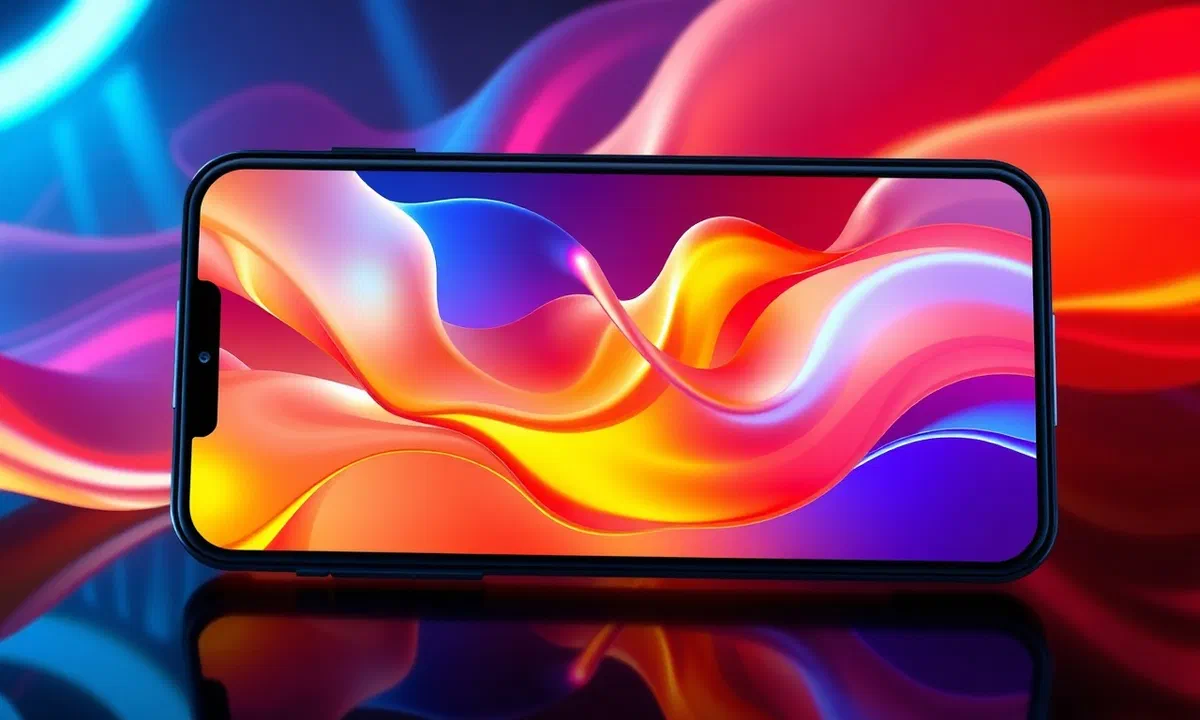
In the digital panorama of 2026, the customization of your mobile device has become an art form accessible to all, no longer limited to digital graphics experts alone. creating mobile wallpapers today represents the first step to make a truly unique tool we use for several hours a day, transforming a simple interface into an extension of our personality and aesthetic style. many users settle for predefined wallpapers provided by manufacturers like samsung, Apple] or xiaomi, but the real satisfaction lies in generating something totally original, capable of adapting perfectly to the arrangement of icons and widgets that populate our home screens and lock screen. with the evolution of high resolution oled and amoled displays, having an optimized background image is not only a matter of beauty, but also of visual quality and, in some cases, of energy saving. in this in-depth guide, we will explore every methodology available today, from the most intuitive mobile applications to professional photo editing software, to the revolutionary innovations brought by artificial creative intelligence, which in 2026 reached peaks of photorealism and incredible abstraction. whether you own a latest generation iphone or a folding android smartphone, you will learn how to manage proportions, resolutions and color depths to get a professional result in few simple steps, always eliminating the monotony of the series themes.
The best mobile apps to create mobile wallpapers #
Tapet and pattern procedural generation #
One of the most innovative and longevous solutions for those who want to create cellular wallpapers in an almost magical way is undoubtedly tapet wallpapers generator. available for the android platform, this application stands out from the mass because it does not download images from the internet, but generates them mathematically at the moment, based on the specific resolution of your screen. this approach ensures that each wallpaper is sharp to the pixel, without compression artifacts or blurring due to resize. in 2026, tapet introduced new algorithms inspired by parametric design and modern architecture, allowing to obtain geometric patterns that seem to come out of a cutting-edge design studio. the interface is extremely smooth: with a swipe up or down, the colors change, while with a lateral swipe changes the graphic pattern. this intuitive interaction allows you to view hundreds of combinations in a few minutes, until you find the perfect one for your aesthetic needs.
In addition to ease of use, tapet offers granular control over colors through an advanced palette. you can decide to block certain primary colors and let the app create complementary shades, or you can rely on the random mode to let you be surprised. the premium version of the app unlocks exclusive patterns and the ability to program automatic background change at regular intervals, ensuring that your phone looks always fresh and dynamic. for those who love minimalism or material design style, tapet represents the choice of choice, since its backgrounds fit perfectly with the stylistic guidelines of android. it is important to emphasize that the lightness of the procedural generation code does not impact minimally on the battery, making it an ideal solution even for less performing devices that still want a premium and personalized look without technical compromises.
Gradient wallpaper maker for shades lovers #
If your ideal aesthetic is based on color fluidity and delicacy of color passages, gradient wallpaper maker is the tool for you. this application, available for both ios and android, focuses entirely on creating linear, radial or free gradients. in 2026, the trend of “glassmorphism” and pastel gradients continues to dominate user interfaces, and this app allows you to ride the wave with extreme simplicity. the user can select different color points on a virtual canvas and drag them to define the direction and intensity of the nuance. the ability to insert precise hexadecimal codes makes it perfect for professionals who want to match the background of their smartphone to their brand identity or a specific palette used in other creative projects.
A fundamental aspect of gradient wallpaper maker is the management of 10-bit color depth, essential to avoid the “banding” effect (the annoying color strips visible in the shallow shades) on modern hdr displays. after defining the colors, the app allows you to add “layers” or “noises” to give a more material and analogous touch to the image, or to apply light textures that simulate paper or brushed metal. once the creation is completed, the rescue takes place instantly in the device gallery, ready to be applied. the simplicity of this app actually conceals a remarkable chromatic computing power, allowing ** to create cellular wallpapers*** that never tires the eye and that facilitate readability of texts and icons on the home screen, thanks to the expert distribution of light and shadow areas created by the user.
Exploit artificial intelligence for unique wallpaper #
Wombo dream and the generational revolution #
In the technological context of 2026, we cannot talk about digital creativity without mentioning artificial generation intelligence. wombo dream has become the reference application for those who want to create cellular wallpapers starting from a textual idea. thanks to advanced linguistic and visual models, just enter a brief description (prompt) as “a futuristic forest in cyberpunk style in a neon rain” to obtain in a few seconds a unique digital art work in the world. the app offers a wide range of predefined art styles, from realism to oil painting, from surrealism to 3d design. this versatility also allows those who have no design expertise to produce wallpaper that seem to be made by professional digital artists, ensuring a level of originality that no stock image library can ever offer.
The evolution of ai in 2026 allowed wombo dream to implement “outpainting” functions, i.e. the ability to expand an existing image to perfectly adapt it to the vertical format of modern smartphones. if you have a photo you love but that does not have the right proportions, the ai can reconstruct the missing edges while maintaining style and visual coherence. moreover, the integration with the moving sensors of the smartphone allows to create “parallax backgrounds” generated by the ai, where the different levels of the image move at different speeds when you prone the phone, creating a breathtaking three-dimensional depth effect. although the app offers a free plan, advanced 8k resolution options and watermark removal require a subscription, which many users consider a valid investment to have access to an infinite stream of personalized creativity.
Integrated tools and quick controls #
In addition to dedicated apps, 2026 sees a strong integration of ai directly into operating systems. iphone users can take advantage of advanced shortcuts through the quick command app (shortcuts), such as the famous wallcreator, which now integrates image generation apis. these tools allow ** to create cellular backgrounds***** that change dynamically according to external factors such as daytime, weather conditions or even your mood detected through the biometric data of smartwatch. for example, you can set a command that generates a background from warm and relaxing tones at sunset, or an energetic and abstract wallpaper when you start a workout session. this automation transforms the background from static element to active component of user experience.
For more experienced users, there are bots on messaging platforms or web interfaces that allow you to question models like midjourney or dall-e for creating high quality wallpaper. the secret in this case lies in the writing of the prompt: specify parameters such as the aspect ratio (usually 9:19.5 for modern phones), the lighting style and depth of field can make the difference between a mediocre image and a masterpiece. many online communities in 2026 regularly share “commands” that are optimized for create cellular backgrounds, promoting global collaboration between design and technology enthusiasts. artificial intelligence does not replace human creativity, but acts as a powerful amplifier that allows anyone to view their dreams directly on the display of their phone.
Desktop software for professional results #
Gimp: the open source alternative of superior power #
When mobile applications are not enough to realize the complex idea you have in mind, the use of desktop software becomes indispensable. gimp (gnu image manipulation program) is the ideal solution for those looking for a professional tool without licensing costs. for create cellular wallpaper* with gimp, the first step is the correct setting of the work area. in 2026, with the variety of screen formats (from foldables to super-talls), it is essential to know the pixel resolution of your device. once you create a new file with the correct size (e.g. 1440×3200 pixels), gimp provides a series of drawing and manipulation tools that do not fear comparisons. the use of layers (layers) allows to overlay graphic elements, textures and color adjustments in a non-destructive manner, giving full creative control to the user.
Gimp excels especially in the use of filters and shades. thanks to the “sfumatura” tool, you can create complex color transitions that follow custom paths, while the sprawling filters and dynamic brushes allow you to generate abstract elements or digital art from scratch. a trick very used by designers is to import a high-resolution photograph and apply selective gaussiane blunts or pixel art effects to create a background that recalls the colors of the original photo without being too chaotic or disturbing for home screen icons. once the work is done, export the image to compressed but high-quality formats such as webp or png-24 ensures that the background maintains all its chromatic brilliance once transferred to the mobile phone via cloud or usb cable.
Adobe photoshop and advanced design #
Adobe photoshop remains the industry standard even in 2026, offering editing tools based on “content-aware ai” that make creating wallpaper a smooth and professional experience. if you want to create cellular wallpapers* starting from photographic compositions, photoshop allows you to isolate subjects, change skies, add volumetric light effects and manage color with a cinematic precision. the “generative filling” function is particularly useful: you can start from a square image and ask photoshop to expand it vertically to fill the format of the smartphone, inventing consistent details with the original. this eliminates the problem of badly cut images or black edges that spoil the aesthetics of the device.
Another advantage in using photoshop is integration with adobe stock and creative cloud libraries. you can start a project on your ipad during your home-work journey and finish it on your desktop computer, always having access to thousands of ready-to-use graphics assets. for those who design large-scale sales or distribution backgrounds, photoshop offers automation tools to export the same design into dozens of different resolutions simultaneously, adapting to each existing smartphone model on the market. icc color profile management also ensures that the colors displayed on the pc monitor are exactly the ones that will appear on the cell screen, avoiding unpleasant surprises of saturation or contrast. despite being a paid software, its power makes it the compulsory choice for anyone who wants to make wallpaper design a real professional activity.
Technical optimization and resolutions for 2026 #
Standard resolutions and modern aspect ratio #
To achieve a clear and un distorted background, it is essential to understand the technical specifications of current displays. in 2026, most high-end smartphones use a very long aspect ratio, such as 20:9 or 21:9. when you learn about creating mobile wallpaper*, setting a basic resolution of at least 1440 x 3200 pixels is a good practice to cover most flagship devices. if you have a folding device (foldable), you will need to consider two different backgrounds: one for the external screen (straight and long) and one for the internal screen (almost square). designing an image that works in both cases is an interesting challenge that requires you to place the focal elements of the composition in a safe central area that is not cut during the transition from one display to another.
In addition to the physical size, attention should be paid to pixel density (ppi). create a file with 72 dpis, standard for the old web, is no longer enough for modern mobile screens that often exceed 450-500 ppis. it is advisable to work at 300 dpi to ensure that each thin line or delicate shade is reproduced with maximum fidelity. a common mistake is to ignore the area occupied by the “notch” or camera holes (punch-hole). the most creative designers use these hardware elements as an integral part of the background, drawing frames or graphic elements that seem to interact with the front camera, transforming a physical limit into an original and fun design opportunity.
Oled display considerations and energy saving #
Oled and amoled displays have a unique feature: black pixels are physically switched off and do not consume energy. when you decide to create cellular backgrounds, opt for dark themes or with large absolute black areas (#000000) can significantly help extend battery life, especially if you spend a lot of time on the home screen. in 2026, this practice became a real aesthetic current called “dark mode design”. creating net contrasts between deep blacks and vibrant neon colors is not only energy efficient, but also enhances the incredible infinite contrast capabilities of modern mobile panels, making the image almost three-dimensional.
Another technical aspect not to be underestimated is the hdr (high dynamic range) support. if your smartphone supports the hdr10+ or dolby vision standard, you can create backgrounds that contain brightness information above normal sdr files. this means that some parts of the image (such as solar reflections or artificial lights) will shine with a higher light power, creating a dynamic and engaging visual effect. to save files that support these features, you need to use modern formats like heic or avif, which in 2026 are widely supported by both android and ios. always remember to test the readability of the writings: a background too chaotic, however technically exalted, could make it difficult to read the name of the app or the time, valuing its primary utility.
Design and creativity: tips for a perfect background #
Minimalism vs digital abstraction #
The choice of style is purely subjective, but there are design rules that help create backgrounds for mobile* that do not tire over time. minimalism remains one of the most appreciated styles: the use of large blank spaces (white space or negative space) allows to maintain the clean and neat interface. a single iconic element in the center or a very light pattern can give character to the phone without distracting the user. in 2026, minimalism evolved into “neu-minimalism”, which adds subtle external shadows and imperceptible gradients to give a sense of materiality to graphic objects. this style is perfect for those looking for a professional and calm look, ideal for devices used mainly for work and productivity.
On the other side of the spectrum we find digital abstraction, which exploits algorithms and physical simulations to create complex and fascinating images. colorful fluids that mix, moving particles caught in an instant or fractal structures are just some examples of what can be accomplished. the abstraction has the advantage of concealing well any imperfections of the original photo and adapting to almost every arrangement of icons. when designing an abstract wallpaper, think of the “third party rule”: place the most interesting elements along the imaginary lines that divide the screen, avoiding that they end right under the lock screen clock or behind the most bulky widgets. the composition is the key to balancing aesthetics and functionality.
Psychology of color and seasonal customization #
The colors we choose for our background influence our mood subconsciously. for creating cellular backgrounds* that have a positive impact, you may consider color psychology: blue and green transmit calm and concentration, while red and orange infuse energy and dynamism. many users in 2026 adopt the “seasonal customization”, changing the background of their device not only according to the period of the year (hot and burned to autumn, cold and minimalist colors for the winter), but also according to their daily routine. an image depicting a relaxing natural landscape can help reduce stress during working hours, while a vibrant and creative photo can be more suitable for leisure and weekends.
Another strong trend is the matching of the background with the physical cover of the phone or with the strap of the smartwatch. this holistic approach to customization creates a consistent visual ecosystem that denotes great attention to detail. you can take a photo of the texture of your cover and use it as a basis in an editing software to create a coordinated pattern. do not forget the importance of depth: the use of blurring (bokeh) in the background can make the icons stand out, making them easier to spot at a glance. creativity has no limits, and experimenting with different techniques will allow you to discover which style fits best in your way of interacting with technology.
How to correctly set the image as a background #
Detailed procedure for android devices #
Once the creative process is completed and after saving your masterpiece in the gallery, the final step is the application on the device. on android, the procedure may vary slightly depending on the interface (one ui, miui, pixel ui), but the fundamental steps remain constant. open the gallery or google photos app, select the image you created and search for the “set as a background” option (usually in the menu with the three dots or under the sharing icon). at this point, the system will ask you if you want to apply the image to the home shield, the block shield or both. a very useful feature introduced in recent versions of android is the ability to synchronize system colors (i.e., menus, notifications) with the prevailing colors of the newly set background, creating total chromatic consistency throughout the software.
If the background does not appear perfectly centered, most android devices allow you to adjust the location and zoom before confirming. you can drag the image to ensure that the main element is not covered by important widgets. some smartphones also offer the option “ dynamic background” or “ motion effect”, which applies a slight zoom and moves the image in response to the tilt of the phone. if you have created a set of wallpapers, you can also set a whole folder so that your phone will automatically change the image whenever you unlock the screen, making the user experience always varied and never boring. remember that the quality of the final image will also depend on the rescue format: it always uses the original format to avoid qualitative degradation during loading.
Configuration and customization on ios (iphone) #
Apple] has revolutionized the management of the wallpapers with the latest ios versions, introducing the possibility to create different lock screens connected to the profiles of “full immersion”. to set your background on iphone, go to settings, select “back” and then “add new background”. here you can choose your creation from the photo library. ios in 2026 offers very powerful integrated editing tools: you can scroll sideways to apply smart color filters that separate the subject from the background, or use the “depth” effect that allows a part of your background (if it has a well defined subject) to overlap slightly to the digital clock, creating a truly scenic depth effect.
In addition to the aesthetic part, on iphone you can customize widgets that appear above the background, ensuring that your creation leaves enough space for the information you feel important. you can associate a specific background to an activity, such as work or sport: when your phone detects your location or time, it will automatically change the background with what you created specifically for that moment. this deep integration between aesthetics and functionality is what makes the process of creating cellular wallpapers so rewarding. once satisfied with the result, you can also share your complete configuration with other users Apple through the background sharing links, allowing friends or family to use your digital art work on their devices with a simple touch.
- Optimal resolution: make sure you always work with resolutions above 1080p, preferring 1440p or 4k for 2026 displays.
- File format: prefer the png format for flat graphics and the heic or webp format for photos, so as to maintain high quality and low weight.
- Contrast: check that graphic elements do not interfere with the visibility of application names on the home screen.
- Oled security: use deep blacks to save battery and reduce visual fatigue during night use of the smartphone.
- Choose the suitable tool (mobile app for speed, pc software for precision, ia for originality).
- Define the size according to your specific smartphone model (check technical specifications).
- Apply design principles like third-party rule and color psychology.
- Export the image and transfer it to the device while maintaining the highest possible quality.
- Set the background and adjust system parameters for total visual consistency.
“design is not just what it looks like or what you feel. design is how it works. a well-designed background improves daily interaction with the most important tool of our lives. " — expert of ux design, 2026.
Frequently asked questions (faq) #
Can i create mobile wallpapers for free without graphic skills? #
Of course! thanks to modern applications based on artificial intelligence and procedural generation such as tapet or wombo dream, anyone can ** create high-level cellular backgrounds*** in seconds. these apps automatically manage technical aspects such as resolution and proportions, leaving the user only the pleasure of aesthetic choice or inserting a simple text prompt to guide image creation.
What is the best format to save my custom wallpaper? #
For the highest quality on modern smartphones, the png-24 format is excellent for digital graphics and illustrations, as it avoids compression artifacts. if you use complex photographs or nuances, the heic (on iphone) and webp or avif (on android) formats offer the best balance between color fidelity and memory occupation, also supporting color depths greater than 8 bits per hdr display.
Black backgrounds really help save battery? #
Yes, but only if your smartphone has an oled or amoled screen. in these displays, the pixels that reproduce black are actually switched off and do not consume electricity. therefore, if you decide to ** create cellular wallpapers*** with large areas of pure black (#000000), you will notice an improvement of battery life, especially if you spend a lot of time in the lock screen or home.
How can i adapt a horizontal photo to a vertical background? #
The best solution in 2026 is the use of “generative fill” or outpainting through artificial intelligence, available in photoshop or in advanced mobile apps. these tools analyze the original photo and “invent” the missing parts above and below the image to fill the vertical format 9:20 typical of the phones, maintaining a consistent style and without having to cut important parts of the original subject.
Are there risks of “burn-in” with too bright backgrounds? #
Although modern oled panels are very resistant, displaying a static image with extremely bright and saturated colors for many hours a day, at maximum brightness, could theoretically contribute to irregular pixel wear. to avoid this, it is advisable to create cellular wallpapers* that are not excessively dazzling or use the automatic background change function to periodically vary the colors displayed.
In conclusion, we have seen how creating mobile wallpaper* has become an extremely versatile and accessible activity in 2026. whether you choose the fast way of the generation apps, the accuracy of desktop software such as photoshop and gimp, or the innovation of artificial intelligence, the goal remains the same: turning your smartphone into a unique piece of digital design. experience with colors, shapes and technologies to find the style that best represents you. now you just have to put these tips into practice, download the tools mentioned and start giving new life to the display of your mobile device. start today to create your next digital masterpiece!