In the technological landscape of 2026, where the quality of the image has reached incredible heights with ultra-defined panels and vibrant colors, an ancient enemy continues to torment professional users and entertainment enthusiasts: the luminous reverb. learning how deleting the reflections from the screen is not just a matter of aesthetic comfort, but it is a fundamental step to preserve your visual health and maximize your daily productivity. whether you are in a modern office with large windows, in a living room flooded by afternoon or outdoor light with your latest smartphone, the fight against mirrored images and the annoying light points requires a targeted strategy. the reflections, in fact, force the human eye to a continuous effort of focusing between the plane of the digital image and that of the reflected light source, causing visual fatigue, headaches and a drastic reduction of the perceived contrast. in this complete guide, we will explore every available solution, from physical changes to the environment surrounding the application of specific accessories such as technical films, to software adjustments that can make the difference. we will analyze in detail how to intervene on pcs, tablets, telephones and televisions, providing practical advice based on the latest visualization technologies available today on the market.
Hardware strategies: anti-reflective films for monitors #
Typologies of film and technical materials #
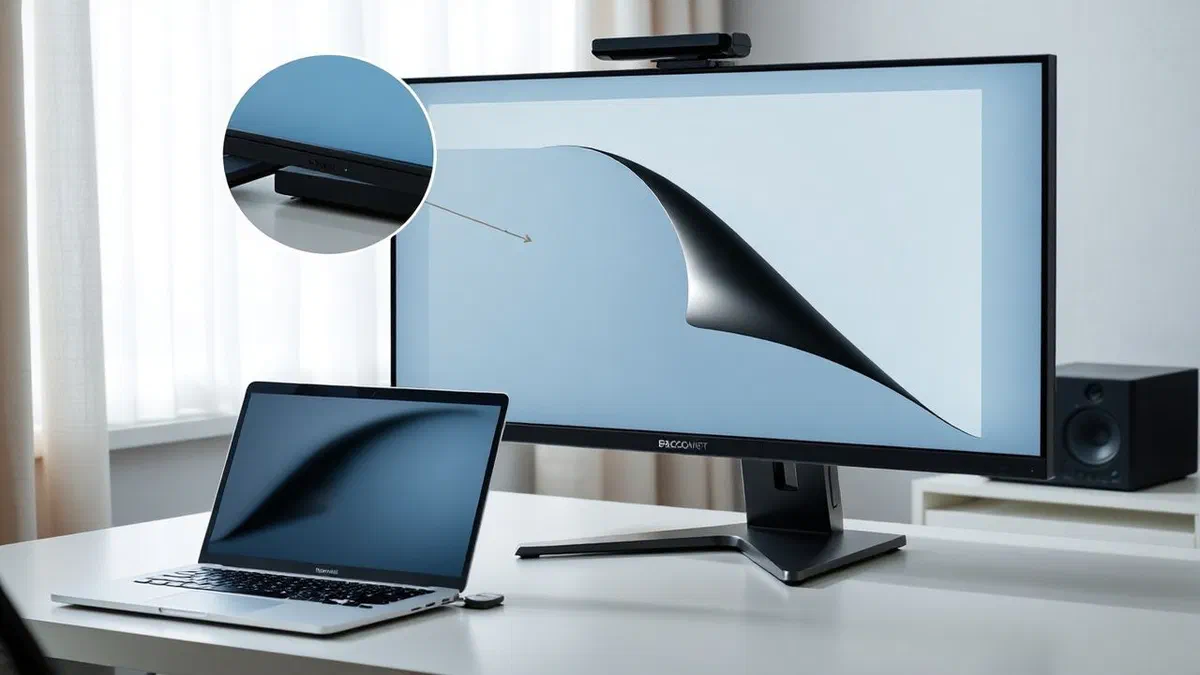
The application of physical protection remains one of the most direct and effective methods to combat the problem of reflectance. modern films are not simple plastic sheets, but sophisticated layers of polymers treated with nanotechnologies capable of fragmenting incident light. there are mainly two categories of products: opacizing films (mattes) and polarized filters. the first act by spreading the radius in multiple directions, eliminating the mirror effect but sacrificing a small percentage of color clarity and shine. on the contrary, polarized filters work on the direction of light waves, resulting particularly effective against horizontal reflections without excessively altering the colour rendering of the panel below. choosing the right material for deleting the reflections from the screen requires careful evaluation of the type of work done: a professional chart will prefer less invasive solutions, while writing code or working with texts will prefer maximum opacity for prolonged comfort during daytime hours.
Another innovation worthy of note concerns hybrid films that combine anti-reflective function with privacy protection. these accessories restrict the angle of side vision, preventing indiscreet looks from reading the contents displayed, and at the same time integrate a surface satin treatment that lowers the reverb of ceiling lamps or sun. in 2026, the adhesive quality of these products has improved dramatically, allowing applications without air bubbles thanks to micro-suction technologies that leave no residue on the original monitor glass. before purchase, it is essential to verify compatibility with your device, accurately measuring the diagonal and the aspect ratio, since even a few millimeters of difference can compromise the effectiveness of the protection or usability of any brightness or webcam sensors integrated in the frame of the display.
How to correctly apply protection #
The effectiveness of a film depends for fifty percent on the quality of the product and for the other fifty percent on the accuracy of the installation. to remove the reflections from the screen*** professionally, it is necessary to prepare a clean working environment without air currents that could transport dust granules at the critical time of contact. preliminary cleaning of the panel is the most important step: you need to use a high quality microfiber cloth and a specific detergent solution without ammonia or alcohol, which could damage the original screen coatings. once it removed all prints and particles of dirt, it proceeds with the alignment of the film starting from one of the upper corners, gradually removing the protective support and gently pressing with a soft spatula or a plasticized card wrapped in a cloth to expel the air bubbles outward.
In case of errors during the application, do not panic. many high-end films allow to be lifted and repositioned if the operation is carried out with extreme caution. a trick used by experts is to carry out the application in the bathroom after flowing hot water for a few minutes: the water vapour tends to deposit the dust particles suspended in the air, guaranteeing a perfectly sterile surface. if, despite everything, small bubbles due to the dust, a piece of adhesive tape can be used to lightly lift the angle of the film and another piece to “weave” the dust granule remained trapped. once the procedure is completed, the improvement in visibility will be immediate and the reverb will be drastically attenuated, allowing much more relaxed work sessions.
Positioning and ergonomics of the workplace #
Management of environmental light sources #
Often the most effective solution for delete reflections from the screen is not on the monitor itself, but in the room layout. the physics of reflection is implacable: the angle of incidence is equal to the angle of reflection. therefore, placing a desk with a window directly behind its back is the most common and serious mistake that can be made in terms of visual ergonomics. solar light will affect the display frontally, creating a bright overlap that will cancel the panel contrast. the ideal configuration provides that the main light source (natural or artificial) comes sideways from the position of the monitor, ideally at a 90-degree angle. this shortening allows to illuminate the working environment without the rays directly affecting the reflective surface of the glass.
If the arrangement of the furniture is bound and does not allow to move, it becomes indispensable to intervene on the light sources themselves. the use of darkening or venetian technical curtains allows to modulate the intensity of external light according to the time of day. as for artificial lighting, it is preferable to opt for lamps with diffusers that emit indirect light towards the ceiling or walls, rather than direct pointing spotlights that create annoying bright “hotspot” on the screen. in the professional field, the use of monitor lamps (monitor light bars) that hang over the top frame of the display has become a standard: these lamps project light down on the keyboard and on the desk, ensuring that no radius hits the panel and drastically improving the visibility of the keys and paper documents without generating any annoying reverb.
Strategic inclination and angle of the display #
A small tilt adjustment can do wonders to remove the reflections from the screen**. most modern monitors are equipped with ergonomic supports that allow adjustment in height, rotation and inclination. it is often enough to tilt the screen a few steps down or upward to move the reflection of a lamp or window out of the user’s direct field of view. however, this operation must be balanced with the correct ergonomic posture: the upper part of the monitor should be at the height of the eyes or slightly below, to avoid tensions at the neck. if the original support of the monitor does not offer sufficient flexibility, the purchase of an articulated mechanical arm compatible with the vesa standard represents an excellent investment, allowing to adapt the position of the display in real time during the day span depending on the movement of the sun.
In addition to vertical inclination, rotation on the horizontal axis should not be underestimated. turning the monitor slightly to the right or left can eliminate a persistent reflection that comes from an open door or from another nearby workplace. in modern open space offices, where light control is limited, the use of curved screens can offer an unexpected advantage: the curvature of the panel tends to focus the user’s vision by reducing the impact of environmental lights coming from the most extreme corners, although it can sometimes distort reflections making them longer. in any case, the secret lies in dynamic experimentation: there is no perfect fixed position, but a series of micro-regulations that follow the luminous changes of the surrounding environment during hours of activity.
Software settings to improve visibility #
Dynamic management of brightness and sensors #
When it is not possible to physically remove the source of reflection, the software solution consists in “winning” the light challenge by increasing the light output of the display itself. to delete the reflections from the perceived screen**, increase the brightness of the panel is the fastest way, but it must be managed with intelligence. in 2026, almost all operating systems integrate advanced adaptive brightness algorithms that use the device’s environmental sensors to adjust the intensity in real time. however, under strong reverb conditions, it is often necessary to manually intervene to force the display to its maximum nits values (the luminance measuring unit). however, it must be considered that keeping a screen at its maximum power for long periods accelerates battery consumption in notebooks and can reduce the useful life of pixels in oled panels, as well as being able to cause excessive fatigue of eyes if the surrounding environment is not as bright.
An advanced software technique involves the use of color profiles and contrast calibration. increasing contrast via software can help make texts and icons more distinguishable even in the presence of bright veils due to reflections. some video card drivers allow you to activate specific modes for the outside or for high brightness environments, which act by changing the curve of the range to make the shadow areas of the image more readable. this approach is particularly useful for those who work with spreadsheets or complex texts. it is important to remember that a correct calibration of the monitor through colorimeter can optimize the visual rendering so that details are not lost when the ambient light increases, ensuring a chromatic fidelity acceptable even in unideal conditions.
Use of clear themes and high contrast interfaces #
The choice of the graphic theme of the operating system has a huge impact on the perception of reflections. in recent years the “dark mode” has become extremely popular, but in bright environments or with strong reflections, a dark interface acts as a perfect mirror. if the goal is to remove the reflections from the screen** or at least mitigate the disturbing effect, switching to a clear theme is the most rational choice. a white or light grey background emits much more light than a black background, making the images reflected in the surrounding objects less visible. physics teaches us that reflection is a superimposed image; if the image below is very bright, that reflected will be less contrasted and therefore less annoying for the brain that has to process visual information.
In addition to the simple clear theme, you can use the accessibility settings on windows, macos and linux. these functions allow you to activate high contrast modes that use solid colors and marked lines to define the elements of the interface. although aesthetically less appealing, these modes are extremely effective in critical situations, such as when working in train or plane near a window. the choice of font and its size also plays a role: larger characters and with a greater weight (bold) are legible even if partially covered by a luminous reflection. implementing these changes requires only a few clicks in system settings, but it can turn an almost unreadable display into a perfectly functional work tool, drastically reducing eye stress at the end of the day.
Eliminate reflections on mobile smartphone #
Mobile display films and oled innovations #
Smartphones are the most difficult challenge since they are used in different environments and often under direct sunlight. to remove the reflections from the phone’s screen***, the industry has developed tempered glass films with superior oleophobic and anti-reflective treatments. these films not only protect from shocks, but integrate invisible laser micro-incisions to the naked eye that spread the outside light. in 2026, the top-of-the-range models already integrate hardware covering glasses (such as the evolutions of gorilla glass) with minimum reflectance indices, but for medium-range or more dated models, the addition of a specific opaque film remains the best solution. it is essential to choose products that do not alter the reactivity of the fingerprint sensor integrated under the display, a common problem with poor quality films.
In addition to the additional solutions, panel technology has made giant steps. the modern amoled screens are able to reach incredible peaks of brightness, often exceeding 2500 or 3000 nits in automatic mode under sunlight. this function, often called “sunlight mode”, regulates not only brightness but also color saturation and local contrast to ensure that content remains visible. when buying a new smartphone, it is good to check the technical reviews of the maximum brightness supported and the reflectance of the glass, since these characteristics determine how easy it will be to use the outdoor device. a display with a low native reflectance value will require less energy to counter the reflections, significantly extending the battery life during the days spent outside the house.
Polarized glasses and brightness sensors #
A trick often underestimated to manage reflections on mobile smartphones is the use of polarized sunglasses. these glasses are designed to filter the light reflected by horizontal surfaces (such as as asphalt, water or, in fact, the phone screen). wearing them, you can delete the reflections from the screen in an almost magical way, provided that the phone panel does not use a polarized filter in the same direction, which could make the screen completely black. fortunately, modern smartphone manufacturers direct display filters to 45 degrees or use circular polarizers just to avoid this inconvenience. the use of polarized lenses allows to clearly see the content of the display even on the beach or on the snow, where the ambient reverb is maximum and the only brightness of the screen would not be enough.
You should also ensure that your phone’s brightness sensors are not obstructed by bulky cover or fingers during use. if the sensor is covered, the software will believe to be in a dark environment and will lower the brightness, making the reflections unsustainable. a periodic check of cleaning of the upper area of the phone, where usually reside these sensors, is recommended. in extreme situations, you can turn off the automatic brightness and set the cursor manually to the maximum, but remember to reactivate automatism once you return to the closed to avoid unnecessary energy waste and stress for electronic components. the combination of a good film, technical glasses and proper sensor management ensures an optimal use experience in every atmospheric condition.
Optimize the tv view in the living room #
Blinds, shielding and positioning of light points #
Tv is often the center of domestic entertainment, but its location is frequently dictated by the aesthetics of tv furniture rather than the quality of vision. to remove the reflections from the tv screen***, the most effective intervention concerns environmental obscurity. the use of “blackout” curtains or heavy fabrics is indispensable if the tv is in front of a window. even if you love natural light, while watching a movie or a sports event, lowering the shutters or closing the curtains can make an abyssal difference in black perception and details in dark scenes. for those who do not want to give up completely in the light, there are filter curtains that reduce the intensity of the sun rays transforming them into a diffuse light and less dots, minimizing the mirror effect on the television panel.
With regard to internal lighting, it is necessary to prevent ceiling lamps or floor lamps from reflecting directly on the surface of the tv. an elegant and functional solution is the installation of a led strip behind the tv (bias lighting). this soft light projected on the back wall increases the perceived contrast and reduces eye fatigue without generating reflections on the screen, since the light source remains hidden from the direct view of the panel. moreover, it is good to pay attention to the reflective objects present in the room: a glass table or a frame with polished frame strategically positioned can bounce the light towards the tv, creating secondary reverberations difficult to spot. moving these furniture accessories can solve seemingly inexplicable visibility problems and improve the immersiveness of your home cinema experience.
Wall brackets and technical inclination #
Many modern televisions have extremely shiny screens to enhance deep blacks (especially in oled and mini-led models). in these cases, fixed support can be limiting. installing a sliding wall support with extendable arm is a winning strategy for eliminating reflections from the screen* of the real-time tv. if during the afternoon the sun enters from a side window creating an annoying light beam, it is enough to rotate or tilt the television a few degrees to deviate the reflection away from the main viewpoint of the sofa. these supports also allow you to tilt the tv down, a very useful move if the tv is mounted slightly higher than the line of the eyes, moving the reflections of the ceiling lights to the floor.
If you do not want to drill the walls, there are universal tv bases that offer rotation functions (swivel) much wider than the original feet provided by the manufacturers. these bases allow you to turn the screen to the right or left with a touch, facilitating the management of reflections that change position during the day. another option, although more expensive, is the purchase of tv with “matte” screens or high-level factory anti-reflective treatments (such as “moth-eye” panels). these televisions use nanoscopic structures on the surface that almost completely absorb the light incident, making the reflections almost invisible. if you are purchasing a new appliance and you know that your room is very bright, prioritize a model with an excellent anti-reflective filter will save you many frustrations in the coming years.
Professional maintenance and cleaning of display #
Specific products for microfiber screens and cloths #
It may seem trivial, but a dirty screen drastically amplifies the problem of the reverb. the fingerprints, skin fat and dust act as slow microscopes that capture and spread light in a disorderly manner. to remove the reflections from the screen**** caused by dirt, a professional cleaning routine is required. the first indispensable tool is a microfiber cloth with thick texture, specific for lenses or optical components. avoid absorbent paper, paper napkins or clothes, since the wood fibers contained in the paper and impurities in the common fabrics can permanently scratch the delicate anti-reflective coatings applied in the factory by monitor and smartphone manufacturers.
With regard to detergent liquids, the golden rule is to avoid products containing ammonia, bleach or high concentration denatured alcohol. these chemicals can literally “eat” the anti-reflective layer, leaving unreversible opaque spots. the best solution is distilled water, or in cases of stubborn dirt, specific screen cleaners labeled as safe for led/oled panels. the liquid should never be sprayed directly on the screen, in order to avoid pain inside the frames by damaging the electronic circuits; it should be applied on the cloth, which must be only slightly moistened. passing the cloth with circular and light movements, without exercising excessive pressure, you will get a perfectly clear surface that will allow the light of the display to pass undisturbed, reducing the visibility of the external light sources reflected.
Common errors to avoid when cleaning the display #
Many users, in an effort to remove the reflections from the screen*** by cleaning, make errors that can compromise the device warranty. one of the most frequent errors is hot screen cleaning. when the monitor or tv has been on for hours, the heat generated by the components can evaporate too quickly the detergent liquid, leaving difficult to remove. it is always advisable to turn off the device and wait for it to cool completely before proceeding. also, pay attention to the surface powder: before passing the damp cloth, it is good to blow away the powder or use a soft bristle brush to prevent the dirt granules, dragged by the cloth, act like abrasive on the surface of the display.
Another myth to blur is the use of generic glass cleaning products (those used for house windows). these contain almost always aggressive chemical agents designed for the common glass, which is much more resistant than the delicate plastic polymers or glass treated of modern screens. if you notice that after cleaning the reflections seem “archobalenati” or irregular, it is likely that the anti-reflective layer was damaged by an unsuitable product. in these cases, the only solution is the application of a protective film that can uniform the surface reflectance, hiding the damage below. regular maintenance, carried out once a week, is the secret to keeping your display as new and ensuring that integrated anti-reflective technologies continue to work to the fullest of their potential throughout the product life cycle.
- Place the monitor 90 degrees over the windows to reduce the lateral reverb.
- Use obscurant or venetian curtains to modulate the intensity of outdoor sunlight.
- Install opaque (matte) anti-reflective films for the diagonal of your display.
- Increase the brightness of the panel and use clear themes in maximum lighting hours.
- Clean the screen regularly with microfiber cloths and detergents free of alcohol or ammonia.
- Tilt the screen a few degrees to deviate the reflections of environmental lights outside the field of view.
- Identify the light source that causes the main reflection on the screen.
- Evaluate whether you can move your workplace or electronic device.
- Apply physical screens such as curtains to windows or speakers to office lamps.
- Configure adaptive brightness and operating system contrast software settings.
- Buy and install an anti-reflective filter or a high quality technical film.
- Keep the powder-free panel and prints with a weekly dedicated cleaning.
“the quality of our digital life depends not only on the resolution of our screens, but on the ability to see through them without the interference of the surrounding physical world. " – expert of visual ergonomics, 2026.
Frequently asked questions #
Does anti-reflective films reduce image quality? #
Yes, there is always a technical compromise. films that help ** eliminate reflections from the screen*** act by spreading light. this process can cause a slight reduction in sharpness (grain effect) and a lower shine of the original colors. however, high-quality films produced in 2026 reduce this impact to a minimum, making visual sacrifice almost imperceptible to the benefit of no more annoying reverberations that completely prevent vision or cause premature eye fatigue.
Can i use isopropyl alcohol to clean the screen and remove the reflections? #
The use of isopropyl alcohol is a debated theme. although it is a great degrease, on many modern screens with special treatments can be too aggressive if used pure. to remove the reflections from the screen*** through cleaning, it is better to use diluted solutions (maximum 70% isopropyl alcohol and 30% distilled water) and only if the device manufacturer explicitly indicates it in the manual. in general, distilled water or specific alcohol-free detergents are the safest choice not to spoil long-term protective coatings.
Curved screens help eliminate reflections? #
Curved screens have a peculiar behavior compared to reflections. thanks to their shape, they can reduce the reflections from the sides, since the curvature “closes” the user’s field of view towards the center of the panel. however, if a light source is directly behind the user, the curvature could amplify the reflection by stretching it horizontally on a larger portion of screen. in conclusion, they help in environments with side lights, but they require even more careful management of light sources placed behind those who look.
Why does my smartphone reflect more than the notebook? #
This happens mainly for two reasons: materials and use. smartphones use almost exclusively glossy glass (glossy) to maximise color vividness and scratch protection, while many professional notebooks have native opaque panels. in addition, smartphones accumulate many more fingerprints that, as we have seen, increase the surface reflectance. to remove the reflections from the smartphone’s screen***, it is often necessary to rely more on the maximum brightness of the panel than the physical solutions used on the pcs.
Is it better a glossy monitor with film or a native opaque? #
A native opaque finish monitor is generally preferable if the working environment is constantly very bright. the treatment is applied during the production of the panel and guarantees a more uniform and lasting light diffusion. however, a glossy monitor with a high quality anti-reflective film offers more flexibility: if one day you move to a dark room where you want to enjoy the maximum contrast for a film, you can theoretically remove the film. in terms of pure efficacy in eliminating the reflections from the screen, the native opaque panel almost always wins for consistency and duration.
In conclusion, we have seen how eliminating the reflections from the screen is a process that involves different aspects: from correct positioning of the devices to the choice of hardware accessories, to the meticulous maintenance of the surfaces. there is no universal magic solution, but a weighted combination of these interventions can dramatically transform the way you interact with technology, protecting your view and improving everyday comfort. we invite you to experiment immediately with the inclination of your monitor or to evaluate the purchase of a technical film for your mobile devices. if you have found this guide useful, continue to follow our technological insights and share the article with those who fight every day against the luminous reverb. your visual health deserves maximum attention: start today to optimize your digital environment!