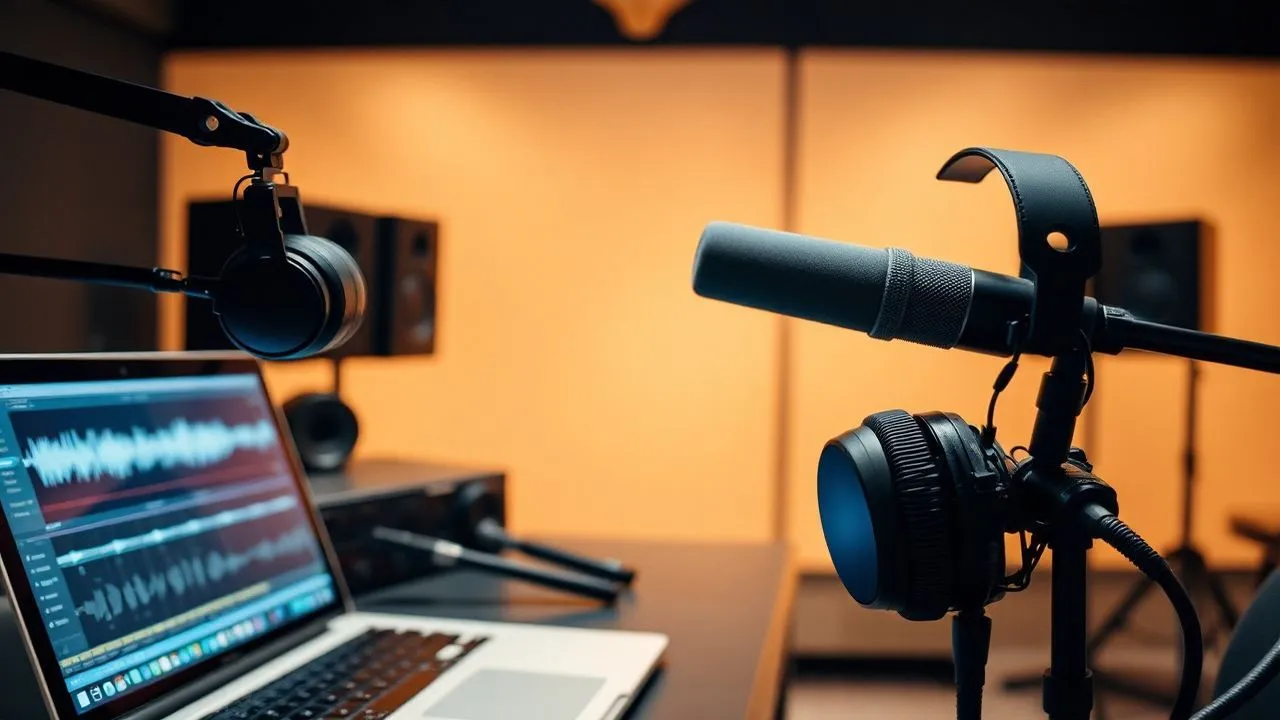
In the digital panorama of 2026, visual quality reached extraordinary levels, but user experience is still deeply influenced by the sound component. If you're wondering how improve video audio, know that today it is no longer necessary to be a sound engineer to achieve crystalline results. A disturbed audio, a persistent background buzz or an excessively low volume can remove the viewer in seconds, making it vain the effort employed in the visual part. Whether you’re creating content for social media, producing corporate videos or simply setting up a family memory, clarity of voice and balance of environmental sounds define the perception of professionalism of your work. Thanks to technological evolution, we now have tools based on artificial intelligence that can isolate voice frequencies and remove harassment noises with a simple click. In this guide we will explore the most effective solutions to elevate the quality standard of your productions, analyzing desktop software, innovative web platforms and latest-generation mobile applications. You will learn how to master post-production techniques that until a few years ago were reserved to great film studios, making your films not only beautiful to see, but especially pleasant to listen in every reproduction condition.
Best desktop software to improve video audio
Microsoft Clipchamp and functions based on artificial intelligence
Microsoft Clipchamp evolved drastically in 2026, becoming the reference point for those who want improve video audio on Windows systems quickly and free of charge. Being the official heir to Movie Maker, the software now integrates powerful machine learning algorithms that allow you to analyze the sound track and automatically identify the noise frequencies. The procedure for optimizing sound begins with the import of the clip into the timeline; once selected the video, you can access the dedicated audio card that offers options such as smart noise suppression and automatic gain balance. This function is especially useful for those who register in uncontrolled outdoor environments, where the wind or traffic could compromise the comprehensibility of the speech, ensuring a cleansing of the surprising signal without distorting the natural timbre of the human voice.
In addition to simple cleaning, Clipchamp offers tools for dynamic volume management that allow you to emphasize dialogues with background music. Using the “audio connection” function, the user can display the waveform in detail, applying targeted fade or correcting saturation spikes that would otherwise be annoying. In 2026, integration with Microsoft 365 also allows access to a large library of premium audio filters that simulate the acoustics of a professional studio or conference room. After completing the changes, the export takes place smoothly, keeping the perfect alignment between the new sound track and the video frames. For users who are not familiar with the complex parameters of professional editing software, this solution represents the ideal compromise between ease of use and quality of the final result, making audio post-production accessible to anyone with an updated Windows PC.
Wondershare Filmora for professional audio editing
Wondershare Filmora remains one of the most appreciated solutions in 2026 for its ability to combine an intuitive interface with extremely advanced audio post-production functions. For those who need to improve video audio getting a cinematic look, Filmora offers tools such as Audio Ducking and automatic rhythm synchronization. The function of removing noise through artificial intelligence has been further improved to distinguish between desired environmental sounds, such as the smooth of the leaves, and harassed noises such as electric buzz or mouse click. Uploading a file in Filmora’s timeline, the user can activate the “Audio 3.0 view”, which chromatically highlights clipping areas and frequencies that require immediate correction, allowing surgery on the track without compromising the integrity of the overall signal.
Filmora’s ecosystem in 2026 is also enriched by the predictive vocal optimizer, which virtually reconstructs lost harmonics due to poor quality microphones or excessive compressions. This means that even a video recorded with a cheap smartphone can be transformed into a content with a full and professional audio. The user has full control over the 10 band equalizer, with ready-to-use presets for podcasts, tutorials or music videos, but also has the freedom to customize every single frequency. Filmora's license, available both in subscription and lifetime, offers significant added value thanks to access to third-party audio plugins and a constantly updated Royalty-free sound effects library. Once the editing phase is finished, the smart export function optimizes audio bitrate based on the target platform, ensuring that the quality perceived on YouTube or TikTok is identical to the original one of the project.
Advanced sound post-production tools for experts
Adobe Premiere Pro and integration with AI cloud
For video industry professionals, Adobe Premiere Pro represents the industry standard in 2026, offering a suite of tools for improve video audio who fears no confrontation. The “Essential Sound” panel now uses the Adobe Sensei engine to automatically classify clips such as dialogue, music, effects or environment, instantly suggesting optimal improvement parameters. One of the most revolutionary functions introduced in recent years is the “Remix Audio”, which allows to automatically adapt the length of any music track to the duration of the video, maintaining the logical structure of the composition. This tool eliminates hours of boring manual editing, allowing the creator to focus on sound narration rather than on the technicalisms of cuts and dissolves crossed between the different sections of the original soundtrack.
Deep integration with Adobe Audition also allows you to switch from Premiere to a dedicated multi-track audio editor with just one click, applying advanced restoration processes such as spectral deletion of disorders. In 2026, the technology of “Generative Audio Fill” allows even to recreate small portions of missing or damaged dialogue, using samples of the original voice to ensure maximum consistency. Premiere Pro supports space and immersive audio formats, which are essential for content for VR viewers or high-end home theater systems. Although the learning curve is steeper than consumer software, granular control over each decibel and the ability to manage hundreds of tracks simultaneously make Premiere Pro the compulsory choice for those producing documentaries, short films or television advertising where acoustic perfection is a non-negotiable requirement of the final customer.
DaVinci Resolve and the power of the Fairlight module
DaVinci Resolve revolutionized the market by offering the Fairlight module free of charge, an entire digital audio workstation integrated into video editing software. In 2026, Fairlight became the preferred tool for improve video audio thanks to its very low latency architecture and support for thousands of tracks in real time. Users can use a professional virtual mixer complete with compressors, limiters and gates for each single channel, allowing a mix of precision millimeters. The section dedicated to audio restoration includes tools for automatic de-esserization, fundamental to remove excessive sibilants in dialogues, and de-hummer to eliminate low frequency interference caused by unshielded cables or faulty power supplies during the original shooting.
A distinctive aspect of DaVinci Resolve in 2026 is its artificial intelligence engine “DaVinci Neural Engine”, which is able to instantly separate the human voice from the most complex background noises, such as those of a crowded bar or a busy street. This function, called “Voice Isolation”, works undestructively, allowing the user to adjust the mix between the clean voice and the surrounding environment to maintain a sense of spatial realism. Fairlight also supports full automation of all parameters, which means that you can record the movements of faders and potentiometers during playback to create a dynamic and engaging sound panorama. With the paid Studio version, you unlock multi-user collaboration features and support for Dolby Atmos audio, consolidating Resolve as a complete platform covering the entire workflow from capture to movie distribution.
How to improve the audio of an online video without programs
Kapwing and artificial intelligence generated in the browser
If your need is to improve video audio without installing heavy computer software, Kapwing represents the most advanced cloud-based solution of 2026. This platform operates entirely in the browser and uses high-performance remote servers to process media files, ensuring speed and quality comparable to desktop software. The “Clean Audio” function of Kapwing was designed to be used with only one touch: the user uploads the video and the algorithm analyzes the sound spectrum to remove echoes, static noises and environmental disturbances in seconds. It is the ideal solution for mobile content creators or using devices with limited hardware resources, such as Chromebooks or ultra-light laptops, moving computational load to the cloud.
In addition to sound cleaning, Kapwing offers innovative tools such as the automatic generation of synchronized subtitles, which in 2026 became an integral part of the audio-visual experience. The system is able to translate the dialogues in real time and adapt the volume of the video to ensure that the narrative is always priority. The platform supports a wide range of formats and allows you to export optimized videos directly to major social networks. Although the free version applies some restrictions and a watermark, the Pro subscription provides access to collaborative editing functions, allowing multiple users to work simultaneously on the same audio-video project. Data security is another Kapwing pillar, which ensures encryption of uploaded files and their automatic deletion after a period of inactivity, respecting the latest digital privacy regulations.
Flixier and speed of video editing via cloud
Flixier stands out in the panorama of online tools for its incredible rendering speed, an essential feature when you want improve video audio under tight deadlines. The platform uses proprietary technology that allows you to preview audio changes in real time, eliminating the waiting times typical of web editors. In 2026, Flixier introduced a simplified but powerful audio editing interface, where you can adjust the gain, apply equalization and manage sound dynamics with intuitive drags. The “Enhance Audio” option is particularly effective to normalize the volume between different clips, ensuring that the viewer should not constantly adjust the volume of his device while viewing a mounting consisting of different sound sources.
Another strength of Flixier is its extensive integrated library of audio transitions and background music, which allows you to enrich the sound landscape of the video without having to search for external files. Users can import files directly from Google Drive, Dropbox or even via direct links from video hosting platforms. The service is optimized for teamwork, with commentary and review functions that make it easy to get immediate feedback on the sound quality of the projects. In 2026, Flixier implemented a “Smart Sound Balancing” system that automatically detects if the music is covering the voice and instantly lowers the levels of the music track in the spoken sections. This intelligent automation saves valuable time to creators while ensuring a harmonious and professional end result that meets the standards of listening to the most popular streaming platforms.
Best apps to improve the audio of a video on smartphone
CapCut: the leading audio-video editor for mobile creators
In 2026, CapCut continues to dominate the mobile application market, offering sophisticated tools for improve video audio directly from Android and iPhone smartphones. The app, developed by ByteDance, has integrated functions of “AI Voice Enhancement” that allow to isolate the voice of the protagonist in extremely noisy contexts, such as concerts or sports events. Once the video is imported into CapCut’s timeline, the user can access the “Audio” menu and select “Best Voice” to activate a neural filtering process that eliminates disturbances and makes the voice stamp deeper and authoritative. This function has become indispensable for those who produce vlogs and content for TikTok, where the clarity of the voice message is a determining factor for the recommendation algorithm.
CapCut is not limited to sound cleaning, but also offers a wide range of creative distortion effects and vocal synthesis that can add an original touch to your videos. In 2026, the application introduced the possibility to record voice-over directly over the video track with real-time monitoring of the signal level, minimizing the risk of distortion. You can also extract audio from other videos in the gallery to reuse it as sampling or soundtrack. Thanks to its smooth interface and the power of modern mobile processors, CapCut allows you to make an entire audio-video mix during a train trip or coffee break, exporting the result in 4K with high fidelity audio. The ease with which the app manages the background noise reduction made it the preferred tool not only by young creators, but also by journalists who need to publish information clips in real time.
InShot and versatility in managing media files
InShot remains a solid and reliable choice in 2026 for those seeking a practical and direct approach to improve video audio on mobile devices. The application focuses on the ease of adjusting levels and applying sound filters that can instantly correct common problems such as too low volume or imbalance between right and left channels. The “Extract Audio” feature allows you to separate the sound track from the original video to manipulate it independently, allowing you to cut unwanted parts or overlay multiple sound tracks with extreme millimeter precision. InShot also offers a wide selection of categorized sound effects, ideal to add emphasis to specific moments of video, such as transitions or important revelations.
In 2026, InShot upgraded its graphic equalizer, offering users the ability to model the sound according to the kind of video they are making. Whether it’s emphasizing bass for a music video or clearing high frequencies to make a speech clearer, the app provides responsive sliders and instant previews. Another appreciated feature is the management of fade-in and fade-outs, which can be applied with simple touch gestures to avoid dark noise between scenes. Integration with cloud storage services allows you to easily import custom audio files to use as a background. InShot is therefore a versatile application, capable of satisfying both the occasional user who wants to improve a video for WhatsApp, and the professional who needs an emergency editor to make quick fixes to a clip before the final publication.
Practical techniques to optimize sound quality in 2026
To get an excellent result when you decide to improve video audio, it is essential to follow a logical and structured workflow. Here are some essential steps to consider during the post-production phase:
- Initial spectral analysis: Before applying any filter, observe the waveform to visually identify the sprain peaks and excessive silence zones.
- Subtractive noise reduction: Use denoise tools that sample the "noise profile" in a video section where you don't talk, and then remove it from the entire track.
- Dynamic Compression: Apply a compressor to reduce the difference between stronger and weaker sounds, making listening more uniform and restful for the ear.
- Targeted Equalization: Reduce low frequencies (under 80-100 Hz) to eliminate the rembombi and slightly increase the high frequencies to give shine to the voice.
- Final normalization: Brings the total volume to a reference standard (usually between -1.0 dB and -3.0 dB) to prevent the video from being too low compared to other content.
In addition to the use of software, there are technical measures that can make a difference in the final performance of the project. Below is a list of strategies recommended by sound design experts:
- Preventive acoustic insulation: Although cleaning tools are powerful, recording in an environment treated with sound absorbent panels drastically reduces post-production work.
- Use of external microphones: A lavalier microphone or a directional connected to the smartphone or the room offers an infinitely better starting base than the integrated microphones.
- Professional headphone monitoring: To improve the audio of a video accurately, you need to listen to every detail via monitor headphones that do not color the sound.
- Control of input levels: While recording, make sure the signal never reaches 0 dB to avoid digital clipping, which is almost impossible to correct perfectly.
"The audio represents 50% of a video experience. A viewer will forgive a move or slightly out of focus, but will never tolerate an incomprehensible or annoying sound. " – Digital Communication Expert, 2026.
Frequently asked questions about how to improve video audio
What is the best free software to clean audio in 2026?
In 2026, the best choice for Windows users is Microsoft Clipchamp, thanks to its new artificial intelligence features integrated for free. For those looking for more technical control and not afraid of a slightly higher learning curve, Audacity remains the open source standard, allowing advanced manipulation of sound signal at no cost. DaVinci Resolve also offers an incredibly powerful free version for professional audio editing through the Fairlight module.
Can I improve the audio of a video already recorded and very disturbed?
Of course. Thanks to voice isolation algorithms based on neural networks available in 2026, you can recover audio tracks that in the past would be considered unusable. Tools such as Adobe Podcast Enhance or CapCut's AI functions can separate the voice from the most extreme background noises, rebuilding missing frequencies. However, the final result will always depend on the severity of the original damage, so it is always preferable to record in the best possible conditions.
How can I remove the wind noise from an outdoor video?
To eliminate wind noise, you can use a high pass filter (High Pass Filter) set around 100-150 Hz in software such as Filmora or Premiere Pro. This will cut the low frequencies where the wind disorder usually concentrates. Alternatively, the modern functions of “Wind Noise Reduction” based on AI specifically identify the sound pattern of the bursts and attenuate it without significantly affecting the frequency of the human voice.
Is it better to use an online tool or program installed on your PC?
The choice depends on the complexity of the project and the power of your device. Online tools such as Kapwing or Flixier are perfect for fast interventions and do not require hardware resources, but can be limited by the speed of your internet connection and offer less privacy. The programs installed like DaVinci Resolve or Premiere Pro offer greater stability, more precise tools and the ability to work offline, making them preferable for long or professional projects.
How do I make the voice deeper and more professional?
To get a “radio” voice, you need to apply a combination of equalization and compression. It slightly increases low frequencies (around 100-200 Hz) to give body and high frequencies (over 5 kHz) for sharpness. Subsequently, it uses a compressor with a ratio (ratio) of 3:1 or 4:1 to level the peaks and make the speech more dense and constant, ensuring you do not exaggerate to not lose the expressive naturalness.
In conclusion, we saw how improve video audio both a process involving different technologies and methodologies, adaptable to every level of competence. From the use of simple smartphone applications such as CapCut to the use of professional workstations such as DaVinci Resolve, the secret to an excellent result lies in the attention to details and the conscious use of AI tools. Do not allow a bad sound quality to ruin your creative efforts: dedicate the time necessary to audio post-production and you will see your content stand out immediately by authoritativeness and involvement. Are you ready to give a new voice to your videos? Start experimenting with one of the solutions proposed in this guide and turn your recordings into professional products ready to conquer the audience of 2026.


