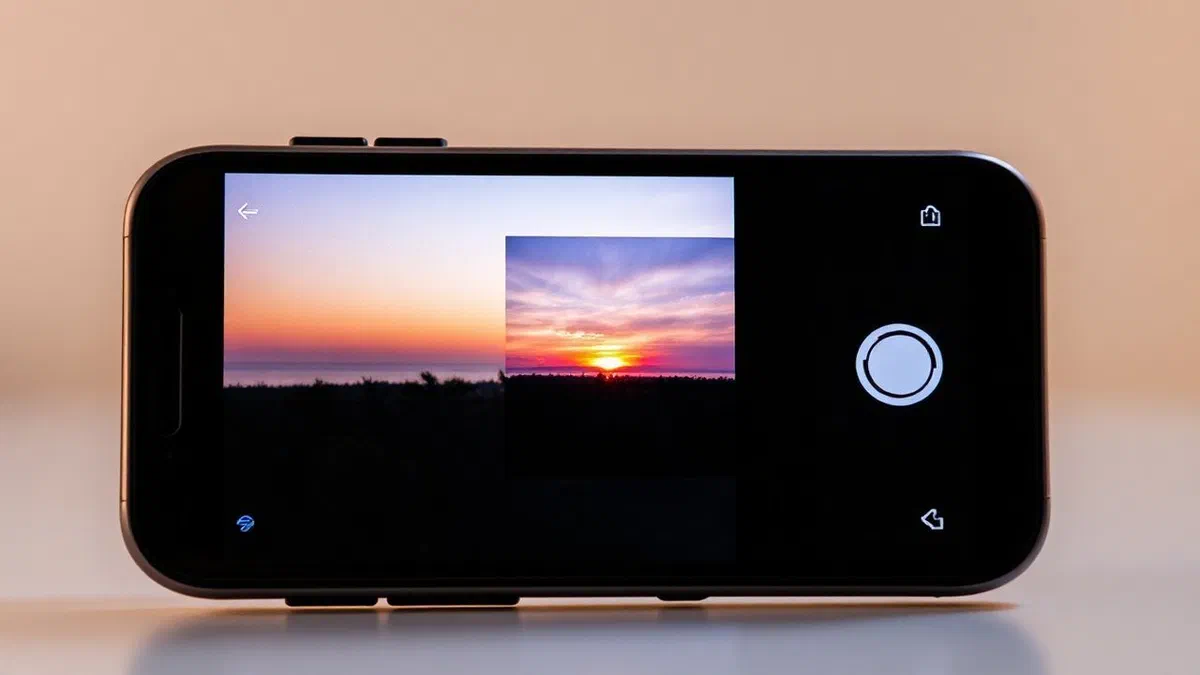
In the digital panorama of 2026, fully understand as instagram* is no longer just a hobby for photography enthusiasts, but a fundamental competence for anyone who wishes to communicate effectively, both on a personal and professional level. meta’s famous social network has evolved dramatically over the years, transforming itself from a simple application for sharing square shots with vintage filters in a complex multimedia ecosystem that integrates short videos, live broadcasts, advanced instant messaging and integrated e-commerce tools. today, using instagram means navigating between sophisticated algorithms that reward authenticity and technical quality, making it necessary a strategic approach even for the less experienced user. in this complete guide, we will explore every corner of the platform, analyzing the technical procedures for configuring the profile and entering into the creative dynamics that regulate the content of success. whether you are an absolute beginner who has just downloaded the application or an old user who wants to update on the latest features introduced in the last year, you will find here all the information you need to move with ease. we will learn how to manage privacy, exploit the potential of reel and build a solid and rewarding network of contacts, ensuring an online presence that faithfully reflects your identity or brand.
First steps: profile registration and configuration #
Create an account from scratch and manage access #
The first fundamental step to immerse yourself in this digital universe is to download the official application, available free of charge on digital stores for android and ios devices. once the app has started, the registration process has been further simplified compared to past years, allowing a smooth integration with other services of the meta ecosystem. you will have to choose from the registration by phone number or email address; in both cases, you will receive a unique verification code to ensure the security of the procedure. it is essential to choose a username that is easily memorized and, if possible, consistent with its digital identity on other platforms. after setting a secure password, which in 2026 should ideally include a complex combination of characters or the use of biometric access keys, you can proceed to customise your virtual space by uploading a sharp profile image and writing an eye-catching biography that explains in a few words who you are and what you will post.
In addition to standard registration, instagram today offers the possibility to subscribe plans, such as meta verified, which guarantee a verification badge and greater account protection, as well as exclusive features. during the initial phase, the application will ask you if you want to sync your phone contacts or connect your facebook profile to find friends already present on the platform. this option is extremely useful not to start from scratch and immediately build a follower base composed of known people. remember that the choice of the profile photo is crucial: it must be a clear image, preferably a first floor if it is a personal profile, or a legible logo if we talk about a company. once you complete these steps, you will be ready to explore the feed, but first it is advisable to take a tour in the settings to verify that every detail, from notifications to data saving options, is configured according to your personal preferences and your daily browsing habits.
Privacy management and private profiles #
Security and confidentiality have become absolute priorities for instagram users in 2026. understanding as you use instagram* safely implies a thorough understanding of your privacy settings. there are two main types of accounts: public and private. a public account allows anyone, even who does not have a profile, to view your content, unless specific restrictions are applied. on the contrary, a private account offers total control: only users you explicitly approve will see your posts, your stories and your follower list. this distinction is fundamental, especially for minors or for those who want to maintain an intimate sphere protected by indiscreet eyes. you can change this setting at any time by going to the settings menu and selecting the account privacy item, a reversible operation that allows great flexibility depending on your communication needs of the moment.
In addition to the overall visibility of the profile, instagram provides granular tools to manage interactions. you can limit comments under the posts, deciding who can write them (for example only followers or people who follow in turn), and automatically filter offensive words through integrated artificial intelligence. another important feature is the list of straits friends, which allows you to share more personal or reserved content only with a narrow circle of selected people manually. this function is particularly appreciated for stories, allowing you to maintain a public profile for your business or hobby, but reserve moments of daily life only to your loved ones. learning to block or silence harassment accounts is equally important to maintain a healthy and positive digital environment, avoiding the experience on the social network becoming a source of stress or discomfort, thus ensuring a pleasant and safe navigation for all users involved.
How to publish content: from classic posts to carousels #
The importance of editing and visual narrative #
The publication of a post remains the heart of the experience on instagram, although the modes of use have changed. to create a new content, just press the icon with the symbol of the most located at the bottom or top of the screen. here you can choose between a single image, a video or a carousel, the latter extremely popular in 2026 since it allows you to scroll up to ten or more multimedia elements in a single post. the editing phase is crucial: instagram offers a suite of internal tools that go far beyond simple filters. you can adjust brightness, contrast, saturation and structure with almost professional precision. however, the current trend suggests a return to a more natural aesthetic, where the retouching is present but not invasive, trying to convey authenticity and realism to its followers, who are increasingly attentive and critical to excessively artifact content.
In addition to the purely aesthetic aspect, a successful post needs a “caption” or well written caption. this text space is fundamental to contextualize the image and stimulate interaction through questions or call to action. in 2026, the use of hashtags became more targeted: no longer need to fill the description with dozens of keywords, but it is preferable to select few and very specific to help the algorithm categorize the content correctly. many users rely on external tools to generate relevant tags, ensuring that their post reaches the audience really interested in that topic. remember that a post is not just a photo, but a small story: add a musical soundtrack, available directly from instagram’s internal library, can transform a simple click into a multisensory experience that captures attention during the frenetic scrolling of the main feed by users.
Geolocation, tag and community interaction #
To maximize the scope of your content, it is essential to use geolocation functions and tags correctly. adding a place to a post allows you to appear in local searches, a huge advantage for those who want to make known a business or simply share the beauty of a trip. similarly, tagging other people or brands in the photo is not just a courtesy act, but a powerful networking tool. when you tag an account, your post may appear in the content section tagged with their profile, potentially expanding your visibility to a completely new audience and looking after your interests. it is important, however, not to abuse this function, tagging only those who are actually relevant to the content shown, to avoid being perceived as spammer and risking negative reports.
- Tags people: use it to mention friends or collaborators present in the snap.
- Add place: fundamental to local discovery and to indicate geographical contexts.
- Alt text: enter a text description to make the post accessible to the mortgagers.
- Tag products: if you have a business account, you can directly connect the items of your shop.
- Collaborations: use the “collabora” function to make the post appear on two different profiles simultaneously.
Finally, the management of comments and messages received after publication is what turns a simple profile into a real community. respond promptly to interactions not only rewards those who have dedicated time to writing, but report to the instagram algorithm that your content is relevant and generates conversation, pushing it further into the feed of other users. in 2026, human interaction remains the most important added value in a world increasingly dominated by content generated or filtered by artificial intelligence. dedicating time every day to dialogue with their followers is the best strategy to build a solid and lasting presence, able to resist changes in passenger trends and create real and meaningful links that go beyond the simple click on a red heart of aesthetic appreciation.
Dominate instagram stories: tools and creativity #
Use interactive stickers and music #
Stories represent the most ephemeral and spontaneous side of instagram. these contents, visible for only 24 hours, allow you to share fragments of daily life without the pressure of perfection required by posts on the feed. the true strength of stories in 2026 resides in interactive stickers. instruments such as “sunding”, “domande”, “quiz” and “cursore emoji” are essential to actively involve the public. instead of passively submitting the content, these elements invite the user to perform an action, drastically increasing the engagement rate. the “link” sticker also revolutionized the way instagram is used for work, allowing anyone, regardless of the number of followers, to redirect traffic to external websites, blogs or e-commerce, making stories a powerful and accessible conversion channel to all.
Music plays an equally vital role. thanks to agreements with the main record labels, instagram provides a nearly endless library of songs that can be used as a background to their stories. you can view the song text in real time, choosing from different fonts and animations, or simply show the album cover. inserting the right track can completely change the “mood” of a content, making it more exciting or fun. in addition, using trendy songs can help your story be discovered by new users through the page dedicated to that specific song. do not forget to experiment with the filters actually increased (ar), which in 2026 became incredibly sophisticated, allowing you to change lights, make-up or even the surrounding environment with a simple touch on the screen before taking or recording.
Layout, boomerang and advanced creation modes #
For those who want to go beyond the simple single photo, instagram offers different shutter modes integrated directly into the stories camera. one of the most beloved is definitely “layout”, which allows you to create collages of photos in real time, choosing between different grids and compositions. this function is ideal to show different corners of a place or to tell a visual mini-story without having to resort to external apps. “boomerang”, on the other hand, continues to be a timeless classic: it is short loop videos that reproduce a movement back and forth, perfect to add a touch of dynamism and irony to simple everyday situations, such as a toast between friends or a jump in the pool. creativity, in this area, has no limits and the application constantly encourages the experimentation of new expressive formats.
- Without holding: record videos up to 60 seconds without having to touch the screen.
- Bilateral: use the front and back camera simultaneously to show reaction and context.
- Create: a purely textual way to share thoughts, memories or birthdays without photos.
- Magnifying glass: search thousands of filters created by the global community of creator.
Finally, the programming of stories has become a daily reality for many professionals. although the nature of stories is linked to “here and now”, it is possible to save its best content in the “histores in evidence” (highlights). these collections, located under the biography of the profile, make the content more important permanent, organizing them by categories or themes. in this way, a new visitor can get an immediate idea of your interests or services offered by your company by simply consulting the colorful circles on your profile. in 2026, taking care of the highlights section is as fundamental as having an ordered feed, as it acts as a real navigation menu for anyone who lands on your account for the first time, offering a structured and lasting preview of everything you shared in the previous 24 hours.
Create viral reels: short video format guide #
Video assembly and use of intelligent models #
I reel is undoubtedly the format that redefined the way *as instagram is used in the last period. these are vertical videos, usually accompanied by music, which can last from a few seconds until several minutes. the peculiarity of reel lies in their ability to become viral even if published by accounts with few followers, thanks to an extremely efficient recommendation algorithm based on user interests rather than on the network of friendships alone. to create a successful reel in 2026, instagram provides “modelli” (templates). this feature allows you to use the structure of an existing video, automatically syncing your own clips and photos to the rhythm of the music of the chosen model. it is the fastest way to get a professional result without having advanced video editing skills.
For those who prefer total control, the internal editor of the reel allows you to cut clips, add transitions, insert temporary texts and even use the “green screen” to change the background of your videos. in 2026, integration with artificial intelligence tools also allows to generate precise automatic subtitles or to remove unwanted background noises with just one click. the key to success in reel is the so-called “hook” or initial hook: the first three seconds of the video are decisive to convince the user not to scroll any further. whether it’s a fast tutorial, a comic sketch or an aesthetic video travel, it’s essential to maintain a tight pace and offer immediate value or entertainment. constancy in publication is another determining factor: the algorithm tends to reward those who produce content regularly, keeping the attention of their reference audience high.
Choose the right audio and take advantage of trends #
The audio is the soul of the reel. often, the success of a video depends on the choice of a song “trending”, or an original song or audio that is being used massively at a given time. when you load a reel, you can see which audio tracks are trendy thanks to a small arrow facing up next to the track name. using these sounds increases the chances of your content being shown in the “explore” section or in the reel feed. however, it is not limited to copying what others do: originality remains rewarded. creating an original audio that other users then decide to reuse is one of the fastest ways to gain popularity and authority on the platform, placing you as a real trendetter within your reference niche.
In 2026, the secret to dominate the reel is not technical perfection, but the ability to tell authentic stories in seconds, using music not as simple filling, but as a motor of visual narrative itself. an effective reel speaks to the heart or curiosity of the viewer, pushing him to interact and share content with his network.
In addition to music, it is important to pay attention to the “covery” of the reel. this static image is what users will see on your profile in the video grid. you can choose a frame of the video itself or upload a custom image from your gallery. adding a clear title on the cover helps people immediately understand what the video is about, prompting them to click. remember that reel can also be shared in stories and main feed, multiplying viewing opportunities. in 2026, the distinction between the various instagram video formats has become increasingly subtle, but the reel remains the instrument of choice for those who want to scale the gradients and reach a global audience quickly and creatively, taking full advantage of the potential of contemporary video communication.
Communication and interaction: direct and direct #
Manage private messages and group functions #
The instagram direct section is much more than just an email box: it is a real full instant messaging platform. here you can send texts, voice notes, photos and videos that disappear after viewing, as well as share posts and stories found in the feed. in 2026, the direct functions were enriched with the possibility of creating advanced theme groups, similar to discussion channels, where creators can interact with their fans more directly and personally. you can also make group video calls and watch content together in real time thanks to the “watch together” function. managing directs is essential for anyone who uses instagram for professional purposes, as it represents the main channel for customer support and the closure of commercial negotiations.
A fundamental aspect to know is the “requests of messages”. if you receive a message from someone you do not follow, this will not appear immediately on your main list, but will be filtered into a separate folder to protect you from spam or unwanted contacts. you can choose to accept, delete or block these requests without the sender knowing if you read the content. in addition, with the introduction of “notes” — small textual states of 60 characters appearing above the profile picture in the direct section — instagram added an additional level of rapid and informal interaction. these notes last 24 hours and are perfect to share a quick thought, a song you’re listening to or a status update, inviting your friends to start a private conversation starting from a small text or musical point.
How to make a direct success and interact live #
Direct (instagram live) represent the highest level of real-time interaction available on social networks. starting a direct is very simple: just scroll to the “dal vivo” mode in the camera and press the central button. during a live, you can talk to your followers, answer their questions that appear in the chat, invite up to three guests to participate in the broadcast and use ar filters to make the video more fun or professional. directs are exceptional tools for webinar, q&a sessions, product launches or simply to show the backstage of your business. in 2026, the quality of streaming] was greatly improved, allowing high-definition transmissions that little have to envy to dedicated platforms such as twitch or youtube.
- Programming: you can announce your live in advance, allowing followers to set a reminder.
- Moderation: name moderators who can manage comments and block harassed users during live.
- Badge: if enabled, your fans can buy badges to support you economically during the live.
- Rescue: at the end, you can decide to publish the recording as reel for those who could not follow it live.
- Questions: use the appropriate sticker to collect public doubts and respond in an orderly manner.
To succeed with the direct, it is essential to have a good internet connection and adequate lighting. but the most important element remains the ability to involve the public: to call participants by name when entering the room or responding to their curiosity creates a very strong sense of belonging. in 2026, instagram also introduced “live rooms” with integrated shopping functions, where you can show products and allow immediate purchase without the user having to leave the live. this transforms social media into a real channel of modern and interactive teleshopping, opening prairies of opportunities for small artisans and big brands who want to shorten distances with their consumers through a sincere dialogue and without filters, typical of live communication.
Instagram for professionals and desktop versions #
Switch to a business profile and analyze data insights #
If your goal is to use instagram to promote an activity, blog or professional figure, moving to a business account or creator is a mandatory step. this operation, totally free, unlocks a series of indispensable tools, first of all “instagram insight”. this statistical panel allows you to monitor the performance of your profile with a surgical accuracy: you can see how many people have visited your account, the coverage of your posts, the demographic data of your followers (age, gender, geographical origin) and, above all, the times when they are most active on the platform. analyzing this data in 2026 is the basis of every serious social media marketing strategy, since it allows you to understand what content works best and when it is the ideal time to publish it to get the maximum impact possible.
In addition to statistics, a professional profile allows you to insert direct contact buttons, such as “e-mail”, “chiama” or “road indications”, facilitating communication between customer and company. you can also create advertisements (instagram ads) to promote your posts to a specific audience, defined by interests, behaviors and position. in 2026, ad management became very intuitive, thanks to ai-based virtual assistants who suggest the budget and the best target for each campaign. having a business profile also means being able to access the “shop” function, uploading a product catalog and tagging them directly into your photos and reel, turning your instagram profile into a 24-hour digital showcase, capable of generating sales automatically and traceable.
Use instagram from pc and windows versions #
Although instagram was born as a mobile application, in 2026 its computer version (web browser and windows app) reached a maturity that makes it a complete work tool. by accessing the official website from pc, you can not only scroll the feed and respond to the direct, but you can also post post, carousels and reel directly from your hard drive. this possibility is particularly appreciated by social media managers and photographers who prefer to edit their content on big screens with professional software before uploading them online. the desktop version offers a clean and spacious interface, ideal for managing long conversations via message or for analyzing insight graphics without the footprint of the small screen of a smartphone.
However, some features still remain the prerogative of the mobile app, such as creating stories with complex ar filters or using some specific snap modes. despite these small limitations, the integration between devices is almost perfect: you can start writing a draft of a post on your pc and finish it on your phone while traveling. in 2026, the instagram ecosystem adapts to the device you are using, offering a consistent and fluid experience. for those who work many hours on the computer, use the windows version or browser allows you to stay connected with your community without constantly checking your phone, improving productivity and allowing a more rational management of publishing and interaction times, determining factors for anyone who wants to make instagram a pillar of their professional or creative activity.
Frequently asked questions about instagram #
How can i recover an instagram account if i have forgotten my password? #
Password recovery is a standard and secure process. on the access screen, click on “forgot password? ”. you can enter the email address, username or phone number associated with your account. instagram will send you a link or temporary access code to reset your credentials. if you have connected the profile to facebook, you can also log in via the latter. it is essential to keep contact information up to date so as not to risk losing access permanently, especially if you have activated two-factor authentication, highly recommended in 2026 to protect yourself from attempts to hack or unauthorized access.
What does “shadowban” mean and how can one avoid? #
Shadowban is an unofficial limitation of the visibility of a profile, usually due to the violation of community guidelines or the use of incorrect practices such as the purchase of followers or the abuse of irrelevant hashtags. to avoid it, you must publish original content, avoid bot automation and do not use prohibited hashtags. if you suspect that you are a victim of a shadowban, the best solution is to suspend activities for 48 hours, eliminate recent posts that may have caused the problem and resume publishing quality content, interacting naturally with other users without algorithmic force.
How do you upload photos on instagram without losing quality? #
To upload sharp photos, make sure you use a stable wi-fi connection during upload. in the app settings, under the heading “use data and multimedia content quality”, activates the option “load with maximum quality”. in addition, it is preferable to export photos in jpeg format with a width of at least 1080 pixels and a 4:5 aspect ratio for vertical posts, which is what occupies more space on the user screen. avoid applying too many external filters that excessively compress the file before loading, letting it be the instagram algorithm to manage the final optimization of your image.
Can you see who visits my instagram profile? #
At the moment, in 2026, instagram does not provide any official function to see who visits your profile without interacting with your content. difficult of third-party applications or websites that promise to unravel this information: often it is scams aimed at stealing your access data. the only way to know who you are interested in your content is to monitor who looks at your stories (the list is visible for 48 hours), who puts “like” to your posts or who sends you messages. for business accounts, insight shows the total number of profile visits, but data remains anonymous and aggregated.
How can i silence an account without stopping following it? #
If you want not to see a person’s posts or stories anymore without “drawing them the follow”, you can use the “slerance” function. go to the profile of the data subject, click on the “run already” button and select “delete”. here you can choose to hide only the posts, only the stories or both. this action is totally discreet: the silenced user will not receive any notification and will never know that you have decided to obscure its contents from your feed. it is a perfect solution to manage your digital well-being without ruining social or professional relationships, allowing you to clean up your daily feed.
In conclusion, learning as you use instagram in 2026 requires a balanced mix of technical expertise, creativity and listening skills to your community. we have seen how every tool, from post to reel, from stories to direct, offers unique opportunities to express and connect with the world. the platform will continue to evolve, but the key principles will remain the quality of the content and authenticity of human relations. do not be afraid to experience new formats and use the analysis tools to refine your online presence. now that you have acquired all the necessary basics, you just have to start creating and sharing your vision. remember to always follow community rules and maintain a positive approach: success on instagram is a marathon, not a sprint. are you ready to leave your mark? open the app and start your digital journey today!