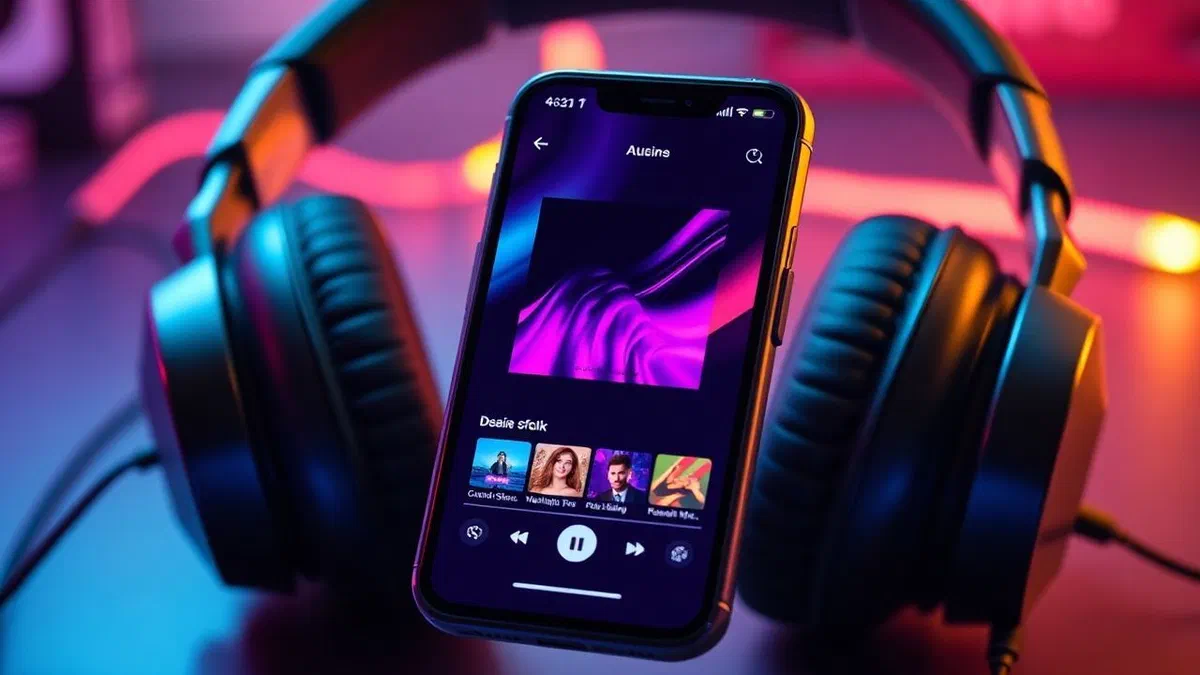
In the digital panorama of 2026, the use of audio content has reached unprecedented peaks of customization and integration. if you are wondering ** how youtube music** works, it is essential to understand that this service is not only a platform of streaming, but the central pillar of google’s musical ecosystem, born from the ashes of the glorious google play music. many users still retain the memory of the old service, finally closed in october 2020, but today youtube music is an extremely powerful and versatile solution. thanks to a catalog that exceeds 100 million tracks and the possibility to integrate the official videos on youtube, the platform has set itself as the main competitor of the giants of the industry. whether you’re an occasional listener looking for free playlists or an audiophile who wants to upload their own private mp3 collection to the cloud, this guide will provide you with every technical and operational detail. we will explore subscription modes together, interface features in 2026, smart device management and procedure to keep your personal library active without advertising interruptions, analyzing every aspect with the precision of a computer industry expert.
Characteristics and prices of youtube music in 2026 #
Understanding how youtube music works first means analyzing its economic structure and the different options google makes available to users in 2026. the platform adopts a freemium model, allowing anyone to access tracks after displaying ads, but the real potential is unlocked with premium plans. compared to the past, integration with artificial intelligence has made the selection of songs much more accurate, making the subscription an investment not only to eliminate advertising, but to get a sartorial listening experience. the costs have remained stable, offering different price bands to adapt to the needs of individuals, households and students, always guaranteeing the maximum flexibility of cancellation.
Individual plans and advantages of premium version #
The individual youtube music premium plan represents the choice for the average user who wants a smooth and seamless experience. at a cost of €10.99 per month, this subscription completely deletes ads, allowing a continuous music stream. one of the most appreciated advantages in 2026 remains playback in the background: this feature allows you to lock your smartphone screen or use other applications without the music interrupting, an invaluable limit for the free version. moreover, audio quality is optimized up to 256kbps in aac format, ensuring excellent sound fidelity both in streaming and for downloaded songs. offline mode is another key pillar, as it allows you to save entire playlists or albums in your device’s internal memory, ideal for those who often travel or want to save mobile data during everyday travel.
Solutions for families, students and bundles youtube premium #
For those looking for maximum savings or a complete offer, google proposes the family plan to 17,99 euros per month, which allows to extend the premium benefits to up to six people resident in the same home. each member keeps their own history and private playlists, making this option extremely convenient for numerous households. university students, after annual verification through dedicated portals, can instead access the service at the reduced price of 5.99 euros per month. it is also important to mention youtube premium, the complete bundle that for 13.99 euros monthly includes not only all the advantages of music, but also eliminates advertising from the videos of the main platform of youtube, offering an unbeatable multimedia package for those who regularly consume video content in addition to music, making user experience consistent and devoid of visual distractions or sound on each associated device.
How to subscribe and manage your user profile #
Activation of a profile on youtube music is a simplified process requiring a google account. although the platform is accessible free of charge, the transition to paid plans takes place through few simple steps, both from desktop interface and mobile applications. in 2026, payment security is guaranteed by advanced protocols that integrate google wallet and biometric payment systems, making purchase immediate and secure. it is essential to remember that the google ecosystem allows you to use a single payment method for all services, facilitating the management of deadlines and consultation of invoices related to digital services signed over time.
Activation via mobile android and ios #
Subscribe to a smartphone subscription is the most common operation. once you download the official app from the play store or the app store, just open it and tap the icon of your profile or upgrade button. on android devices, the transaction is managed directly via google wallet, where you can associate credit, debit, paypal or use the residual balance of google play gift cards. on ios systems, however, billing is usually done via icloud and the system streaming] pay. a significant technical detail concerns the cost: by joining the app on iphone or ipad, the price could be slightly increased due to the commissions of the store streaming. to avoid this surcharge, many users prefer to complete activation via a web browser and then take advantage of the premium benefits on the mobile application without hidden additional charges.
Configuration of web browser subscription on pc #
For those who prefer the convenience of the computer, the browser subscription procedure is just as fast. by connecting to the official website of youtube music and clicking on the login button, you can enter your own gmail credentials. once inside the interface, simply click on the profile photo on the top right and select the item dedicated to paid subscriptions. all available options are listed in this section, including free trial periods that often reach up to 30 or 90 days for new users. after choosing the desired plan, the system will require to confirm the payment method saved in the google profile. at the end of the transaction, all premium benefits will be activated instantly on each device where the account is logged, allowing a perfect synchronization of the library and listening settings between desktop and mobile.
Interface exploration and advanced search functions #
Navigating within youtube music in 2026 is a smooth and intuitive experience. the interface was designed to focus the discovery of new content, minimizing the number of clicks needed to start playback. the main sections are easily accessible through a navigation bar that divides content according to the user’s intent: search for a specific track, explore trends or consult your personal collection. thanks to the integration of youtube data, research is not limited to official audio files, but includes live performance, cover, remixes and rare versions that are often not available on other competing platforms, making research a complete exploratory experience.
Use of home cards, samples and explores #
The home tab is the heart of the service: here the google algorithm proposes songs based on the listening history, on the time of the day and even on the physical activity that is taking place. the automatic mixes, such as the discovery mix or the new release mix, are essential tools for those who want to continually renew their musical panorama. the samples tab, introduced to offer an experience similar to social videos, allows you to scroll short segments of videos of trendy songs, facilitating quick visual and hearing discovery. finally, the explore section is dedicated to those who want to deepen specific genres or consult global and local rankings. here you can filter music by mood (relax, energy, concentration) or access the latest record news divided by category, offering an editorial overview curated by youtube music experts to ensure the maximum relevance of the content offered.
Collection management and search filters #
The collection is the space where the user has saved everything: playlists created manually, favorite albums and artists followed. in 2026, the collection management was upgraded with smart filters that allow you to quickly find a piece in bookcases consisting of thousands of elements. using the magnifier on the top left, you can also type only text fragments or generic descriptions of the associated music video to achieve precise results. within the collection, an important distinction is that of music in the youtube catalog and personal uploads. these are the songs uploaded by the user who are not part of the public library, but who can be heard in streaming] on any device. this separation allows you to maintain a strict order between commercial music and its private files, guaranteeing a unified listening experience within the same application.
Library management and personal tracks loading #
One of the features that makes this service unique, inherited directly from google play music, is the ability to upload your personal audio files to the cloud. this function is vital for those who have rare recordings, bootlegs or albums purchased elsewhere that are not present in official streaming catalogs. google offers a free space to host up to 100,000 songs, making youtube music a real digital archive accessible everywhere. the management of these files takes place in total security and privacy: only the user who uploaded the upload can listen to those songs, which are never shared with the community or influence the public rankings of the service.
- Access the youtube music website from a desktop computer or laptop.
- Click on your profile picture at the top right.
- Select the upload music option from the drop-down menu or drag the files into the window.
- Wait for the completion of the upload and processing of songs metadata.
- Check the collection section and then upload to see ready-to-read files.
Technical procedure for uploading mp3 and supported formats #
To upload music to youtube music in 2026, you must use the web version of the service from a computer, as mobile applications do not yet support direct upload from local smartphone files. supported formats include mp3, flac, m4a, ogg and wma. once the upload is completed, the system scans the track tags (artist, album, genre) and automatically applies the cover, if present in the file metadata. it is interesting to note that the uploaded songs can be inserted into mixed playlists, containing both music in streaming and personal files. moreover, these songs can be heard without advertising and offline mode even by those who do not own a premium subscription, making youtube music the best choice for those who want a free and extremely capacious cloud music player for their historical collection.
Synchronization between devices and download management #
The magic of google synchronization causes each uploaded track or playlist saved on pc to appear instantly on the application for smartphones and tablets. if you have activated a premium subscription, you can download these songs for listening without internet connection. the storage space management is intuitive: from the app settings you can see how much memory takes the saved tracks and set a maximum limit to avoid saturating your smartphone. a very comfortable function in 2026 is the smart download: the system automatically downloads up to 500 songs based on your recent tastes, ensuring you always have fresh music available even when you forget to manually save your favorite albums before a trip or session in the gym.
Compatibility with smart devices and audio systems #
Universality is another strength that explains how youtube music works on the ecosystem. in 2026, we are no longer limited to listening through smartphones or headphones: the platform is integrated into a myriad of hardware devices that make music an integral part of the domestic and professional environment. thanks to wireless transmission protocols, you can switch audio from one device to another without interruption, keeping playback control via voice commands or dedicated touch interfaces. this flexibility makes the service ideal for those who live in a smart home or want a multi-storey audio experience coordinated and simple to manage.
- Make sure your smartphone and target device are on the same wi-fi network.
- Open the youtube music app and start playing a track or playlist.
- Tap the cast icon (screen with waves) located in the upper right corner.
- Select the name of the smart speaker, tv or audio system in the list.
- Check the volume and playback queue directly from the phone or via voice.
Integration with google cast, airplay and smart tv #
Youtube music natively supports google cast, which means it can transmit audio to any chromecast device, google nest speaker or tv with android tv / google tv operating system. streaming] users are not excluded, since the app perfectly integrates the airplay 2 protocol, allowing streaming to homepod, streaming tv and smart speaker compatible. on the modern smart tv, the youtube music application offers a dedicated interface where you can view high-definition music videos while listening to the playlist, turning the living room into a private concert hall. the quality of wireless transmission in 2026 has been optimized to reduce latency, ensuring that the controls given by the smartphone are performed instantly by the receiving device.
Car usage with android car and streaming carplay #
For those who spend a lot of time driving, youtube music offers one of the best integrations with automotive systems. both android auto and streaming carplay support the application with simplified interfaces, designed to minimize distractions and promote the use of voice commands via google assistant or siri. you can verbally ask to play a genre, a specific playlist or the last album of an artist, and the system will respond immediately by starting the audio stream. the album covers are clearly displayed on the car display, and the steering wheel controls allow you to skip the tracks or adjust the volume with ease. this continuity of listening between home, smartphone and car is one of the reasons why millions of users choose the premium subscription in 2026.
How to disable your subscription and manage your payments #
A quality service is also recognized by the transparency with which you can manage or terminate the contractual relationship. google adopts a very clear policy on deletion of premium plans: there are no constraints of stay and the user can decide to return to the free version at any time with a few clicks. however, it is essential to know the correct timing and channels to cancel, especially if you are using a free trial period and you want to avoid automatic debit on the credit card associated with the profile.
The conscious management of digital subscriptions is the first step for intelligent technological consumption: disabling automatic renewal at least 48 hours before expiry guarantees maximum economic serenity.
Cancellation procedure for users google wallet #
If the subscription has been subscribed via computer or android device, the management takes place through the google account payment subscriptions section. once you have access to youtube music, just click on the avatar and select the dedicated item. you will find here the cancel subscription button. the system could ask you for the reason of cancellation or offer you the opportunity to pause the subscription for a certain period (e.g. one or two months) instead of closing it permanently. if you proceed with the cancellation, you will continue to enjoy the premium benefits until the end of the already paid period, after which your account will automatically return to the free version, while still keeping intact all your playlists and songs uploaded personally.
Cancellation via systems streaming] and billing management #
For users who have activated the service via iphone or ipad, the cancellation must be made within the ios system settings. you have to go to the settings menu, tap your name up and select the subscriptions item. from here, by identifying youtube music in the list, you can proceed to cancel automatic renewal. it is important to note that if the billing takes place through streaming, google cannot intervene directly on refunds or payment issues, which must be handled through official support of streaming. once you cancel the renewal, you will receive a confirmation email that attests the end of the subscription at the natural expiration date of the current month, allowing you to manage your digital budget with total control.
Frequently asked questions about youtube music #
What happens to my google play music songs in 2026? #
In 2026, the migration from google play music has long ended. if you had moved within the terms set by google (between 2020 and 2021), all your tracks, playlists and uploads were automatically moved to youtube music and are accessible in the collection section. if you have never migrated, unfortunately the old data is no longer recoverable from google servers, which have been permanently updated to host the new service architecture streaming.
Can i listen to youtube music without having an internet connection? #
Yes, but this feature is reserved exclusively for users who have subscribed to a premium subscription (individual, family or students). premium users can download songs, albums and entire playlists on the local memory of their mobile device to listen to them offline. this option is particularly useful during air flights, underground or in all those situations where network coverage is absent or unstable, ensuring continuous music without technical interruption.
How many devices can i connect to my account at the same time? #
Youtube music allows you to associate up to a maximum of ten different devices for each account. however, it is important to distinguish between association and simultaneous reproduction: with an individual plan, you can listen to music on one device at a time. if you try to start playing on a second device, the first will be paused. for simultaneous play on multiple devices at home, you must subscribe to the family plan, which manages up to six independent audio streams.
What changes between free and paid version? #
The main difference lies in the presence of advertisements, which are absent in the premium version. also, only with the paid subscription you can listen to music in the background with the screen off, download songs for offline listening and choose a superior audio quality. the free version is ideal for occasional use on pc or for those who have no problems displaying advertising, while the premium is indispensable for those who use the daily mobile service.
Can i upload my music files if i’m not subscribed to premium? #
Yes, this is one of the most advantageous features of youtube music. free version users can also upload up to 100,000 personal files (such as mp3 or flac) to their private cloud space. these songs can be reproduced without advertising, even in the background and without premium subscription. this feature makes youtube music an excellent cloud music player for those who already own a large library of files purchased over the years and want to always have them available.
In conclusion, understanding ** how youtube music** works in 2026 means embracing a service that has evolved from the solid foundations of google play music to become a complete multimedia center. the strength of the platform lies in its flexibility: it is able to satisfy the user who searches for free music, the demanding subscriber who demands high quality and lack of advertising, and the collector who wants to preserve their personal files on the cloud. thanks to the perfect integration with the google ecosystem and the ease of managing premium plans, youtube music confirms an excellent choice for anyone who wants a constant and personalized soundtrack for their daily lives. if you haven’t done this yet, we suggest you take advantage of the free trial period to personally test all the advanced features described in this guide and find out if this service is the right one for you. start creating your perfect playlist now!