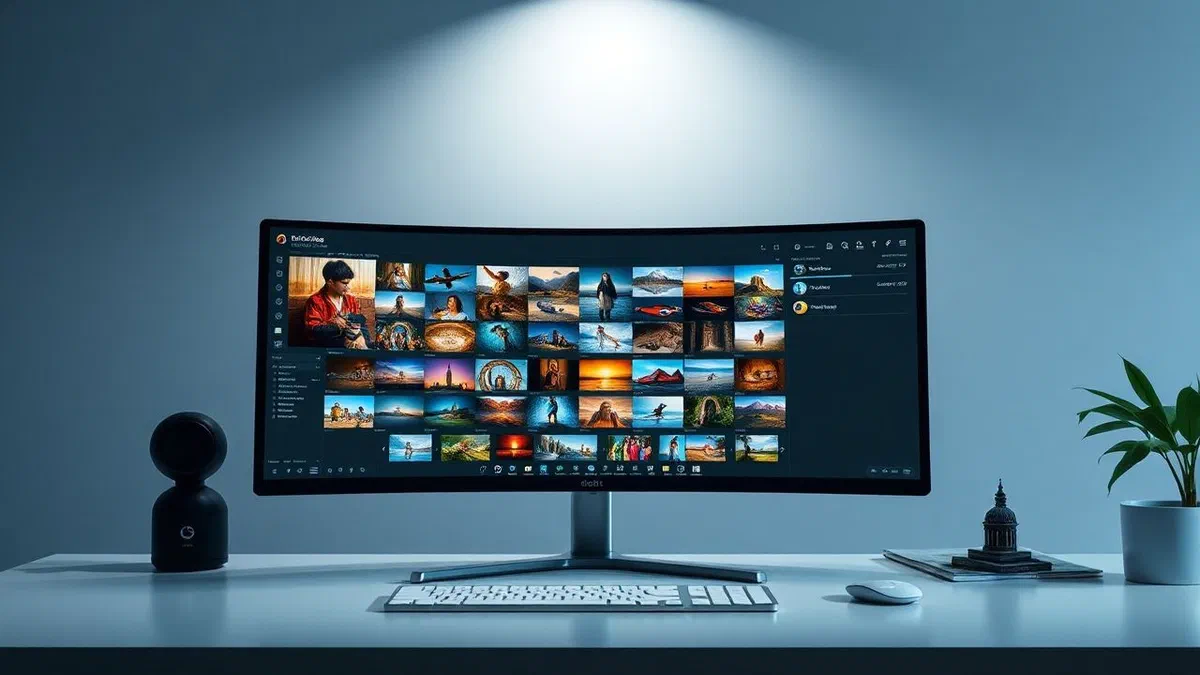
In the technological landscape of april 2026, digital content management has achieved unprecedented complexity, making it essential to use programs to organize cutting-edge photos. with the explosion of sensor resolutions on smartphones and the widespread diffusion of high-performance mirrorless cameras, the amount of data we produce daily is massive. every shot, although it is a precious memory, is likely to end up in the forgetfulness if it is not properly cataloged, labeled and archived systematically. a disordered archive is not only a problem of space, but it hinders the creativity and use of its memories. fortunately, the integration of artificial intelligence into modern software has revolutionized the way we interact with our libraries, allowing semantic research and automatic groupings based on the recognition of faces and places. in this comprehensive guide, we will explore the best solutions available in the current year to put order in digital chaos, analyzing both the free options integrated in operating systems and the professional packages used by photographers around the world. whether you are a lover who wants to track family moments or a professional with thousands of raw files to manage, you will find the perfect software for your specific operational needs.
The native ecosystem: organize images on windows and macos #
Microsoft photos and integration with windows 11 #
If you use a windows-based pc, the first tool you should consider for your photo library management is the native microsoft photo application. in 2026, this software underwent a radical transformation, becoming more than just a viewer. thanks to the deep integration with the architecture of the operating system, microsoft foto allows you to index thousands of images in a few seconds, offering a fluidity that is rarely found in third-party software. one of the most appreciated features is bidirectional synchronization with onedrive and icloud, which allows you to view in a single interface photos taken with different devices, without having to manually move them between folders. the advanced search system now supports natural language, allowing you to find images simply by typing descriptions like dog running in the park or sunset at the sea, exploiting the power of the local ai to analyze visual content without compromising user privacy.
In addition to cataloging features, microsoft photo includes non-destructive editing tools that are ideal for quick fixes. automatic improvement algorithms have been refined to better manage white exposure and balance, making photos taken in light conditions difficult immediately ready for sharing. the user interface is clean and follows the guidelines of modern design, facilitating the creation of thematic albums that can be transformed into video presentations with a few clicks. for those looking for a digital photo*************, the microsoft home solution is an excellent starting point, eliminating the need to install complex programs for basic operations. the ability to manage detailed exif metadata and display gps coordinates on an integrated map makes the navigation experience between your memories extremely immersive and organized.
Apple photo: artificial intelligence at the service of mac #
On the macos front, the photo application remains the fundamental pillar for anyone who wants a smooth and consistent management of their shots. in 2026, the ecosystem Apple has perfected the concept of shared library, allowing family members to contribute to a single archive intelligently. the software uses the neural engine of processors Apple silicon to perform in-depth scans of each image, identifying not only faces and objects, but also specific emotions and contexts. this allows to automatically generate the remember section, which proposes curated collections based on past events, trips or annual celebrations. the fluidity of navigation is guaranteed by an intelligent caching system that allows to flow tens of thousands of high resolution images without any slowing down, a crucial aspect for those who own photographic libraries accumulated over decades.
Integration with icloud is the true button heart of the program, ensuring that every change made on your mac is instantly visible on iphone and ipad. this means that you can start organizing your shots during a train trip on your smartphone and finish cataloging once you return to your desk. Apple photo also offers advanced editing tools that compete with dedicated software, including curve management, noise reduction and selective color control. for users who want to maintain a strict order, you can create smart folders and albums based on specific criteria, such as the camera model used or location data. the simplicity of use, combined with a calculation power hidden under the hood, makes Apple photo the preferential choice for those living within the apple ecosystem and seeks programs to organize effective and safe photos.
Free software for photo library management #
Xnview mp: versatility and multi-platform power #
When integrated solutions are not enough, xnview mp emerges as one of the programs to organize more complete and performing free photos* available in 2026. this software, available for windows, macos and linux, stands out for its ability to read over 500 different file formats, including the latest raw formats of professional cameras. its card-based interface allows you to simultaneously manage several folders and work sessions, simulating the efficiency of a web browser applied to the file system. xnview mp is not just a viewer, but a powerful cataloguing engine that allows you to assign categories, colored labels and massive evaluations. batch conversion function is particularly appreciated, allowing you to resize or rename hundreds of images in a single step, saving hours of manual work to those who manage large volumes of shots.
Another strength of xnview mp is its light nature, which makes it usable even on computers not just recent without sacrificing performance. the internal search system is extremely granular, allowing you to filter the library according to advanced technical parameters such as shutter speed, aperture or iso value. for users who want total control over their data without depending on the cloud, xnview mp offers iptc and xmp metadata management tools that are standard in the photo industry. you can fully customize the interface, choosing which panels display and how to place thumbnails to optimize your workflow. being free for personal use, it represents an invaluable resource for photography enthusiasts who need a solid and no-frillary tool for their image storage.
Digikam: the open source professional solution #
For users looking for an enterprise-grade cataloguing power without licensing costs, digikam is the ultimate choice. this open source project grew enormously in 2026, offering features that are often found only in paid suites from hundreds of euros. digikam excels in managing huge photo databases, supporting libraries that exceed hundreds of thousands of items with ease. the software allows you to manage raw files with an integrated development engine of high quality, making it a valid alternative to commercial software for digital development. its ability to interface with different database backends, such as sqlite or mariadb, makes it suitable for both single use and network environments where more users have to access the same library. the management of hierarchical tags allows a deep and structured classification, ideal for researchers, archivists or professional photographers.
In addition to basic functions, digikam includes advanced modules for deep learning facial recognition, allowing you to automatically identify people in photos with a high degree of accuracy. the geolocation module allows you to view the global distribution of your shots on detailed maps and to apply gps coordinates to files that are unproven through a simple drag operation. in 2026, compatibility with cloud storage services and social networks was further enhanced, facilitating direct export to platforms such as google photos or flickr. below, some of the main advantages in using free and open source software for photography:
- No monthly subscription fees or expensive licenses.
- Support a wide range of file formats, including raw owners.
- Privacy guaranteed by local data processing without obligation to cloud.
- Extreme customization of the interface and workflows.
- Frequent updates thanks to globally active developers communities.
Professional standards: adobe lightroom and workflow #
The predomain of the catalog in adobe lightroom #
Despite the growth of competition, adobe lightroom remains in 2026 the absolute reference point for anyone considering photography as a profession or a serious passion. its system of organization based on the concept of catalogue is designed to manage the entire life cycle of an image, from initial import to final publication. lightroom does not physically move your photos, but creates a metadata database that tracks every edit and tag applied, ensuring that the original files remain intact. this non-destructive approach is essential to maintain data integrity over time. the cloud version and the classic version continue to coexist, offering flexibility among those who prefer desktop power and those who need total mobility offered by modern tablets and smartphones. adobe’s raw***** file management algorithms are constantly updated to extract maximum detail from the latest generation sensors.
The introduction of tools based on artificial intelligence, such as adactive masks and content recognition, has made the process of selection and modification incredibly fast. in lightroom, organizing also means being able to instantly filter thousands of photos to find only those that meet complex criteria, such as shots made with a specific lens at a particular focal length. the intelligent collections and collections system allows you to virtually group photos for projects or themes without creating physical duplicates on your hard drive. synchronization with the creative cloud ecosystem ensures that your **programs are always aligned, allowing you to show your portfolio to a customer or share a private gallery with few touches on the display. although it requires a subscription, the value offered in terms of production efficiency and quality of the final result justifies the investment for most advanced users.
Management of metadata and professional automation #
The real strength of professional software like lightroom lies in the meticulous management of metadata. each digital photograph carries with it a baggage of technical information, but it is the addition of creative metadata and descriptive to make the difference in a large archive. in lightroom, you can apply predefined keywords during import, saving valuable time. the software fully supports iptc standards, allowing you to insert copyright information, photographer contacts and detailed descriptions that will remain glued to the file wherever it goes. this information care is what allows professionals to find a specific image within hundreds of thousands within a few seconds. in 2026, automation made giant steps, with the ability to create import presets that automatically correlate the lens and apply a basic color profile based on the camera serial number.
Another crucial aspect is the management of collaborative workflows. thanks to shared libraries and the possibility to export partial catalogs, more users can work on the same photo project without conflicts. the print module and the photo book creation module complete the offer, making lightroom a total control center for visual production. the ability to manage video and timelapse within the same cataloguing environment is a further advantage for modern multimedia creators. below, we list the key features that make lightroom the industrial standard:
- Raw development not destructive precisely to the single pixel.
- Multiplatform cloud synchronization for mobile editing.
- Ai sensei-based search engine for automatic tagging of objects.
- Selective masking tools for targeted interventions on light and color.
- Perfect integration with adobe photoshop for advanced touches.
Advanced solutions for cataloguing and photo editing #
Acdsee photo studio ultimate: speed and precision #
For those who find the lightroom cataloguing system too rigid or slow, acdsee photo studio ultimate is a high-level alternative in 2026. its distinctive feature is file access speed: unlike other *programs to organize photos, acdsee does not necessarily require importing files into a proprietary database to start working. you can navigate directly between hard disk folders with instant reactivity, displaying high fidelity previews also of very heavy raw files. this approach based on the file system is ideal for those who already have their own mental and structural order and do not want to be bound by external software logic. however, for those who want a deep cataloguing, acdsee still offers a robust database that can manage categories, keywords and ratings with extreme precision.
The ultimate edition of 2026 incorporates powerful level editing tools, combining the capabilities of an organizer with those of a graphic editor similar to photoshop. light eq patented light management allows you to clear shadows and recover high lights naturally, without creating artifacts or excessive noise. the software also includes an advanced module for duplicate management and a batch rename tool among the most flexible on the market. for windows users, acdsee remains an election choice due to the specific optimization for pc hardware, ensuring exceptional performance even with photo libraries that reside on external disks or nas servers. the ability to customize the keyboard shortcuts and display layouts makes it a highly productive tool for the photographer who needs speed and granular control on every aspect of his*** photo library management.
Corel paintshop pro: the alternative without subscription #
In a market increasingly dominated by subscription models, corel paintshop pro continues to stand out by offering a perpetual license that attracts many users in 2026. this software has evolved by integrating top-notch artificial intelligence functions, such as the ai upsampling module to enlarge images without loss of quality or ai denoiser to clean shots made at high isos. the photo management area is intuitively organized, allowing you to catalog images by location (using google maps), for people and for events. the interface can be switched between different modes based on the user experience, making it suitable for both the beginner who seeks simplicity and the experienced user who requires precision tools. paintshop pro supports a wide range of third-party plugins, further expanding its creative capabilities.
Paintshop pro’s strength lies in its ability to be an all-in-one package: it allows you to quickly switch from cataloging thousands of shots to complex creative photo editing, including text manipulation and vectors. in 2026, integration with graphic tablets and support for hdr monitors made the experience of extremely modern use and in step with the latest display technologies. metadata management is complete and allows you to maintain an orderly and searchable archive over time. for those looking for a free editor*** image or in any case cheaper than monthly fees, the purchase of a corel license is a great compromise between professional functionality and long-term economic sustainability. here are some of the most relevant features of paintshop pro:
- One-time purchase license without recurring costs.
- Advanced ai tools for the restoration and improvement of images.
- Full support for raw files and hdr management.
- Customizable interface according to the level of competence.
- Wide compatibility with brushes and plug-ins of other industrial standards.
Specific cleaning tools: delete duplicates #
Pixiple: the simplicity of automatic scanning #
One of the most common problems in 2026 is the accumulation of almost identical or real duplicate shots that intax hard drives. pixiple is a free windows utility that addresses this problem with a direct and minimalist approach. being a portable program, it does not require installation and can be run directly from a usb stick, making it perfect for quick cleaning on different computers. pixiple is not limited to comparing file names or sizes, but analyzes the visual content of images to find similar shots, such as bursts made during a sports event. this is essential for those who want to delete double photos* intelligently, keeping only the best shot of a series. the interface shows the couple of photos identified side by side, allowing the user to decide which to store and which to store with a simple click.
Pixiple’s efficiency lies in its scanning speed, capable of processing thousands of images in a few minutes. you can set different tolerance levels for visual resemblance, allowing you to find both exact duplicates and slightly modified or resized versions of the same image. in a time when disk space, although economical, tends to fill quickly due to high resolution formats, a tool like pixiple becomes essential to maintain a manage photo library** streamlined and performing. reduce the number of useless files not only frees up space, but also speeds up backup operations and indexing by other cataloguing software, creating a virtuous circle of digital efficiency that benefits the entire system.
Gemini 2: elegance and power on macos #
For mac users, gemini 2 represents excellence in the field of removing duplicates and similar files. developed by macpaw, this software is known for its highly curated user interface and for the intelligent scanning algorithm that learns from user choices. in 2026, gemini 2 is able to analyze not only the local folders of the finder, but also the internal libraries of Apple photos and synchronized cloud volumes. the program categorizes the results clearly, distinguishing between exact duplicates (files with the same checksum) and “similar”, i.e. photos taken a few seconds away or with minimum frame variations. the smart selection function allows you to automate the cleaning process, choosing to independently store the version with the highest resolution or the one with the best aesthetic score.
In addition to photo cleaning, gemini 2 helps maintain the general order of mac by finding duplicates of music, documents and archives, making it an indispensable companion for system maintenance. security is a priority: the software never deletes files definitively without user consent, moving them to a transit folder or system basket, allowing immediate recovery in case of error. the experience of use is rewarding, with smooth animations and a detailed report on the recovered space. for those who own a large collection of images on macos, investing in gemini 2 means saving hours of boring manual selection and ensuring that their photographic library remains a quality collection rather than a cluster of redundant files. below, the main reasons why cleaning duplicates is fundamental:
- Recovery of valuable space on ssds and paid cloud services.
- Improvement of cataloguing software performance.
- Greater ease in finding the best shot of a session.
- Backup faster and less expensive in terms of data traffic.
- Reducing the environmental impact of superfluous digital storage.
The role of artificial intelligence in archiving #
Facial and semantic recognition in 2026 #
The evolution of *programs to organize photos in 2026 is indissolubly linked to the advances of artificial intelligence. we are no longer just talking about simple sorting algorithms, but real digital assistants able to understand the content of an image at an almost human level. facial recognition has now become a standard, capable of grouping people not only according to current features, but also following their evolution over time, recognizing for example a child growing through the years. this technology greatly facilitates the creation of albums dedicated to specific family members or friends. however, the real revolution is represented by semantic recognition, which allows software to interpret abstract concepts. you can search for terms like birthday party, happiness or modern architecture and get relevant results even if we have never manually added a tag to those images.
These local ai systems are designed to function directly on your hardware, ensuring that sensitive data should never leave the device to be analyzed. this balance between computing power and privacy is one of the hot themes of 2026. many software now also offer automatic tips for selecting the best photos (culling), identifying shots off fire, those with closed eyes or with incorrect exposure, helping the photographer to quickly vent the work of a day. the ability of the ai to read and interpret texts within the images (ocr) also allows to catalog photos of documents, street signs or notes, making the photographic library a 360 degree productivity tool that goes well beyond the simple preservation of aesthetic memories.
Automation and smart tagging for the future #
Looking at the future of******* image storage, automation is becoming increasingly predictive. modern software can predict how you would like to organize your shots based on your past habits, creating folders and suggesting file names before you even start thinking about it. intelligent tagging also extends to technical metadata, where ai can suggest corrections based on the stylistic trends of the moment or the identified photo genre. if the program detects that you are uploading a set of macro photos, it will automatically activate search filters and editing tools specific to that genre. integration with data from other devices, such as smartwatch or gps tracker, allows you to enrich photos with contextual information such as altitude, heart rate during shooting or precise weather conditions of that moment, creating an incredibly rich digital diary.
Finally, artificial intelligence is also revolutionizing the way we share our organized photos. the programs are now able to create mini-websites, interactive galleries or video summarizes independently, choosing the soundtrack and the rhythm of the installation according to the atmosphere detected in the images. this removes the technical burden of post-production to those who only want to enjoy their memories, leaving the professional freedom to intervene manually where necessary. the challenge for the next decade will be to keep these technologies accessible and transparent, ensuring that the user remains the final decision in the creative and organizational process. below is a summary of current ai trends:
- Automatic recognition of scenes, objects and moods.
- Sewing systems assisted for the elimination of technical waste.
- Automatic generation of metadata and text descriptions (alt-text).
- Integration of biometric and environmental data for rich cataloguing.
- Assisted editing that learns from the user’s personal style.
Frequently asked questions #
What is the best free program to organize photos on windows? #
In 2026, the best choice for windows users remains the microsoft photo application for basic needs, thanks to its speed and cloud integration. for those who need more advanced raw cataloging and support features without spending, xnview mp is the most solid and versatile alternative available on the current market. it offers batch rename tools and metadata management that are usually present only in professional paid software, all with a light and responsive interface.
Lightroom is really necessary for an amateur photographer? #
The answer depends on the volume of shots and the importance of post-production. adobe lightroom offers a complete ecosystem that goes beyond simple organization, including raw development tools that can radically transform image quality. for an amateur who occasionally snaps, free solutions could be enough, but for those who want to learn photography seriously and manage an archive that grows over time, the lightroom subscription represents an investment that pays off in terms of order and creative possibilities.
How can i safely delete double photos from my computer? #
To delete duplicates safely, it is advisable to use dedicated programs such as pixiple on windows or gemini 2 on macos. these software does not only compare file names, but analyze visual content. it is important to choose tools that offer a preview function and that they move files in the trash instead of eliminating them permanently, thus allowing a final check before permanent cancellation and preventing accidental loss of unique shots.
Can i organize photos directly on an external hard drive? #
Of course. many professional programs like adobe lightroom classic or acdsee photo studio are designed to manage libraries that reside on external drives or nas. this is the recommended approach not to saturate the internal hard drive of the computer. the important thing is to maintain a consistent folder structure and ensure that the external drive is regularly included in its backups, to prevent hardware failure from affecting years of cataloged photo memories.
What is the difference between cataloguing and storage? #
Cataloging is the process of organization, labelling and classification of photos to make them easily searchable (using tags, ratings and metadata). storage involves long-term storage of files in a safe place (cloud, hard disk, optical media) to ensure its integrity over time. a good photographic workflow in 2026 must include both steps: a secure archive without an orderly catalog is a dark warehouse where it is impossible to find what you need.
Choose from the various programs to organize photos** available today requires an honest assessment of your needs and the time you want to devote to managing your library. from native solutions integrated into operating systems, perfect for the common user, to powerful professional suites such as adobe lightroom, options are not lacking. remember that the key to an efficient archive is not only the software, but the consistency in classifying their shots. start today to put order between your digital memories not to lose them over time. learn how to transform your photographic chaos into an ordered and professional gallery by trying one of the recommended software in this guide.