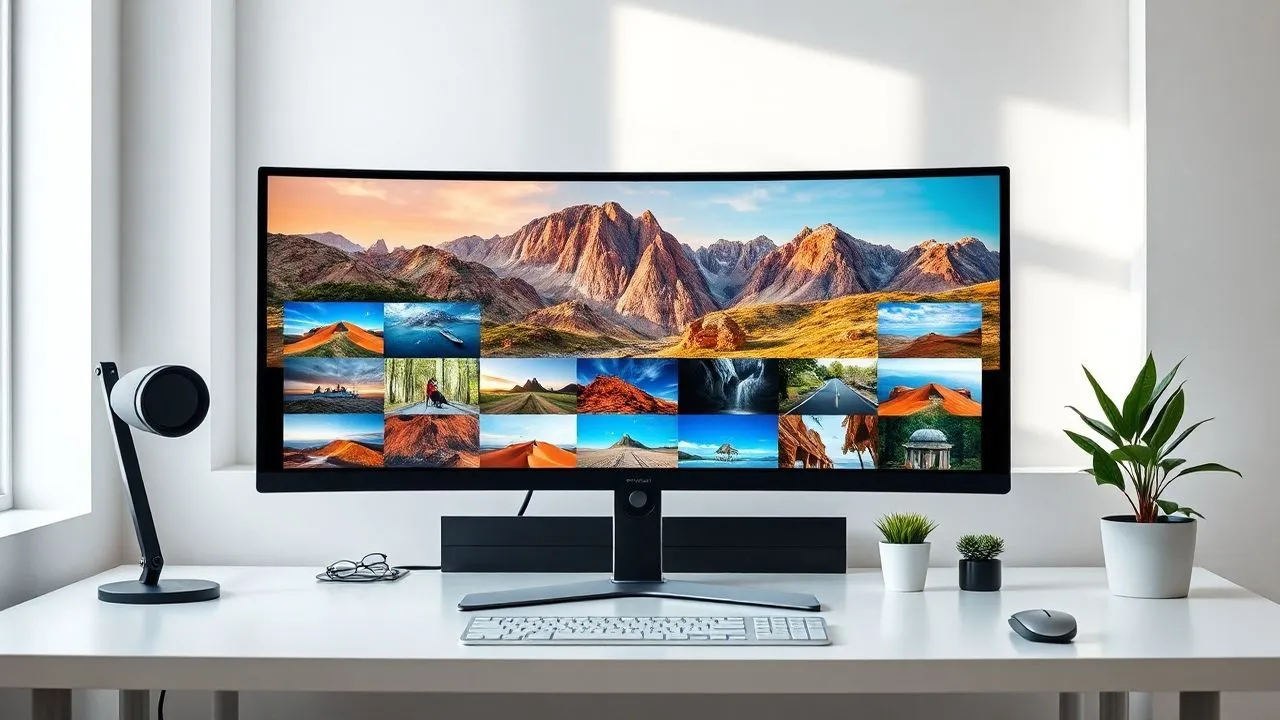
In the 2026 digital landscape, visual content management has become an absolute priority for anyone using a computer or smartphone. Often you find yourself fighting with system applications that appear heavy, slow in loading high resolution files or simply limited in basic features. If you're wondering what the best are programs to view photos currently available, you are in the right place. The need for a smooth viewer arises from the growing size of files produced by modern cameras and latest smartphones, which generate shots in complex formats such as ProRAW or HEIC. Using an outdated tool can dramatically slow your workflow or even just the simple pleasure of flipping your holiday memories. In this in-depth guide, we will explore the most performing solutions for Windows 11, macOS and mobile platforms, analyzing software ranging from extreme minimalism to professional archive management. Many of these programs are completely free and offer integrated tools for fast retouching, batch conversion and EXIF metadata management. Prepare to discover how to transform your image viewing experience, making it immediate, organized and technologically up to date, without necessarily having to invest exorbitant figures in complex software licenses.
Integrated solutions for Windows operating system
The evolution of Microsoft Photos in Windows 11 environment
If you use a modern PC, the natural starting point for managing your photos is the Microsoft Photo application. In recent years, and especially in this 2026, Microsoft has invested massively to make this tool not only a simple viewer, but a real hub for organizing memories. The app is perfectly integrated with the Windows 11 ecosystem and offers an opening speed of JPG and PNG files considerably higher than past versions. One of the strengths of this software management is its ability to interface natively with OneDrive, allowing you to view in a single timeline both photos stored locally on your hard drive and those stored in the cloud, without perceiving annoying latitudes during the scrolling of thumbnails.
In addition to simple visualization, Microsoft Photo includes artificial intelligence-based editing tools that allow you to improve colors, remove unwanted objects or apply art filters with just one click. For those looking for a clean experience, the interface automatically adapts to the dark or clear theme of the operating system, offering a full-screen mode that eliminates any visual distraction. It is important to note that, although it is the default application, Microsoft Photos allows you to easily manage even less common formats, provided you have installed their extensions from the Microsoft Store. This makes it a great compromise for the average user who does not want to install third-party software but still wants high-level performance and an orderly and intuitive photo archive management.
XnView MP: power and versatility for experienced users
When needs exceed domestic user requirements, XnView MP emerges as one of programs to view photos more complete and performing on the market. This software, available free of charge for personal use, is renowned for its incredible compatibility: it is able to read over 500 different formats, including RAW files of almost all existing digital cameras and modern web formats such as WebP or AVIF. Its multiplatform architecture makes it stable and fast, allowing you to manage entire folders containing thousands of images without slowing down the system, thanks to an extremely optimized miniature caching system that exploits the power of modern SSD drives.
The true strength of XnView MP lies in its advanced batch management features. If you need to rename hundreds of files, convert them to a different format or resize them all at once, this program offers integrated tools that automate the process in seconds. The interface is highly customizable, enabling you to view detailed information panels on EXIF, IPTC and XMP metadata, which are fundamental for semi-professional photography. In addition, the portable version allows you to bring the software always with you on a USB stick, ensuring the same viewing power on any Windows computer without need for installation, an advantage not just for those who often work on different locations.
Advanced photo management on macOS environment
Apple Photos: synchronization and order in the ecosystem
For Mac users, Apple’s Photo application is the reference standard for those seeking perfect harmony between their devices. Being a software developed directly by Apple, it enjoys hardware optimization that few other programs can boast, succeeding in view RAW on Mac with an impressive fluidity. The heart of the application is its integration with iCloud: every change made on Mac is instantly replicated on iPhone and iPad, keeping the entire library always updated and consistent. Apple’s artificial intelligence constantly analyzes images to recognize faces, objects and places, allowing advanced textual research within its photographic archive.
The Apple Photo interface is designed to be minimal but powerful. Users can create smart albums, animated presentations and even physical photos from within the program. For those who love photo editing, there are precise cursors for adjusting lights, shadows, contrast and saturation, as well as specific tools for reducing digital noise. Although it can appear simple at first glance, the app hides professional features that make it suitable for those who own libraries of tens of thousands of elements. Space management is just as smart, with the ability to store low resolution versions on your device and maintain heavy originals in the cloud, saving valuable space on your Mac disk.
Preview: much more than just a viewer
Often underestimated, Preview is the Swiss knive of macOS regarding fast display of files and documents. He's not just one of them free photo programs preinstalled, but an extremely fast productivity tool. When selecting an image and pressing the space bar, the Quick Look feature shows an instant preview, but actually opening the file with Preview you access a number of amazing annotation tools and quick editing. You can crop images, adjust exposure, add texts, signatures or geometric shapes without ever having to open more complex editing software like Photoshop.
One of the most interesting aspects of Preview is its ability to manage multipage files and instant format conversions. If you need to turn a series of photos into a single PDF document or export a PNG file to JPEG format, Preview does it in seconds. Its lightness makes it the ideal companion for those who need to quickly view email attachments or review photo shots just downloaded from the camera. Despite not having a storage library like Apple Photo, its integration with Finder makes it essential for those who prefer to manage their files through a traditional folder structure, keeping full control over the physical location of the elements on the hard drive.
Best programs to view photos on dated PC
IrfanView: extreme lightness and record speed
If your computer is not exactly the latest model on the market, you may notice that modern applications take several seconds to open. In this context, IrfanView remains an unbeatable choice in 2026. It is probably one of programs to view photos lighter than ever created, occupying very few megabytes of RAM memory and disk space. Its interface may appear a bit retro, but the speed with which it loads even the heaviest images is amazing. It is the preferred tool by systemists and users who look after the substance, offering a reactivity that apps based on modern graphic interfaces often fail to match.
IrfanView is not only speed; it is an incredibly expandable software through plugins. You can add support for almost every type of media file, including video and audio files, making it a universal player. Among its most popular features is the highly configurable presentation display (slideshow) and the ability to create executable files that contain a photo gallery to share with others. The command line management also allows more experienced users to integrate IrfanView into automated scripts for massive image processing. If you are looking for software that does one thing and do it better than anyone else — or show photos instantly — IrfanView is the ultimate answer.
Here are some key features that make IrfanView unique in its kind:
- Support extended to plugins to read rare formats and different media files.
- Very versatile integrated screen capture function.
- Extremely fast and powerful batch processing (conversion and renaming).
- Ability to extract icons from EXE and DLL files.
- Display of thumbnails (thumbnails) with fast preview generation.
FastStone Image Viewer: the balance between aesthetics and functions
FastStone Image Viewer represents for many Windows users the perfect way between the power of XnView MP and the lightness of IrfanView. This windows 11 photo viewer it stands out for a very smart user interface: when you see a full-screen photo, you just move your mouse to the four edges of the monitor to make folding panels appear. The left edge shows editing tools, the right one EXIF information, the upper one the thumbnails of the other photos in the folder and the lower one the navigation controls. This approach allows you to enjoy the full-screen image without disturbing elements, but having every function at your fingertips.
The program also includes surprisingly effective photo editing tools, such as red eyes correction, level and curve adjustment, and even a tool to clone and repair image parts. FastStone supports RAW files and offers a very useful image comparison function: you can select up to four photos and view them side by side to decide which is the best shot, with the ability to zoom in synchronous on all windows. It is free for personal use and its stability has made it a timeless classic in the tool kit of every digital photography enthusiast who wants total control over their files without unnecessary complications.
Minimalist and open source software for pure vision
JPEGView: the essential viewer for purists
In the world of programs to view photos, there is a niche of users who only want to see the image, without buttons, scroll bars or visible menus. JPEGView was born exactly to meet this requirement. This is an incredibly small and fast open source software that displays photos occupying the entire area available, overlapping only some essential controls in transparency when needed. Despite its minimal appearance, it hides a high quality processing engine that allows to adjust parameters such as exposure, contrast and saturation in real time, using algorithms that preserve the sharpness of the image.
JPEGView is particularly appreciated because it is a portable software par excellence. It does not write anything in the registry and can be executed instantly. Support multi-threading, which means that it leverages all cores of your CPU to decode images as quickly as possible. Although the name suggests support only for JPEG files, it actually manages perfectly PNG, BMP, WEBP, TGA and many others. It is the ideal choice for those who use the computer mainly to quickly browse image catalogs or for those who want a viewer that does not interfere minimally with the aesthetics of their desktop, letting photography be the only absolute protagonist of the work session.
qView: multiplatform simplicity without distractions
If you are looking for an experience similar to that of JPEGView but using a Mac or Linux system, qView is the solution for you. This program was designed with the idea that an image viewer should not have a bulky user interface. When you open a photo with qView, you will see only the photo. There are no title bars, toolbars or other graphic elements that steal space. All functions are accessible via keyboard shortcuts or context menus that can be activated with the right mouse button. This makes it one of basic touch up software less intrusive, ideal for those who appreciate the clean and functional design.
Despite its extreme simplicity, qView is incredibly fast in uploading later images and supports a wide range of modern formats. It is written in Qt, which guarantees consistent performance on different operating systems. Users particularly appreciate the smoothness of the zoom and the ability to customize the behavior of the program according to their own habits, such as deciding whether the window should automatically adapt to the image size or maintain a fixed size. In an increasingly complex and advertising-filled software world, qView represents a return to the essential, ensuring privacy, speed and an experience of use focused exclusively on visual content.
Online image viewers and web-based tools
Access photos via browser with Image Viewer
Sometimes you find yourself on public computers or workstations where you cannot install new software. In these cases, a viewer online images becomes an indispensable tool. Services such as Image Viewer allow you to drag a photo directly into the browser window to display it immediately at full resolution. These tools are particularly useful to manage formats that your browser would normally not natively support, such as some types of RAW files or professional formats like the TIFF. The technology at the base of these sites has evolved to the point of guaranteeing almost total privacy, since image processing often happens locally within the browser through JavaScript, without the file being actually loaded on remote servers.
Using a web-based viewer eliminates compatibility barriers between different operating systems. Whether you're on a Chromebook, tablet or blocked Windows PC, you can always count on a photo metadata or apply small color adjustments. Many of these services also offer the possibility to quickly convert the file to a more common format for sharing, making editing work fast accessible to anyone with an internet connection. It is a modern solution that reflects the trend of 2026 towards software as a service (SaaS), where flexibility and immediate access exceed the need for permanent installations on the local disk.
Jumpshare and Framebird: view and share
For those who work in teams or need to show their shots to customers and collaborators, there are platforms that combine visualization to quick sharing. Jumpshare, for example, allows you to upload an image and immediately get a link to share. The recipient can view the photo in a professional interface, leave comments on specific areas and even view the technical data of the shot. This type of programs to view photos online transforms the simple vision into a collaborative act, accelerating the revision times for graphic designers, photographers and designers who need immediate feedback on their visual projects.
Framebird is another emerging solution that focuses on the speed and cleanliness of the interface. It is particularly appreciated for its ability to create very elegant temporary galleries, ideal to present a portfolio or a selection of shots professionally without having to build an entire website. These online tools often include advanced security features, such as password protection or automatic link expiration, ensuring that your photos are visible only to whom you decide. In an era where communication speed is all, integrating an online viewer into your workflow can make the difference between ending a project in a few hours or dragging it for days through endless exchanges of heavy emails.
The main advantages of using online viewers include:
- No installation required, work on any device with a browser.
- Support for professional formats also on limited operating systems.
- Integrated sharing and collaboration functionality in real time.
- Automatic updates of functions without user intervention.
- Possibility to convert "on-flight" files to save bandwidth while sending.
Mobile applications for gallery management
Google Photos: Artificial intelligence at the service of memories
In the smartphone world, Google Photos reigns as one of app gallery Android (but also excellent on iOS) more advanced than 2026. Its ability to automatically index thousands of images based on content is almost magical: you can search for “dogs on the beach” and the app will instantly find all relevant pictures, even if you have never added tags manually. In addition to the smooth display, Google Photos offers an automatic backup system that secures your memories in the cloud, allowing you to free valuable space on your phone with a simple touch. The functions of “Records” periodically create videos and collages based on your past shots, giving new life to photos that would otherwise be forgotten in the memory of the device.
The built-in editor in Google Photos has become incredibly powerful, offering tools such as the “Magic Gomma” to eliminate unwanted passers or the “Retracted Light” to change the lighting on the faces after taking the photo. For users wishing to managephoto archive organization impeccable, the app allows you to create shared albums where friends and relatives can add their shots, unifying photos of an event in one place. Although some advanced features require a Google One subscription, the free version remains a key pillar for anyone who wants a smart, secure and constantly synchronized viewing experience among all their mobile and desktop devices.
A+ Gallery: the choice for those who love customization
If Google Photos may seem too invasive or too cloud-related, A+ Gallery is the best alternative for Android users looking for local speed and control. It is renowned for being one of the fastest galleries in the world, able to upload thousands of photos in an instant thanks to an extremely slim software architecture. One of its distinctive features is displaying on map: the app uses GPS data of your photos to show you exactly where they were taken, allowing you to navigate between your memories according to the geographical location, a very suggestive way to relive your travels.
A+ Gallery also places a strong emphasis on privacy and security. Includes a password protected “Cassaforte” where you can hide private photos, preventing them from appearing in the main gallery. The interface is highly customizable with different themes and display styles, allowing each user to create the viewing environment they prefer. It also seamlessly integrates with cloud services such as Dropbox and Facebook, allowing you to view photos uploaded to social networks or stored in other online spaces in one interface. It is the ideal app for those looking for an “old school” experience in terms of speed and management of files, but with all the conveniences of modern technologies.
Here is a list of the best apps to manage photos on smartphones:
- Google Photos: Best for AI search and automatic backup.
- Apple Photos: Perfect integration for iPhone and Mac users.
- A+ Gallery: Ideal for speed and privacy on Android.
- Simple Gallery: An open source option without advertising or tracking.
- F-Stop Gallery: Great for those who need professional tags and complex organization.
Frequently asked questions about programs to view photos
What is the fastest program to open photos on Windows?
In 2026, if the pure speed is your top priority, IrfanView and JPEGView remain the best choices. Both of these software are designed to load the interface and image file in fractions of a second, significantly exceeding modern and heavy applications. Their lightness comes from the use of optimized native code and the lack of unnecessary background processes, making them ideal for those who need to quickly scroll hundreds of shots after a photo session or for those who use computers with non-new hardware.
Can I view RAW files without installing professional software?
Absolutely. Many of the free programs mentioned in this guide, such as XnView MP and FastStone Image Viewer, natively support RAW files from major cameras. On macOS, both Photos and Preview manage RAW egregiously thanks to operating system level support. On Windows 11, you may need to download the “Raw Image Extension” extension from Microsoft Store to allow the default Photo app to correctly display digital negatives without having to resort to expensive software such as Adobe Lightroom or Capture One.
Are there programs to view photos that also allow you to edit them?
Yes, most modern viewers include basic editing tools. Microsoft Photos and Apple Photos offer advanced IA-based options, while software such as FastStone Image Viewer include more traditional tools such as curves, levels and red eye removal. Although they cannot replace professional photo editing software for complex jobs, they are perfect for fast crops, brightness corrections or to apply filters before sharing an image on social or email, saving valuable time.
How can I organize thousands of photos automatically?
For automatic organization, Google Photos and Apple Photos are the best solutions thanks to their facial recognition algorithms and objects. If you prefer local management, XnView MP offers powerful batch rename tools and cataloguing via IPTC tags and categories. These programs allow you to filter images by date, camera used or GPS coordinates, making the search for a specific shot within a file of thousands of files a simple and fast operation that only takes a few seconds.
What are the risks of online photo viewers for privacy?
The risks depend on the service used. Modern and reliable online viewers process the image locally in the browser, which means that the file never technically leaves your computer. However, when using sharing or cloud services, files are uploaded to remote servers. It is essential to read the terms of service and choose platforms that guarantee data encryption and that do not use your photos to train artificial intelligence models without your explicit consent, always preferring options with solid privacy reviews.
Choose from the various programs to view photos available today requires careful evaluation of their digital habits and hardware available. Whether you're a passionate photographer who needs to analyze complex RAW files, or an occasional user who just wants to browse memories smoothly, there is a perfect solution for you. We invite you to try at least a couple of suggested options, maybe starting from a light solution like IrfanView if you are looking for speed, or exploring the potential of XnView MP for more structured management of your archive. Remember that good software should not only show an image, but must make the whole interaction experience with your files more enjoyable and organized. Experience these tools, configure keyboard shortcuts and transform the way you look at your digital photos. Find out what is the software that best suits your style and starts managing your shots as a real digital professional.


