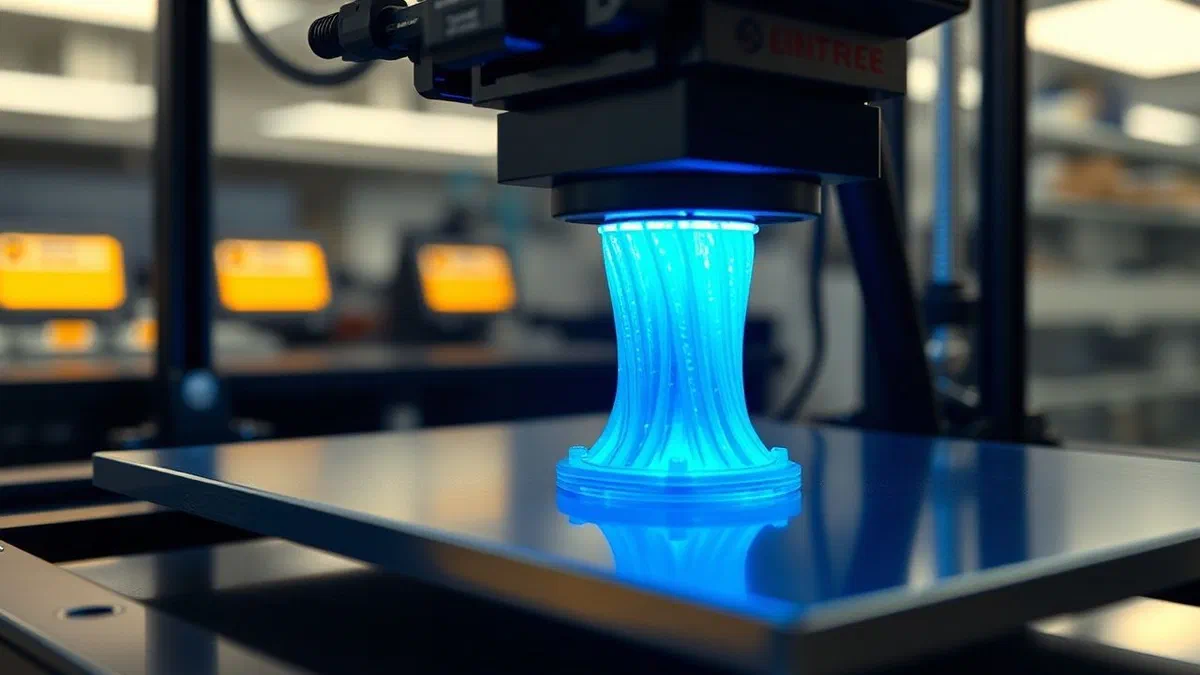
Understanding how 3d printers work has become a fundamental requirement for anyone who wants to approach digital production, both for hobby purposes and for entrepreneurial ambitions. in 2026, three-dimensional printing technology reached maturity so that anyone can transform an abstract idea into a tangible physical object directly from their desk. this guide aims to explore in detail the internal mechanisms, software processes and different types of machinery that make up the universe of additive technologies. often, mistakenly, one thinks that there is only one method to print in three dimensions, but reality is much more varied and fascinating. each system adopts a different design philosophy, based on the management of materials ranging from biodegradable plastics to photosensitive resins, to the metal dust used in the aerospace industry. understanding the operation of these devices means mastering not only extruder mechanics or laser precision, but also the entire digital ecosystem that allows communication between the computer and the machine. from geometric modeling to layering, each step is crucial to ensure the success of a finished piece that is resistant, functional and visually fulfilling. we therefore begin this technical journey to discover how these machines are rewriting the rules of modern production.
The technological foundations of 3d printing #
History and evolution of additive production #
Although it may seem like a futuristic technology daughter of the last decade, 3d printing has roots that sink in the 1980s. it was chuck hull who first patented stereolitography in 1986, laying the foundations for what we call additive manufacturing. unlike traditional subtractive methods, where you remove material from a full block via milling or turning, 3d printing works by adding layer material after layer. this revolutionary approach has created complex internal geometries that would be impossible to achieve with injection molds or classic numerical control machines. over the years, the sector has seen unprecedented democratization: if in the 1990s a 3d printer was an investment of hundreds of thousands of euros reserved for large automobile companies, today in 2026 it is possible to buy extremely performing domestic devices with a budget. the ability to quickly fish on prototypes has accelerated innovation in each field, allowing designers to test shapes and functions in a few hours instead of in weeks, drastically reducing the development costs of new products.
The concept of millimetre stratification #
The pivotal principle on which almost all 3d printers are based is the breakdown of a three-dimensional model in a series of very thin two-dimensional transversal sections. imagine having to build a pyramid using overlapping paper sheets: each sheet represents a layer (layer) of the final object. the printer reads the instructions provided by a specific software and deposits or solidifies the material exactly where necessary to recreate the shape of that particular layer. once a level has been completed, the printing plan or the cartridge moves along the vertical axis (z) to begin the construction of the next layer. this process is repeated hundreds or thousands of times until the completion of the work. the resolution of a 3d printer, often measured in micron, indicates precisely the thickness of these individual layers: the thinner the layer, the more the surface of the object will be smooth and detailed, although this involves longer working times. the cohesion between the layers is the determining factor for the mechanical resistance of the piece, and this is where the different technologies differ more for the effectiveness and chemistry of the materials.
- Thermoplastic materials: used mainly in fdm technology for their versatility.
- Photopolymeric resins: liquids that react to uv light to solidify instantly.
- Metal powder: titanium, aluminium and steel for high performance industrial components.
- Loaded filaments: plastic materials mixed with carbon fiber, wood or metallic powders.
- Biocompatible materials: used in medical field for the creation of customized prostheses.
Fdm technology: fused deposition modeling #
Mechanical extrusion and management of axes #
Fdm (fused deposition modeling) technology, also known as fff (fused filament fabrication), is undoubtedly the most widespread consumer. its operation is comparable to that of a hot glue gun controlled by a computer with millimetre precision. a filament of plastic material, usually with a diameter of 1.75 mm, is pushed by a system of gears called extruder to a heating head called hotend. here, the heat melts the plastic leading it to a viscous state that allows it to flow through a small exit nozzle (nozzle), whose standard diameter is 0.4 mm. the printer moves the cartridge along the x and y axes to track the perimeter and filling of each layer, depositing the melted material on the print plate or the previously laid layer. the immediate cooling through dedicated fans allows plastic to solidify quickly, creating a stable base for the next step. the precision of the movements is guaranteed by step-by-step engines that follow the coordinates provided by the firmware of the machine, ensuring that every plastic drop ends exactly where provided by the initial digital project.
Thermoplastic materials and mechanical properties #
One of the great advantages of 3d printing fdm is the wide range of usable materials, each with specific chemical and mechanical characteristics. the pla (polylactic acid) is the ideal starting material: derived from corn starch, it is biodegradable, easy to print and does not emit unpleasant smells. however, it has low thermal resistance. for more technical applications, we use abs (butadiene acrylonitrile), the same material as lego bricks, which offers greater robustness and impact resistance, but requires a heated printing plan and a closed room to avoid deformations due to thermal shocks. in 2026, petg became the reference standard for those seeking a balance between ease of use and mechanical resistance, being water-repellent and very durable. there are special filaments loaded with carbon fiber to maximise rigidity, or flexible materials such as tpu (thermoplastic polyurethane) that allow to create objects similar to rubber. the choice of material influences not only the resistance of the object, but also its aesthetic appearance and its ability to resist atmospheric agents or chemical stresses.
- Filament preparation: inserting the coil into the support and loading into the extruder.
- Heating: operating temperature for nozzle and printtop.
- Leveling: calibration of the distance between nozzle and surface to ensure adherence.
- First layer printing: critical phase to ensure that the object remains anchored on the floor.
- Cooling and removal: expected heat to detach the piece without damaging it.
The accuracy of stereolitography (sla and msla) #
Chemical reactions and polymerization uv #
Unlike fdm technology that is based on heat and mechanics, stereolitography (sla) uses chemistry and light to create objects. this process, known as photopolymerization, uses special liquid resins called photopolymers that have the property to solidify when affected by a specific light wavelength, usually in the ultraviolet spectrum (405nm). in an sla printer, the object is built inside a tank containing liquid resin. a uv laser, controlled by galvanometric mirrors, scans the surface of the resin by drawing the shape of the current layer. at the point where the laser affects the liquid, a molecular chain reaction occurs that instantly transforms the resin from liquid to solid. compared to the deposition of filament, this technique allows to reach incredible detail levels, with layers that can reach a thickness of only 10-25 microns. this makes the technology ideal for areas where precision is vital, such as dentistry for the creation of dental models or jewellery for the production of masters for microfusion.
Digital variants: dlp and msla with lcd screens #
The evolution of stereolithography has led to the emergence of faster and cheaper variants, such as dlp (digital light processing) and msla (masked stereolithography). while the traditional sla uses a single laser point that moves along the perimeter, dlp technology uses a digital projector to illuminate the entire layer at a single stroke, drastically reducing printing times. the msla, which in 2026 represents the most widespread technology in the consumer and prosumer market, uses a high resolution lcd screen (often 8k or 12k) as a mask for a led light source uv below. the screen displays the image of the layer, blocking the light where the resin must remain liquid and letting it pass where it has to solidify. this method is extremely efficient because the time needed to print a layer does not depend on the complexity of the object or the number of pieces present on the printing plane. however, resin printing requires careful management: the printed parts must be washed in isopropyl alcohol to remove excess resin and then exposed to a uv lamp to complete the final hardening process (curing).
“the resin print has transformed the precision prototyping, bringing industrial quality to the desk of each designer, thanks to the ability to make printing layers invisible and offer perfectly smooth surfaces. "
Selective laser sintering (sls) and industrial applications #
Dust bed and the absence of supports #
The selective laser sintering (sls) represents the professional frontier of 3d printing and is a technology that operates radically different from the previous ones. in this case, the starting material is a very fine powder, usually nylon (pa11 or pa12), distributed evenly on a worktop inside a heated room. a high-power laser scans the surface of the powder, heating it just below the melting point and causing the fusion of the particles between them, a process called sintering. one of the most significant competitive advantages of sls technology is that it does not require support structures. in other printing methods, the protruding parts of an object must be supported by temporary pillars which are then removed. in the sls, the non sintered powder that surrounds the object acts as a natural support, allowing the creation of extremely complex geometries, mobile inks and components “printed already assembled”. at the end of the printing, the entire dust block is extracted and the finished object is “digged” and cleaned, while the residual powder can be filtered and reused for subsequent prints.
3d printing in metal: slm and dmls #
When resistance needs exceed plastic capabilities, you enter the metal 3d printing field, dominated by slm (selective laser melting) and dmls (direct metal laser sintering). the basic principle is similar to sls, but the laser used is much more powerful, capable of melting completely titanium powders, stainless steel, aluminum or nickel alloys. these machines operate in controlled atmospheres with inert gases such as argon to prevent the oxidation of molten metal. the parts produced with this technique have mechanical properties equivalent to or greater than those obtained by traditional fusion, but with a considerably lower weight thanks to the possibility of optimizing the internal structure (generative design). in 2026, the aerospace industry massively uses these printers to produce fuel injectors and engine structural components, reducing the number of total parts and improving energy efficiency. despite the high costs of machinery and materials, the added value given by geometric freedom makes 3d metallic printing irreplaceable for high-tech applications more critical.
- Nylon pa12: the standard material for durable and flexible functional components.
- Titanium powder: used for medical systems and ultralight aerospace components.
- 316l stainless steel: corrosion resistant and ideal for surgical or mechanical instruments.
- Aluminium: excellent resistance-weight ratio for advanced automotive prototyping.
- Polystyrene: used to create models for industrial lost wax casting.
Workflow: from cad to slicer #
3d modeling and stl file #
The journey of each 3d printed object begins in a digital environment. the first step is the creation of a three-dimensional model through cad software (computer-aided design) or digital sculpture programs. in 2026, instruments such as fusion 360, blender or solidworks allow you to define with absolute precision every millimeter of the object, also simulating the behaviour of materials under stress. once the design is finished, the model must be exported to a printable format. the most common format is stl (standard tessellation language), which describes the surface of the object as a series of interconnected triangles. although there are more modern formats such as 3mf, which include information on colours and materials, the stl remains the universal standard for its simplicity. in this phase it is essential to ensure that the model is “manifold”, that there are no holes or geometric errors in the mesh, otherwise the printer will not be able to correctly interpret what is internal and what is external to the object, inevitably leading to a failure of the press.
The crucial role of slicer and g-code #
After obtaining the 3d file, a fundamental software called slicer (literally “affector”) intervenes. the task of the slicer is to transform the solid volume into a series of comprehensible instructions for the machine. in this software, the user defines vital parameters such as layer height, inner filling density (infill), movement speed and extruder temperature or uv exposure duration. the slicer also calculates the optimal paths that the print head will have to follow to complete the work in the shortest possible time preserving the quality. the final result of this processing is a g-code file, a numerical programming language that contains a long list of coordinates (x, y, z) and specific commands (e.g. “heat 200 degrees”, “extrude 5mm plastic”). without careful slicer configuration, even the best 3d model will result in poor quality printing. the mastery of these parameters is what distinguishes a user experienced by a beginner, since it allows to compensate for the physical limits of matter and mechanics.
- Import: uploading the stl file into the virtual workspace of the slicer.
- Orientation: positioning the object to maximize stability and minimize the supports.
- Parameter configuration: temperature setting, speed and filling density.
- Support generation: automatic or manual creation of the necessary support structures.
- Export g-code: save the final file on sd card or send it via wi-fi network to the printer.
Post-processing and maintenance of machines #
Aesthetic finishing and surface treatments #
Rarely an item just out of the 3d printer is ready for final use, especially if aesthetic requirements are high. post-processing is the stage where the object is finished to eliminate the signs of stratification or to improve its physical properties. for fdm prints, this often involves the manual removal of the supports, followed by a progressively fine-tuning maize. in some cases, acetone vapours (for abs) or solvents specific to “remove” the surface slightly and make it perfectly polished. for resin prints, as mentioned, post-processing is mandatory and includes chemical washing and secondary curing. in addition to aesthetics, post-processing may include the application of primers, professional paints or galvanic treatments to cover plastic with a thin layer of metal, increasing its rigidity and electrical conductivity. in 2026, many of these operations were automated thanks to integrated finishing stations that manage the entire process safely and cleanly.
Preventive maintenance and calibration #
To ensure that a 3d printer keeps working properly over time, constant maintenance is required. these machines are complex systems that combine electronics, precision mechanics and thermal management. fdm printer nozzles tend to wear due to filament abrasion, especially when using fiber-loaded materials, and should be replaced periodically. the straps that move the axes must be strained properly to avoid graphic artifacts such as “ghosting”, while the threaded bars should be lubricated with specific fats. in resin printers, the most delicate component is the fep film on the bottom of the tank, which must be transparent and free of scratches to allow the passage of light. in addition, the calibration of the printing plan is an operation that must be performed regularly to ensure that the first layer adheres perfectly, avoiding the detachment of the piece in half processing. a well maintained machine not only produces better pieces, but drastically reduces waste of material and time lost in failed prints, ensuring an efficient and professional workflow.
Frequently asked questions about 3d printing #
How much does it cost to print an object in 3d? #
The cost of a 3d printing depends mainly on the volume of the material used and the type of technology chosen. for an economic fdm printer using pla, a medium sized object can cost less than one euro in terms of electrical and plastic material. on the contrary, resin or metal printing entails much higher costs due to the price of consumables and the need for post-processing. in 2026, costs fell significantly compared to the past, making technology accessible to all.
What is the average speed of a modern 3d printer? #
The print speed has varied enormously thanks to the progress of 2026. when printing at 50 mm/s, modern fdm machines easily reach 250-500 mm/s without losing quality, thanks to vibration compensation algorithms (input shaping). a press that once required ten hours today can be completed in less than three. however, the speed must always be balanced with the complexity of the piece and the desired resistance between the layers.
Is it dangerous to keep a 3d printer in the house? #
Security has improved, but some fundamental shortcomings remain. fdm printers can emit microplastics and volatile organic compounds (vocs) during melting materials such as abs. resin printers require even more attention due to the toxicity of liquid resins and isopropyl alcohol vapors. it is always recommended to use in well ventilated environments or to purchase machines with hepa filters and integrated active carbons to minimize health risks.
What software skills do you need to start? #
Today it is not necessary to be engineers to print in 3d. there are huge online libraries where to download ready-made models, but for those who want to create from scratch, the learning curve has lowered. intuitive software allows to model for dragging geometric shapes, while modern slicers have “one-click” modes that automate almost all settings. however, a basic knowledge of parametric modeling remains the biggest competitive advantage for those who want to fully exploit technology.
What are the dimensional limits of 3d printing? #
Each printer has a defined building volume (build volume). common desktop printers usually allow to print objects up to 25x25x25 cm. if the desired object is larger, the common strategy is to unzip it into several parts to be printed separately and then paste it through mechanical inks or chemical glues. in the industrial sector there are printers capable of producing entire car frames or even concrete buildings, exceeding the limits of desk machines.
In conclusion, we have seen how 3d printers work by analyzing the different technologies that make up this growing sector. from the versatility of fused deposition modeling to the millimeter accuracy of stereolitography, to the industrial power of laser sintering, each method offers specific solutions for different problems. entering the world of additive production in 2026 means embracing a new creative freedom that lowers the barriers between idea and finished product. whether you are a hobbyist, a craftsman or a professional, mastering these technologies will allow you to innovate quickly and sustainably. we invite you to put into practice how learned, experimenting with the first models and deepening the specific guides for each material. the future of manufacturing is digital and distributed: you just need to turn on your printer and start creating your tomorrow, one layer at a time.