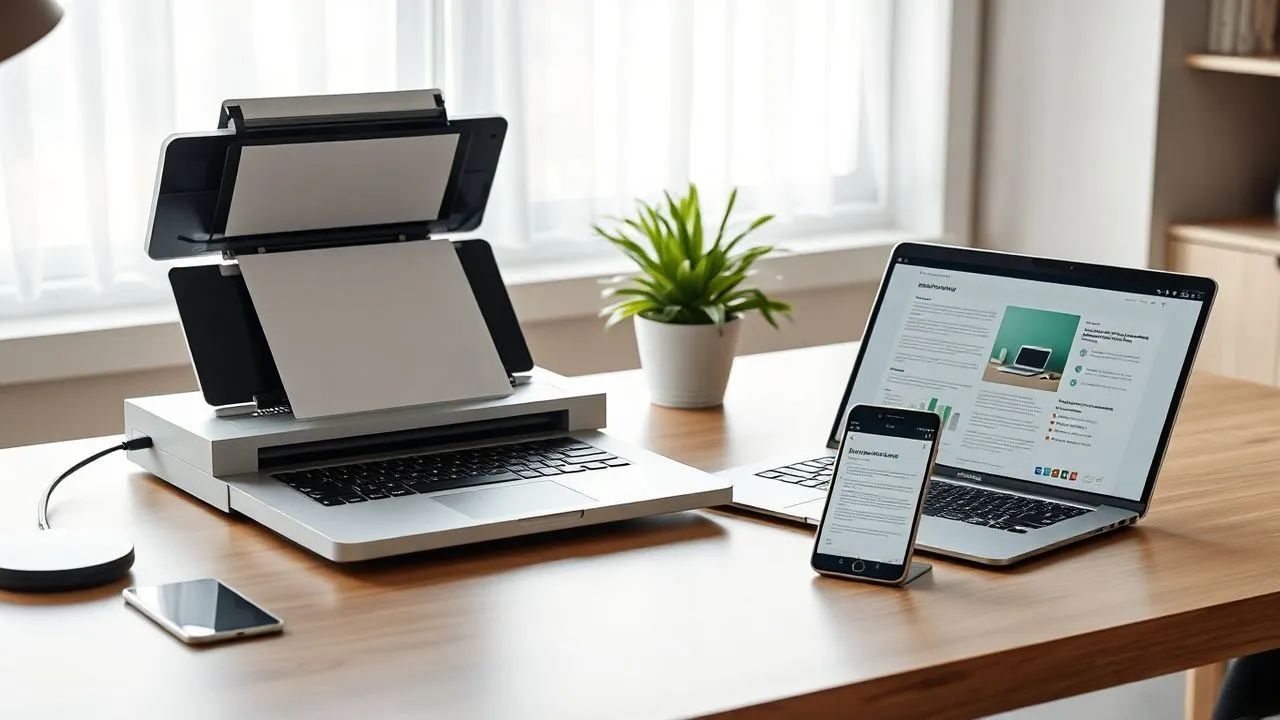
In the technological context of 2026, understand how to create a digital archive has become a fundamental competence for anyone who wants to optimize their productivity and protect their own memories or legal documents. We live in a time when dematerialization is no longer just an ecological choice, but a practical need dictated by the speed with which we exchange information. Accumulation of paper bundles, faded receipts and old photographs in cardboard boxes exposes our data to physical risks such as humidity, fires or simply the inevitable wear of time. Switching to digital means turning those bulky objects into lightweight, searchable and always accessible bits wherever you are. This guide was born to accompany you step by step in this transformation process, analyzing not only the necessary hardware tools, such as high resolution scanners or latest smartphones, but also the most advanced software strategies. We will see how artificial intelligence has revolutionized how we catalog files and how today's cloud services offer unthinkable security guarantees up to a few years ago. Whether you are a professional who has to manage thousands of invoices or a private person who wants to save the family tree, learn how to structure an efficient electronic archive will save you precious hours of research and living in a much more ordered and modern home or business environment.
Why digitize documents today: benefits and utility
Start the path to understand how to create a digital archive requires first of all the awareness of the enormous benefits that arise. In 2026, document management passed the simple scan of a sheet of paper; today we talk about integrated ecosystems where each document is “intelligent” and easily traceable through a textual research. The first obvious advantage is the recovery of physical spaces. Freeing entire walls occupied by shelves full of dust collectors does not only improve the aesthetics of your office or your home, but drastically reduces the accumulation of allergens and facilitates cleaning operations. Moreover, a well-structured digital archive contributes significantly to environmental sustainability, reducing the need to produce new paper and limiting the use of often toxic chemical inks. Digital transition is an act of responsibility towards the planet that perfectly matches the needs of modern life, where mobility is sovereign.
Another crucial aspect concerns data security and longevity. A paper document is unique and fragile: if it is lost or destroyed, the information contained disappears forever. On the contrary, a digital file can be duplicated instantly and stored in multiple different geographical locations thanks to cloud storage and redundant backup systems. Imagine you have to recover a five-year tax receipt for a check: in a paper archive you could use hours, while in a digital archive, thanks to the correct indexing, you will only have a few seconds and a keyword. Digitization also allows the application of advanced encryption protocols, ensuring that only authorized persons can access sensitive information, such as medical reports or bank contracts, ensuring a higher level of privacy than the card left in an unprotected drawer.
Save time and increase productivity
Operational efficiency is perhaps the main reason why professionals and companies invest in creating a digital archive. When each document is converted into a searchable format, the time dedicated to bureaucratic management is drastically reduced. You will no longer need to browse hundreds of pages to find a contract clause; modern document management systems allow you to carry out full-text research within PDFs, finding specific occurrences in a fraction of a second. This approach frees mental resources that can be dedicated to higher added value activities, eliminating the frustration typical of manual failing research.
Environmental sustainability and waste reduction
Embracing digital means reducing your ecological footprint. Every year millions of trees are knocked down to produce paper that often ends in the basket after a few days. By creating a digital archive, you actively participate in the reduction of deforestation and CO2 emissions related to the physical transport of documents. In 2026, the sensitivity to the “green” themes is at the most historic and transforming its office into a paperless environment is a strong signal of modernity and respect for the surrounding environment, as well as representing a direct economic saving on the purchase of stationery material.
Hardware tools needed for scanning
To proceed correctly in the operation of how to create a digital archive, it is essential to equip itself with the appropriate hardware tools. Although today smartphones have reached exceptional computing capacity and photographic quality, for large volumes of documents the dedicated scanner remains the undisputed king. There are different types of scanners: the flat ones, ideal for delicate photos and documents, and those with automatic power supply (ADF), which allow to insert a stack of sheets and let them scan independently in a few minutes. If your goal is to digitize an entire family or business historical archive, investing in a high-end multifunction printer or in a portable document scanner can make the difference between a finished job in a week and one dragging for months. The resolution is another fundamental parameter: for textual documents 300 DPI (points per inch) are sufficient, but for photographs it is advisable to climb to 600 or 1200 DPI to capture each original detail.
In addition to the traditional scanner, we must not underestimate the power of mobile devices. The 2026 smartphones are equipped with advanced laser and optical sensors that, combined with specific apps, can generate high quality scans in mobility. This is especially useful for those who travel often and must store receipts, business cards or small notes on the flight. However, for a serious and lasting archive, it is necessary that the hardware be supported by a stable connection and a reliable mass memory. Whether it is a desktop computer connected by cable to the scanner or tablet that communicates via Wi-Fi 7, the data transfer speed will heavily affect the user experience. Always remember to thoroughly clean the scanner glass or camera lens before you start: a simple powder granule can create annoying strips on digital files, making the following text recognition less effective via OCR.
Scanner plans vs scanner with automatic power supply
The choice of the scanner depends exclusively on the type of material you need to treat. If you have many single sheets, maybe printed only on one side, an automatic power supply (ADF) will save you an incredible amount of time. If you need to scan ancient books, fragile documents or vintage photographs, the piano scanner is the only safe choice to avoid tears or mechanical damage. Many modern devices offer both options, representing the ideal solution for those with mixed needs. Here are some criteria to choose:
- Scan speed: measured in pages per minute (PPM).
- Optical resolution: essential for the quality of detail in images.
- Color depth: important for color fidelity of photos.
- Connectivity: support for Wi-Fi, USB-C or direct cloud scanning.
Digitalization via smartphones and tablets
Smartphone applications have turned our phones into high-level pocket scanners. Thanks to the use of artificial vision algorithms, these apps are able to automatically straighten the perspective, eliminate shadows and optimize text contrast to make it perfectly legible. Although they are not suitable for scanning hundreds of pages consecutively, they are unbeatable for immediate management of daily documents. Many of these applications already integrate automatic storage systems on major cloud services, making the entire workflow extremely smooth and fast.
Choose file format and OCR technology
One of the most critical steps in understanding how to create a digital archive is the choice of the target format. Not all files are equal and the wrong choice today could make your documents unreadable in ten years. The universal standard format for documents is the PDF (Portable Document Format), preferably in its PDF/A variant, specifically designed for long-term storage. The advantage of PDF lies in its ability to keep the original formatting unchanged, regardless of the device or software used to open it. If you expect to have to change the content of a document heavily, the DOCX or ODT format (open document) are valid alternatives, although less stable from the point of view of visual preservation over time. For images, the JPG format is great to save space, but if you look for the highest quality without data loss, the TIFF format or the most modern WEBP are the recommended choices in 2026.
The integration of OCR (Optical Character Recognition) technology is fundamental. Without the OCR, scanning a document is simply a text image: you cannot search for words within it, or copy and paste sentences. OCR software analyzes the forms of letters in the image and converts them into encoded digital text. This step is what transforms a cluster of files into a real searchable digital archive. Today many scanners include native OCR software, but there are also excellent online solutions or dedicated programs that can process entire file folders in just a few minutes. Make sure that the chosen software supports the Italian language correctly, including accented characters, to avoid coarse errors in the indexing phase that could make your future search for documents vain.
Benefits of PDF/A storage format
PDF/A is an international standard (ISO) designed to ensure that a file can be opened and displayed exactly the same way in many years. Unlike standard PDFs, PDF/A incorporates all fonts and color information within the file itself, eliminating dependence on external resources that may not be available in the future. For anyone who is creating a digital archive that must last decades, such as notary acts or personal memories, the use of PDF/A is not an option but an indispensable technical necessity for the continuity of access to data.
How optical character recognition works (OCR)
The modern OCR uses neural networks to identify not only characters, but also the layout of the page, distinguishing between text, tables and images. This process takes place in several stages: pre-processing (image cleaning), glyph recognition and post-processing (orthographic control). Using a good OCR engine means drastically reducing the error rate and making every single word of your digital archive a potential still search. Below are the typical steps for an effective OCR:
- High resolution scanning (minimum 300 DPI).
- Digital cleaning of disorders and bending signs.
- Layout analysis to identify columns and paragraphs.
- Conversion of text and save PDF "Searchable".
Organization and nomenclature of digital files
Learning how to create a digital archive it's all right if you can't find the files you saved. The organization is the backbone of each document management system that respects itself. The first mistake to avoid is to keep generic file names like “scansion”001.pdf”. An effective nomenclature must be descriptive, consistent and possibly dated. A format very used by professionals is “AAAA-MM-GGNameLikeDocument. pdf). Using the year at the beginning allows the operating system to order chronologically files automatically. In addition, it is advisable to avoid using special characters, excessive spaces or accents in file names, since some operating systems or old backup software may have problems managing them, leading to synchronization errors or file path corruption.
In addition to the file name, the folder structure must be logical and hierarchical. Do not create too many levels of subfolders, since this makes navigation tiring, but do not even hold thousands of files in one root folder. A good method is to divide the archive by macro-categories, such as “Work”, “Saute”, “House”, “Finances”, and within these use subfolders per year or for specific project. In 2026, the use of “tags” or labels became extremely powerful: many systems allow to assign multiple tags to a single file (e.g. “Fattura” and “2026” and “Automobile”), allowing you to find the document through different paths. The discipline in renameing newly scanned files is the secret to maintain a digital archive that remains useful in the long term without turning into an unmanageable computer chaos.
Golden Rules to Rename Your Documents
A systematic nomenclature saves your life when the archive exceeds the thousand documents. It is important to establish rules and follow them strictly whenever a new element is added. Consistency is more important than the complexity of the chosen system. If you decide to use the low indent () instead of the space, keep doing it all the time. If you decide to shorten “Fattura” in “FAT”, do not switch to “FATT” in half the work. Here are some elements that should never fail in the name of a well structured file:
- Data in ISO format (AAAA-MM-GG): for a perfect order.
- Keyword: identifies the sender or object (e.g. "ENEL").
- Synthetic description: clarifies the purpose (e.g. "Bolletta Luce").
- Version (if applicable): useful for contracts (e.g. "V2").
Management of folders and metadata
Metadata is “data describing other data” and are hidden within the file properties. Learning to compile them correctly allows you to add information such as author, category or additional keywords that do not appear in the file name but which are readable by internal search engines. Matching a clean folder structure to intelligent metadata use turns your computer into a powerful document database. Remember that the folder structure should reflect your natural way of thinking and searching, not necessarily a bureaucratic logic imposed by others.
Where to store files: Cloud vs Physical Supports
Once understood how to create a digital archive and how to organize it, the next question is: where do I put it? Data security is a key pillar. In 2026, the most common response is a hybrid approach that leverages both cloud storage and local physical media. Cloud services such as Google Drive, OneDrive, Dropbox and iCloud offer unparalleled convenience: your documents are synchronized on all your devices and protected from local hardware failures. If your computer breaks, your data is safe on the provider's servers, protected by enterprise-grade security systems. However, relying solely on the cloud can be risky in case of connectivity issues or changes in provider service policies. For this reason, possessing a local physical copy is highly recommended.
Physical media such as external hard disks (HDD) or, better yet, solid-state drives (SSD) offer high access speeds and total control over their data. For a professional or very voluminous digital archive, the ideal is to use a NAS (Network Attached Storage). A NAS is a small computer dedicated exclusively to the management of hard drives, connected to your home or business network. It allows you to create a private “cloud” where the files are physically in your home, but accessible via the internet in a protected way. The golden rule of storage is the strategy “3-2-1”: three copies of data, on two different types of support, with a preserved copy “off-site” (i.e. in the cloud or in a different physical place). This protocol guarantees maximum resilience against any kind of disaster, computer or natural.
Best cloud services in 2026
The cloud services landscape has evolved dramatically. Today we do not only pay for space, but for integrated artificial intelligence services that analyze our documents, suggest labels and protect files from ransomware attacks in real time. Many providers now offer specific plans for families or professionals with “zero-knowledge” encryption, which means that neither the provider can read your files. Evaluating the cost for terabyte and ease of integration with your operating system (Windows, macOS or Linux) is the first step to choose the most suitable digital partner for your long-term storage needs.
Local backup systems: SSD and NAS
If the cloud is comfort, local backup is certainty. An external SSD is perfect for those who need portability and speed, while a NAS is the ultimate solution for managing large multimedia or document archives. Many modern NAS include automatic synchronization software that picks files from your PC or smartphone and create a redundant copy without you having to move a finger. Investing in a robust local storage system is the best way to sleep peaceful sleeps, knowing that your most valuable documents do not only depend on a monthly subscription to a web giant.
Create a photographic archive with artificial intelligence
The last frontier in understanding how to create a digital archive about image management. The old analogous photographs are fragile treasures that deserve special care. Thanks to the innovations of 2026, artificial intelligence is no longer limited to scanning an image, but is able to actively restore it. Generative IA software can remove scratches, correct faded colors from time and even increase the resolution of old low-definition shots through upscaling techniques. This means that a scanned small 10×15 photo today can be transformed into a high quality file ready to be printed in large format or displayed on 8K screens without losing sharpness.
In addition to restoration, AI plays a key role in cataloguing. Modern photo management software uses facial recognition and object recognition to automatically tag your photos. If you are looking for “grandfather” or “mother”, the system will instantly find all relevant photos, even if you have not renamed them manually. Creating a digital photo archive today means building a living and interactive library of your memories. But it is important to proceed with caution: AI can make mistakes of “ hallucination”, altering sometimes somatic traits during excessive restoration. The advice is to always preserve the original “gratitude” scan and apply the IA corrections on a copy, so as to preserve the historical integrity of the original photographic reperto for future generations.
Restoration and improvement of old photos
The process of digital restoration has taken giant steps. Tools that once required manual working hours on Photoshop today are executed in seconds by specialized algorithms. You can delete the “intiated” effect of the old paper, reconstruct missing parts of the image and improve the focus of slightly moving shots. This technology allows to revive at times of the past that seemed destined to fade, making the digital archive not only a collection of files, but a real emotional bridge with its own personal history.
Automatic cataloguing and facial recognition
Organizing tens of thousands of photos is an impossible task for a human being. Fortunately, today's visual search engines can automatically group images by date, location (thanks to the GPS metadata of modern photos) and people present. By training the system with a few clicks, you can have an always updated album of each member of the family or any trip made. This level of automation transforms the consultation of the digital archive into a pleasant and immediate experience, eliminating the boredom of manual research among anonymous folders.
Digitization is not only a technical process, but a change of mindset towards a more ordered, safe and sustainable future. Every scanned document is a step forward towards freedom from physical bureaucracy.
Frequently asked questions (FAQ)
What is the best format to store long-term documents?
The most suitable format for long-term storage is undoubtedly PDF/A. This ISO standard ensures that the document is displayed correctly over time, as it internally incorporates all the necessary elements (fonts, color profiles, layout). Unlike normal PDFs, PDF/A avoids external dependencies that may disappear with software evolution, ensuring that the visual integrity of your digital archive remains intact for decades, regardless of the operating system or device you will use in the future.
Is it legal to destroy paper documents after digitizing them?
The legality of the destruction of the original documents depends on the current legislation and type of document. In Italy, for many tax and administrative documents, the “substitutional conservation” is necessary, which provides for the use of digital signature and time stamp to give legal value to digital copying. Before destroying notary acts, property certificates or important tax documents, it is essential to consult an expert or verify the guidelines of the Revenue Agency to ensure that the digital copy is fully available to third parties in case of disputes or controls.
How can I protect my digital archive from hackers?
The digital archive protection is based on three pillars: robust and unique passwords for each service, two-factor authentication (2FA) and data encryption. Using a password manager allows you to generate complex access keys without having to store them. Also, if you use external hard drives or NAS, make sure you activate disk encryption, so that if physical support is stolen, no one can access your files without the decryption key. Maintaining system software and antivirus is an additional key barrier against malware.
How much space does a digital home archive occupy on average?
The occupied space varies greatly according to the content. A PDF text document is on average 100 to 500 KB, so in 1 GB you can store thousands of pages. The photographs are much heavier: a high resolution scan can take between 5 and 20 MB per image. For an average home archive that includes personal documents, bills and a few thousand photos, a space of 500 GB or 1 TB is usually more than enough. If you store many heavy video or graphics files, you may need 2 TB or higher units.
Can I use the smartphone to create a high quality archive?
Yes, the 2026 smartphones have cameras and processing software so advanced that they can replace traditional scanners for most daily needs. Thanks to high resolution sensors and artificial intelligence algorithms, dedicated apps can correct perspective distortions and improve contrast automatically. However, for massive digitization of hundreds of sheets or documents requiring absolute chromatic fidelity, the professional scanner remains superior for speed, ergonomics and consistency of qualitative results.
In conclusion, learning how to create a digital archive is a time investment that pays abundantly in the long term. Following this guide, you will have the tools to transform your paper disorder into a clean, safe and easily consultable electronic system. Remember that the key to success lies not only in the technology you use, but in the consistency with which you apply the rules of nomenclature and organization. Do not wait for the paper to accumulate or an important document to be lost: today your digitalization process begins. With the right hardware tools and a solid backup strategy, your past and present will always be at your fingertips, ready to be consulted wherever you are. If you found this guide useful, start putting into practice the first steps and enjoy the freedom of a life without more unnecessary paperwork!


