In the digital panorama of 2026, the Digital Identity has become the fundamental pillar for each interaction with the Public Administration and with numerous private services. Knowing how to enter the SPID is no longer just a technical expertise for a few enthusiasts, but a daily need to manage bureaucratic, health and tax practices quickly and safely. Whether you need access to the INPS portal, consult your Electronic Health Paper or sign digital documents, the authentication procedure is the gateway to a simplified world of services. However, many users still find it difficult to distract between different levels of security, mobile applications of various Identity Providers and OTP codes that change every few seconds. This guide was born with the intention of making clarity, offering a structured path to master access to its digital identity, regardless of the chosen provider during activation. We will explore the specific procedures for the main players of the market such as Poste Italiane, Aruba, InfoCert and Lepida, analyzing also the innovations introduced in recent months in terms of cost and renewal mode. The goal is to make you completely autonomous in the management of your credentials, ensuring you have smooth access and free of technological hitches to the country’s digital services.
Detailed procedures to access SPID Aruba
Management of Level 1 and Level 2 credentials
To understand thoroughly how to enter the SPID provided by Aruba, it is essential to distinguish between the different levels of security that the system provides. Level 1 is the easiest access mode, based solely on the use of a username and password chosen during the registration phase. Although this mode is fast, most public administration services today require at least Level 2 to ensure greater protection of sensitive data. To proceed, you must connect to the official login page of Aruba from your favorite browser. Once you enter the basic credentials, if the service requires more robust authentication, you will be redirected to a screen that requires you to enter an OTP code (One-Time Password). This temporary code has a limited validity, usually 30 seconds, which expires and must be regenerated. It is a crucial step that prevents unauthorized access even in case of theft of the main password, making the Aruba digital identity an extremely safe tool for managing its online business in 2026.
Aruba OTP App configuration for smartphones
The use of the dedicated mobile application is the most common and recommended method to manage the second level of security. After downloading the Aruba OTP app from the store of your smartphone, you will need to associate it with your digital identity following a one-time activation procedure. Once configured, whenever you ask how to enter the SPID to access an external portal, you only have to open the app and copy the numeric code displayed in the “My Accounts” tab. Alternatively, Aruba offers the possibility to receive push notifications that allow access authorization with a simple touch on the screen, after biometric recognition (digital footprint or face). This system eliminates the need to manually type codes, greatly speeding the entire operation. Remember that if you change smartphones, you will have to repeat the device association procedure to continue to generate the necessary codes. For those who need maximum security, there is also Level 3, which provides for the use of a smart card reader or a remote digital signature device, tools usually reserved for professional or advanced business uses.
Access and news 2026 for SPID Poste Italiane
Annual Canon and Service Renewal Mode
Starting from 1 January 2026, the PosteID service introduced some significant innovations regarding the maintenance costs of digital identity. If you're wondering how to enter the SPID of Posts and you noticed communications related to a payment, know that an annual fee of 6 euros was introduced for most users. This decision aims to support the technological infrastructure and to offer increasingly efficient service services. However, there are categories exempt from this payment: citizens with more than 75 years, minors, residents abroad and those who use identity for exclusively professional purposes can continue to enjoy the service for free. Payment can be made conveniently online through the posteid.post portal. it using a credit or debit card, or going physically to a post office. It is important to monitor your email box, since Poste sends expiry notices 30 days before the annual deadline. In case of non-payment, access to services via SPID is temporarily suspended, but the identity is not deleted immediately, allowing a rapid reactivation once the administrative position has been adjusted.
Using the PosteID App and Biometric Authentication
The PosteID App remains the main tool for those who want speed and security in access. Once installed and configured on your mobile device, it allows you to enter the personal area or external services without having to remember long passwords. The most appreciated function is undoubtedly biometric authentication. If your smartphone supports facial or fingerprint recognition, you can enable these functions in the app settings. By doing so, when you try to understand how to enter the SPID, just watch the camera or place your finger on the sensor to confirm your identity. In addition to comfort, this method ensures that no one outside of you can authorize access to your sensitive data. The app also acts as a control center, where you can view the access history, change your contact information and verify the status of your recognition documents associated with the profile. In 2026, the integration between biometrics and digital identity has reached levels of reliability that obsolete old systems based exclusively on numerical codes sent via SMS.
- Download the official PosteID application from the official Google Play stores or Apple App Store.
- Make the first access by entering your credentials and configure the 6-digit PosteID code.
- Enable biometric recognition to speed up future authorization operations.
- Make sure your identity document is always valid.
- Check the Payments section regularly to avoid suspension of the service due to canon 2026.
Use the SPID InfoCert via MyInfoCert
Initial configuration and unlock code
InfoCert is another of the leading Identity Providers chosen by Italian citizens for their digital identity. If you opted for this supplier, your user experience will inevitably pass through the MyInfoCert ecosystem. To understand how to enter the SPID InfoCert, the first step is to correctly complete the MyInfoCert app configuration. On the first start, after entering your standard credentials, the system will require you to set a dedicated unlock code. This code is independent of the main password and serves to protect access to OTP generation functions within the app itself. It is an additional layer of protection that ensures that even if someone unlocks your phone, it could still not generate codes to access your online services. InfoCert places a great emphasis on proactive security, constantly monitoring access attempts and promptly notify the user in case of suspicious activity. The fluidity of the interface makes the authentication process particularly pleasant even for less experienced users of technology.
Generation OTP and access from desktop browser
Many users prefer to navigate the portals of the Public Administration using a computer to have a wider view and better manage PDF documents. In this scenario, the question about how to enter the SPID InfoCert finds an answer in the synergy between PC and smartphone. After entering username and password on the target site, you will need to open the MyInfoCert app on your phone and select the “OTP Manager” feature. The numeric code displayed must be reported in the computer browser within the specified limit time. InfoCert also allows you to fully manage your digital identity (such as password change or personal data update) directly from the reserved area accessible via the web. This hybrid approach ensures that you can operate from any location always keeping control through your personal mobile device, which acts as a real “token” security. During 2026, InfoCert introduced significant improvements in code generation speed, reducing waiting times and improving compatibility with the latest desktop operating systems.
LepidaID: Flexible Authentication and QR Code
SMS selection and dedicated application
LepidaID stands out to offer considerable flexibility in access modes, meeting the different needs of its users. If you're wondering how to enter the SPID Lepida without necessarily having to depend on a constant data connection on your phone, you will be happy to know that this provider still supports sending OTP codes through SMS. This option is ideal for those in areas with poor internet coverage or prefers a more traditional approach. On the other hand, for those who want a more modern experience, the LepidaID app offers all the typical features of other providers, with the addition of a very granular device management. You can associate your account with one or more smartphones, allowing a shared family or professional management in total safety. The choice between SMS and App can be made at the time of login on the PA site, offering a valuable security network in case of technical problems with the application or with the telephone network.
Association of the device and biometric security
To maximize efficiency, Lepida encourages users to permanently associate their main device to their account. This process requires strong initial authentication, usually through a code sent via SMS, after which the phone becomes the primary tool for any future access. Once completed this step, the doubt about how to enter the SPID vanishes in front of the simplicity of biometric recognition. LepidaID fully supports modern security standards, allowing you to authorize accesses with FaceID or TouchID in just a few moments. An interesting aspect of Lepida is native integration with many regional services, making it an excellent choice for those who reside in areas where the provider has a capillary presence. The stability of the service and the clarity of the instructions provided during each step make Lepida one of the most appreciated providers by users looking for a balance between advanced functionality and simplicity of everyday use in the context of the digital transformation of 2026.
- Login to the LepidaID portal via browser and enter your first level credentials.
- Choose whether to receive OTP via SMS or generate it through the already configured LepidaID application.
- If you use the app, frame the QR Code displayed on your computer screen for immediate access.
- Confirm your identity on your smartphone using the chosen PIN or biometric sensor.
- Always check that the URL of the site you are accessing is the official URL of the public body.
Namirial and access to professional services
Configuration of the Namirial OTP App
Namirial is a provider that has been able to cut out an important space, especially among professionals and companies, thanks to the solidity of its systems. To understand how to enter the SPID if your provider is Namirial, you must familiarize yourself with the Namirial OTP app. Similarly to other competitors, the application acts as a temporary key generator. The initial activation procedure is rigorous to ensure maximum protection: it requires the insertion of an activation code that is provided only after an accurate verification of identity. Once operational, the app shows a clean and essential interface, focused on the main function: to generate the 6-digit code needed for second-level access. Namirial also offers excellent technical support for those who encounter difficulties in synchronizing device time, a common problem that can cause rejection of OTP codes if the smartphone clock is not perfectly aligned with that of central servers.
Web access and SMS support
Despite the drive towards application use, Namirial maintains the ability to receive codes via SMS, a fundamental resource for operational continuity in the professional field. If you have to manage an urgent practice and your smartphone does not have the configured app, know how to enter the SPID via text message can make the difference. Simply select the “SMS ID” option on the login page, enter your credentials and wait for the arrival of the code on the certified cell number. Namirial is particularly attentive to privacy and protection against phishing, implementing advanced filters that help the user to distinguish official communications from potential scam attempts. The robustness of the Namirial infrastructure makes it a privileged choice for those who need a service that does not suffer interruptions, especially during peak periods of tax or administrative deadlines that characterize the life of citizens in 2026.
Digital Identity is not only a technical tool, but an indispensable passport to exercise its citizenship rights in the modern world. The security of access is the guarantee that our data remains protected while we use the convenience of digital services.
QR Code innovation for fast access
How to use your smartphone to scan the code
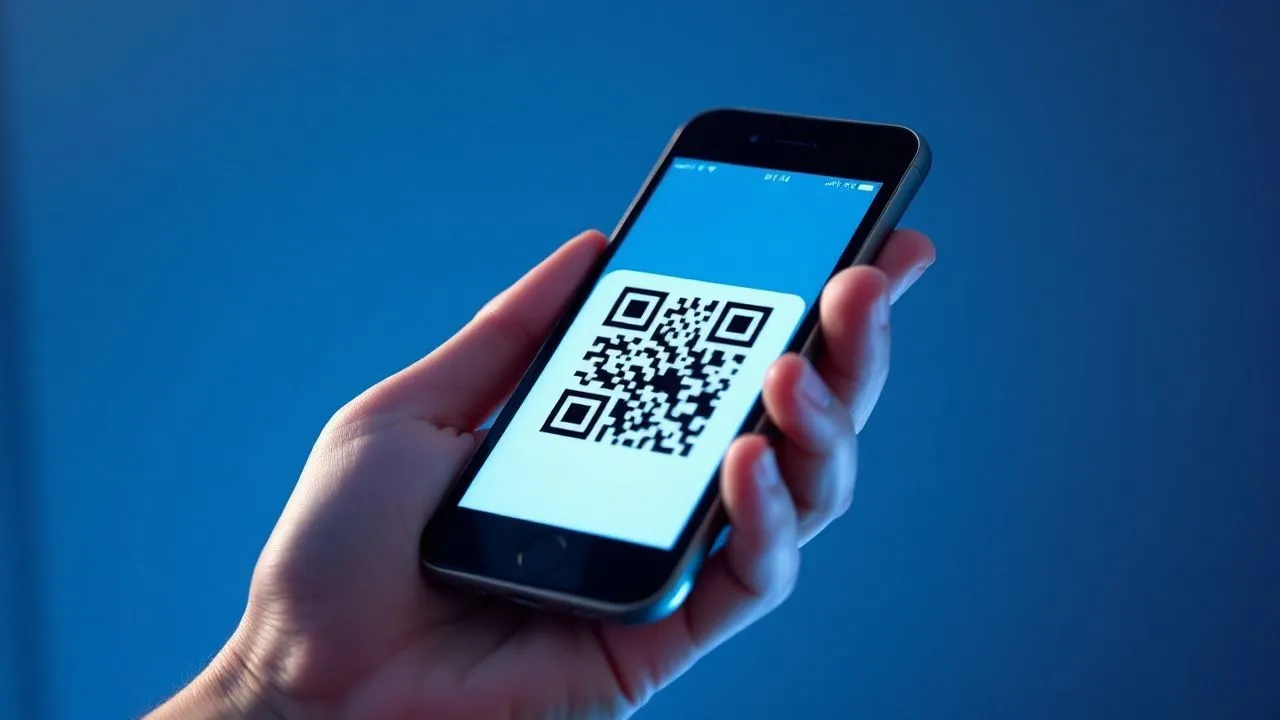
One of the most simplified innovations in users’ lives in 2026 is the widespread use of QR Code for authentication. Instead of manually typing complex user names and password kilometers, the procedure on how to enter the SPID evolved into a simple gesture: frame a square code on the screen. When you visit a site like that of the Revenue or INPS Agency, you will almost always find an option that shows a QR Code. By opening the app of your provider (PosteID, Aruba, InfoCert, etc.) and activating the internal camera function, you can scan the code in less than a second. The system will instantly recognize who you are and will only require final confirmation via PIN or biometry on your phone. This method drastically reduces typing errors and protects against keyloggers, malicious software that record what you write on the computer keyboard, making the whole operation not only faster, but infinitely more secure for the end user.
Access to public administration services (INPS, AdE)
The integration of SPID in institutional portals has reached full maturity. If you need to consult your contribution situation or submit your tax return, understand how to enter the SPID through official gateways is the first fundamental step. On the home page of these sites, you will always find the button “Enter with SPID”. By clicking, you will be presented a drop-down menu with logos of all enabled suppliers. By selecting your provider, you will be redirected to its specific authentication page. Here you can choose whether to insert the classic credentials or use the QR Code described above. Once you have authorized access to your smartphone, the PA portal will automatically load your personal profile, allowing you to operate safely. It is important to remember that, for extended sessions, the system may require a new authentication for security reasons, especially if you stay inactive for several minutes on the page, to prevent other people from accessing your data if you leave your computer uncustomed.
- Place in front of the computer screen so that the QR code is clearly visible and not covered by reflections.
- Open the application of your SPID provider and select the camera icon or Quick Access item.
- It enters the code into the viewfinder of the smartphone until an acoustic signal or vibration is emitted.
- Enter your security PIN or authorize with your fingerprint on your mobile device.
- Wait for automatic redirection to the Public Administration portal to start browsing.
Frequently asked questions (FAQ)
What should I do if I forget my SPID password?
If you don't remember your credentials and you don't know how to enter the SPID, you don't have to worry, since each provider offers a standardized password recovery procedure. You will need to go to the login page of your manager and click on the link “Forgot password”. You will be asked to enter your tax code and email address associated with your account. You will receive a secure link to set a new password. Make sure you choose a complex one, which includes uppercase, lowercase letters, numbers and symbols, to ensure maximum protection for your digital identity in 2026.
Can I have the SPID with more than one provider at once?
Yes, it is absolutely possible to activate multiple digital identities with different managers (e.g. one with Post and one with Aruba). This can be useful as a backup solution: if a provider has temporary technical problems, you will always know how to enter the SPID using the other account. Every identity is independent, but they all rule your tax code. However, remember that in 2026 some providers could apply maintenance costs, so consider whether managing multiple profiles is really necessary for your daily or professional needs.
Is Level 2 SPID really necessary for all services?
In the technological context of 2026, almost all of the services of the Public Administration that treat sensitive data requires Level 2. This is because the simple username and password combination (Level 1) is no longer considered sufficient to protect against advanced cyber attacks. Knowing how to enter the SPID with the second level of security is therefore essential to consult medical reports, manage your pension or access state bonuses and benefits. Level 3 is only required for extremely specific and delicate operations requiring a qualified electronic signature.
What if I change phone number associated with SPID?
The phone number is a critical element for receiving OTPs and account security. If you change SIM, you must quickly update the data in your personal area before you lose access to the old number. If you have already lost the previous number and don't know anymore how to enter the SPID, you will have to follow a specific assistance procedure that may require a new recognition (by webcam or in person) to verify that it is you who request the change. It is advisable to keep contact data up to date to avoid annoying bureaucratic blocks.
Is access to SPID free or is there hidden costs in 2026?
While initially the SPID was free for everyone, in 2026 the situation changed slightly. As we have seen, some providers like Poste Italiane have introduced an annual fee of 6 euros, while maintaining exemptions for elderly and minors. Other providers may still offer free basic versions, perhaps with limited functions or advertising within the app. Before deciding how to enter the SPID and which manager to choose, it is always good to consult the updated information sheets on the official website of the government or the individual Identity Provider to avoid surprises related to renewal or management costs.
In conclusion, mastering the ways of accessing your digital identity is a fundamental step to fully live digital citizenship in 2026. We have seen that, although each provider has its own specificities, the underlying logic remains constant: ensuring maximum security through multi-factor authentication. Whether you choose the comfort of QR Code or the solidity of OTP codes via SMS, the important thing is to keep your credentials up-to-date and protect your smartphone, which today serves as a true universal key. Do not let yourself be discouraged by the small initial technical difficulties; once properly configured the system, access to public services will become a natural and immediate operation. If you have persistent problems, do not hesitate to consult your provider’s customer support or visit institutional information portals. Your digital identity is a precious asset: manage it with care and awareness to safely navigate the future of the Public Administration. Start exploring the services available and simplify your bureaucratic life today.


