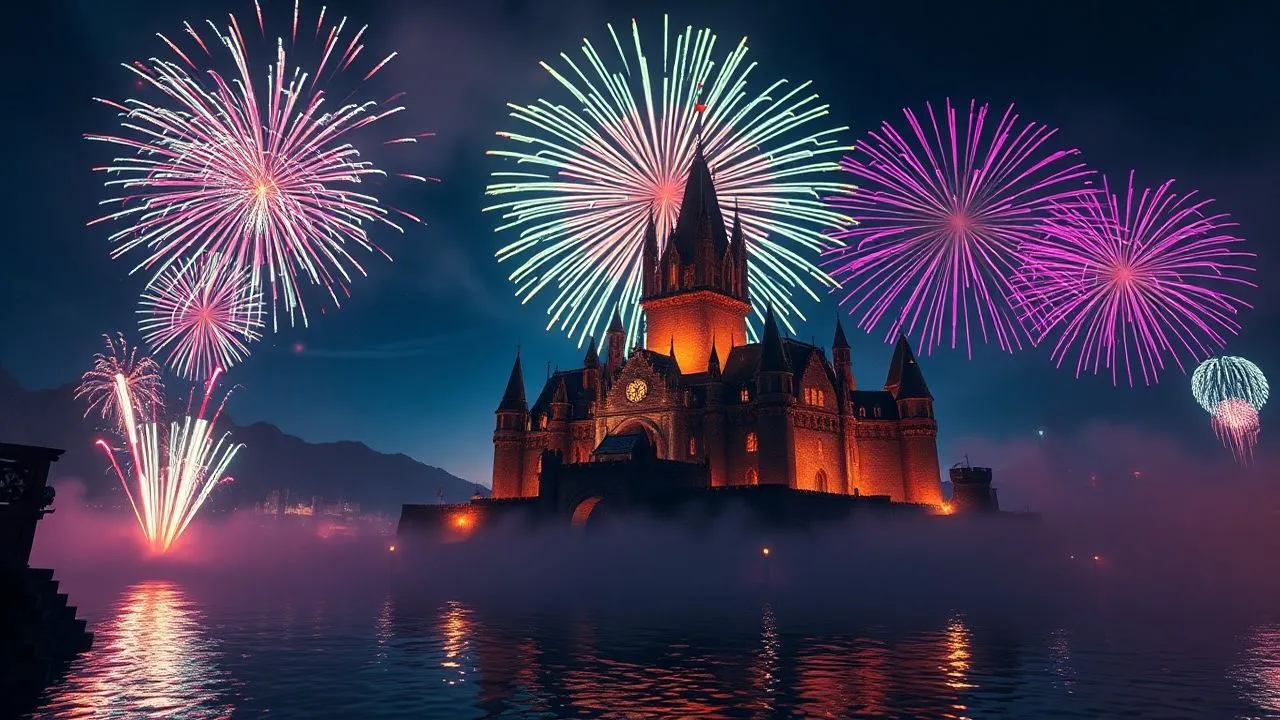
In the vast and dynamic universe of Minecraft, which in the course of this 2026 has continued to amaze millions of users with ever more immersive updates, the ability to celebrate its own goals has become an art itself. Many players, after completing the construction of a majestic fortress or defeating the Ender Dragon, feel the desire to mark the event with something visually stunning. Learning how to make fireworks on Minecraft it is not only a question of aesthetics, but represents the culmination of a crafting path that requires precision, patience and a good dose of creativity. Whether you're playing on the historic Java version or the versatile Bedrock Edition, the pyrotechnic system offered by Mojang is surprisingly deep and allows you to generate thousands of different color and structural combinations. In this technical and creative guide, we will explore every single step necessary to transform simple raw materials into bursts of light that will illuminate the night sky of your digital worlds. From gunpowder collection to advanced coloring management, we will analyze how each ingredient affects the height, duration and shape of the explosion, ensuring full control over your personal show. Prepare to discover the secrets of master craftsmen and to elevate your gaming experience to a higher level, using official tools and, for those who want to dare, the most cutting edge mods available today on the market.
Crafting bases: how to get the necessary materials
Where to find gunpowder and paper
The first fundamental step to approach the world of pyrotechnics in Minecraft is to find the two basic materials: gunpowder and paper. The gunpowder is the essential propellant and explosive element; in 2026, the most common method to obtain it remains the hunt for the Creepers. These iconic green monsters, if defeated before they explode, can release up to two units of dust. To maximize yield, it is highly recommended to use an enchanted sword with looting (Looting) III, which can dramatically increase the number of objects obtained. Alternatively, the Ghast in the Nether are a valid source, although more dangerous, while the treasure chests in the desert pyramids or dungeons often offer generous supplies without requiring direct combat. Many experienced players prefer to build automated mob-based farms to have an endless supply of this valuable ingredient.
The paper, on the other hand, acts as a wrap for our minecraft pyrotechnic rockets. It is easily obtained by working the sugar cane, a plant that grows spontaneously near the water mirrors in almost all biomes. To create the paper, you need to place three horizontal online sugar cane units inside the workbench, thus obtaining three sheets of paper. Since a successful pyrotechnic show requires hundreds of rockets, the professional advice is to start intensive cultivation of sugar cane near its base. Using bone powder to accelerate growth, you can accumulate paper stacks in no time, ensuring you never stay short during the most popular stages of preparing your celebratory event.
Get natural colorants for vivid explosions
Without the color, the fireworks would be simple gray explosions and little exciting. The Minecraft tincture system is extremely varied and allows you to draw directly from nature to customize each spark. Primary dyes are mainly obtained from flowers: poppy or red tulip for red, lion tooth or sunflower for yellow, and the cornflower for blue. Other colors require slightly more complex processing processes, such as cactus cooking in the furnace to obtain green or use of lapislazzuli for a deeper blue hue. In 2026, the introduction of new biomes facilitated the discovery of rare color variations, making the search for pigments a real botanical exploration.
Once you get the basic colors, you can combine them in the workbench to create intermediate shades, such as orange (red + yellow), purple (red + blue) or pink (red + bone powder). This flexibility is essential when you want to learn how to make colorful fireworks on Minecraft, as it allows to coordinate explosion colors with the theme of its construction or with the flag of its faction in multiplayer servers. Remember that the visual quality of your show will largely depend on the variety of colors you can produce; therefore, do not limit yourself to the primary colors, but experience bold mixes to amaze your viewers with smooth and unexpected color transitions during air detonations.
Create the pyrotechnic star: the heart of the explosion
Crafting recipes for simple and foamed stars
The pyrotechnic star is the technical object that determines the visual aspect of the firework. Without it, the rocket will simply fly upwards without producing any light at the time of detonation. To make a basic star, you need to combine a gunpowder unit with at least one colorant in the workbench. The position of objects in the crafting grid is not binding, which makes the process very intuitive. However, the real magic happens when adding more colorants simultaneously: it is possible to insert up to eight different colors in a single star to obtain a multicolor explosion. This allows to create rainbow effects or specific combinations, such as the tricolor, with a single rocket.
An advanced make-up to make your own fireworks even more spectacular is the addition of a nuance (fade effect). After creating your pyrotechnic star, you can put it back in the workbench and add another dye (or more than one). This instructs the game to change the color of the particles during the explosion: for example, a star created initially in blue with a red shade will begin its detonation with blue sparks that will gradually turn towards the Crimson before vanishing. This technique adds an incredible film depth and allows to simulate the real professional pyrotechnic shows, where chromatic dynamism is essential to keep the attention of the public high.
Special effects and explosion forms
In addition to the color, you can radically change the shape of the explosion by adding special ingredients during the creation of the pyrotechnic star. Minecraft offers different options that change the particle pattern, allowing you to switch from a classic ball to more elaborate configurations. Here are some of the most popular additives you can use to customize your star crafting:
- Gold pepper: gives the explosion a very defined star shape.
- Head of any mob: it creates an explosion that follows the shape of a Creeper (very suggestive for themed celebrations).
- Feather: it produces a "split" explosion (burst), with particles that disperse asymmetrically.
- Fire charge: generates a much larger and noisy explosion than the standard one.
- Luminitis powder: adds a spark effect (twinkle) to particles after detonation.
- Diamond: creates a ski effect (trail) that leaves long luminous lines in the sky during the expansion of colors.
It is important to note that it is possible to combine a shape modifier (such as the golden pepper) with an effect modifier (such as the luminite powder) in the same pyrotechnic star. However, you cannot use two form modifiers simultaneously. This limitation prompts the player to carefully plan their pyrotechnic arsenal, alternating rockets with different forms to create a varied choreography. The use of diamond and luminitis is particularly appreciated in competitive servers to mark its superiority, since they are expensive materials that immediately communicate the prestige and wealth of the creator of the show.
Assemble the pyrotechnic rocket for perfect launch
Combine paper and gunpowder in the workbench
Once you get your precious pyrotechnic stars, it is time to assemble the vehicle that will take them to the sky: the pyrotechnic rocket. The final crafting requires a sheet of paper, at least one unit of gunpowder and the star (or stars) you have previously prepared. By inserting these ingredients into the counter, you will get three rockets. A fundamental technical aspect concerns the amount of gunpowder used for propulsion: you can decide to insert one, two or three units of powder to determine the “Duration of Flight”. A rocket with only one unit of dust will explode at a reduced height, while one with three units will reach the clouds before activating.
This distinction is vital for those who want to plan a fireworks show Minecraft multi-level. Using rockets with different flight times, you can make several explosions happen at the same time at staggered heights, filling the entire field of viewers’ vision. In addition, you can insert multiple pyrotechnic stars into a single rocket (up to seven, if you only use a dust unit and a card). This will cause the rocket to produce more contemporary explosions at the same point, creating a dense and saturated color effect that is impossible to achieve with a single star. Testing in positioning and dosing powder is what distinguishes a beginner from a real expert in the industry.
Set flight duration and height
Managing the height of the fireworks is fundamental not only for aesthetics, but also for safety and visibility. If you’re launching your fireworks in a densely wooded area or close to very high structures, the use of rockets with duration of flight 3 is mandatory to prevent the explosion from being covered by the trees or roofs. On the contrary, if you want to create a “tape” effect of lights near the ground or water, the duration 1 is the ideal choice. In Minecraft, each gunpowder unit added to the rocket increases the flight time by about a second, which results in a difference of dozens of blocks vertically.
Another often neglected detail concerns the use of rockets for flight with Elitre (Elytra). Although pyrotechnic rockets are the main tool to fly in 2026, it is good to remember that only the rockets made without pyrotechnic star are sure for this purpose. If you try to push yourself with a rocket containing a star, you will suffer explosion damage as soon as the propellant gets exhausted. Therefore, when you prepare your inventory, make sure to clearly separate the show rockets from those from transport, maybe rename them in a nightmare to avoid unpleasant accidents during your aerial performances or your fast movements among biomes.
Differences between Minecraft Java and Bedrock Edition
Name and translations management in the two versions
Despite Minecraft trying to maintain equality between its main versions, there are still subtle terminological differences that can confuse players passing from Java Edition to the Bedrock Edition (available on consoles, mobile and Windows 10/11). In the Java version, objects are commonly called “pirotechnical star” and “pirotechnic tape”. In the Bedrock Edition, you can often find the terms “Stella d’artificio” and “Razzo d’artificio”. This discrepancy is also reflected in the Creative Mode search menus, where it is important to type the correct term to quickly find the necessary items without losing precious time.
Another significant difference lies in the crafting interface and color management. While on Java the nuances system is very flexible and allows almost endless combinations through the use of the workbench, on Bedrock the process is sometimes more rigid in the preview display. However, the Bedrock Edition excels in performance management: managing hundreds of particles of fireworks on Minecraft simultaneously tends to be more fluid on less powerful devices thanks to the optimization of the C++ game engine. If you plan to organize a massive show on a cross-play server, take into account these differences to ensure that all participants, regardless of their platform, can enjoy the show without excessive lag.
Compatibility and performance of visual effects
Graphic performance is a determining factor when talking about fireworks. Each explosion generates hundreds of particle entities that must be rendered in real time. In the Java version, especially if you use shaders or high-resolution texture packages, excess rockets can cause drastic frame rate drops (FPS). In 2026, tools such as Sodium or Iris became the standard to mitigate these problems, allowing PC players to manage complex shows without slowing down. It is always advisable to test your choreography in a test world before performing it in a public event to check the seal of the graphic engine.
On the other hand, the Bedrock Edition manages the particles slightly differently, often reducing the rendering distance of the particles to preserve the fluidity. This means that if your viewers are too far from the launch point, they may not see explosions at all or see them with a reduced quality. To overcome this problem, it is recommended to place the observation areas within a radius of 64-128 blocks from the center of the show. Also, keep in mind that some of the exclusive Behavior Packs (Behavior Packs) mods or behavior packages for Bedrock may alter fire behaviour, so always check compatibility before adding unofficial items to your game.
Advanced shows: mod and external customizations
Install the Super Firework mod with Forge
For Minecraft purists, Vanilla options may seem limited after some time. This is where the modder community comes into play, which in 2026 reached incredible peaks of excellence. One of the most popular solutions to expand the pyrotechnic system is the “Super Firework” mod. This mod removes the technical limits of the basic game, allowing to create explosions of colossal dimensions, with thousands of particles and complex geometric shapes that go beyond the simple star or face of the Creeper. To install it, the first step is to have Minecraft Forge or Fabric, the most popular mod chargers acting as a bridge between the game code and additional content.
Once you download the .jar file from secure sources such as CurseForge or Modrinth, you simply need to insert it into the “mods” folder within the Minecraft main directory (accessible by typing %appdata% on Windows). After restarting the launcher and selecting the Forge profile, you will have access to an infinity of new commands and objects. The Super Firework mod, in particular, introduces a visual editor that allows you to literally draw the explosion pattern, deciding the speed of expansion and gravity acting on particles. This level of control transforms Minecraft into a real professional pyrotechnic simulation software, ideal for content creators and machinima directors.
Use commands to summon giant fires
If you do not want to install mod but still want something more powerful than standard crafting, the game commands are your best allies. Using the command /summon, you can generate rockets with custom parameters (NBT tags) that exceed the counter restrictions. For example, you can create a rocket that flies for 10 seconds or contains 50 simultaneous explosions. Here are some parameters that you can manipulate by command line:
- Explosions: a detailed list of each deflagration contained in the rocket.
- Colors: decimal codes for precise colors that do not exist as basic dyes.
- Type: whole numbers that define unconventional forms.
- LifeTime: millimeter control over the time between launch and explosion.
"The use of advanced controls for fireworks allows to overcome the barrier of physical creativity, transforming the code into pure visual light. "
The use of command blocks (Command Blocks) also allows automation of whole sequences. Imagine pressing a single button and activate a set of commands /summon synchronized with a Redstone timer. This approach is used in the most famous adventure maps and large servers to celebrate holidays such as the New Year or the anniversary of the server. Mastering the syntax of commands takes time, but the results are incomparably higher than any manual crafting method, making your fireworks show Minecraft a memorable event for anyone who has the fortune to assist you.
Tips for a professional pyrotechnic display
Use Redstone distributors and circuits
To achieve a real show that does not require the player to frenetically click on the ground, the automation through Redstone is indispensable. The key component is the Distributor (Dispenser). When a distributor receives a Redstone signal, it automatically launches the rocket contained within it in the direction it is addressed. By placing several distributors up and connecting them to a repeater circuit (Redstone Repeaters), you can create timed sequences. For example, you can make a row of fires start from left to right, or that different color groups explode at regular intervals of half a second.
An even more advanced system involves the use of Observers (Observers) and comparisons to create complex loops. In 2026, the art of Redstone evolved to the point that there are external programs that convert MIDI music files into Redstone signals for Minecraft. This allows you to create pyrotechnic shows perfectly synchronized with your favorite music, where each battery beat corresponds to an explosion in the sky. Even if you are not a Redstone engineer, starting with a simple repeater watch is the best way to give rhythm to your performance and enjoy the show along with your friends without having to manually manage the launch of each single rocket.
Synchronize music and lights in the game
The atmosphere of a fireworks show is complemented by audio. In addition to the predefined sounds of explosions, you can integrate the known blocks (Note Blocks) into your Redstone circuit to add accompanying melody. Synchronization requires precision: a repeater set to a four tick delay corresponds to a tenth of a second. By aligning the signals that activate the distributors with those that activate the known blocks, you can create a multisensory experience. Many professional servers also use customised resources packages (Resource Packs) to change the sound of explosions, making them more realistic or adding environmental echoes that increase immersion.
In addition to music, consider ambient lighting. A completely black sky is the ideal canvas, but the addition of strobe lights on the ground (obtained with Redstone lamps that flash quickly) can simulate the reflections of the show on the surrounding structures. If your show happens near the water, the effect will be doubled thanks to the natural reflections of the game engine. Remember that in Minecraft the beauty of an event is not only in the explosion itself, but in how it interacts with the world you have built. Care of these details will transform a simple proof of crafting fireworks in a real work of digital art that will remain imprinted in the memory of your community.
- Plan the chromatic theme based on the occasion (e.g. gold and white for a wedding, red and green for Christmas).
- Build a secure launch platform, preferably away from flammable wooden structures if you use mod that add real fire.
- Load the distributors with a mix of rockets at different flight duration to fill the vertical space.
- Always carry out a single rocket test for each type to check the visual effect before the grand finale.
Frequently asked questions
How can I increase the size of the explosion?
To increase the size of the explosion of a firework in Minecraft without using mod, you must necessarily use the ingredient “Fire Charge” during the creation of the pyrotechnic star. The fire charge transforms the standard explosion into a “Large Ball”, which has a much larger visual range and a deeper sound. It is ideal for the highlights of your show, especially when combined with bright colors such as yellow or white, since it fills most of the player's screen, creating a very powerful and professional visual impact.
Is it possible to make fireworks that do not explode?
Yes, it is absolutely possible and indeed, it is the standard procedure for creating propellant rockets. If you assemble a rocket using only paper and gunpowder, without adding any pyrotechnic star, you will get a rocket that will fly upwards by emitting a smoke trail, but that will simply disappear once it reaches its maximum height without producing any colored detonation. These rockets are fundamental for flying with the Elitres, since they do not inflict damage to the player at the end of their thrust, making them the preferred travel tool to explore the great distances of the Minecraft worlds.
How many colors can I put in a single firework?
The Minecraft crafting system is incredibly generous: you can insert up to eight different colors in the initial phase of creation of the pyrotechnic star. This will create a multicolor explosion where each particle takes on one of the chosen colors. Also, as explained in the guide, you can add eight more colors for the shade effect (fade) by placing the star in the workbench. This means that technically a single rocket can manage a transition between 16 different shades, allowing extremely complex creations that vary chromatically during the few seconds of their air existence.
Why do my fireworks do little damage to the mob?
The fireworks on Minecraft were not born as primary weapons, but still inflict explosion damage if they contain a pyrotechnic star. The damage depends on the number of stars inserted in the rocket: the more stars add (up to a maximum of seven), the greater the damage inflicted on entities close to the detonation point. However, the scope is limited and the timing required to hit an enemy on flight or on the ground is very difficult to manage. To use them offensively, it is better to load them into a crossbow, which allows to shoot them horizontally with great precision, turning them into explosive bullets very fun to use in PvP fights.
Can I find ready fireworks in the game world?
Unlike many other objects, fireworks are not naturally generated in treasure chests or villages. The only way to get them is through manual crafting, use of commands or purchase through the Marketplace in the Bedrock Edition, where they are often included in celebratory theme worlds. This makes fireworks a prestigious object, since their presence always indicates that a player took the time to collect the materials and assemble them. Even street merchants rarely offer them, so get ready to get your hands dirty with gunpowder if you want to light up your skies.
In conclusion, mastering the art of how to make fireworks on Minecraft represents a fundamental step for every player who wishes to fully experience the sandbox experience offered by Mojang in this 2026. We have seen how the combination of simple elements such as paper and gunpowder, enriched by the color variety of dyes and the special effects of rare materials, can give life to celestial choreography of rare beauty. Whether you choose the way of traditional crafting, complex automation with Redstone or creative expansion offered by mods, the limit is just your imagination. Now that you have all the necessary technical knowledge, you just have to collect the materials, experiment new combinations in your workbench and prepare your next big event. Bring your friends to your world, wait for the night and the beginning of the show: Minecraft's sky waits for nothing but to be painted by your pyrotechnic creations. Discover how to make every moment unique and read the guide to deepen every technical detail!


