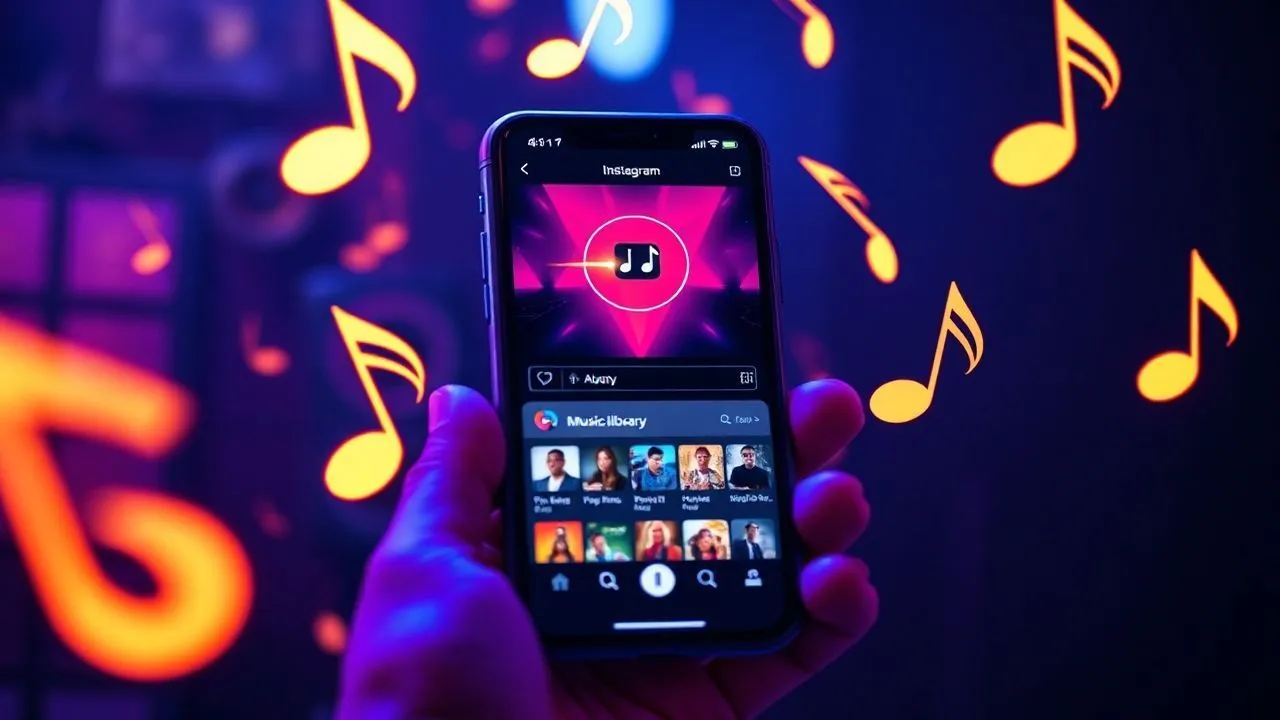
In the 2026 digital scene, the sound component has become the key element for the success of any content marketing strategy on social networks. Understand how put music on Instagram it is no longer just a curiosity for amateur users, but a fundamental competence for creators, influencers and companies who wish to scale Meta algorithm ratings. Music has the extraordinary power to transform a simple static image into a multisensory experience capable of capturing the user’s attention in the first three seconds of viewing, the decisive ones to avoid compulsive scrolling. In recent years, Instagram has implemented increasingly refined instruments, integrating artificial intelligence to suggest songs in line with the visual mood and allowing unprecedented sound customization ranging from Stories to feed posts, to private messages and profile Notes. In this advanced technological context, where sound quality and perfect synchronization between audio and video define the professionalism of a content, it is essential to master every single function offered by the platform. This in-depth guide will accompany you through the meanders of Instagram settings, unveiling your secrets to upload tracks, managing copyrights and optimizing your publication with the ideal soundtrack, ensuring a modern, dynamic and deeply engaging online presence for your audience.
How to add songs to Instagram Stories
Use the official music sticker for Stories
Stories represent the most dynamic and immediate format to interact with their followers, and the addition of a musical track is the fastest way to communicate a mood or emphasize a particular moment of the day. To get started, open the Instagram application on your device and start creating a new story by swipe right or touching the camera icon. After taking a photo or recording a video, or uploading a content from your gallery, tap the adhesive icon at the top of the screen. In the sticker menu, select the Music item. It will open a wide digital library divided by categories, trends and musical genres, constantly updated with the latest hits of 2026. You can browse the suggested songs or use the search bar to find a specific song by entering the title or name of the artist. Once you have selected the track, Instagram will allow you to choose the exact segment of the track to play, with a duration that usually varies between 5 and 15 seconds, perfect to adapt to the rhythm of your visual content.
Visual customization and tricks for music sticker
Once you choose the song, Instagram offers different viewing options that can aesthetically enrich your Story. You can decide to show the lyrics of the song that runs in real time, choosing between fonts and animation styles, or opt for a more minimalist format that simply shows the album cover and the artist’s information. The editing interface allows you to change the color of the text or the music label using the color palette located above, allowing you to perfectly coordinate the audio with the predominant colors of your image or video. If you prefer music to be present, but you don’t want any graphic element to disturb the cleanliness of your content, you can shred the musical sticker with your fingers until you make it almost invisible, or drag it out of the edge of the screen. In this way, the user can enjoy the sound background without visual distractions. Remember that choosing the right music can dramatically increase user stay on your History, bringing Instagram algorithm to consider your content as highly relevant and show them more frequently in the top bar of your followers.
- Open the Stories editor and select the Music Sticker.
- Look for the ideal track by filtering by genre, mood or text search.
- Synchronize the preferred audio segment by acting on the timebar.
- Choose display style: dynamic text, label or invisible mode.
- Publish content to activate automatic playback at opening.
Insert a soundtrack into Feed Posts
How to choose the perfect track for static photos
The introduction of the possibility of adding music to the static feed posts has revolutionized the way we perceive images on Instagram. Now, a single photograph or a carousel of shots can be accompanied by a sound atmosphere that amplifies its meaning. To proceed, start creating a new post by pressing the (+) icon and select the images you want to publish. After applying any filters or editing changes, you will arrive at the final screen before publication, where you will find the Add Music option. By touching this item, you will have access to the same global library available for Stories. The challenge here is to select a track that does not override the image but which becomes its natural completion. In 2026, the use of ambient or lo-fi tracks has become extremely popular for lifestyle posts, while brands prefer more exciting rhythms to present new products. It is essential to listen to different previews before confirming the choice, ensuring that the start of the audio loop is smooth and is not annoying for those who flows the feed in silent mode and decides to activate the audio right on your post.
Technical management of volume and duration in classical posts
Unlike Stories, music in feed posts has a slightly different management regarding duration and repetition. When you add a song to a single image, Instagram allows you to define the duration of the sound clip, which is usually set by default on 30 seconds, but can be shortened or elongated according to your preferences. It is important to note that the audio will start automatically as soon as the user displays the post, unless the device is in “mute” mode. A winning strategy is to use the time selector to make music begin with the chorus or a particularly iconic stanza that can be recognized immediately by the public. In addition, if you are creating a post carousel, music will accompany the scrolling of all photos, maintaining a sound consistency throughout the user experience. This function is particularly useful for professional photographers or travel bloggers who want to convey the energy of a specific place not only through pixels, but also through sound vibrations typical of that geographical or cultural context.
- Select one or more photos from your gallery to create a new post.
- Proceed to the caption configuration screen.
- Tap on Add music and browse songs in trend or saved.
- Adjusts the duration of the clip (up to 90 seconds for standard posts).
- Check the final preview to ensure that the audio is synced.
- Press Share to make the post visible on your profile.
Create Viral Reel with Instagram Audio Library
Automatic synchronization and advanced editing tools
I Reel are the heart of Instagram entertainment in 2026 and the music is the DNA. Without the right audio, a Reel struggles to become viral, as the algorithm rewards content using trend audio tracks. When you open the Reel editor, you will find the music note icon on the left side of the screen. Here you can not only choose a track, but also see how many other Reel were created with that specific track, a key indicator to understand if an audio is climbing the popularity charts. One of the most powerful features introduced recently is automatic synchronization: Once selected the music, Instagram can suggest the best cuts for your videos so that each transition takes place exactly on the beat of the track. This level of professional editing, once reserved for those who used complex computer software, is now accessible to all directly from the smartphone, allowing you to create touchy and engaging videos in a few touches. The millimeter accuracy between image and sound is what distinguishes a mediocre content from one intended to end in the Explore section.
Add more audio tracks and manage voiceover
The creative complexity of the Reel in 2026 allows to go beyond the use of a single song. The most experienced users use the multi-track function to overlay different sound elements, such as a background music base and a voiceover. To do this, after adding your video and main music, enter the Edit video section and select the Audio tool. Here you can record your voice directly over the music track, adjusting volumes independently. It is advisable to lower the volume of the music to 10-15% when the voice is active, then raise it in moments of pause or visual transition. In addition, you can add special sound effects (SFX) to emphasise certain steps, such as applause, transition sound or ambient noise. This sound stratification gives the Reel a film depth that captures the user at a deeper psychological level. Always remember to save the original audio if you create something unique, since other users might decide to use it for their Reel, citing you as an original author and exponentially increasing your visibility on the platform.
Music in the Reel is not only a background, it is the engine of narration. Using original audio or trend tracks can determine the success or failure of a modern video marketing strategy.
Share music in Direct Messages and Notes
Send musical suggestions in private chat
Music is also a powerful private socialization tool. Instagram allows you to share music songs directly within direct messages (DM), transforming the chat into a kind of shared jukebox between friends or colleagues. If you hear a song that you like while you tap someone’s Stories or Reels, you can tap the track’s title and select the paper airplane icon to send it to a specific contact. Alternatively, within an open conversation, you can tap the camera or sticker icon and select the Music sticker to send a personalized sound clip. This function is ideal for sharing musical discoveries, making special dedications or simply starting a conversation based on common tastes. In 2026, the integration with the main music streaming services is even smoother, allowing the recipient of the message to listen to a preview of 30 seconds directly in Instagram and to be redirected to the external app for full listening of the song with a simple touch.
Use music in the Notes to express your mood
Instagram Notes, those short text messages that appear above the profile picture in the Messages section, received a significant update that includes music integration. Now you can attach a fragment of a song to your text, creating a sort of “mood of the day” sound that your contacts can simply listen to by touching your bubble. For put music on Instagram in the Notes, click on your profile picture in the Messages section and, in addition to writing the text, tap the music note icon. Choose the track that best represents your current mood and confirms your selection. This function is extremely popular between Generation Z and the new users of 2026, as it allows a form of non-invasive but very communicative expression. Music in the Notes lasts 24 hours, just like the Stories, and represents a discreet way to let your friends know what you are listening to or what vibrations you want to convey at that time of the day.
- Access the Notes section above the list of your direct messages.
- Tap the music icon to open the library of songs available.
- Select a 30-second clip that represents your mood.
- Add a text or emoji to complete your status message.
- Your friends can listen to the track by clicking on your Note.
Customize profile and notes with music
Add a fixed song to personal profile
One of the most anticipated and finally consolidated functions in 2026 is the possibility to insert a fixed song in the biography of your Instagram profile. This option recalls with nostalgia the old social networks of the years 2000, but with modern technology and audio quality. To set the music on your profile, go to your main page and tap the Edit Profile button. Browse the various options until you find the Music item. Here you can choose a track that will be displayed under your biography and that visitors can play manually. This choice should not be casual: the profile song acts as a real sound card. A professional could choose a motivating song or an original composition, while a musician will use this space to promote his last single. It is important to remember that, unlike Stories, this music does not start automatically, thus respecting the user experience that consciously decides to interact with your “factory risk” sound.
How to change or remove the track
Flexibility is fundamental in managing your digital identity. If you decide that the song you choose for your profile no longer represents you or if you want to update it based on a new record release, the process is extremely simple. Return to the Edit Profile section and click on the title of the currently set track. You will have the opportunity to completely remove music or replace it by looking for a new title in the library. Many creators change profile music weekly to keep their account fresh and dynamic, often coordinating sound choice with the aesthetics of the latest photos published in the feed. In 2026, Instagram also introduced the possibility to see music listening statistics in the profile, allowing you to understand how many people have actually clicked on the play to listen to your personal soundtrack. This data can be an interesting indicator of how much your profile is able to intrigue new visitors and push them to a deeper interaction.
- Go to your Instagram profile and select Edit Profile.
- Search the Music section located under the Bio settings.
- Choose a track that reflects your personality or brand.
- Define the 30-second segment that users can listen to.
- Save changes to make the song visible publicly.
- Update the track periodically to keep the profile interesting.
Advanced solutions for business accounts and creators
Limitations of commercial music library and copyright
Business accounts on Instagram face different challenges than private users when it comes to put music on Instagram. Due to strict copyright and licensing agreements between Meta and record labels, business profiles often have access to a limited library called Commercial Audio Library. This collection includes thousands of songs and sound effects that are pre-authorized for commercial use, thus avoiding brand reporting for copyright infringement or their content being removed. It is a common mistake for companies to try to use hits of the moment that are only available for personal profiles: doing so can lead to penalties that limit the visibility of the account. In 2026, the distinction between creator licenses and business licenses has become even more defined, but the quality of commercial music has improved dramatically, offering high quality traces produced specifically for social media marketing campaigns.
Use Meta Business Suite to program audio from PC
For professionals who manage social presence from desktop, Meta Business Suite is the indispensable tool for content programming. Through this platform, you can upload videos and program Reel and posts by including music directly from your computer. A particularly useful function for companies is the ability to upload original audio files, of which the rights are held, to create a unique sound signature for the brand. Within Business Suite, you will find a section dedicated to Audio Collection, where you can download free songs to use when editing your videos before loading. This professional approach allows for greater control over audio-video synchronization than editing done quickly by smartphone. In addition, the suite offers advanced analytics tools to monitor which sound tracks generate the largest number of rescues and sharings, allowing you to hone the sound strategy over time based on certain data and not only on creative intuition.
The success of a brand on Instagram passes through legality and coherence. Using the commercial library is not a limit, but a guarantee of professionalism and longevity of your account.
Frequently asked questions
Why don't I find some songs in the Instagram library?
If you cannot find a specific track, the reasons can be multiple and vary according to the type of account. Business accounts, for commercial licensing issues, have access to a reduced catalog compared to personal profiles. In addition, some songs may not be available in certain geographical areas due to regional restrictions imposed by record companies. Finally, it is possible that the artist has not yet authorized Meta to distribute the track on the platform or that there are temporary problems of updating the world database in 2026.
Can I upload my MP3 files directly from your smartphone?
At the moment, Instagram does not allow direct upload of personal MP3 files via music sticker for reasons related to copyright protection. However, you can use external video editing apps to mount your video by including your custom audio track. Once uploaded the video as Reel, Instagram will recognize the audio as Audio Originale. If your account is public, other users may reuse your audio, unless you decide to limit its use in the privacy settings of the content.
How do you put music on Instagram from your computer?
Putting music from PC is possible mainly through Meta Business Suite or the web version of Instagram regarding simple posts. For Reel, the most effective method is to use the internal editor of Business Suite that allows you to browse the commercial audio library and sync it to the video loaded from your hard drive. Although mobile experience remains the most complete, desktop tools have been greatly enhanced in 2026 to allow social media managers to work accurately on large-scale campaigns.
Does post music affect algorithmic visibility?
Absolutely. The Instagram algorithm in 2026 assigns a more relevant score to content that uses trendy audio tracks or original audio that generate interactions. Using a popular song increases the likelihood that your content appears in the Explore section or in the audio feed dedicated to that specific song. Choosing the right music is not only an aesthetic issue, but a real SEO tactic to increase the organic reach of your posts and reach new potential followers.
Why does music stop after a few seconds in stories?
Music in stories has a maximum length of 15 seconds for each single slide. If your story is made up of a longer video, Instagram will automatically split the video into multiple segments and you will need to ensure that the music is properly applied to each of them. If you experience anomalous interruptions, it may be an app cache problem or an unstable internet connection that prevents full upload of the audio stream. Try updating the app to the latest version available in 2026 or restarting the device.
In conclusion, learn to put music on Instagram strategically it is one of the most valuable skills for anyone who wants to communicate effectively in 2026. We have seen how every section of the social network offers unique opportunities, from Stories to Reel, to the customization of profile and Notes. Music is not only an accessory, but a universal language that lowers barriers and connects people to an emotional level. Experience with different genres, keep an eye on global trends and don’t be afraid to create your original audio to stand out from the mass. If you want to further deepen your digital skills and discover new tricks to scale social rankings, keep following our updated guides. Start now to sound your content and watch your engagement levels grow exponentially: your next viral hit awaits you. Learn how to transform your profile today!


