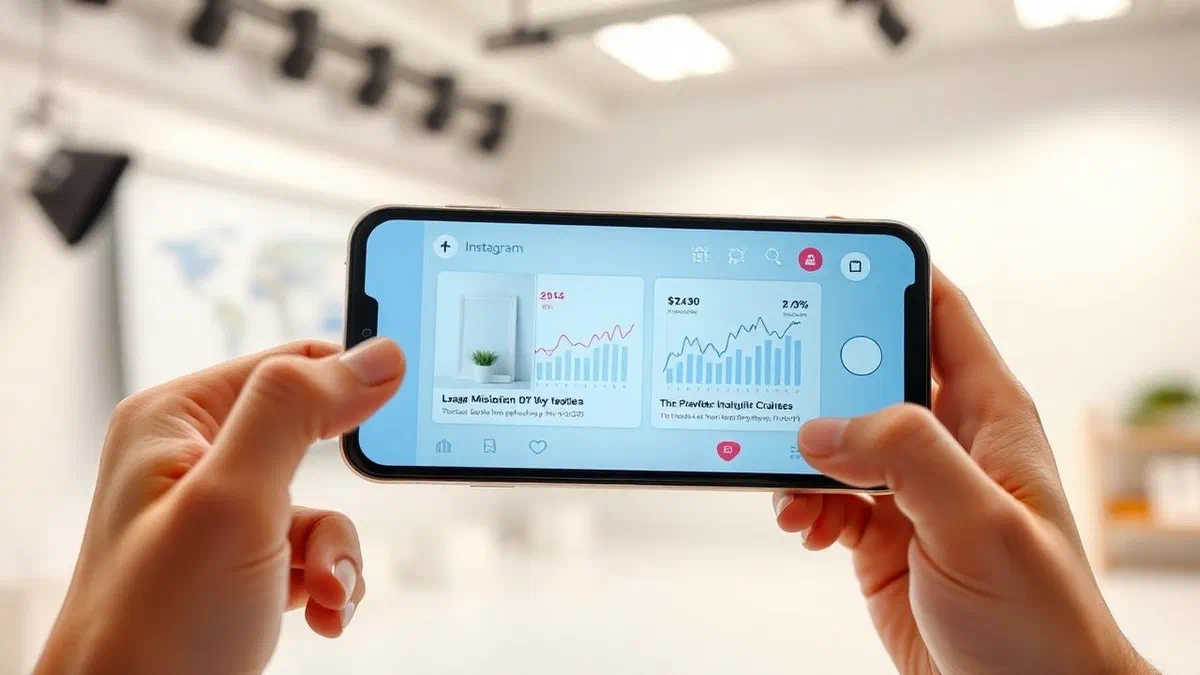
Understanding how to see who displays videos on instagram has become one of the main priorities for anyone who wants to manage their digital presence strategically and consciously. in recent years, the platform owned by the meta group has undergone a radical transformation, moving the focus of users’ attention from classic static photographs to dynamic and engaging content such as reels and feed videos. this evolution has generated increasing curiosity both in common users, eager to know who interacts with their personal content, both in creators and in companies that need precise data to measure the success of their marketing campaigns. however, there is a clear distinction between what instagram allows you to know in terms of privacy and what users would actually want to discover. while for stories you can see the exact list of names of those who viewed the content, for videos published in the feed and for the reels the situation is different. in this comprehensive guide, we will explore every technical and methodological aspect to monitor your views, analyzing the official tools made available by the application and clarifying once and for all what information is accessible and which, instead, remain protected by instagram data confidentiality policies.
How to see who watches instagram videos on android and iphone #
Detailed steps for official mobile application #
If you use an android smartphone or an iphone, the procedure to monitor the views of your videos is extremely fast but requires a clear understanding of the user interface. to start, open the instagram application and make sure you have access to your personal or business profile. once in the main screen, tap the icon of your profile located in the lower right corner to access your content bulletin board. scroll among the various posts you have published until you locate the video you want to know about. once you open the full-screen video, you will notice that under the video, right next to the icons for the “like”, the comments and sending it by direct message, there is a numeric counter. this number represents the total of the unique and repeated views that your content has accumulated since its publication. touching that number, instagram will show you a summary screen where you can see not only the total count of the views, but also the list of people who have expressed their appreciation by clicking on the heart, that is the “likes”.
It is essential to emphasize that, unlike stories, instagram does not provide a name list of each individual user who simply watched the video without interacting. this is a deliberate choice linked to the privacy of users who surf the platform. when you ask yourself how to see those who view videos on instagram, you must accept that the system will return you a quantitative data (many people) and not necessarily a complete qualitative data (who exactly, unless they have put like). this distinction is essential not to fall victim to misleading applications that promise features not provided by official social network apis. to maximize your understanding of the audience, you should focus on analysis of the engagement rate, i.e. the relationship between who viewed the video and who actually performed an action, such as leaving a comment or saving the post in their personal collections, actions that are fully traceable and visible through standard notifications of the mobile application on both operating systems.
Differences between classic posts and reels in the app #
Navigation within the instagram app can confuse less experienced users due to the separation between videos published as standard post and reels. classic videos, which are often automatically converted to reel format from the system, still maintain their visual logic in the main feed. for these contents, the display count is immediately visible under the caption. if we are specifically talking about a reel, you will have to go to the reels tab on your profile, marked by the cinematographic ciak icon. here, every miniature of the video already shows a number accompanied by the icon of a triangle (play), which instantly indicates how many times that content has been reproduced. this data is public, which means that even your followers or visitors of your profile can see how many views you have obtained a certain reel, adding a social proof level to the quality of your creative work.
To deepen the analysis of a specific reel, you can open it and click on the three dots at the bottom right, then selecting the insights voice. in this section, instagram offers a much more detailed overview than the simple feed posts. you will observe total playback time, average viewing time and even the exact time when users tend to abandon the video view. this data is crucial for those who want to understand how to see those who view instagram videos strategically: you don’t need to know the name of “mario rossi”, but you need to know that 50% of your audience stops looking after 5 seconds. this information allows you to adjust the shooting, improving the initial hook of your videos and increasing the retention of spectators. remember that the display is counted after a few milliseconds of reproduction, so a high number of views does not always coincide with a high interest if the average viewing time is extremely low.
Monitor video views from pc and web #
Use of desktop browser for data control #
Many social media management professionals prefer to use the instagram web version to monitor content performance, as it offers a wider and less distracted view than the smartphone. to see how many views he got a computer video, you have to connect to the official instagram site and login. once you enter your profile, the procedure is similar to the mobile one but with some structural differences. by passing the mouse pointer over the thumbnails of the videos present in your grill, you will see the number of views and the number of comments appear in the over impression. if you click on the video to open it in a modal window, the view count will appear under the comment section, next to the indication of the time spent by posting. this method is especially useful for those who have to make quick reporting without having to interact continuously with the touch screen of the phone.
Despite the convenience of the pc, it should be noted that some advanced analysis functions could be limited to the mobile version, unless you use the meta business suite tool. however, for a quick consultation of how to see who view videos on instagram intended as traffic volume, the desktop browser remains an excellent solution. it is important to note that on pc automatic video playback may slightly affect the way you perceive metrics, but the instagram server counts views in the same unique way regardless of the device used. in addition, if the video is part of a carousel, the statistics may be displayed in an aggregate or specific way for the video slide, requiring greater attention in reading the numbers displayed next to the play icon. the stability of the desktop connection also allows you to load previews of views faster or longer-lasting videos.
Windows and advanced monitoring tools #
For users using the official instagram application for windows downloadable from the microsoft store, the experience is almost identical to that of the website but with a better integration of system notifications. through this app, you can navigate the “video” section of your profile and monitor in real time the increase of views. this is particularly useful during the first hours after loading a content, the so-called “golden period” where the algorithm decides the organic push to give to the post. also in this case, you cannot trace the names of individual anonymous viewers, but you will have a clear overview of how the video is performing compared to your previous content. the windows application also allows you to manage multitasking more easily, allowing you to keep an eye on statistics while working on other documents or video editing software.
An interesting aspect of pc monitoring concerns the possibility of using third-party analytics tools (which do not require password but analyze public data) to compare their views with those of competitors. while focusing on how to see who displays videos on instagram on your profile, you may find that certain times of publication favor a greater number of views on the desktop than mobile, perhaps because your target audience is made up of professionals who use the computer during working hours. cross analysis between devices is a fundamental step for an integrated seo and social strategy. always remember that the data shown on your pc is instantly synchronized with your meta servers, so there is no risk of discrepancy between what you see on your computer monitor and what appears on the screen of your latest-generation smartphone.
Analyze reel statistics on instagram #
Understand the reach of short and viral videos #
Reels today represent the heart of entertainment on instagram and understand how their views are counted is essential. a reel is considered “viewed” as soon as automatic reproduction begins in the feed or in the dedicated section, which explains why the reels numbers tend to be significantly higher than traditional videos. when you try to understand how to see those who view videos on instagram in reel format, you have to pay attention to the distinction between “settings” and “account reaching”. total views also include repeated reproductions from the same user, while logged accounts indicate how many unique people have actually seen your video. if the number of views is much higher than the accounts reached, it means that your video is so interesting that people look at it more than once, an extremely positive signal for the instagram algorithm.
For proper analysis, follow these steps within the app:
- Open the reel from your profile by clicking on the dedicated icon.
- Tap the “see insights” button located on the bottom left.
- Analyze the metric “interactions with the reels” to see how many rescues and sharings you got.
- Check the “display time” to see if the content keeps the audience.
- Look at the “covering” section to distinguish between followers and non followers.
These details transform the simple curiosity about those who watch videos into a real expertise in data analysis. knowing that a large slice of your views comes from people who do not follow you yet is the first step to turn those anonymous viewers into new active followers. the virality of the reels is based precisely on this ability to get out of its narrow circle and reach a global audience interested in the themes it draws.
Difference between views and accounts achieved in reels #
A common mistake when analyzing statistics is to confuse simple “views” with the real success of a content. in the context of reels, coverage metric (reach) is often more honest than counting views. while the latter can be inflated by endless loops of few users, coverage tells you exactly how many unique people have discovered your brand or your profile. if your goal is to understand how to see who displays videos on instagram, you should prioritize the coverage of non-followers, as it determines long-term organic growth. within the insights, you will find a pie chart showing the percentage of accounts that already followed you compared to new ones; this data is the most faithful indicator of your video’s ability to become viral.
In addition, instagram has recently introduced even more granular metrics, such as “initial reproductions” and “total reproductions”. the first relates to the first time a user sees the video in his session, while the second sum every single time the video is distributed as a leader. analyzing this difference helps to understand whether the hook (the beginning of the video) is effective or whether it is the central part to push the user to review the content to seize the details. you can never see the name of who watched the video ten times, but you’ll know someone did. this awareness must guide your creative production: create videos that deserve a second vision to artificially increase (but honestly) the time of stay on your profile and scale the hierarchy of the recommendation algorithm.
Use professional and business account insights #
How to activate a professional profile for extra data #
If your curiosity about how to see who displays videos on instagram goes beyond the simple control of likes, you must absolutely switch to a professional account. this type of profile, which can be of type “creator” or “company”, is completely free and unlocks a powerful analytical dashboard called insights. to pass, go to your profile settings, select “type of accounts and tools” and choose “pass to a professional account”. once you complete the procedure, you will have access to data that common users cannot see, including detailed charts on the geographical origin of your viewers, their age range and gender. although you will continue not to see individual names for video feed, you will have a very precise “identikit” of your average audience.
To best activate and exploit the insights, consider these fundamental steps:
- Connect your profile to a facebook page for centralized management.
- Wait at least 7 days after the passage to allow the system to accumulate data.
- Check the “public” section to find out where your viewers are most active.
- Use the “contents you shared” feature to sort videos based on views.
- Monitor the number of clicks on the link in bio generated after viewing a video.
The importance of this tool lies in its ability to transform raw data into actionable information. for example, if you notice that most views of your videos take place between 21:00 and 23:00, you will know that this is the perfect time to publish your new content and maximize initial visibility. without a professional account, you would be forced to proceed for attempts, losing valuable opportunities for growth and engagement with your reference community.
Read the demographic data of viewers #
Once you have access to the insights, the demographic section becomes your compass. here you can find out from which cities and nations come the people who watch your videos. if you’re trying to figure out how to see those who view videos on instagram because you want to promote a local activity, discover that 70% of your viewers live in your own city is an invaluable value, much more useful than a simple list of names. you can also see age distribution, which helps you understand if the language and style of your videos are suitable for people who are actually watching them. if you produce videos for teenagers but your insights show an over 40 audience, there is an obvious positioning problem you need to solve quickly.
This data also allows you to measure the effectiveness of your advertising campaigns or collaborations with other creators. seeing a peak of views from a specific geographic region after a mention or tag can confirm the success of an influencer marketing strategy. remember that instagram’s privacy is structured to protect the individual but promote the aggregate. this means that while the individual user is protected by the anonymity of the display, the content creator receives all the necessary support to scale its activity. analyzing demographic data regularly allows you to evolve together with your audience, intercepting new trends and adapting your videos to the changing preferences of your user base, thus ensuring greater longevity to your content on the platform.
Because there are no apps to see the names of viewers #
Privacy and profile security risks #
Browsing in the app stores or looking on google how to see who displays videos on instagram, you will inevitably come across dozens of apps that promise to unveil the secret names of those who spy on your profile. it is essential that you know one thing: these applications are almost always scams or dangerous tools for your cybersecurity. instagram does not provide this information through its official apis, which means that no external app can legitimately access this data. when you enter your login credentials (username and password) in one of these third-party apps, you are delivering your account keys to strangers. this can lead to the theft of your profile, to the use of your account to send spam or, at worst, to the permanent ban by instagram for violation of terms of service.
The consequences of using such tools can be devastating. in addition to the risk of hacking, instagram monitors suspicious access through unauthorized apps. if the system detects that you are using a “bot” or tracking app, it may drastically limit the visibility of your posts (the so-called shadowban) or suspend your account without notice. the promise to find out who looks at your videos is a powerful bait, but the reality is that the privacy of viewers is a fundamental pillar of the business model of meta. users must feel free to watch videos without the fear of being “scheduled” by the profile owner. therefore, distrust of any site or software you claim to be able to override these technical restrictions: your digital security and reputation of your account are worth much more than a list of names often randomly generated by fake algorithms.
Api limitations and corporate policies #
To understand why it is not possible to know who looks at the videos, you have to look at the technical side. instagram apis (application programming interface) are the “ports” through which external software communicate with the social network. meta has drastically restricted access to these doors in recent years, especially after the cambridge analytica scandal, to protect user data. currently, apis only read aggregate data or public information. there is no “endpoint” that returns the user id list that enabled the video player. this limit is invariable for any honest developer. when you stop on how to see who displays videos on instagram, you must consider that this technological barrier is what allows social to remain a safe place for anonymous browsing in the feed.
Privacy is a fundamental right, and instagram has decided to extend it to the vision of video content in the feed and reels. knowing the number is marketing, knowing the name would be surveillance.
Big brands with millionaire budgets also have no access to this information. they are based on high performance metrics such as roas (return on ad spend) and the conversion rate, not on the individual viewer’s identity. accepting this limitation also means approaching social media more healthy and professionally. instead of obsessing about who watched a video (maybe for personal reasons or jealousy), it is much more productive to focus on creating valuable content that push users to spontaneously manifest themselves through a comment or private message. voluntary interaction is the only real metric that counts to build a solid and lasting relationship with its audience on instagram, transforming passive spectators into active and loyal fans over time.
Strategies to increase organic views #
Hashtag optimization and effective descriptions #
Now that you know what you can and what you can’t monitor about how to see who displays videos on instagram, the next step is to increase that number of views organically. seo for instagram plays a crucial role in this process. the caption of your video should not only be a descriptive text, but must contain relevant keywords that help the algorithm categorize your content. if you post a cooking video, make sure you include terms like “easy recipe”, “kitchen advice” and specific hashtags but not too generic. a mix of high volume hashtags and niche hashtags is the best strategy to appear both on the explorer page and in the specific search results of users interested in your topic.
Here are some tactics to improve the visibility of your videos:
- Write long and engaging descriptions that include a call to action (cta).
- Use the main keywords in the first two lines of caption.
- Add geolocation to attract public from a specific area.
- Tag influential accounts or partners if the content is relevant to them.
- Use the integrated subtitles to allow viewing even without audio (fundamental for views).
The use of subtitles is particularly important: many users watch videos on public transport or in the office without activating the volume. if your video is not understandable without audio, people will pass over after a second, drastically lowering your retention statistics. instagram rewards videos that keep people glued to the screen, so every little technical shortening that facilitates the use of content results directly in an increase of total views that you will see appear under your posts and in your monthly analytic reports.
The importance of initial involvement and timing #
The success of an instagram video is decided in the first 30-60 minutes from the publication. in this period of time, the algorithm tests the content on a small sample of your followers. if this sample interacts positively by watching the video to the end, putting like or commenting, instagram expands coverage to a wider audience. for this reason, understand how to see who displays videos on instagram in the short term is vital. many creators use stories to announce the release of a new video in the feed, creating an “bridge” of immediate traffic that signals to the algorithm the quality of the post. also responding promptly to the first comments received helps maintain high engagement and pushes the video to the explore section.
Also, do not underestimate visual coherence. the cover (thumbnail) of your video must be eye-catching and contain a text that clearly explains the value of the video. if a user scrolls the profile and sees a blurred or unclear cover, he will never click, and you will lose a precious view. the metrics you see in the insights reflect the sum of all these efforts. remember that instagram is a competitive ecosystem where attention is the most precious currency; optimizing every detail, from the moment of uploading to the choice of colors of the cover, is the only way to ensure that your videos do not pass unnoticed and accumulate thousands of views consistently and predictable, improving your authoritativeness over time.
Frequently asked questions (faq) #
Can i see who’s watching my reels? #
No, currently instagram does not allow you to see the names of people who view the reels. you can only see the total number of views and the list of people who have put “like” or left a comment. this limitation is due to meta’s privacy policies that protect users’ anonymity while browsing public video content of the platform.
Why do i see the number of views but not the names? #
Instagram distinguishes between temporary content (such as stories) and permanent content (such as feed videos and reels). for stories, visibility of names is a native function. for videos, however, only an aggregated statistical data is provided for marketing and performance analysis purposes, avoiding exposing the individual user viewing history to profile owners.
Are there any legal tricks to see who spys on my videos? #
There are no legal tricks to trace the names of anonymous viewers. the only way to get an idea of who looks at your videos is to monitor who actively interacts with them through likes, comments or sharing. alternatively, you can post a part of the video in stories, where you can actually see the list of names of those who viewed that specific fragment.
Does the professional account show more data on views? #
Yes, through a professional account or creator you will have access to the insights section. although you do not see individual names, you can analyze very valuable data such as total coverage, average playback time, geographical origin of the public and the distinction between followers and non-followers who have seen your video, fundamental tools for a growth strategy.
Are apps that promise to see profile visitors safe? #
Absolutely not. these applications are dangerous and violate instagram service terms. they are often used to steal personal data or access credentials. instagram does not share data from viewers with external developers, so any app you claim to be able to do is lying and represents a serious risk for the security and integrity of your social account.
In conclusion, learn how to see those who view videos on instagram* requires the awareness that the platform gives priority to the privacy of viewers than the curiosity of creators. although it is not possible to obtain a nomination list of each display, official tools such as insights and reels monitoring offer sufficient quantitative and demographic data to build a successful presence. do not be fooled by miraculous third-party solutions and focus on the quality of your content to stimulate real and visible interactions. if you want to grow your profile in a professional and secure manner, start analyzing your official statistics today to optimize your editorial strategy. **discover how to improve your videos by reading our other instagram guides! *