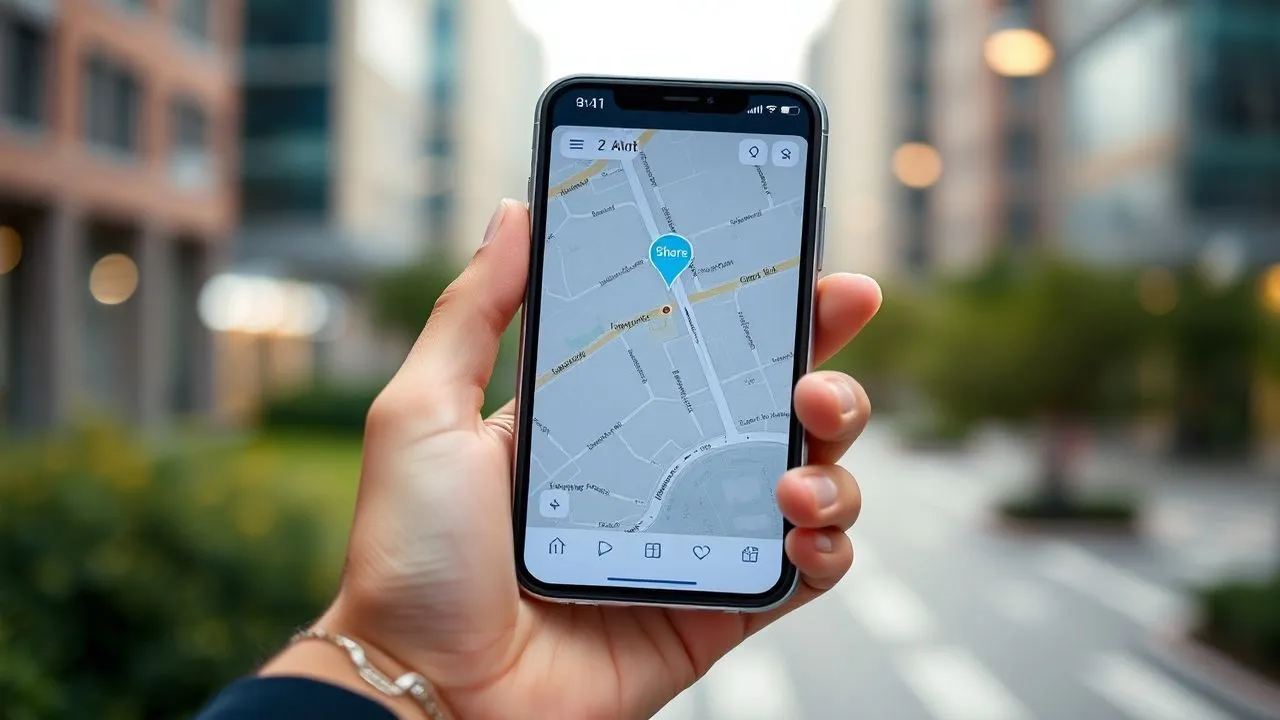
In the technological landscape of 2026, know how to send my position has become a fundamental ability for the management of everyday life, both for personal security reasons and for purely logistic convenience. Whether you are in a crowded metropolis or on a little beaten mountain path, the ability to convey its exact geographical coordinates allows you to coordinate with friends, family or colleagues in a few moments. The modern software interfaces of Android and iOS smartphones have drastically simplified these processes, integrating advanced geolocation systems based not only on traditional GPS signals, but also on Wi-Fi networks and telephone cells to ensure a millimeter accuracy. In this updated guide, we will explore the most effective and safe methodologies to share your position using the most popular instant messaging applications and industry-leading navigation services. Understanding how to send my position it is not only about sending a simple point on a map, but also involves the management of your privacy and the awareness of those who can access our movements in real time. We will analyze in detail the options offered by WhatsApp, Telegram, Google Maps and Apple's integrated functions, providing step-by-step instructions that take into account the latest software evolutions of 2026, ensuring that each user, regardless of their level of technical expertise, can master these essential tools for modern communication.
Share your location via WhatsApp in 2026
Use of current location on Android and iPhone
WhatsApp remains the most widely used messaging platform on a global level and its location function has been further refined to offer unprecedented execution speed. To understand how to send my position on WhatsApp, the first fundamental step is to verify that the application has the necessary permissions to access the GPS sensors of the device. Once the individual or group chat is opened, the procedure varies slightly between the operating systems, but the underlying logic remains identical. On Android, simply tap the icon of the clipboard placed in the message bar, while on iPhone you have to press the “+” button located at the bottom left. Selecting the location option, the user is presented with an interactive map showing the surrounding points of interest and its current location indicated by a bright blue point.
Sending the “current position” means transmitting a static snapshot of its coordinates at the exact moment of sending. This option is ideal when you have already reached your destination or want to indicate a fixed meeting point. It is important to note that, in 2026, WhatsApp introduced position correction algorithms that reduce the margin of error even in the presence of high buildings or adverse weather conditions. When choosing to send this type of data, the recipient will receive a map thumbnail that, if touched, will open the default navigation application of his smartphone, providing precise directions. This function is extremely useful for everyday logistics, such as pointing to a courier the exact entrance of a building or suggesting to a friend the positioning of a new newly discovered room, ensuring that the sharing of the GPS position is always fast and reliable.
Real-time location sharing for security
One of the most powerful features integrated in WhatsApp is the “Real Time Position”, an indispensable tool for personal security and dynamic coordination. When asked how to send my position so that others can follow our movements, this is the function to activate. Once selected, the app allows you to choose a specific duration for sharing: generally 15 minutes, 1 hour or 8 hours. During this time interval, the recipient can see on the map the shift of the sender in real time, with constant updates reflecting the speed and direction of the movement. This is especially useful when you go home late at night or when you try to meet in a very vast and crowded place where a static point would not be enough.
From the privacy point of view, WhatsApp in 2026 offers granular control over this feature. The user can stop sharing at any time by pressing the “Interrupt sharing” button directly inside the chat. In addition, the end-to-end encryption system ensures that only participants in the conversation can view geographical data, making the operation safe from undiscreetted looks. Real-time sharing consumes slightly more battery than static location, as it requires continuous use of the GPS module, but the energy optimizations of modern smartphones of 2026 make this impact almost negligible for short or medium-term sessions. Mastering this function means having an extra march in managing the security of your loved ones and planning complex meetings.
Send current location with Telegram
Procedures for single chats and numerous groups
Telegram stands out for its flexibility and advanced data sharing options. For those who want to know how to send my position using this app, the process is intuitive but full of customizations. Entering a chat, the user must press the graphite icon (on Android) or the attachment icon (on iOS) and select “Position”. Telegram immediately offers two main choices: send the current geographic point or start a live sharing session. A peculiar feature of Telegram is the ability to show not only where you are, but also the direction in which your phone is pointed, thanks to the integration with the digital compass of the device. This technical detail is essential when you are in circular squares or complex crossroads where orientation can be difficult.
In the groups of Telegrams, which in 2026 can accommodate thousands of members, sharing the position takes on a social dimension. You can see more participants at the same time on the same map if they have activated real-time sharing. This transforms the group chat into a sort of logistic radar, ideal for organized events, gatherings or school trips. Telegram accuracy is renowned, and integration with Android and iOS localization services allows a nearly instant signal fix. If the goal is simply to send an address for an appointment, just select “Send my current location” and the message will be delivered instantly as a clickable interactive object, compatible with all the main satellite navigators installed on the receiver’s device.
Proximity and advanced management of live position
An exclusive function of Telegram that deserves attention is the notice of proximity. In addition to understanding how to send my position, the user can set an action radius (e.g. 500 meters) within which the phone will emit an acoustic signal when the friend who is sharing the location enters that area. This innovation, highly appreciated in 2026, eliminates the need to continuously control the phone screen while expecting someone. The management of the live position on Telegram also allows you to choose very long durations, making it ideal for travellers who want to keep their family informed during long routes. The smoothness of the map and the ability to switch between satellite and standard visuals make the user experience extremely satisfying.
With regard to data security, Telegram allows you to revoke access to your location centrally. Through privacy settings, you can see a list of all active chats that have access to our GPS location and close them with a single touch. This level of transparency is essential to maintain total control over your fingerprint. Moreover, the geographical coordinates via smartphones sent via Telegram can be protected by self-destruction timers in secret chats, ensuring that the information does not remain saved on the servers or in the addressee history beyond the time strictly necessary. This attention to detail makes Telegram the preferred choice for users looking for a balance between social functionality and private sphere protection.
- Open the Telegram chat and click on the attachment clip icon.
- Select the "Position" icon to access the geolocation menu.
- Choose from "Send current location" or "Share real-time location".
- Set the duration of sharing or configure a proximity notice if necessary.
Use Google Maps to share coordinates
Direct sharing through links and contacts Google
Google Maps is not only a navigator, but a complete ecosystem for the management of geographical space. When we look how to send my position with Maps, we interface with the most precise mapping tool in the world. The app allows you to share your location in two main ways: through a link generated by SMS or email, or directly to contacts that have a Google account. Touching the blue circle representing its location on the map, a context menu opens where the “Share Location” button stands out. From here, you can decide how long to stay visible. The power of Maps lies in its cross-platform integration: the location sent by an iPhone can be displayed perfectly on an Android tablet or on a desktop PC via web browser.
In 2026, Google introduced the “Live View” feature also in position sharing, allowing the recipient to use the augmented reality to locate the sender. If you receive a location via Google Maps, you can frame the surrounding environment with the camera and see a virtual arrow that tells you exactly where the person you are looking for is. This solves the problem of the “blind points” of GPS in dense urban areas. In addition, Maps allows you to share the battery status of your device along with the position: a fundamental detail to let anyone who expects us that we may soon be not reachable not by our will, but by exhaustion of the charge. This information transparency makes sharing through Google Maps one of the most professional and complete solutions available today.
Real-time tracking and management of Plus Codes
A often neglected but vital aspect on how to send my position with Maps is the use of Plus Codes. These are short alphanumeric codes that represent a precise geographical coordinate, useful especially in areas without formal civic addresses, such as beaches, parks or rural areas. Google Maps automatically generates a Plus Code for every point on earth. Sharing this code is an alternative and very light way to send your GPS location without having to load heavy maps or complex links. Simply copy the code that appears by touching any point on the map and paste it into any messaging application. The recipient, by entering the code in the Google search bar, will find the exact point with an error of less than three meters.
Long-term sharing on Google Maps is another key feature. You can set the sharing “Up to deactivation”, a mode designed for households or partners. This allows you to have a constant tranquility, always knowing where your loved ones are without having to constantly ask “where are you?”. Of course, this feature requires a high level of trust and can be revoked instantly from the Google account settings. The system sends periodic notifications via email to remind you that the location sharing is still active, ensuring that you do not forget to have this function turned on by mistake. In 2026, management of Android geolocation has become so smart to recognize contexts and suggest disablement if you are in sensitive places or if your daily routine has changed.
- Open the Google Maps app and make sure you have logged in to your account.
- Tap the blue point of your location or profile picture on the top right.
- Select "Location sharing" and choose the recipient from the address book.
- Set the desired timer and confirm the sending of the link or notification.
Use Apple’s Where App on iPhone and iPad
Configuration of family sharing and trusted contacts
For Apple ecosystem users, the answer to the question how to send my position often resides in the app “Where is it” (Find My). This native application integrates the location of devices, objects (via AirTag) and people in a single secure interface. To start sharing the location, just open the app, move to the “Person” tab and tap “Start to share the location”. The peculiarity of the Apple system is its deep integration with iMessage and the contacts of the column. You can choose to share the location for an hour, until the end of the day or indefinitely. Once activated, the position automatically appears in the sender’s contact card within the recipient’s Messages app, creating a smooth and seamless experience.
The Apple system in 2026 uses an encrypted mesh network that allows you to locate the location even if the device is not connected to the internet, using encrypted Bluetooth signals from other Apple devices nearby. This makes the “Where” function incredibly reliable in emergency situations. The sharing with the members of the group “In the family” is even simpler, as it can be automated to ensure the safety of children or the elderly. Each family member can see the location of others on a shared map, with the ability to set location-based notifications, such as receiving a notice when a child arrives at school or when a relative leaves the office. This automation transforms localization from passive tool to active assistant for home security.
Integration with AirTags and end-to-end privacy
In addition to understanding how to send my position personal, the Where app allows you to manage the location of shared objects. In 2026, it is common to share the location of car keys or a common backpack among family members using the next-generation AirTag. Privacy is the central pillar of this technology: Apple uses an asymmetrical encryption so neither the company itself can know the geographical location of users. Each transmitted data is anonymized and frequently identifiable change to avoid tracking by third parties. This approach “Privacy by Design” ensures that GPS position sharing is a voluntary act and protected by the highest standards of cybersecurity worldwide.
If a suspicious user is followed without his consent, iOS 2026 integrates even more sophisticated anti-stalking detection systems, which immediately alert if an unknown localization device moves along with us. In conclusion, the Where app is not just a way to tell friends where you are, but a real digital shield. If you decide to stop sharing, just a touch on the “I” item and turn off the “Share My Location” option. The effect is instantaneous on all devices connected to the iCloud account, ensuring that you always keep the last word on your geographical visibility. The simplicity of use combined with this robust security infrastructure makes the Apple ecosystem a reference point for modern geolocation.
Localization services: privacy management and permissions
Configuration of permissions on Android and iOS in 2026
Understanding how to send my position is only half of the work; the other half consists in managing the permissions we grant to the applications. Both Android 16 and iOS 19 (current versions in 2026) have introduced extremely granular privacy controls. When an app requires access to GPS, the user can choose between “Sempre”, “Only while using the app” or “Only this time”. For extemporaneous sharing, the “Only this time” option is the safest, since it automatically revokes access as soon as the app is closed. It is essential to periodically check the privacy panel in the operating system settings to check which applications have had access to location in the last 24 hours and why they have done so.
Another innovation of 2026 is the “Approximate Position”. Many applications, such as weather or social networks, do not need our exact coordinates to work properly. In these cases, you can provide a location that only indicates the area or neighborhood, protecting the accuracy of your exact home. However, when we want to know how to send my position to reach us from someone, we must ensure that we have activated the “Precise Position”. This distinction is crucial to balance utility and confidentiality. The operating system now warns with a colored icon in the status bar every time the GPS is active, allowing the user to immediately notice any abusive or unauthorized use by malicious software.
Geotagging risks and how to protect sensitive data
Geotagging, i.e. the inclusion of geographic coordinates within files such as photo or post on social media, is a challenge for privacy. Although I know how to send my position be useful in private chat, post a photo with geotags on a public platform can reveal where we live or our daily habits to strangers. In 2026, security experts recommend deactivating automatic geotagging in camera settings, activating it only when strictly necessary for personal storage. Location sharing should always be a targeted action to specific recipients and never a default setting for each online activity. Digital awareness is the first line of defense against geolocation risks.
There are also tools of “place blur” for those who need higher privacy levels, but for the average user it is sufficient to follow the good practices suggested by smartphone manufacturers. For example, it is advisable not to share your position in real time for indefinite periods if not strictly necessary, and to regularly clean the location history saved by Google or Apple. This data, although password-protected, is a detailed map of our private life that is good to handle carefully. Always remember that the function to send the position is a tool at your service, and as such you have to decide when, how and how long to remain visible on the global digital radar.
- Access your smartphone privacy and security settings.
- Monitor the app list with access to GPS location.
- Use the "Approximate Position" for non-critical apps.
- Disable location sharing when you no longer need to save battery and privacy.
Troubleshooting and GPS signal accuracy
What to do if the location is not accurate or is not sent
Sometimes, despite you know perfectly how to send my positionTechnology can pose problems. If the map shows a point very far from your actual location or if the signal seems to be “salt”, the first step is to calibrate the sensors. On Google Maps, this is moving the phone by tracking an “eight” in the air or framing the surrounding buildings with the camera. Another common reason for lack of precision is the presence of physical screens: if you find yourself inside a building with many metal armor or in a basement, the GPS signal will reach the satellites. In these cases, switching on Wi-Fi (also without connecting to a specific network) can help the device to triangulate the location through the surrounding routers, drastically improving the accuracy of the sent data.
If sending the location fails completely, check your data connection. Although GPS functions independently of the internet to receive coordinates, messaging apps need an active connection to transmit that data to the recipient and to load the map tiles. In 2026, 5G and 6G coverage reduced these problems, but in shadow zones latency can prevent updating of the position in real time. A useful trick is to switch to air mode for a few seconds and then reactivate it to force your phone to reconnect to the nearest and most powerful phone cell. Also make sure that energy saving is not too aggressive, since many “Low Power” modes turn off GPS tracking in the background to preserve the battery, preventing the live position from working properly.
Software updates and system compatibility
Maintaining the operating system and updated applications is essential to ensure that procedures on how to send my position remain effective. Updates often contain security patches for localization services and improve compatibility with new satellite standards, such as the expansion of the Galileo network in Europe. If you use a dated smartphone, you may find discrepancies between what you see and what the recipient sees. In 2026, software fragmentation was largely resolved, but it is always good to verify that the app used (WhatsApp, Telegram or Maps) is the latest version available on the Store. This ensures access to the latest features, such as encrypted sharing or new smart proximity alerts.
Finally, consider the compatibility between different ecosystems. Although sending a location through a link is universal, some advanced functions such as assisted navigation in real time could work better if both users use the same application. If you have to send your location to someone you do not know well or you do not know about your smartphone, the safest and most compatible method remains Google Maps via shared links. This link will open properly in any browser, eliminating technological barriers. The mastery of these small technical measures will allow you to manage every situation, from the random meeting in the city center to the emergency in an isolated place, making the localization share a smooth, safe and stress-free operation in every circumstance.
Location sharing is the digital bridge that combines our physical presence with our social network. Using it with awareness means living the urban and natural space with unprecedented security and freedom in 2026.
Frequently asked questions
Can I send my position if I have no field or internet?
Although the GPS chip of the smartphone can receive coordinates from satellites even without an active internet connection, applications such as WhatsApp or Google Maps need a data network (Wi-Fi, 4G, 5G or 6G) to effectively send that data to the recipient. In 2026, however, some high-end smartphones support emergency satellite messaging, allowing you to send your location even in total absence of traditional cell coverage, provided you have a free view of the sky.
Sending the position in real time consumes a lot of battery?
Real-time position sharing requires continuous activation of the GPS module and modem to send data, which involves higher energy consumption than standby. However, thanks to the hardware optimizations of the processors of 2026 and the use of low-consumption localization algorithms (which also exploit accelerometer and gyroscope), the impact on battery life has been drastically reduced. For one hour sessions, the average consumption is around 35% of the total charge.
Can you fake your GPS location on WhatsApp?
There are third-party applications, known as “GPS Fake”, which allow you to simulate a position different from the real one. However, many messaging apps in 2026 have implemented verification systems to detect whether the sent location is genuine or manipulated. Moreover, sending a static position by choosing a point on the map is always possible (to send a place), but the “Real Time Position” function is much more difficult to falsify as it traces the actual movement of the device dynamically.
Who can see my position after I stopped sharing it?
Once you stop sharing your position (both static or real time), no one will ever trace your future moves. If you sent a static position, the recipient will retain the message with that specific point in the chat history, but will not know where you are in the present. For real-time location, at the end of time or manual deactivation, the link will become inactive and the map will no longer show any updated data, ensuring your total privacy.
Does position sharing work between Android and iPhone?
Yes, position sharing is perfectly cross-platform if you use third-party applications such as WhatsApp, Telegram or Google Maps. If an iPhone user sends its location via WhatsApp to an Android user, the user can view it and navigate to it without any problem. The only exception is the Apple’s “Where is” app, which is an exclusive of Apple’s devices, although Google Maps provides an almost identical function that works on both operating systems without any limitation.
In conclusione, padroneggiare le tecniche su how to send my position represents a competitive advantage in the hectic and interconnected life of 2026. Whether it's coordinating a working group, ensuring the safety of a family member or simply facilitating a meeting between friends, the tools at our disposal are powerful, accurate and respectful of privacy when used with the necessary measures. We invite you to experience the different options described in this guide, testing Google Maps accuracy or WhatsApp speed, to find the method that best suits your daily needs. Do not forget to regularly check your localization permits to navigate the digital world with maximum serenity. Always stay connected, but with the awareness of having full control over your geographical visibility. Learn how to improve your digital security by exploring the other guides on our website.


