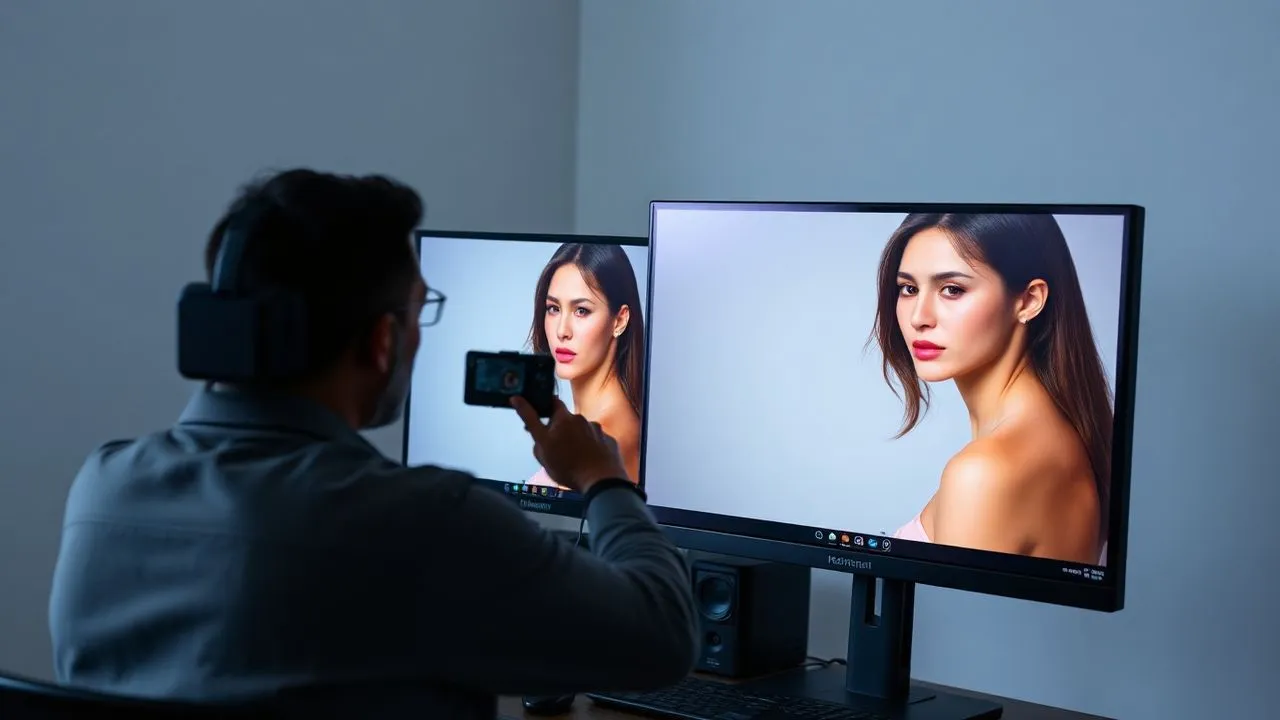
In the digital panorama of 2026, understand how to lose weight in photos has become a competence sought not only by the professionals of the image, but also by those who simply want to present themselves at the best on social networks or in their personal archives. Photographic editing technology has taken giant steps, integrating artificial intelligence algorithms that make aesthetic touches much more fluid and natural than the past. However, taking an aesthetic photo editing path requires awareness: the goal should never be the total distortion of reality, but the valorization of its figure through small technical measures. There are many tools, from open source desktop software such as GIMP to Adobe's professional suites, to instant mobile applications, which allow you to intervene on the silhouette. In this in-depth guide, we will explore the most effective methodologies to achieve a slimming effect without falling into artificiality, analyzing in detail the specific functions of each program. You will learn how to manage proportions, use the tools of conscious deformation and exploit the potential of new neural filters. Always remember that photo editing is a subtle art: the key to success lies in moderation and the ability to maintain the harmony of the original forms, avoiding creating images that are clearly altered to the eye of those who look.
The philosophy of photography: between aesthetics and digital well-being
The impact of aesthetic canons in 2026
Today, in 2026, we live in an era dominated by instant visual communication, where the image reflected on the screens assumes a central importance in our social and professional life. The search for solutions on how to lose weight in photos often arises from the desire to conform to standards of beauty that social media have made omnipresent. It is essential, however, to approach these techniques with a strong critical sense. The aesthetic photo editing should be understood as a digital complement, similar to the use of make-up or the choice of a valuable dress, and not as a way to deny its physical identity. Digital psychology experts point out that misuse of distorsive filters can negatively affect self perception, creating an undeniable gap between reality and virtual representation. For this reason, modern software includes alerts about the conscious use of body alteration technologies, inviting users to celebrate their uniqueness while allowing for a little aesthetic improvement guided by good taste.
An ethical use of digital tools allows to correct small imperfections caused by unlucky angles of the camera or a non-optimal light management, which often tend to “enlarge” the figure more than it is in reality. The perspective of a wide-angle lens, for example, can distort the edges of the image making the subject less harmonious. In these cases weight loss in photos means simply bring the image back to a higher visual fidelity, cancelling the optical distortions caused by the snap device. Technical awareness must therefore go hand in hand with the emotional one: using editing tools to feel safer is legitimate, provided you maintain an authentic connection with your real image. In this guide, we will focus on the technical aspect, providing the means to act with surgical precision and discretion, ensuring that every change made serves to enhance the natural beauty of the subject without ever overturning it in a grotesque or unrealistic way.
The importance of body acceptance in the AI era
Although technology offers us infinite possibilities of change, the photo editing industry in 2026 is turning towards the so-called “invisible remodel”. It is no longer a question of drastically changing the sizes, but of working on the strength lines of the image to create a sense of balance and dynamism. When we try to understand how to lose weight in photos, we must consider that the perception of weight in an image is influenced by factors such as posture, shadows and depth of field. Many professionals suggest facing editing as a finishing stage of a job that begins already during the shooting. The acceptance of the body also passes through the understanding of how technology can be a gentle ally, able to smooth an involuntary fold of a dress or to harmonize a curve without erasing the distinctive traits that make us who we are. The current challenge is to use artificial intelligence to support self-esteem without creating dependence on a synthetic perfection that does not exist in nature.
Relying on experts such as nutritionists or personal trainers remains the only way to obtain a real and lasting physical change, while photo editing remains a temporary solution for the digital universe. It is essential never to confuse the success of a retouched post with objective physical well-being. However, for professional, editorial purposes or simply for personal pleasure, master the techniques on how to lose weight in photos is a precious competence. Learning to use programs like Photoshop or GIMP allows you to have total control over the final result, avoiding those typical coarse errors of low quality automatic applications, such as deformed backgrounds or impossible anatomical proportions. In the course of the next paragraphs, we will see how to transform this aesthetic need into a rigorous, safe and effective technical practice, adapted to every level of computer experience, ensuring results that challenge the eye more attentive to their naturalness and executive precision.
Free Desktop Software: GIMP and warp deformation
GIMP configuration for aesthetic photo editing
GIMP (GNU Image Manipulation Program) is also confirmed in 2026 as the best free and open source alternative to paid software for those who want to learn how to lose weight in photos. Being available for Windows, macOS and Linux, it offers unparalleled versatility. To begin with, you need to download the latest stable version from the official website, ensuring that you also install plugins dedicated to artificial intelligence if available for your operating system. Once the program is started, the interface is rich in tools that can intimidate beginners, but for our purpose we will focus on a few targeted commands. Level management is the first fundamental step: never work directly on the original image, but always creates a duplicate of the level to be able to compare the changes and go back in case of obvious errors that could compromise the overall quality of the original file.
To prepare the work area, open your photo through the File menu and select “Open”. A professional trick is to activate the guides and grid to monitor background distortions. In fact, one of the most common mistakes when looking for weight loss in photos with GIMP is to curve unintentionally straight lines present behind the subject, such as doors or marine horizons. GIMP offers precision tools that allow to isolate intervention areas, ensuring that the slender effect is applied only where desired. The power of this software lies in its modular nature; in 2026, the community developed specific scripts for body contouring that automate part of the process, making accessible techniques that once required manual hours of work. Make sure your computer has enough RAM to manage deformation calculations in real time, as these tools require a decent computing power to return a smooth preview of the result.
Using the Warp Transformation tool and Shrinking
The pulsating heart of the aesthetic photo editing in GIMP is the tool “Trasformation warp”. To activate it, navigate the Tools menu, then on Transformation and finally select Warp. This tool allows you to “move pixels” almost as if you are manipulating plastic material. For weight loss in photos effectively, select the “Set pixels” mode in the tool options panel. It is crucial to correctly adjust the “Raggio”: a too small radius will create unnatural bruises, while a radius too large will move entire portions of the background. The correct technique involves the use of short and delicate brush strokes, pushing the edges of the body towards the inside. It always starts from the wider areas, such as hips or abdomen, proceeding with millimeter touches that follow the natural line of the silhouette to avoid the “alien” effect.
In addition to moving pixels, GIMP offers the “Restriction Area” function within the same Warp menu. This function acts as a magnet that attracts the pixels to the center of the brush, resulting in perfect to streamline parts of the localized body such as arms or ankles. To get a professional result on how to lose weight in photos, alternating the use of these two modes. If you commit an error, GIMP provides the tool “Delete the warping”, which acts as a selective rubber by bringing the pixels back to their original position without cancelling all the work done. Remember to constantly monitor anatomy: the proportions between bust and legs must remain consistent. Once the process is finished, export the file to a high quality format such as PNG or TIFF to preserve the details of the textures of the skin, which tend to get lost during digital manipulation if you do not pay due attention to the resolution.
- Always download GIMP from the official website to ensure security and stability.
- Use the Warp Transformation tool with option Move the Pixels to the edges.
- Sets a radius of the brush proportional to the area to be treated.
- Activate the grid to avoid deforming the architectural elements of the background.
- Export the final work using the "Export as" function to choose the best format.
Professional editing with Photoshop: alteration marionetta
The power of the Seaplane Altar in 2026
Adobe Photoshop remains the absolute reference point in 2026 for anyone wishing editorial level results. When we talk about how to lose weight in photos, Photoshop offers tools based on the Adobe Sensei engine, which automatically recognizes the structure of the human body. The most versatile tool for total control is without doubt the Alteration Marionetta (Puppet Warp). After opening the photo and unlocking the level, activation of this function creates a polygonal mesh over the subject. This mesh allows you to place “pins” in strategic points that act as anchors. By placing pins on the parts that have to remain real (such as the head, hands or feet) and others on the areas to be edited (fianchi, vita, thigh), it is possible to model the figure with a millimeter precision that no other software can match with the same visual cleaning.
Advanced use of Photoshop for weight loss in photos in 2026 also includes integration with Neural Filters. These deep learning algorithms can adjust laying and body structure almost automatically, analyzing the depth of the image. However, Alteration marionetta remains preferable for those seeking superior artistic control. The key to not being discovered is the management of own and flown shadows: when you move a body border to the inside, Photoshop tries to reconstruct the missing pixels, but it is the editor’s task to ensure that the luminous continuity is maintained. Often it is useful to combine the puppet height with the filter “Fluidifica” (Liquify), which acts more directly on the masses, allowing to inflate or deflate specific areas with a sensitivity to the pressure of the brush that simulates the touch of an artist on the canvas.
Professional export and rescue for social media
Once the modeling work is completed, the process on how to lose weight in photos with Photoshop cannot be concluded without a proper finishing and saving phase. Structural changes can sometimes cause a slight loss of sharpness in the treated areas; to overcome this problem, professionals apply a selective contrast mask only on the modified areas, restoring that natural texture of the skin that makes the retouching invisible. In 2026, Photoshop allows you to export optimized files specifically for different social platforms, ensuring that aggressive compression of sites like Instagram does not highlight artifacts created during photo editing. Use the “Export as” function and select the sRGB color space is essential to maintain color consistency on all mobile devices.
Another crucial aspect is the management of bit depth. Working 16-bit allows you to avoid banding (the annoying color strips in gradients) which can occur when you heavily deform the sky pixels or uniform backgrounds. Understanding how to lose weight in photos means also knowing how to hide the traces of your digital passage. If you have used artificial intelligence to fill the gaps left by the narrowing of the silhouette, always check that the film's grain is uniform on the whole image. Photoshop offers filters to add digital noise or grana in a controlled way, uniforming the “new” parts with the original ones of the photo. This level of detail is what separates a simple lover from a senior Content Strategist that aims at visual perfection for an authoritative and impeccable online presence.
- Open the image and convert the level to an Advanced Object for non-destructive changes.
- Go to Edit and select Alteration puppet to create the control mesh.
- Place the fixing pins on the main joints to block the laying.
- Drag the pins into areas of interest to streamline the figure with smooth movements.
- Apply Fluidification filter for precision finishing on muscle details or folds.
- Check the background consistency and use the Clone Stamp tool if necessary.
Fast online solutions: Photopea and Artificial Intelligence
Photopea as a free cloud alternative
If you do not have the ability to install heavy software on your computer, Photopea represents the ultimate solution on how to lose weight in photos directly from the browser in 2026. This online tool is a nearly charcoal copy of Photoshop, offering for free (supported by non-invasive advertising) most professional functions. To stream a figure, you can upload your file (support also .PSD formats) and use the “Maritime Alteration” tool in the Edit menu. The procedure is identical to that of desktop software: anchor points apply to stabilize the image and act on the central points to shrivel or move the body masses. Photopea is particularly efficient because it processes data locally in the browser, ensuring an excellent response speed even with non-excellent connections.
Photopea’s effectiveness in the field of photo editing also lies in its compatibility with external plugins. Many users in 2026 use integrated AI scripts that facilitate the task of weight loss in photos automating the recognition of contours. When you work online, remember to pay attention to privacy: although Photopea is safe, it is always good norm not to upload extremely sensitive images on third-party servers if not strictly necessary. For an optimal result, use the zoom to work on the edge details and make sure to press “Send” to confirm each transformation before moving on to the next. Photopea's flexibility makes it the preferred tool for digital nomads and those who need rapid but professional touches during travel or without their main computer.
OpenArt and AI body filters
Artificial intelligence has revolutionized the way we think about how to lose weight in photos. Platforms like OpenArt offer in 2026 specific filters called “AI Skinny” or similar, which analyze the entire image and resize the subject in a manner consistent with the surrounding environment. Unlike manual warping, OpenArt AI reconstructs the background intelligently, eliminating the risk of deforming doors, windows or trees. To use this service, just upload the photo and select the filter intensity degree. It is a radically different approach: you are not moving pixels, but asking a machine to re-imagine your leaner version while keeping your main somatic traits. It is a powerful technology that should be used with extreme caution not to lose its identity.
However, the use of AI presents challenges. Sometimes the software can “invent” anatomical details or overly alter the face. If your goal is to understand how to lose weight in photos keeping a realistic look, the advice is to use the AI for an initial draft and then finish the work manually. Many professionals in 2026 use a hybrid workflow: they pass the photo through OpenArt for a general reduction of volumes and then import it into Photopea or Photoshop to correct any visual hallucinations of artificial intelligence, such as extra fingers or inconsistent backgrounds. This synergy between human creativity and artificial computing power is the most advanced frontier of contemporary aesthetic editing, allowing you to achieve unthinkable visual goals only a few years ago.
The secret of the perfect photo editing does not reside in how much you change, but how much you can hide the change itself, preserving the authentic soul of the original subject.
Mobile app for mobile touches: Peachy and alternatives
Peachy: the excellence for iOS and Android in 2026
For those who prefer to act directly from the smartphone, Peachy has set itself as the leading app in 2026 for those seeking how to lose weight in photos with a few taps. Available for both iOS and Android, the application offers an extremely intuitive interface divided by body areas. The “Corpo” function allows you to select specific areas such as life, hips, height and even muscle definition. What makes Peachy above the average is its “Automatic Body Detection” technology: the app identifies the silhouette and applies proportional changes, avoiding those effects of leopard typical of the old generation apps. You can choose between the automatic mode, for an instant result, and the manual one, for a granular control over the curves.
In using Peachy for weight loss in photos, it is important to take advantage of the tool “Reshape” carefully. This tool works as a brush that drags the contours; version 2026 has introduced an advanced background protection that freezes the pixels not belonging to the subject, solving the problem of obvious touches. If you want longer legs or a thinner life, the app mathematically calculates how to redistribute pixels so as not to create annoying optical distortions. In addition, Peachy offers a series of tools for skin and face, allowing to uniform the whole shot after working on the figure. Although the free version is very generous, the Pro subscription unlocks smoothing algorithms that make transitions between the modified areas and the original ones completely invisible to the human eye.
Other applications for professional body editing
In addition to Peachy, the mobile application market in 2026 offers valid alternatives for every specific need on how to lose weight in photos. BodyTune is another prominent app, focused mainly on speed: thanks to a series of ready-to-use presets, it allows you to get a leaner silhouette in seconds, ideal for Instagram Stories or fast posts. If you are looking for something more technical, Pixelmator for iOS (now part of the Apple ecosystem) offers distortion tools derived from the desktop world, ensuring superior image quality thanks to full support for RAW files. These apps allow you to act on selective brightness, creating fake shadows that visually help to streamline the contours of the body through a digital contouring effect.
Finally, we cannot forget Body Editor, a solution dedicated to Android users seeking simplicity and gratuitousness. Although less refined than Pixelmator, it offers direct sliders for waist and shoulder width that answer the question how to lose weight in photos without requiring any technical expertise. When using these apps, the main risk is exaggeration: it is easy to get your hand caught and find yourself with too thin arms or curves of the unnatural back. The advice of the Content Strategist is to always take a photo “first” and constantly compare it with the “after”, making sure that the change never exceeds 10-15% compared to the original forms. Moderation is the secret ingredient that ensures that photo editing is perceived as an improved version of itself and not as a work of digital fiction.
- Peachy: Ideal for advanced body contouring with background protection.
- BodyTune: The best choice for quick changes via smart presets.
- Pixelmator: Professional power for those who click and edit in RAW format from mobile.
- Body Editor: Easy use with sliders dedicated to individual muscle areas.
- Everlook: Specialized in facial touch in combination with the body.
Practical tips for natural shots without post-production
The correct posture before the goal
Before asking how to lose weight in photos via the software, it is essential to understand that much can be done during the shooting phase. The posture is the most powerful analog photo editing tool at our disposal. A classic make-up of professional models in 2026 is never to be positioned in front of the camera, but three-quarters. Turn the bust slightly creates a depth effect that immediately smoothes the figure. Moreover, moving the weight on the back leg and bending slightly the front one helps to unleash the legs and to better define the hips. Keep your back straight and the lower shoulders remove the chin from the neck, preventing the effect of double chin and making the neck longer and thinner.
Another shortening concerns the arms: keeping them too adherent to the body tends to flatten them, making them appear wider than they actually are. Creating “triangles” of space between arms and life (for example laying hands on hips or hair) allows light to pass through the voids, better defining the silhouette and responding naturally to the dilemma on how to lose weight in photos without touching a single pixel. The position of the camera also plays a crucial role: a shot made slightly from the top tends to smooth the face and body, while a perspective from the bottom unleashes the legs but can enlarge the bust. Experimenting with these angles drastically reduces the time needed for post-production editing, allowing you to start from a base already close to your aesthetic ideal.
Light and clothing to enhance the figure
Light is the element that shapes volumes in photography. To understand how to lose weight in photos naturally, you have to learn how to use shadows to your advantage. A lateral light creates shadows that define the muscles and visually restrict the wide surfaces, while a flat and frontal light tends to erase the dimensions, making the subject look more “largo”. In 2026, with increasingly advanced smartphone cameras, you can simulate these light conditions even after shooting, but the original effect remains unbeatable. The color choice of clothing also affects: the dark colors and the united colors have a well-known slender effect, while the big fantasies or horizontal lines tend to amplify the volumes. Choose fabrics that fall well without scoring excessively allows you to have a clean silhouette and easy to retouch.
Finally, accessories and footwear can make a difference. Meat-colored shoes (nade) or with the neck of the uncovered foot help to make the longer legs appear, a timeless trick even in the era of extreme digital. When you plan your shot, always think about the final result: if you already know that you want to intervene to weight loss in photos, choose simple and not too detailed wallpapers. A solid-colored wall or blurred landscape (bokeh effect) will make warping and narrowing operations much easier and less subject to visible errors. In conclusion, the combination of a good photographic technique, a conscious posture and the wise use of editing tools is the winning formula to get images that reflect the best version of yourself, with elegance and professionalism.
Frequently asked questions
What is the best free program to slim down in photos?
In 2026, GIMP remains the best free software for this purpose. Thanks to the Warp Transformation tool and the pixel tightening function, it offers a control comparable to that of paid programs. It is an open source solution ideal for those who want to learn the basics of aesthetic photo editing without investing in expensive subscriptions, ensuring professional results if used with due patience and technical precision.
Can you lose weight in online photos without downloading anything?
Of course. Photopea is the most complete web platform for advanced photo editing, accessible from any browser. It offers distortion and modeling tools identical to Photoshop. Alternatively, artificial intelligence-based services such as OpenArt allow to apply almost automatically slender filters, although a later manual control is required to verify that AI has not introduced unnatural distortions in the background or in the alignments.
Are apps for slimming in photos safe for privacy?
Most popular apps like Peachy or Pixelmator are safe, but it is essential to read the terms of service. Many free apps could process data on remote servers to improve their artificial intelligence algorithms. For maximum security, it is advisable to use apps that allow “on-device” processing, or directly on the memory of your smartphone without uploading the image to the cloud, especially for private or sensitive shots.
How can I prevent the background from deforming during the retouching?
The secret lies in using protective masks or anchoring points. In programs like Photoshop and GIMP, you can block areas that do not have to change. In the Alteration marionetta tool, for example, place many pins around the subject “congela” the background. Another trick is taking pictures on neutral or very blurred backgrounds, where a slight pixel distortion is practically impossible to notice to the naked eye.
Can photo editing ruin the image quality?
Yes, every pixel manipulation involves a risk of loss of sharpness. To minimize this effect, he always works on high resolution images and uses “non-destructive” tools like Advanced Objects in Photoshop. At the end of the modeling process for weight loss in photos, it is good to apply a slight contrast filter (Sharpening) to recover the lost definition while moving pixels and keeping a crystalline look.
In conclusione, padroneggiare le tecniche su how to lose weight in photos in 2026 requires a perfect balance between technical competence and aesthetic sensitivity. Whether you choose the power of Photoshop, the versatility of GIMP or the immediacy of apps based on artificial intelligence, remember that the best result is what you do not see. Use these tools to correct small distortions or to feel more comfortable, but do not let the search for digital perfection obscure your uniqueness. Technology is a brush in your hands: use it with moderation and intelligence. Are you ready to turn your shots? Experience today the tools we analyzed and discover how to value your image with professionalism and style. Read the full guide every time you have a doubt and immediately start creating high quality visual content.


