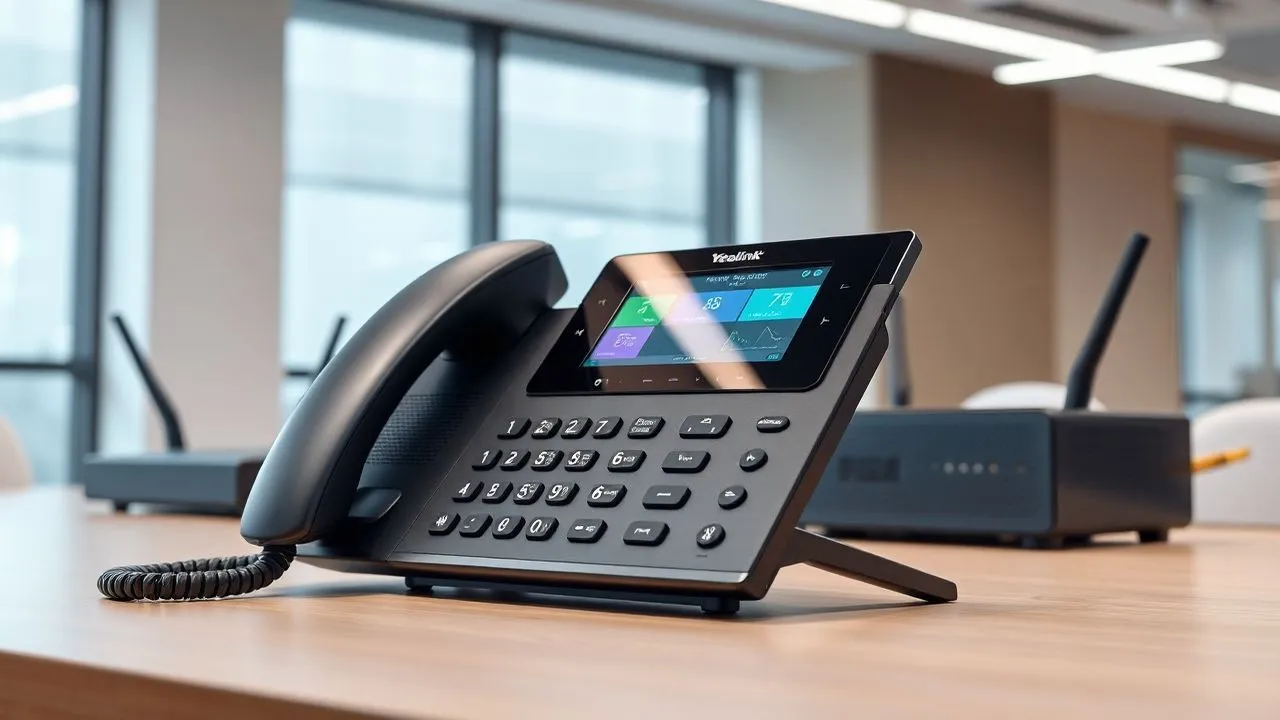
In the telecommunications landscape of 2026, understand how VoIP phone works has become fundamental for both professionals and domestic users. With the complete diffusion of high-speed optical fiber throughout Italy, the old commuted telephone network is now a memory of the past, replaced by systems that travel entirely on Internet protocol. The term VoIP, an acronym for Voice over Internet Protocol, identifies a technology that allows to transform analogue voice signal into digital data packets, transmitting them through a web connection instead of traditional copper cables of triple sockets. This change is not only a technical question, but it represents a real revolution in the way we conceive of fonia, lowering costs and integrating advanced digital services. Many companies and families have already made the move, attracted by the flexibility of being able to use the same number on different devices, wherever there is a stable connection. In this article we will explore every technical and practical aspect, analyzing the economic advantages, the necessary configurations and the best hardware devices currently available on the market to optimize your digital communication in this new technological scenario of 2026.
The technological base: how the transmission of voice data takes place
The process of digitization and packet switching
To understand thoroughly how VoIP phone works, we must analyse the process of sound conversion. When we talk in the microphone of a VoIP device, sound waves are captured and processed immediately by a codec (coder-decoder). This software or hardware component has the task of sampling the voice and turning it into binary strings of data. Once digitized, the voice is divided into small fragments called “IP packages”. Each package contains not only a part of the voice message, but also essential information such as the address of the recipient and the sequence order. Unlike traditional telephony, which engages a whole circuit for the duration of the call, VoIP uses the packet switching. This means that data can travel on different paths through the internet to reach the final destination, where they will be reassembled and reverted in analog audio signal audible by the interlocutor. In 2026, the efficiency of these codecs is such as to guarantee an almost imperceptible latency, making conversations fluid and natural even on intercontinental distances.
The infrastructure that supports this process is based on the SIP protocol (Session Initiation Protocol), which acts as a call director. The SIP does not carry the actual vocal data, but manages the installation, modification and closing of the session between two or more participants. It is thanks to this universal standard that devices of different brands, such as Yealink or Grandstream, can communicate with each other without compatibility problems. In a home or business environment, the router plays a central role, acting as a gateway that routes packages to the chosen VoIP provider. The quality of internet connection is therefore the primary requirement: with modern FTTH lines (Fiber to the Home), broadband is no longer a bottleneck, allowing contemporary management of numerous telephone lines without degradation of audio quality. Technology has reached such a maturity that the distinction between a “traditional” call and an “internet” has now vanished for the end user, except for the superior sound clarity of digital.
Network requirements and broadband management
Despite the power of networks of 2026, proper bandwidth management remains a pillar for those who want to know how VoIP phone works professionally. Each VoIP call requires a minimum amount of bandwidth, which varies according to the codec used. For example, the codec G.711, very common for its high quality, consumes about 64-80 kbps for each conversation direction. Although it seems an irresponsible figure compared to optical fiber gigabits, in business contexts with dozens of active interiors, it is essential to implement Quality of Service (QoS) policies on the router. QoS allows you to prioritize voice packets with respect to generic data traffic (such as heavy file downloads or video streaming), ensuring that the voice does not suffer delays (jitters) or loss of packages, which would cause annoying shots or interruptions in audio. The local network stability, preferably wired with category 6 or higher Ethernet cables, ensures that the VoIP device receives a constant flow of energy and data.
Another crucial aspect is the power of devices. Many modern VoIP phones support PoE (Power over Ethernet) technology, which allows you to power the device directly through the network cable connected to a compatible switch. This eliminates the need for external power supplies and cables on desks, drastically simplifying installation in modern offices. For those who use VoIP in mobility, the Wi-Fi 6 network and the newborn Wi-Fi 7 offer the stability necessary to manage high definition calls without interruption. Security is guaranteed by encryption protocols such as SRTP and TLS, which protect conversation privacy by preventing unauthorized interceptions along the data path. Understanding these technical requirements helps not only to correctly configure the system, but also to choose the most suitable hardware for your specific communication needs, whether it is a small office in smart working or a large multinational.
Advantages and disadvantages of VoIP telephony in 2026
The economic and functional benefits for the user
The passage to VoIP offers a number of benefits that go far beyond the simple economic savings on monthly bills. One of the main strengths is scalability: adding a new phone line no longer requires a technician to pull new physical cables, but simply a software configuration in the provider's control panel. This makes VoIP the ideal solution for growing companies. In addition, the costs of international calls are drastically reduced, as the voice travels as internet data up to a local gateway close to the recipient. Another significant advantage is the portability of the number. Since the service is linked to a digital account and not to a physical socket, it is possible to respond to your fixed number of the office directly from the smartphone through a specific application or computer, ensuring total operational continuity even out of place. This flexibility became the standard in 2026, where hybrid work requires agile and ubiquitous communication tools.
In addition to mobility, VoIP integrates advanced features that once were the prerogative of expensive physical power stations. We are talking about services such as the voicemail sent via email as audio files, the automatic transponder (IVR), the intelligent call transfer and the integrated video conferencing. The audio quality, often called “HD Voice”, far exceeds that of the old analogue network, offering a wider range of frequencies that makes the voice of the sharp and present interlocutor, eliminating the underlying smoothies. Here are some of the main benefits summarized in brief:
- Cost reduction: Flat rates for national and international calls extremely competitive.
- Geographical flexibility: Possibility to use the same fixed number anywhere in the world with an internet connection.
- Software integration: Direct connection with CRM systems and business management software for optimized productivity.
- Advanced features: Access to virtual power station services without investments in expensive hardware.
Considerations on potential disadvantages and limitations
Despite technological hegemony, those who want to understand how VoIP phone works must also be aware of some intrinsic limits. The main disadvantage is total dependence on internet connection and electricity. While old analogue phones continued to work even during a blackout (because powered by the telephone), VoIP phones and routers require electricity. If the web connection falls or lacks light, the telephone service stops. To overcome this problem, many companies install continuity groups (UPS) or configure automatic backups on 5G network. Another aspect to monitor is computer security: since devices connected to the network, VoIP phones can be vulnerable to hacker attacks if not properly protected by robust passwords and updated firmware. However, with current protections integrated in 2026 devices, these risks are reduced to the minimum terms.
Finally, there is the theme of the initial configuration, which for some less experienced users could appear more complex than the past. Insert SIP parameters, manage network protocols and make sure that the firewall does not block voice traffic are necessary steps. Fortunately, most modern providers offer self-provisioning systems, where the phone is automatically configured as soon as it is connected to the network. It is also important to consider the quality of the home router: an economic model provided by less attentive providers may not properly manage heavy VoIP traffic, leading to poor audio quality. Investing in a quality router is therefore a mandatory step for those who want to transform their communication into a professional system. Despite these small challenges, the budget between pros and cons definitely stands for internet technology, making the return to traditional telephony practically unthinkable.
Analysis of the best Yealink fixed VoIP phones
Entry-level and office models
In the choice of hardware, the Yealink brand is a leader in 2026 for reliability and value for money. The model Yealink SIP-T31P represents the perfect option for those looking for a solid and functional device without too many frills. This phone is equipped with a backlit graphic display that ensures optimal visibility even under poor lighting conditions. Supports two SIP accounts, allowing you to manage two different lines simultaneously, an essential feature for small offices or secretariat stations. Audio quality is guaranteed by Smart Noise Filtering technology, which reduces ambient noise during conversations. Its durable plastic structure and ergonomic design make it suitable for everyday intensive use, while PoE support simplifies installation by reducing the number of cables on the desk.
Going up, we find the Yealink SIP-T33G, a color VoIP phone that brings a touch of modernity to the workplace. Its 2.4 inch LCD display is sharp and allows for intuitive navigation between menus and contacts. The real strength of this model is the presence of a two-door Gigabit switch, which allows you to connect your PC directly to the phone without losing navigation speed on the local network. With support for 4 SIP accounts and the ability to manage 5-way conferences, the T33G is the ideal tool for professionals who need advanced call management. The Linux-based operating system ensures exceptional stability, essential to never lose important communication. Both of these models clearly show how VoIP phone works when the hardware is designed to maximize work efficiency.
Advanced solutions for managers and receptionists
For those in coordination or management roles, Yealink offers high-end models such as the SIP-T54W. This device is not a simple phone, but a real communication center. Equipped with a large 4.3 inch color LCD display, it allows to display up to 10 programmable line keys, ideal to monitor the status of other business interiors. Connectivity is its strength: it has double-band Wi-Fi and Bluetooth integrated, allowing the use of professional wireless headphones and facilitating the positioning in offices where there is no nearby network outlet. The presence of a USB 2.0 port also allows the recording of key calls or the connection of expansion modules to further increase the number of programmable keys.
Another important option is the Yealink SIP-T44U, renowned for its robust construction and elegant design in metallic black. This model is designed for those who receive a high volume of calls and need quick and precise answers. The dual USB port and support for high definition audio codecs make each conversation a crystalline experience. The keyboard is designed to reduce fatigue during typing and the digital response system is among the most responsive in the category. Using a phone of this category allows you to fully appreciate how VoIP phone works to the maximum of its potential, integrating in a single device functions that previously required separate hardware. These devices represent the safe investment for the office of 2026, combining professional aesthetics and high-level technological performance.
VoIP cordless telephones and mobility solutions
Freedom of movement with DECT and Wi-Fi technology
In many working environments, such as warehouses, shops or open space offices, the staticness of a fixed phone can be a limit. This is where the VoIP cordless come into play, offering the same digital quality with freedom of movement. The Yealink W73H is an excellent example of this category. It is an elegant and compact IP receiver, equipped with a 1.8-inch TFT screen that offers a clear view of the information also in motion. Thanks to DECT technology, it guarantees a very wide and stable signal coverage, overcoming the typical interference of crowded Wi-Fi networks. The battery life is surprising for the 2026 standards, with over 35 hours of declared conversation, allowing to cover more work shifts with only one charge. This device demonstrates how VoIP phone works when it has to adapt to a dynamic worker who cannot remain anchored at the desk.
For those who prefer to use the existing network infrastructure without adding DECT bases, the Grandstream WP826 represents the frontier of Wi-Fi mobility. This cordless connects directly to the company's Wi-Fi 6 network, supporting the smooth roaming between the various access points. This means that you can walk from one head to another of a large building without the call falling or undergoing signal interruptions. The WP826 also includes noise cancelling via double microphone, essential in noisy environments, and Bluetooth support for earphones. The management of 3 SIP accounts and a 3000 mAh battery make it a tireless working companion. The choice between DECT and Wi-Fi depends exclusively on the infrastructure present, but in both cases the result is a professional, flexible and high quality communication that perfectly meets the needs of the modern market.
Specific models: Snom and Grandstream fixed
In addition to Yealink, other manufacturers offer excellent solutions to understand how VoIP phone works in professional contexts. I do Snom D713 IP is a German device known for its construction quality and software security. With a color display and programmable function keys equipped with SmartLabel digital labels, it eliminates the need for paper leaves to annotate the names of the interior. Supports up to 6 SIP identities and uses the Linux operating system to ensure consistent performance. It is a versatile phone, perfect for those looking for a solid solution, compatible with IPv6 and equipped with integrated Gigabit switch. Snom has been a reference point for those who put data security first, offering constant updates and advanced encryption protocols.
Finally, we cannot forget the Grandstream GXP-1625, a timeless classic that in 2026 continues to be the preferred choice for massive installations in large offices or hotels. It is a simple but effective IP phone, which supports 2 lines and 3-way conferences. Its strength lies in the simplicity of provisioning and total compatibility with the Grandstream UCM control units, which allow a “zero-config” configuration. Despite the price contained, it offers HD audio and protection via SRTP and TLS. This model is proof that you don’t always need a huge investment to equip yourself with reliable VoIP technology; sometimes, the stability of a proven model is exactly what an activity needs to manage its flow of daily calls smoothly technical.
Practical configuration and installation guide
Basic steps to activate a SIP account
Once you have purchased the hardware, the next step to understand how VoIP phone works is its configuration. Each VoIP phone requires an account provided by an ITSP provider (Internet Telephony Service Provider). Once you get your subscription, the provider will provide you with three key parameters: the Address of the SIP Server (or Registerer), the User ID (usually your phone number) and a complex Password. To enter this data, you will need to connect your phone to the network and type its IP address in your computer's browser. A management web interface will open where, in the “Account” or “SIP Settings” section, you can enter the credentials. It is vital to ensure that your phone is connected to a router or switch port that does not block voice traffic. Once you save the settings, if the data is correct, the phone will show the word “Registered” or a green icon, indicating that you are ready to call.
In addition to the basic data, there are some advanced settings that can dramatically improve the user experience. For example, it is advisable to configure STUN servers or activate the “Keep Alive” option if your phone is behind an aggressive home firewall; these functions help keep the communication port open with the provider’s server, avoiding the common problem of incoming calls that do not ring. It is also time to set the quick buttons (BLF) to call colleagues with only one touch or to view if their line is busy. If you use a cloud control unit, many of these steps are automated via a configuration file that is downloaded directly from your phone at the first start. Follow this procedure carefully ensures a stable and functional telephone line over time.
Maintenance and resolution of common problems
Maintaining an efficient VoIP system requires few but important measures. The first advice is to keep the device firmware up to date. Manufacturers regularly release updates to fix security bugs or improve compatibility with new network standards. Another aspect concerns physical cleaning: phones with touch display or large plastic surfaces can accumulate dust and footprints, compromising readability. From a technical point of view, if you find an audio “shots”, the cause is almost always the congestion of the local network. Check if there are other devices that are saturating the band and, if possible, assign a static IP to the VoIP phone to avoid conflicts on the network. In case of total silence during a call, check the codec settings: sometimes sender and recipient fail to agree to a common language to decode the voice.
For proper system maintenance, here is a list of periodic controls to be carried out:
- Firmware Update: Check the availability of new software versions quarterly on the manufacturer's website.
- Speed test: Run a speed test to ensure that the value of "Ping" and "Jitter" remains low (under 20-30ms).
- Cable Control: Inspect Ethernet cables to make sure they are not crushed or damaged, which could cause data loss.
- Power Verification: If you use PoE, make sure the switch is not exceeding its total energy budget.
Frequently asked questions about the operation of VoIP phone
What happens if the Internet is missing?
If the internet connection is interrupted, the VoIP phone will not be able to make or receive calls, since it cannot communicate with the provider's server. However, in 2026, most VoIP services offer an automatic backup system: in case of disconnection, incoming calls are immediately deviated on your mobile number or on another available interior. It is also possible to equip itself with a router with 5G SIM slot that automatically enters operation when the fixed line falls, thus ensuring the continuity of the phone service without interruptions perceived by the user.
Can I keep my old phone number going to VoIP?
Absolutely. The process is called “Number Portability” and is a right guaranteed by the competent authorities. When you decide to switch to a VoIP service, the new provider will manage the transfer practice of the number from the old analog line or ISDN to the new digital platform. This operation usually takes a few working days and does not involve any prolonged interruption of the service. Once you have completed the portability, you can respond to your historical number using any compatible VoIP device or smartphone app.
Is VoIP's audio quality worse than the traditional line?
On the contrary, in 2026 VoIP audio quality is generally higher than traditional telephony. Thanks to the use of high definition codecs (such as G.722 or Opus), the voice is transmitted with a very high fidelity, covering a broader frequency spectrum. While the old telephony limited the sound to a typically metal “close band”, VoIP allows conversations that seem to occur in the same room. Obviously, this result depends on the quality of the hardware used and the stability of the internet connection.
Is it difficult to install a VoIP phone alone?
The basic installation has become very simple and at the reach of anyone with a minimum of familiarity with computers. Most devices today are “Plug & Play”, especially if purchased directly from your provider. Once the network cable is connected, the phone automatically authenticates. For more custom configurations, web interfaces are intuitive and rich in explanations. In case of difficulty, remote assistance can often intervene directly on the device to resolve any SIP configuration problems without the user having to do anything.
How much does a VoIP phone service cost on average?
VoIP service costs are significantly lower than traditional telephony. For domestic use, there are flat floors that include unlimited calls to fixed and mobile at very low prices, often under 10 euros per month. In the business field, savings are seen above all on the management of channels: it is no longer necessary to pay a fee for each individual physical line, but it pays for the number of contemporary calls desired. Moreover, the elimination of maintenance costs of local physical hardware (central) drastically reduces TCO (Total Cost of Ownership).
Understanding how VoIP phone works in 2026 means embracing a mature, efficient and now indispensable technology for anyone who wants to communicate in a modern way. From digitization of voice packages to choice between the latest generation Yealink fixed models or Wi-Fi cordless, customization possibilities are endless. The switch to digital not only lowers fixed costs, but opens the door to advanced collaboration capabilities that transform the simple phone into an integrated productivity tool. If you have not yet done so, this is the ideal time to update your infrastructure and enjoy all the benefits of the item on the internet. Contact yourself today a specialized provider to discover the most suitable offer to your needs and start calling with the quality and flexibility of the future.


