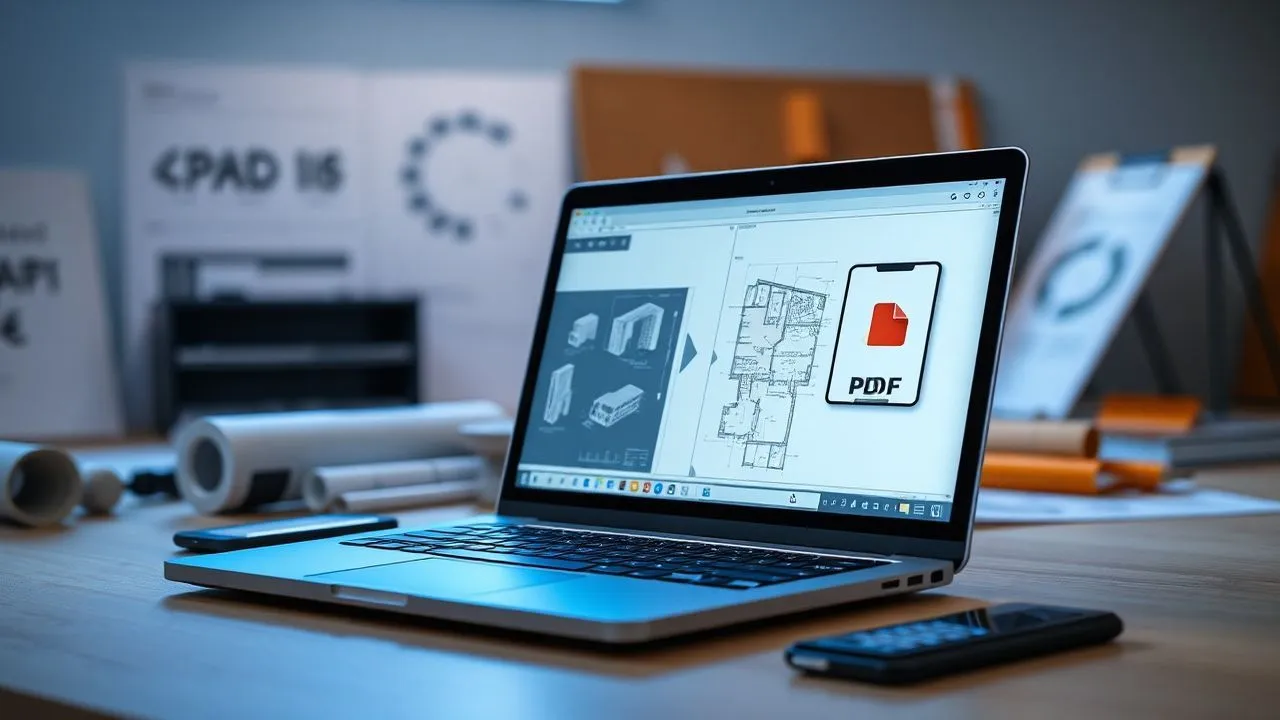
In the professional landscape of 2026, the need for convert DWG to PDF has become a fundamental competence not only for architects and engineers, but for anyone who manages technical documentation or digital plans. The DWG format, acronym for Drawing, is the pillar on which computer-assisted design rests (CAD), but has an intrinsic limit: it requires specific and often expensive software to be displayed correctly. On the contrary, the PDF format represents the universal standard for document exchange, ensuring that the layout, lines weights and fonts remain unchanged regardless of the device used. In this updated guide, we will explore the most effective and modern methods to carry out this transformation, analyzing both desktop solutions and cloud-based tools that have reached extraordinary precision levels in recent years. Whether you are in the office in front of a powerful workstation or on site with a simple smartphone, there are optimized routes that will allow you to get high quality PDF files, ready for printing or digital revision, without having to invest in prohibitive software licenses. Conversion technology has evolved dramatically, allowing today to preserve not only vector geometry, but also metadata and structure of the original layers of the AutoCAD file.
How to convert DWG to PDF on Windows PC
Using Autodesk DWG TrueView 2026
For users operating in Windows environment, the most reliable and technically accurate solution remains the use of official tools. Autodesk DWG TrueView 2026 is the free software par excellence that allows not only to view source files, but also to convert DWG to PDF maintaining a total adherence to the original format standards. Once the package is downloaded and installed from Autodesk’s official website, the user is in front of an interface that simplifies AutoCAD’s. This software is particularly valuable because it includes official virtual printing engines, which correctly manage the printing style tables (CTB and STB), which are fundamental to determine the thickness and color of the lines in the final document. To proceed, after opening the drawing, you must click on the export icon or access the print function, selecting the “AutoCAD PDF” module as a printer. This procedure ensures that each geometric entity is correctly interpreted, avoiding common errors such as the disappearance of complex retinals or the distortion of dynamic blocks, problems that often afflict the less evolved third-party converters.
In addition to technical precision, Autodesk DWG TrueView 2026 offers advanced batch management features, which are extremely useful when you need to process dozens of tables at once. Through the “DWG Convert” function, you can create file lists and apply to all the same output settings, saving a considerable amount of time. During the configuration phase, it is important to pay attention to the vector resolution set; for optimum quality during the professional printing phase, it is recommended not to descend under the 600 DPIs. Another key aspect is font management: TrueView allows you to incorporate TrueType characters directly into the PDF, ensuring that the text is always readable and, above all, searchable within the final document. This transforms a simple technical design into a smart document, where you can locate acronyms, quotas or text notes using the standard search function of any PDF reader, drastically improving the efficiency in consulting large engineering projects or modern architecture.
Open source and virtual printers
If you do not want to install the heavy Autodesk package, there are lightweight and performing alternatives for convert DWG to PDF on Windows systems. Programs such as LibreCAD or updated versions of free CAD software allow you to import the DWG format and export it via virtual system printers. The latter act as a print driver that instead of sending data to a physical device, generate a digital file. Among the most popular in 2026 we find PDFCreator or Bullzip PDF Printer, which offer granular control over image compression and password protection. The integration of these virtual printers within the workflow allows you to treat the DWG file as any other document, facilitating conversion even for those who do not possess in-depth technical skills in the assisted design industry. However, it is good to remember that the fidelity of the result depends strongly on the ability of read CAD software to correctly interpret the latest versions of DWG format, which are updated periodically by Autodesk to include new types of objects and properties.
Another valid option is represented by universal multi-format viewers, who over recent years have integrated increasingly sophisticated vector rendering engines. Many of these programs allow you to view the design preview and offer a quick button for export. When choosing this road convert DWG to PDF, it is essential to verify that the software supports the paper space (Layout) and not only the model space. Often, in fact, professional drawings are arranged in different sheets with different scales; a limited converter could export only the raw content of the model space, making PDF unusable for bureaucratic or construction purposes. Verify compatibility with pen configuration files and the ability to correctly manage external references (Xref) are mandatory steps for anyone looking for a result that is not only a simple image, but a technical document valid in all effects, able to overcome the most stringent quality controls imposed by international design studies.
Convert AutoCAD files to PDF on macOS
FreeCAD Guide for Apple Users
Mac users have historically faced greater challenges in managing proprietary CAD formats, but in 2026 the situation has radically changed thanks to solid projects such as FreeCAD. This open source 3D parametric modeling software has made huge strides in DWG file import support, although it sometimes requires the installation of external libraries such as the ODA (Open Design Alliance) for perfect compatibility. Once configured, FreeCAD allows convert DWG to PDF on Mac in a fluid way. The process begins with the import of the file via the “Draft” or “Arch” module, which allows to display vector geometry with extreme clarity. To get the PDF, the user can use the built-in export function or, better yet, go through the table setting module (TechDraw), which allows you to place the design on a virtual sheet with paper, define the scale of representation and finally generate the final PDF file. This methodology ensures that the resulting document is ready for professional presentation, maintaining the precision required by modern workflows on macOS.
Using FreeCAD on Mac requires a short learning curve, especially for system permission management. At the first start, as mentioned in the source text, macOS could block the application as it comes from an unidentified developer. You must go to System Settings, Security & Privacy section to manually authorize the program opening. Once this step has passed, FreeCAD is a very powerful tool not only for conversion, but also for small last-minute changes. The ability of this software to manage complex DWG files and to turn them into PDF while preserving the vector nature of objects means that the produced files will never “grow”, even if they are 1000% enlarged. This is a huge competitive advantage compared to converters that merely create a raster image within the PDF, making the final work much lighter in file weight and infinitely sharper while viewing on high resolution Retina monitor.
Simplified native solutions and workflows
For those looking for an even more immediate solution without installing complex software, the software market for Mac offers different utilities dedicated exclusively to conversion. Many of these applications are available on the Mac App Store and use Apple's Metal Graphic API to make the rendering process extremely fast. When you decide to convert DWG to PDF using these utilities, the main advantage is simplicity: often a “drag and drop” of the file on the app icon to start the process. Many of these apps also include quick preview engines (QuickLook), which allow you to see the content of the DWG file directly from the Finder by pressing the space bar, a feature that incredibly accelerates the search for specific details within very large project archives. Although some of these apps are paid, there are “lite” versions or trial periods that perfectly cover the occasional conversion needs, while guaranteeing an impeccable output quality and compliant with PDF 2.0 standards.
Another popular approach among graphic professionals using Mac is to use bridge software. For example, you can import CAD files into vector graphics programs such as Adobe Illustrator or Affinity Designer (very popular in 2026) and then proceed with export. Although this method can slightly alter architectural scales if not carefully managed, it offers unparalleled creative control over the aesthetic presentation of PDF. You can add shades, correct lines weights for purely illustrative purposes or integrate technical design into broader brochures and presentations. Ultimately, Apple's operating system today offers a range of options for convert DWG to PDF that has nothing to envy to Windows, balancing technical power, running speed and a user experience always focused on the fluidity of creative and professional work, typical of the ecosystem of the morsicata apple.
Best DWG Converters in Free Online PDF
AnyConv and the versatility of cloud services
In 2026, the power of cloud computing has made online conversion services incredibly reliable and safe, representing the ideal choice for those who must convert DWG to PDF without wanting to install any software on your device. AnyConv stands out in this view for its clean interface and its ability to process large DWG files in seconds. The operation is elementary: you upload the file to the service server, select the target format and expect the remote algorithm to complete the rendering. These services are particularly useful for Linux users or Chromebook users, systems where native CAD software installation can be complex or impossible. The quality of online conversion has reached very high standards, succeeding in correctly interpreting most of the AutoCAD entities, including multiriga texts and membership quotas, returning a final document that looks identical to that generated by a professional desktop post.
AnyConv's versatility and other similar services such as CloudConvert or Zamzar also resides in their multiplatform nature. You can start conversion from a tablet and download the result on a PC, or vice versa. Many of these converters also offer specific layer management options; when setting up, you can sometimes choose which levels make visible in the final PDF, allowing you to generate different versions of the same design (e.g. a structural version and a system) starting from a single DWG file. When using a service convert DWG to PDF online, however, it is essential to pay attention to the size limits of files imposed by free versions, which are usually around 50-100 MB. For the vast majority of standard architectural projects, this limit is largely sufficient, making cloud services an indispensable resource to quickly solve emergency situations or for fast collaborations between different professional studies located in different geographical areas.
Security, privacy and data protection
A crucial aspect that every professional must consider in 2026 when he decides to convert DWG to PDF through online tools is the protection of intellectual property. DWG files often contain sensitive information, constructive details protected by copyright or personal data related to customers. The best online services today guarantee SSL encryption protocols during data transfer and promise automatic deletion of files from their servers after a short time (usually an hour). It is essential to read the terms of service to ensure that your designs are not used to train artificial intelligence models or archived indefinitely. For greater security, we recommend that you use services that offer end-to-end encryption or prefer offline solutions when handling governmental or industrial projects at high level of secrecy, where data leakage could result in severe legal penalties or financial losses.
In addition to data security, it is important to assess the stability of the internet connection during the conversion process. Although optical fiber is now the standard in 2026, loading very heavy files in areas with limited coverage can lead to upload errors or corrupt PDF files. Many modern online converters have solved this problem by implementing block loading systems (chunked upload) that allow you to resume transfer in case of sudden disconnection. In addition, some advanced services offer a pre-conversion interactive preview, allowing the user to check whether the design is properly oriented or if they lack parts before proceeding with the final processing. This level of control, once reserved for professional software only, makes the choice of convert DWG to PDF in the browser a solution not only of filling, but often preferable for speed and convenience of use in dynamic and modern working contexts.
- Compatibility: Full support for AutoCAD versions from 2000 to 2026.
- Accessibility: Can be used from any browser on Windows, Mac, Linux and ChromeOS.
- Speed: Quick processing thanks to dedicated servers with accelerated hardware.
- Privacy: Data encryption and automatic deletion of uploaded files.
Export DWG to PDF from Android devices
DWG FastView for smartphones
Mobility is the heart of work in 2026 and have the possibility of convert DWG to PDF directly from your Android smartphone is a huge advantage during out-of-site inspections or meetings. The reference application in this sector is DWG FastView, an extremely light but powerful viewer and converter. After installing the app from the Google Play Store, you can access your files stored locally or on major cloud storage services such as Google Drive and Dropbox. The touch interface is optimized to navigate within complex designs, allowing you to zoom in on details with extreme fluidity thanks to the rendering engine optimized for the latest generation mobile processors. The export function in PDF is integrated directly into the main menu, allowing you to transform the technical design into a document that can be shared via email or messaging app in a few moments.
Although the application offers a free version supported by advertisements, the quality of the conversion remains of the highest level. You can choose from different output configurations, defining the sheet size and orientation, key elements to ensure that the resulting PDF is readable on the recipient’s device. For those who need advanced functions, such as batch conversion or watermark removal, the premium version is a sensible investment, especially for those who work constantly on the move. Convert DWG to PDF on Android has never been so simple: the app correctly manages also the transparencies of the layers and the line thicknesses set in the source file, ensuring that the final file faithfully respects the intentions of the designer, avoiding unpleasant misunderstandings during the consultation phase of the design at the yard or at the offices of the public administration.
Management of CAD files in mobility
In addition to simple conversion, working with DWG files on Android in 2026 requires an oculated management of storage space and RAM memory of the device. Modern CAD files can be very heavy and require considerable computing power to be opened and processed. Fortunately, modern mid- and high-end smartphones have sufficient resources to manage even complex urban plans. When you have to convert DWG to PDF in mobility, it is good to close other applications in the background to devote all the power of the processor to the CAD app, thus reducing the risk of crashing during generating the PDF. In addition, the use of capacitive pens on large Android tablets allows you to add free hand annotations or corrections directly to the DWG before conversion, making the final PDF an even more complete document and full of immediate operational information.
Another fundamental aspect concerns integration with business workflows. Many companies use private NAS servers or collaborative platforms; the best apps for convert DWG to PDF on Android support protocols such as WebDAV or FTP, allowing you to directly tap into centralized archives. This eliminates the need to manually transfer files via USB or Bluetooth cable, incredibly speeding up the project review cycle. Once the PDF is generated, you can use native Android functions to digitally sign the document or to place a professional stamp, making it officially ready for formal transmission. The flexibility offered by Android devices, combined with increasingly sophisticated software, has transformed the smartphone from simple communication tool to real portable workstations for every professional in the technical sector.
- Download and install the DWG FastView application from the Play Store.
- Open the app and allow access to the memory of the device.
- Select the desired DWG file from internal memory or cloud.
- Access the options menu (three dots) and select Export to PDF.
- Configure the print settings and save the resulting file.
Manage and convert DWG files to iPhone and iPad
Retina display optimization
The Apple mobile world, consisting of iPhone and iPad, offers some of the best user experiences when it comes to convert DWG to PDF. Thanks to the extraordinary chromatic fidelity and the resolution of Retina displays, displaying a CAD project on an iPad Pro is an experience that is very close to the consultation of a high-definition printed paper board. Also on iOS, the DWG FastView app is the undisputed protagonist, offering a user experience that fully exploits the intuitive gestures of the Apple operating system. The PDF conversion benefits from the powerful architecture of the M and A series chips, which process the complex vector geometry of the DWG with a surprising speed. The result is a sharp PDF file, with clean lines and perfectly defined texts, optimized to be displayed on any other device of the Apple ecosystem or sent to colleagues using different platforms.
Deep integration with the iOS “File” app allows centralized and fluid document management. When you receive a DWG attachment via email, you can open it directly in the conversion app, transform it and save it to a shared folder on iCloud Drive in a few touches. This synergy between third-party software and operating system makes the process convert DWG to PDF on iPhone an operation that takes less than a minute, ideal for those who live a frenetic professional life. In addition, touch accuracy and support for Apple Pencil on iPad models allow precise measurements and to check the odds before proceeding to create PDF, ensuring that the exported document contains exactly the necessary information without errors of interpretation due to a approximate display on low quality screens.
Professional mobile workflow
For professionals using the iPad as the main tool of work, conversion from DWG to PDF is only the last mile of a more complex workflow. In 2026, many applications on iPadOS allow you to work in multitasking, keeping the technical design open on one side and the mail or management program committed on the other. Convert DWG to PDF thus becomes a natural step within a digital production chain. Many users also use the ability of iOS to manage custom system fonts; if your DWG file uses specific characters required by the company brand, you can install them on iPad to ensure that PDF conversion keeps them intact, preserving the visual identity of the project. This level of attention to detail is what distinguishes a simple amateur output from a high profile professional technical document.
Finally, you should not underestimate the importance of integrated 5G connectivity in Apple devices, which allows you to manage conversion even when source files are stored on very heavy remote servers. Download and upload speed ensures that the process convert DWG to PDF do not suffer slowing, even working with files that exceed 200 MB. Once you get the PDF, your iOS sharing options make it easy to send you directly via AirDrop to close colleagues or through the main corporate communication channels. In conclusion, iPhone and iPad are confirmed in 2026 as an excellent tool for managing CAD formats, offering an unbeatable mix of hardware power, software simplicity and visual quality that enhances every single project turned into PDF.
"The transition from DWG to PDF format is not only an extension change, but an act of democratization of the technical data, making CAD accuracy accessible to anyone, anywhere. " – Digital Transformation Expert, 2026.
How to convert DWG to PDF with AutoCAD 2026
Print and scale settings
Despite the availability of numerous alternatives, AutoCAD 2026 remains the absolute reference point for those who want maximum control in convert DWG to PDF. Being the native software, it has all the necessary libraries to interpret each single variable of the design. To get a perfect scale PDF, a fundamental requirement in construction and mechanics, AutoCAD offers the “Plot” window. Here the user can accurately define the relationship between the drawing units and the millimeters on the physical or virtual sheet. By selecting the driver “AutoCAD PDF (High Quality Print)”, you are sure that each line, retino and nuance is played with the highest possible fidelity. You can also configure PDF options to include layers, allowing those who view the file to turn on or off drawing parts directly into Adobe Acrobat or other advanced viewers.
A common error during conversion is to overlook the tables of printing styles (CTB). In AutoCAD 2026, these tables allow to assign to each color displayed on screen a line thickness and a specific print color. Before convert DWG to PDF, it is essential to ensure that the correct CTB file is selected in the print menu. This transforms a multi-coloured design (to facilitate the distinction of the various elements) into a professional black and white PDF document or with calibrated grey gradations, in accordance with current technical regulations. In addition, AutoCAD allows you to set the “PDF Options” to control the quality of raster images inserted and font management, ensuring an ideal balance between visual quality and file weight, crucial aspect when documents must be sent via PEC or uploaded to ministerial portals with strict size limits.
Export multi-sheet and batch
For complex projects consisting of dozens of boards, AutoCAD 2026 offers the “Publish” function, which represents the most efficient method for convert DWG to PDF multi-page. Instead of printing each individual layout individually, the user can select all the necessary sheets and start a single publication procedure. The software will generate a single PDF file containing all ordered boards, complete with bookmarks for fast navigation between the different sections of the project. This not only saves hours of manual work, but drastically reduces the risk of errors or forgetfulness, ensuring that the whole set of documents is consistent and updated to the latest version of the drawing. The power of AutoCAD in managing these batch operations is still unmatched today by free solutions, making it the indispensable tool for large design studies.
Another cutting-edge feature introduced in the latest versions is the export of object data. During the conversion phase, AutoCAD may include CAD object metadata in PDF, such as areas, lengths or blocks attributes. This transforms PDF from simple visual document to interactive databases. Who receives the file can, with the appropriate tools, question the PDF to know the surface of a room or code of a mechanical component, without owning AutoCAD. In this sense, convert DWG to PDF in 2026 no longer means “flattering” a design, but creating a smart information bridge between those who design and realize, improving communication and reducing the ambiguities typical of traditional paper documentation or old-generation digital files.
- Precision: Millimeter printing scale control for each sheet.
- Interactivity: Possibility to include layers and metadata of objects in PDF.
- Efficiency: Publish function for creating multi-page PDF in one step.
- Quality: Optimized print drivers for complex vector lines and retinals.
Frequently asked questions
How can I convert DWG to PDF without losing the quality of lines?
To avoid losing the quality of the lines during conversion, it is essential to use a converter that maintains the vector nature of the original file. Software such as Autodesk DWG TrueView or AutoCAD use virtual print drivers that do not turn the design into an image (rasterization), but retain geometric coordinates. Make sure you set a high vector resolution in print options, preferably over 600 DPIs, and check that the line weight inclusion option is active in the CTB/STB file settings.
What is the best free online service to convert heavy DWG files?
AnyConv and CloudConvert are currently among the best online services to manage large DWG files in 2026. These sites offer powerful cloud infrastructures that can process files up to 100 MB for free. The advantage of these tools is the constant updating of their conversion engines, which allows you to correctly read even the latest versions of the DWG format produced by AutoCAD, ensuring a clear and faithful final result to the original without installing heavy software.
Is it possible to convert DWG to PDF while maintaining layers (layer)?
Yes, it is absolutely possible. Using AutoCAD or professional software like Adobe Acrobat Pro, you can choose to include layer information in the exported PDF file. This allows the recipient of the file to activate or disable the visibility of specific elements (such as plants, quotas or furnishings) directly from the PDF reader. This function is extremely useful to facilitate the reading of complex technical drawings where the overlap of too much information would make the document confused.
What should I do if the text in the converted PDF appears distorted or missing?
The problem of distorted or missing fonts usually comes from the lack of original fonts (often SHX or TrueType files) on the system that converts. To resolve, make sure to incorporate fonts into PDF while exporting by selecting the “Embed all fonts” option in the settings. If you use AutoCAD, make sure that SHX file paths are correctly configured, or convert all text into vector geometries before exporting, although this will make the text no longer searchable within the PDF.
How to convert a DWG file to an exact scale PDF?
To get a PDF in scale, you must necessarily go through the “Layout” (or Paper Space) space of a CAD software. In this section you can define the sheet size (e.g. A1 or A3) and create a window (viewport) with a precise scale factor (e.g. 1:50 or 1:100). During the PDF printing phase, make sure that the print ratio is set to 1:1, since the scale is already managed within the layout, ensuring that a measurement made on the PDF corresponds to reality.
In conclusion, the procedure for convert DWG to PDF in 2026 it has become an accessible, fast and highly customizable operation, regardless of the device or operating system in use. We have seen how Autodesk official solutions ensure maximum precision for professionals, while online services and mobile applications offer unprecedented flexibility for mobile operators or non-traditional platforms. Choosing the right tool depends exclusively on your specific scale, layer management and file volume needs to process. We invite you to experience the solutions proposed in this guide to identify the workflow most suitable for your work needs. Do not let a file format hinder your productivity: today transform your projects into universal documents and ready for success. Learn how to optimize your digital processes by continuing to follow our technical updates.


