In the 2026 digital landscape, the importance of offering dynamic and interactive visual content has reached unprecedented peaks. Whether you are a real estate agent who wants to show a preview property, a teacher engaged in digitization of his own school or a fan of spherical photography, learn how to create free virtual tour has become a fundamental competence to emerge. A virtual tour is not simply a sequence of images, but an immersive experience that allows the user to physically navigate within a space, exploring the details with a level of involvement that a static photograph can never offer. In an increasingly saturated market, the ability to generate these experiences without having to deal with prohibitive licensing costs is a huge competitive advantage. Thanks to the technological evolution of recent years, today we have incredibly powerful web-based tools and mobile applications that, while being free, offer features that until recently were reserved to industry professionals with high budgets. In this in-depth guide, we will explore the best solutions available in the current year to transform your panoramic shots into high quality interactive paths, analyzing step by step the workflows needed to achieve a result that will amaze your potential customers or visitors, all maintaining your economic investment at zero altitude.
Online platforms for the creation of immersive experiences 360
Marzipano and the power of open source in 2026
Marzipano also confirmed in 2026 as one of the most solid and appreciated solutions for those seeking how to create free virtual tour without bureaucratic complications or hidden costs. As an open source project, its philosophy is based on maximum accessibility: no registration is required and the entire processing process takes place directly in the user’s browser. This tool is particularly suitable for those who already own spherical images and want to turn them into a navigable tour in a few minutes. The platform accepts different formats, including the classic equirettangolar projections and cubemaps, which are the standard for the high quality rendering of closed spaces. The interface of Marzipano Tool is essential but powerful, allowing you to upload files, define the initial visual of each scene and connect the various environments together through a fluid and responsive navigation system, optimized for modern web performance.
One of the most technical and interesting aspects of Marzipano is its export mode. Once the project configuration is finished, the system generates a ZIP package containing HTML, JavaScript and processed images. This means that the virtual tour becomes your exclusive property and can be hosted on any web server or integrated directly within a WordPress site via a simple FTP upload. It is important to remember that, to correctly view the local tour after the draw, some modern browsers may require the execution of a local server for security reasons related to CORS policies. However, once published online, the tour will be perfectly visible on any device, ensuring total cross-platform compatibility that includes smartphones, tablets and viewers for the latest virtual reality, making your work professional and accessible to anyone.
Lapentor: Advanced management and integrated hosting
If your need is to have a more structured work environment, similar to a CMS for virtual reality, Lapentor represents the choice of choice for how to create free virtual tour with an extra professional touch. Unlike Marzipano, Lapentor requires the creation of an account, but repays this little effort by offering a complete dashboard where you can save and manage your projects in the cloud. The free version of Lapentor in 2026 allows you to manage up to three simultaneous projects, a generous share for those who are beginning or for those who have to show a limited number of properties. The strength of this platform lies in its centralized multimedia library, where you can upload your views and organize them in folders, facilitating the creation of complex tours that include dozens of different rooms or observation points, making navigation of the end user logical and structured.
The editor of Lapentor is extremely intuitive and is based on a drag-and-drop system for adding hotspots. The latter do not only serve to pass from room to room, but can be used to enrich the tour with additional multimedia content. You can insert descriptive text labels, in-depth video starting at the click, photo galleries of details or even external links to booking pages or product cards. Another noteworthy feature is the ability to choose between standard rendering and multi-resolution; the latter option, although sometimes limited in free plans, is essential to ensure that high-definition images are loaded only in the portion that the user is actually looking at, drastically reducing loading times and improving overall user experience even on non-excessive connections.
- Support for equiretrang images with 2:1 ratio.
- Navigation system through interactive and customizable hotspots.
- Possibility of exporting in HTML/JavaScript format for autonomous hosting.
- Optimised interfaces for viewing on VR viewers and mobile devices.
Alternative software and cloud solutions for free virtual 3D tours
Keypano and multisector versatility
While many tools focus exclusively on real estate, Keypano stands out in 2026 as a versatile resource suitable for museums, schools and commercial showrooms. Learning how to create free virtual tour with Keypano means having access to a platform that enhances aesthetics and fluidity. The free version offers a pretty high limit of projects compared to competition, allowing to load up to 200 total scenes distributed on 10 different projects. This makes it the ideal tool for complex didactic projects, such as digitization of an entire school campus or an articulated museum path. Keypano's internal stitching algorithm has been updated to better manage light discrepancies between different shots, a common problem when using non-professional cameras or mid-range smartphones under varying natural lighting conditions.
In addition to the amount of scenes, Keypano excels in the customization of the user interface (UI). Also in the free plan, users can change some visual elements of navigation to adapt them to the branding of their project. The platform supports the loading of “flat” images which are then maped below the system, reducing the input barrier for those who do not yet have a dedicated 360-degree camera. Another strength is metadata management: each scene can be enriched with geographical information and SEO-friendly descriptions, facilitating the indexing of individual search engine tours like Google. This aspect is vital for those who want their virtual tour not only to be an aesthetic accessory, but a real marketing tool able to attract organic traffic and new potential visitors interested in the space represented.
DiveIn Studio and Integration of 2D Planimetries
DiveIn Studio occupies a specific niche in the software market for how to create free virtual tour, focusing on the user’s spatial orientation. One of the main limits of amateur virtual tours is often the sense of loss that the visitor tries to move between the various rooms. DiveIn Studio brilliantly solves this problem allowing you to integrate a dynamic 2D layout next to visual 360. While the user navigates into the environment, an indicator on the map moves in real time, showing exactly the location and direction of the look. This functionality is crucial in the real estate sector, where understanding the layout of the spaces is as important as the beauty of them. Although the free version is limited to a single active project, the quality of virtual measuring instruments included makes it an excellent choice to test the effectiveness of this professional approach.
The platform also offers a basic data analysis system (analytics) for free users, allowing you to monitor how many people viewed the tour and which are the hotspots that generated the largest number of interactions. In 2026, the ability to make data-based decisions is fundamental: if you notice that visitors dwell a lot on the kitchen but ignore the balcony, you can decide to enrich the first with more information or improve the presentation of the second. DiveIn Studio integrates seamlessly with social media, allowing the generation of short links and QR code ready to be printed on flyers or “venge” signs, creating an immediate bridge between the physical world and the immersive digital experience you built with dedication.
- Loading panoramic images into the platform's cloud.
- Placement of hotspots for logical connection of rooms.
- Inserting a 2D plane to improve spatial orientation.
- Generation of the sharing link or code of incorporation for websites.
- Monitoring access statistics to optimize the experience.
Mobile app to create free virtual tour from smartphones
Panorama 360 and Smart Capture
For those who do not own a specialized camera and want to understand how to create free virtual tour using only your smartphone, Panorama 360 & Virtual Tours represents the reference standard on Android in 2026. The application transforms the phone’s photo sensor into an advanced environmental scanning tool. The acquisition process is driven by an increased reality interface that shows points in space: the user simply has to rotate on himself trying to make the viewfinder coincide with the suggested points. The app then deals with “cucire” (stitching) together with the various shots in real time, using artificial intelligence algorithms to correct perspective distortions and perfectly align the edges of the images, eliminating those unsightly visual jumps typical of the old panoramic applications.
Once you complete the overview, the app allows you to immediately view the result in VR mode, allowing you to test the immersive simply by moving the phone into space. The free version is supported by advertisements, but does not limit the ability to create and save your works locally. You can export the views in the phone gallery and then upload them to web platforms such as those mentioned above, or share them directly on the internal community of Panorama 360, which acts as a real social network for immersive photography enthusiasts. For real estate agents always on the move, this application is a manna from the sky, as it allows to generate a first draft virtual tour directly during the inspection in a property, ready to be sent via WhatsApp to a customer interested in record time.
MetaVizta and cloud-based rapid processing
MetaVizta is another important application in mobile solutions for how to create free virtual tour. What differentiates is its hybrid approach: catching happens on the smartphone, but heavy processing is entrusted to cloud servers that return a clean and artifact-free image in seconds. The app offers two shutter modes: “Fast” for those who have little time and need a quick overview of the room, and “Full” for those who want a complete cover that also includes the ceiling and the floor (nadir and zenith). The initial calibration of the gyroscope of the smartphone is a mandatory step that guarantees a millimeter accuracy in the positioning of the photos, making the final tour much more professional and less “home-made”.
The MetaVizta ecosystem in 2026 also includes post-production editing tools directly in the app. You can adjust brightness, contrast and saturation without having to export the file to external software like Photoshop. In addition, the application integrates an immediate publishing system that generates a unique URL for each tour created. In its free version, MetaVizta allows you to keep up to five projects active on your cloud space, over which you need to delete old jobs or move to a higher level. This flexibility makes it ideal for small owners who rent holiday homes on platforms such as Airbnb, allowing them to show the environments transparently and truthfully, increasing the trust of potential guests and reducing negative reviews due to unexpected expectations on the size of the spaces.
The secret to a successful virtual tour lies not only in the software used, but in the care of details: a well-lit and tidy room is the indispensable base on which technology can then operate its immersive magic.
Technical requirements and preparation of panoramic images
Formats, resolutions and equirettangolar standards
Approaching the challenge how to create free virtual tour requires a minimum understanding of the graphic formats involved. The universal standard format for virtual tours is the equiregular image. It is a flat projection of a sphere, which always has a 2:1 aspect ratio (for example, 8000 pixels wide for 4000 pixels height). In 2026, most free software requires that uploaded images strictly comply with this relationship to be able to wrap them correctly around the user's view. Using too low resolution would lead to a loose effect when the user zooms on details, while excessive resolution (over 16K) could slow loading on less performing devices. The right compromise between quality and speed is usually between 8K and 10K wide.
In addition to spherical views, some software still supports the Cubemap format, which divides the view into six square faces (front, back, above, below, right, left). Although less common for smartphone users, this format is often preferred by 3D graphics that make virtual environments from software such as Blender or Unreal Engine. Regardless of the chosen format, it is essential to save .webp files with a minimum compression or .TIFF if the software allows it, to preserve the dynamic range of colors. A common mistake is to take “partial” panoramic photos (which only cover 180 degrees): although some tools manage them, the final effect will never be fully immersive and will create black shadow areas on the tour that compromise their professionalism and communication effectiveness.
Hardware and snap techniques equipment in 2026
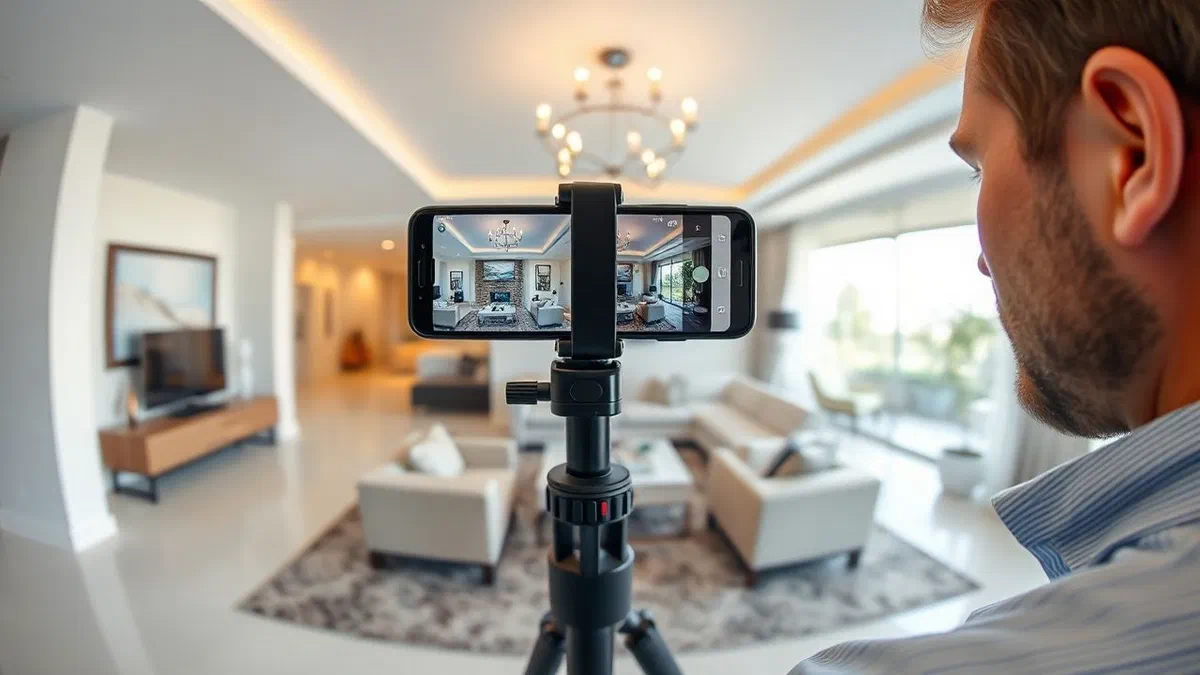
Although the primary objective is to understand how to create free virtual tour, sometimes a small hardware investment can make the difference between an amateur result and an extraordinary one. If you don't have a 360-degree camera like the Insta360 or Ricoh Theta series (market leader in 2026), you can still get excellent results with your smartphone using a tripod with an economic rotating head. Stability is fundamental: keeping the optical center of the camera (the so-called nodal point) as firm as possible during rotation eliminates parallax errors, those unpleasant defects where neighboring objects seem broken or duplicated. Many free apps now offer support features to find the right nodal point, instructing the user on how to rotate the phone around the sensor instead of around your body.
Light management is the other fundamental pillar. In virtual tours, the camera sees everything simultaneously: bright windows and dark corners. To prevent the windows from being completely white (over exposure) or the shadow zones are too dark, it is advisable to take HDR (High Dynamic Range) mode. Many 2026 smartphones do this automatically, but if you use a dedicated 360 camera, make sure you take at least 3 or 5 different displays for each location. There are free editing software such as Darktable or RawTherapee that can help you merge these shots before loading them into the virtual tour platform, ensuring balanced and natural brightness throughout the room, a detail that visitors will notice and unconsciously appreciate.
- Using a tripod to ensure stability and accuracy at the joining points.
- Shield in HDR mode to manage the strong bright contrasts between interior and exterior.
- Control of room cleaning and strategic positioning of lights.
- Check the nodal point to avoid parallax distortions between objects.
Specialist tools for free real estate marketing
Floorfy: the bridge between virtual reality and 2D planes
In the specific context of real estate, Floorfy evolved in 2026 as an indispensable tool for those seeking how to create free virtual tour for sale purposes. The platform offers a “freemium” model that allows you to make an entire test tour without cost, including some features that are usually paid elsewhere. The peculiarity of Floorfy lies in its ability to extract spatial information from photos 360 to automatically generate a floor plan of the property. Although the free version may have limits on millimeter accuracy or export number, the possibility to show a customer a tour linked to a cathartic or commercial map is an added value that drastically increases the conversion rate of online listings.
Integration with the main real estate portals is another strength. Floorfy generates links compatible with site loading systems such as Idealista or Real Estate.it, ensuring that the virtual tour is displayed correctly directly in the ad card. This eliminates the need for the user to click on external links, keeping it inside the search ecosystem and increasing the time of stay on the page. In 2026, portal positioning algorithms reward virtual tour listings, leading them to the top positions. Learning to use Floorfy for free for your first acquisitions is therefore a smart marketing strategy to test the effectiveness of these tools on your real estate portfolio before deciding to invest in a pro subscription to manage larger volumes.
EyeSpy360: branding and conversion tools
EyeSpy360 is a veteran platform that in 2026 continues to offer one of the best user experiences for creating guided tours. Understanding how to create free virtual tour with EyeSpy360 means pointing to the narrative: the platform allows to create “guided paths” where the user has to do nothing but press “Play” to be conducted through the rooms in a default sequence, as if it were accompanied by a real agent. The first tour is usually free and includes all the main features, allowing you to also test the integrated video-chat tools. This function, called “EyeSpyLIVE”, allows you to make virtual visits assisted in real time: you and your customer navigate on the same tour at the same time, while you talk to each other and you see yourself in a video box, just like in a Zoom call but inside the 3D house.
Attention to branding is another distinctive element. Also in free testing, the interface is clean and professional, with the possibility to enter your contact information at strategic points of the tour. EyeSpy360 also supports the addition of “info-points” that can contain technical boards of plants, energy certifications or video of the surrounding property. In a time where transparency is fundamental, providing all these details within a single digital experience reduces unnecessary visits and qualifies contacts: those who require an appointment after exploring the EyeSpy360 tour are usually a very interested and already aware of the merits and limits of the property, drastically optimizing the working time of the agent or private seller.
- Registration at the service and activation of the first free tour.
- Upload of spherical photos and automatic alignment of premises.
- Configuration of the EyeSpyLIVE function for remotely assisted visits.
- Added information tags and downloadable documents on the tour.
- Advertisement with integrated immersive links.
Optimization and publication of your virtual tour in 2026
Integration in WordPress and autonomous hosting
Once understood how to create free virtual tour, la sfida successiva è la pubblicazione efficace. Se possiedi un sito web basato su WordPress, hai a disposizione diverse opzioni gratuite per ospitare i tuoi tour senza appoggiarti a piattaforme esterne che potrebbero inserire pubblicità. Plugin come “Algori 360” o “Pannellum” permettono di incorporare immagini sferiche direttamente negli articoli o nelle pagine utilizzando semplici shortcode. Se hai utilizzato Marzipano, puoi caricare la cartella estratta via FTP sul tuo spazio hosting e utilizzare un tag <iframe> per visualizzare il tour. Questo metodo è preferibile per mantenere l’autorità del dominio (SEO) e garantire che l’utente non abbandoni il tuo sito per navigare su portali di terze parti, migliorando le metriche di engagement del tuo portale professionale.
A critical aspect of the publication is performance optimization. In 2026, loading speed is a primary ranking factor for Google. Before uploading images, make sure you pass them through quality lossless compression tools such as TinyJPG or similar, optimized for large files. A virtual tour that weighs 50MB will navigate mobile users with limited connections. The goal is to keep the entire package under 10-15MB per scene, ensuring instant opening. Also, make sure your hosting supports the HTTP/3 protocol for faster data delivery. A smooth and fast tour not only improves user experience, but communicates an image of technological efficiency and modernity, elements that positively reflect on the perception of your brand or your professional activity.
Social sharing and use of QR codes
The virtual tour must not only live on your site, but must be spread wherever your potential audience is. In 2026, social platforms natively integrated 360 content support. Understanding how to create free virtual tour means also knowing that Facebook allows direct upload of spherical photos that users can explore by moving the smartphone, while on Instagram you can publish “video tours” recorded by browsing within the 3D experience. Another very successful strategy is the use of QR codes. Imagine inserting a QR code on a real estate cartel, on a school brochure or on a store window: the passer should only frame it to be projected instantly within the space, creating an immediate and memorable “wow” effect.
To maximize the impact of sharing, it is useful to create preview “mini-clips”. Many of the above mentioned tools allow you to record short videos where the virtual camera automatically rotates in the room by showing strengths. These videos can be used as Reels or TikTok to attract attention and invite users to click on the link in bio to access the full and interactive tour. Always remember to include a clear “Call to Action” at the end of the tour: a button “Book a visit”, “Contact us on WhatsApp” or “Tell us about the newsletter”. The virtual tour is the entry point of a sales or acquisition funnel: making it free of charge in the creation allows you to allocate budget on promotion, ensuring that your work is seen by as many people as possible.
Frequently Asked Questions about Virtual Tour
What exactly do you mean by equirettangolar image?
A rectangular image is a cartographic projection in which the meridians are mapped on constant vertical lines and parallels on constant horizontal lines. In the context of virtual tours, it represents the entire viewing sphere (360 horizontal degrees and 180 vertical) “distinct” on a rectangle, usually with a 2:1 ratio. It is the source format that software uses to reconstruct the user’s navigable three-dimensional environment, allowing you to look in every direction without visual interruption.
Is it really possible to create a professional tour without spending anything?
Absolutely. Thanks to open source tools such as Marzipano or the “free tier” versions of platforms such as Lapentor and EyeSpy360, you can make tours of the highest level. The cost, in this case, is represented by the time necessary to learn how the software works and to cure the quality of the photo shots. If you have a modern smartphone, you can cover the entire production process, from capture to publication, without having to purchase additional hardware or software in the year 2026.
What are the advantages of a virtual tour compared to a classic video?
Unlike a video, which imposes a linear and passive narrative, the virtual tour puts the user in charge. The visitor can decide how long to stay in a room, on which details to dwell and what path to follow. This interactivity increases the sense of presence and trust, since the user perceives that they do not have “hidden corners” or smart fittings that conceal space defects, making the experience much more truthful and convincing, especially in areas such as immobilization or tourism.
Can I insert music or vocal narrative on my free tour?
Many platforms, even in their free versions, allow the insertion of audio tracks. You can add ambient background music to create atmosphere or, better yet, insert hotspot audio files where a narrative voice explains the features of the room or tells the story of a museum repertoire. This auditory dimension completes immersiveness, transforming a simple visual exploration into a deep and engaging multimedia story that captures the user’s attention longer than purely visual content.
Does virtual tour also work with virtual reality (VR) viewers?
Yes, most modern virtual tour platforms are based on WebXR or HTML5 standards, which are natively compatible with VR viewers such as Meta Quest, Apple Vision Pro and various economic models for smartphones. When the user opens the link of the tour from a compatible device, a VR mask icon usually appears: by clicking it, the image is divided by the two eyes, allowing the visitor to “enter” literally into space and explore it by simply moving his head, bringing realism to a higher level.
In conclusion, learning how to create free virtual tour represents an invaluable investment in your digital presence in 2026. Whether you choose open source freedom with Marzipano or the cloud structure of platforms such as Lapentor and EyeSpy360, you have all the necessary technologies to transform simple photographs into memorable interactive experiences. Remember that the key to success lies in the quality of the raw material: sharp shots, well lit and carefully composed. Do not wait any further: download one of the recommended apps or visit one of the websites analyzed in this guide and begin today to give a new dimension to your projects. The future of visual communication is immersive, and now you have all the tools to become protagonist. Start your first 360 project now!


