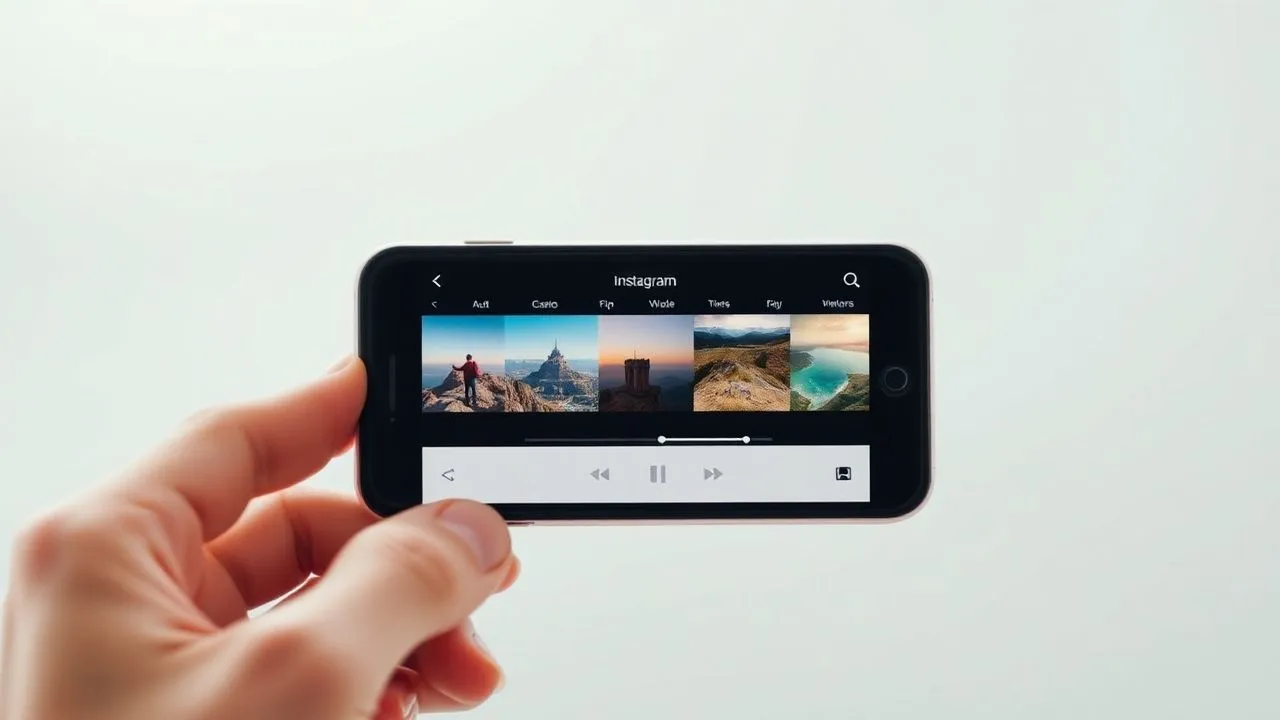
In the digital panorama of 2026, dominated by fast and engaging visual content, understand how to make Reel with photos represents a fundamental competence for anyone who wants to grow their Instagram profile or simply share memories creatively. In recent years, Meta's platform has dramatically evolved its editing tools, allowing users to transform simple static images into real dynamic narratives supported by advanced algorithms and artificial intelligence. If you’re wondering why your friends or creators’ posts seem so fluid and professional while using only photo shots, the answer lies in the wise use of the functions integrated into the Reel editor. In this in-depth guide, we will explore every single aspect of creating a photographic Reel, starting from the bases of the selection of images to the most sophisticated sound synchronization techniques. No matter if you are an absolute beginner or an experienced user looking for new tricks: the procedures we are about to analyze will allow you to master the tool in total way, ensuring you high quality results that will capture the attention of your followers from the first seconds of playing the multimedia content on their feed.
The basic procedure to create Instagram Reel with images
Access to the function and initial selection of content
To begin the process related to how to make Reel with photos, the first fundamental step is to open the official Instagram application on your mobile device, whether it is an iPhone or a latest generation Android smartphone. Once you have access to your profile, you must head to the content creation section, which can be usually identified by the square-shaped icon with a “+” symbol at the centre, or swipe right from the main feed screen. At this stage, it is crucial to select the specific option called Reel among the different available alternatives such as Post, Stories or Dirette. The Instagram interface in 2026 is extremely intuitive and will immediately show you the preview of your camera, but to work with the photos you will need to touch the small pane located on the bottom left, which represents direct access to your multimedia gallery or the photo roller of the device.
Once you enter the gallery, you will have the opportunity to browse all your images organized by date or specific albums, making the search for your best shots extremely quick and organized. To proceed correctly on how to make Reel with photos in multiple mode, I suggest you hold on the first image you want to include in your project: this gesture will activate the numerical selection, allowing you to sequentially tap all the other photos following the chronological or narrative order you prefer for your final video. Remember that the order with which you select the files will be the same with which Instagram will initially position them on the editor’s timeline, saving you precious time during the next editing phase. After you have completed the selection of your favorite shots, just press the Next button located in the upper right corner to load everything in the main editing area.
Using the built-in editor for first mounting
Enter the editor, the system will propose you a first draft of your content, often accompanied by a musical suggestion based on the atmosphere detected in your images through visual analysis algorithms. If you really want to understand how to make Reel with photos successful, you don't have to just accept the default settings, but you have to learn how to interact with the timeline located at the bottom of the screen. By touching every single photo clip, you can adjust the duration by simply dragging the side edges to the right or to the left, thus allowing each image to remain visible for the exact time you feel necessary for the purposes of your digital storytelling. This flexibility is essential to create a narrative rhythm that does not annoy the viewer and that highlights the most significant details of each selected shot.
In addition to time adjustment, the Reel editor provides you with a series of creative tools placed sideways or at the top of the user interface. You can insert dynamic texts, interactive stickers or augmented reality filters that can radically change the color aspect of your photos, giving them a professional look and consistent with your personal brand. For those who are learning how to make Reel with photos, it is also important to experiment with automatic transitions that the system can generate between an image and the other, ensuring a smooth passage that avoids too sharp or annoying to the view. Once you have gained confidence with these basic tools, you will be ready to switch to more advanced features that we will see in the next chapters, raising the quality of your social content significantly and lastingly.
Combine photos and videos for dynamic and original content
Integration of video clips into the photo stream
Many users believe that creating content should be limited to only one type of format, but the truth about how to make Reel with photos professionally resides often in the ability to mix static images and short video clips. This technique allows to break the visual monotony and offer the viewer a richer and more sensory experience, alternating the precision of photographic detail to the dynamism of the real movement. During the initial selection phase in the gallery, you don't have to be afraid to include movies: Instagram will automatically manage the transition between different formats, allowing you to maintain impeccable stylistic consistency. For example, you could start your Reel with a breathtaking panoramic photo and continue with a few seconds video showing a moving detail of the same scene, creating a unique depth effect.
The management of this mix requires special attention to the total duration of the Reel, which in 2026 can reach considerable time limits, allowing you to tell more complex and articulated stories than the past. To optimize the search results how to make Reel with photos and video together, it is advisable to use the video clipping function directly inside Instagram, isolating only the most significant moments not to weigh the upload and maintain high interest of the audience. The editor allows you to freely move the position of the clips in the timeline: just hold on an element and drag it into the new position to instantly change the narrative structure of your video, ensuring a fluidity that only a reasoned assembly can offer your followers more affectionate and attentive to quality.
Advanced editing of mixed media clips
When you decide to take the path up how to make Reel with photos and video, you must also consider the aspect of the environmental audio present in the movies, which could conflict with the background music you will choose later. Fortunately, Instagram editor allows you to manage volumes independently for each single clip: you can decide to reset the original audio of a video to prevail the soundtrack, or you can mix the two sound streams to keep, for example, the natural sound of the sea or the wind along with a soft music track. This level of control is what distinguishes an amateur content from a professional and allows to transmit stronger and engaging emotions to those who view the content from their smartphone at any time of the day.
Another professional secret concerns the application of uniform filters on the whole project: when you load materials from different sources or taken with different illuminations, the Reel may appear fragmented and little harmonious. The strategic advice for those who want to know how to make Reel with photos and consistent video is to apply a global filter at the end of the assembly, so that each visual element acquires the same color shade and the same contrast. This technical approach gives the final video a cinematographic aspect of great impact, making the passage between photos and videos almost imperceptible and transforming your Reel into a real digital art work ready to be shared not only on Instagram, but potentially also on other social networking platforms integrated into the Meta ecosystem.
Add music and audio to your photo shoots
Search and selection of songs in the music library
One of the most powerful elements to make memorable a content is undoubtedly the sound component, and learn how to make Reel with photos and music is the decisive step to increase the views and engagement of your posts. Instagram's music library in 2026 is vast and includes not only the successes of the moment, but also sound effects, original tracks created by other users and viral audio that can help your content to scale the algorithm rankings. To add a track, just tap the musical note icon in the editor: here you can search for specific songs by title, artist or genre, or let yourself be inspired by the “For you” sections that suggest music in line with your tastes or with the theme found in your previously uploaded photos.
While you explore the library to understand how to make Reel with photos of impact, pay attention to the small arrow symbols that indicate the trend tracks: using these tracks can give a significant boost to the distribution of your Reel in the feeds of users who still do not follow you. Once you choose the track, you can select the exact fragment of 15, 30, 60 or 90 seconds (depending on the duration of your video) you want to use, scrolling the indicator on the audio track displayed on the screen. Many songs also include text display, which you can decide to overlay your images as an additional graphic element, creating a karaoke effect or simply adding a level of text depth to your visual message in a simple and effective way.
Management of multiple tracks and professional voiceover
If you want to go beyond the simple soundtrack and discover how to make Reel with photos really unique, you may want to add a voice comment or use multiple music tracks within the same video. The advanced Instagram editor now allows you to manage up to twenty audio tracks simultaneously on the same timeline, offering creative possibilities previously reserved only to professional video editing software on your computer. You can record a voiceover directly from the app, talking over your photos to tell a story, explain a tutorial or simply share a personal thought with your community. Audio level management is intuitive: you can nurture a song while starting your speech, ensuring that your voice is always clear and understandable without ever being overwhelmed by the background music chosen.
Here are some key steps to manage audio impeccablely in your creative project:
- Access the Edit Video feature to view the full timeline of uploaded audio tracks.
- Use the Volume tool to adjust the intensity of each single track or voice recording present in the Reel.
- Apply the fade-in and fade-out effect to make the beginning and end of the songs sweeter and less brown.
- Use the Import feature if you want to use a saved audio file locally on your device instead of the library.
Mastering these audio editing techniques is essential for anyone who wants to excel on how to make Reel with photos, since the sound represents 50% of the user experience. A well-groomed audio, without annoying background noises and with music perfectly consistent with the images shown, will dramatically increase the time of viewers stay on your content, reporting to the Instagram algorithm that your video deserves to be shown to an even wider and varied audience, thus promoting the organic growth of your profile and digital influence over time.
Time synchronization of music: the secret of rhythm
Use of advanced editor for beat syncing
The difference between an amateur Reel and a viral one often resides in the rhythm: learning how to make Reel with photos in music time is the goal of every content creator you respect. When the images change exactly in correspondence of a battery beat, a tone change or a salient moment of the song, a hypnotic effect is created that prompts the user to watch the video until the end, sometimes even several times below. To get this result, you have to use the Instagram editor by zooming on the audio and video timeline: by making a gesture of “pizzicotto” out on the timebar, you can see the details of each single frame and the wave crests of the music, visually identifying the exact points where the rhythm undergoes a significant change.
This surgical precision is what allows you to really understand how to make Reel with photos who seem to dance with music. Whenever you notice a peak in the audio track, drag the edge of your photo so that it ends exactly at that point, starting the next photo at the same instant. It is a work that requires patience, but the results in terms of visual aesthetics are priceless. If you don’t have time to do everything manually, Instagram also offers predefined models (Templates) that already have preset cutting times: you just have to insert your photos into blank spaces and the app will do the rest of the work for you, synchronizing everything instantly to the rhythm of the song chosen between those compatible with that particular creative model present in the library.
Visual tricks to facilitate manual synchronization
For those who want to deepen how to make Reel with photos synchronized without the help of the models, there is a very effective trick: the observation of visual signals on the audio track. Instagram often highlights the main beats with small gray heels on the waveform, helping you understand where to place the cuts between one photo and the other. In addition, you can use the transition effect to mask any small timing errors: a quick transition such as “zoom” or “flash” can make the transition between two images more energetic and in line with a tuneeded or electronic music track, while a cross fade is perfect for slow, melancholic or acoustic songs that require greater visual sweetness.
Consider also the idea of changing the speed of the narrative following the structure of the track:
- Use longer photos (3-4 seconds) during the songs of the song to calm down.
- Dramatically reduce the duration of photos (0.5-0.8 seconds) during the chord or drop of the track.
- Insert a slow video clip (slow motion) in moments of maximum emotional emphasis.
- Finish the Reel with a static image that lasts a couple of extra seconds to leave a lasting final impression.
Following this logical scheme, your expertise on how to make Reel with photos will rise to level, allowing you to create content that are not only beautiful to see, but which are technically perfect in the eyes of an increasingly demanding audience and accustomed to high quality standards. Synchronization is not only a technique, but a form of expression that communicates professionalism and attention to detail, elements that are always rewarded by the Instagram community through interactions, post saving and sharing in followers stories, further expanding the scope of your message or personal brand in a natural and engaging way.
Effects, speed and transitions for a professional look
Create Reel with fast and dynamic photos
A trend that does not hint to decrease in 2026 is that of ultra-rapid mounts: understand how to make Reel with photos fast is essential for those who want to create content with high energy impact, ideal to tell a trip in a few seconds or to show a "behind the scenes" hectic. The technique consists in setting the duration of each individual image less than half a second, creating a sequence of shots that almost merge with each other. To do so correctly in the Instagram app, you must be extremely precise in dragging cursors to the timeline, ensuring that the sequence has a logical or chromatic sense. For example, you could alternate photos of the same subject from different angles to give a sense of rotational movement, exploiting the persistence of human vision to deceive the eye in a pleasant and stimulating way.
When you experience with how to make Reel with photos at high speed, it is vital to choose an audio track that supports this dynamism. A very calm lo-fi track would not fit well with a roundup of 30 photos in 5 seconds, while a techno or trap piece would be perfect. Remember that speed should not sacrifice content comprehensibility: if images pass too quickly, the user may feel confused instead of stimulated. The secret is to insert a photo that lasts slightly more, acting as a visual “point of anchor” to allow the viewer to take back the breath before the next burst of images, thus maintaining a perfect balance between creative chaos and narrative order within your video optimized for social media.
Creative use of transitions and sliding
Transitions are the glue that keeps your assembly together, and know how to make Reel with photos using the correct transition effects can transform a simple slideshow into a cinematic experience. In the Instagram editor, touching the “|” symbol between two clips, you will have access to a variety of transitions such as “Deformation”, “Rotation” or “Scorruption”. The latter is particularly loved because it simulates the natural gesture we do when we browse a physical or digital photo album, making the vision fluid and intuitive. You can decide to apply the same transition to the whole Reel for stylistic consistency, or change them according to the rhythm of the music to emphasize specific steps of the audio track chosen as the main soundtrack.
Transitions are not simple ornaments, but narrative tools that guide the user's gaze through your visual history, making every change of scene a moment of pleasant technical and artistic surprise.
In addition to integrated transitions, you can create manual scrolling effects using the “Storie slide” that are then transformed into Reel by Instagram algorithm. This automatic function creates a continuity effect between photos that is very difficult to replicate manually and is extremely elegant for fashion catalogs, photo portfolios or interior design presentations. For those who are studying how to make Reel with photos, the advice is to also explore third-party apps such as CapCut, which offer even more complex and customizable transitions, then import the final video on Instagram and add the latest touches such as tags, captions and trendy music, thus maximizing the potential of every single tool at your disposal in the vast ecosystem of modern content creation.
Advanced strategies, limits and publication of content
Manage large volumes of images: up to 50 photos
One of the most frequently asked questions I receive is the maximum limit of insertable content: many users want to know how to make Reel with photos in large quantities, perhaps to sum up a whole year or a special event like a wedding. Currently, Instagram allows you to insert up to 50 elements (between photos and videos) into a single Reel. Manage such a busy timeline requires an impeccable organization: I recommend you first prepare your photos in a dedicated folder on your smartphone, maybe rename them or order them, so you don’t have to waste time looking for them during the loading phase in the app. If you exceed this limit, you will necessarily have to resort to external software to create a pre-mounted video to upload then as a single clip on Instagram, but for most narrative needs, 50 shots are more than enough to create an exhaustive and detailed account.
Working with so many images also means having to pay attention to the duration of each to not exceed the maximum time allowed for Reel, which can vary between 60 and 90 seconds depending on the account. If you want to understand how to make Reel with photos numerous without cutting too much, you will have to make a simple mathematical calculation: 90 seconds divided for 50 photos mean about 1.8 seconds in image. It is an honest time to allow the eye to perceive the content, but if your narrative takes more breath, you will have to make a stricter selection and keep only the best shots. Remember that the quality always wins on the quantity: better a Reel from 20 spectacular photos perfectly mounted than one from 50 mediocre photos that tire the viewer before the end, drastically reducing the rate of completion of the video and penalizing your overall visibility.
Final optimisation for sharing and Facebook
After completing the installation and understanding every secret about how to make Reel with photosThe time has come for publication. This phase is almost as critical as editing, because it is here that you decide how the world will see your work. The choice of the cover is fundamental: do not settle for a random frame chosen by the system, but tap “Edit Cover” and select the most captivating shot from your gallery or a specific moment of the video that summarizes the theme well. Add a caption (caption) rich in relevant keywords and strategic hashtags to help SEO indexing within the Instagram search engine, making your Reel traceable even by those looking for specific topics through the tab “Explore”.
Here are some final shortcuts before pressing the Share button:
- Tag people in the photos or brands you want to mention to increase repost possibilities.
- Add a place (geotag) to appear in local searches, very useful for travel bloggers and business activities.
- Activate the automatic sharing option on Facebook to double your potential audience with just one click.
- In advanced settings, make sure that the High Quality Upload feature is enabled to prevent Instagram compressing your photos too sharply.
Finally, remember that the procedure on how to make Reel with photos can also be partially replicated directly from the Facebook app, although editing tools are slightly less advanced than Instagram. Once published, it constantly monitors statistical data (Insights) to understand which photos have generated more interest and where the video has stopped looking. This data will be your compass for future content, allowing you to hone more and more your technique and successfully scale the peaks of the Meta algorithm, consolidating your digital presence as an expert creator of high quality visual content.
Frequently asked questions
Can I make a Reel with photos directly from the PC?
Currently, in 2026, the complete function for the creation and editing of Reel with photos is optimized almost exclusively for mobile applications on Android and iOS. Although the web version of Instagram allows you to upload already ready videos, access to advanced creative tools such as time synchronization of music and adding specific transitions between photos remains a prerogative of smartphones. For those who prefer to work from desktop, the board is to use professional editing software or online tools, export the final MP4 file and then upload it via browser, giving up some native integrations of the mobile app.
Is there a minimum number of photos to create a Reel?
Technically there is no minimum number of mandatory photos, as you could create a Reel even with a single static image to add music and motion effects. However, to fully exploit the format and make it engaging, it is advisable to use at least 5-10 images. This allows you to create a minimum of narrative rhythm and use transitions, elements that make the content more dynamic than a simple fixed post. Visual variety is one of the main factors that the algorithm considers to recommend videos to new users in the Reel section.
How can I recover a Reel with photos saved as a draft?
If you started working on your Reel but haven’t published it yet, you can easily find it in the Bozze section of your profile. Go to the Reel tab on your Instagram profile and you will see an initial pane called, right, Bozze. Touching it, you will have access to all your projects not yet completed. It is important to remember that the drafts are stored locally on the device: if you uninstall the app or change the phone without having published them, you will lose all the work done. Make sure to complete and publish your most important projects as soon as possible or save them in your personal gallery.
Is Reel music available for all accounts?
The availability of the music library may vary according to the type of account you own. Personal accounts and Creators usually have full access to all the most famous commercial tracks. Business accounts (company accounts), on the other hand, may have limitations due to copyright issues for commercial purposes, having access only to the Facebook Audio Library containing royalty-free songs. If you are looking for Reel with photos using a specific song and don’t find it, check in your profile settings what type of account you are using, keeping in mind that you can switch from one to another at any time.
How do I automatically slide photos into the Reel?
To achieve the automatic sliding effect, you can use two main roads within the app. The first is to apply the transition between each photo clip in the editor’s timeline. The second, faster, is to use the Models (Templates) function of Instagram, looking for those labeled as “Carousel” or “Slide”. In this way, the app will automatically set the animations of passage between an image and the other, giving that fluid and professional look typical of the most elegant photo presentations without having to manually set every single movement.
In conclusione, padroneggiare le tecniche su how to make Reel with photos is a creative journey that combines technical skills and artistic sensibility. We have seen how the choice of images, sound synchronization and the strategic use of transitions are the pillars to build content that not only entertain, but convert and fascinate the audience. In 2026, the ability to tell stories through small visual fragments is more precious than ever. Experience with filters, dare with fast mounts and never forget to analyze your results to constantly improve. Now that you have all the information you need, you just have to open the app and start creating your next masterpiece. Good creation and fun with your new photo Reel!


